
AC, fridge & home appliance store setup guide
This guide sets up an air conditioner, refrigerator, washing machine and home appliance store on SmartPOS Hub. Appliance stores sell fewer but bigger items: each unit has a serial number and a warranty, often needs delivery and installation, and is often paid in instalments. Every step below handles one of those needs.
Who this guide is for
Section titled “Who this guide is for”- AC dealers selling split, inverter and floor-standing units with installation.
- Home appliance showrooms selling fridges, freezers, washing machines, water dispensers and kitchen appliances.
- Stores with a warehouse that keep big stock away from the showroom floor.
- Stores that sell on instalments with a down payment and monthly payments.
Mostly phones and laptops? See the tech store guide. TVs, audio and gadgets with an online store? See the electronics store guide.
What you will set up
Section titled “What you will set up”- Showrooms and warehouses: locations, modules and moving stock between them.
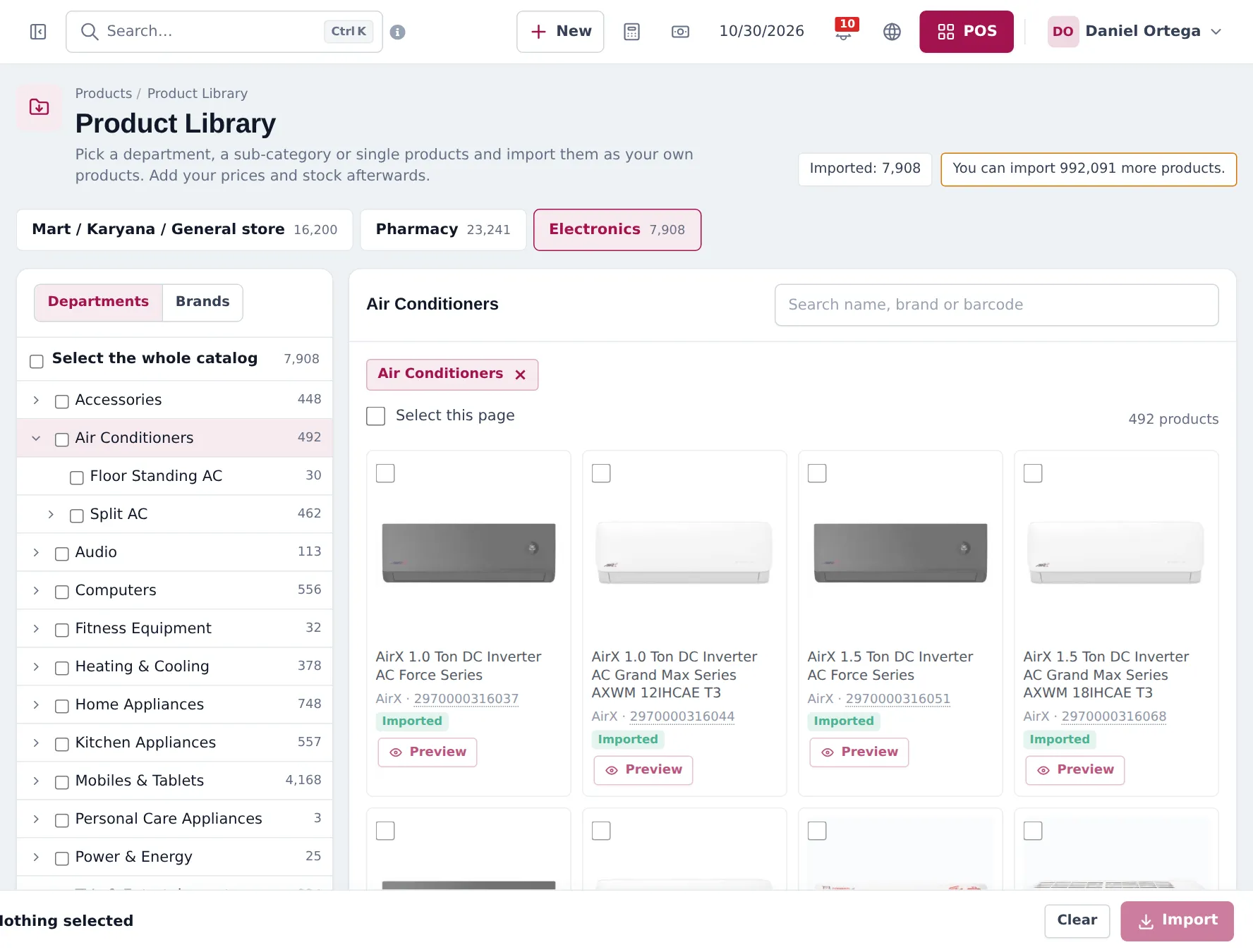
- Import appliances and brands from the Product Library.
- Serial numbers and warranties on every big-ticket unit.
- Installation and delivery: service products, appointments, shipments and riders.
- Sell on instalments: down payment, pay term, monthly payments and the ledger.
- After-sales service: warranty repairs and on-site visits.
- Seasonal reports: what sells when, stock per location, money owed.
- Daily operations and the go-live checklist.
Instalments at a glance
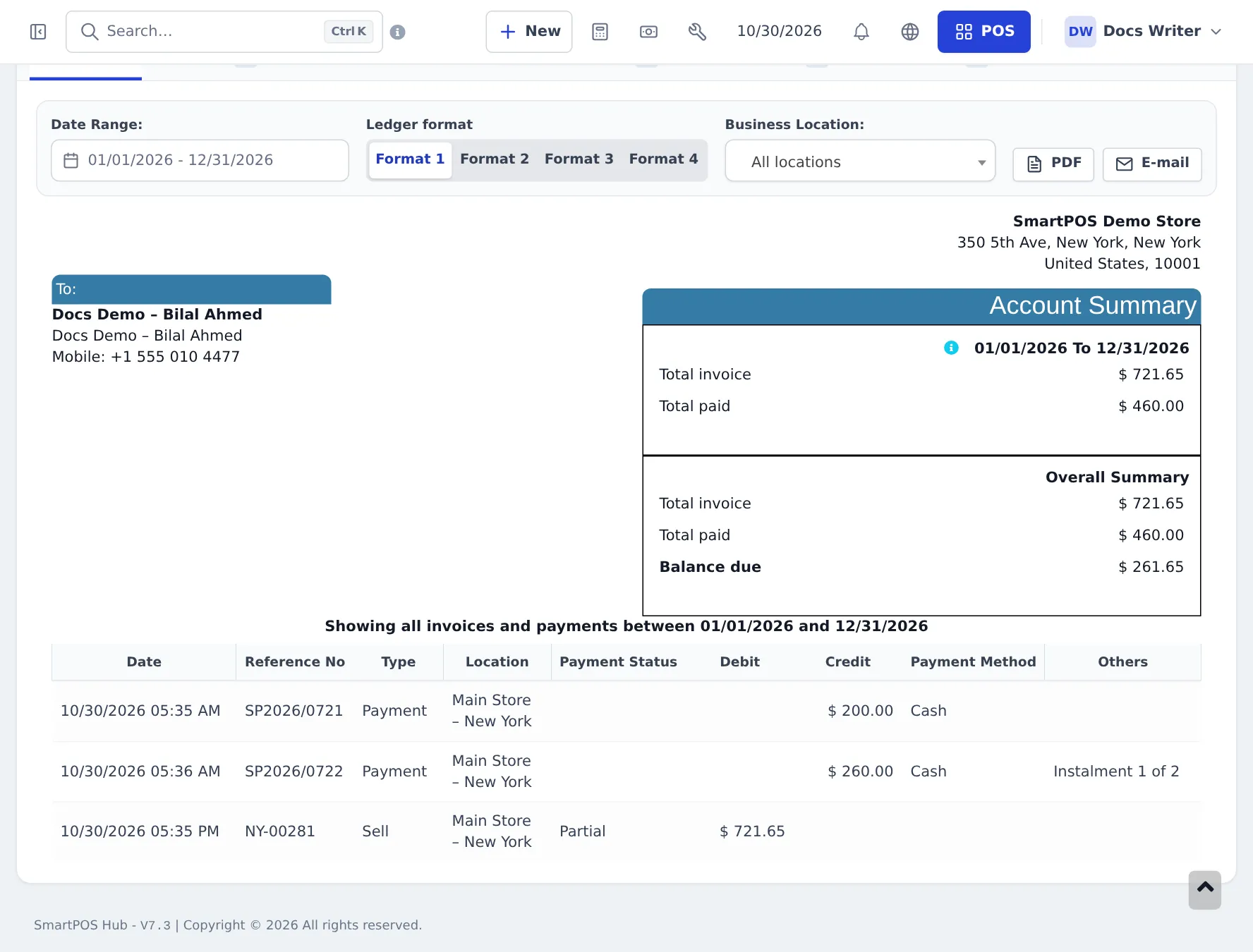
Section titled “Instalments at a glance”SmartPOS Hub has no separate instalment module. An instalment sale is one invoice with several payments: a down payment on the day, then each monthly payment recorded against the same invoice until it is paid. The customer’s Ledger always shows what was paid and what is left.
Related guides
Section titled “Related guides”Frequently asked questions
Can SmartPOS Hub sell ACs and fridges on instalments?
Yes, as part payments. The customer pays a down payment at the sale, the invoice stays partly due, and each monthly payment is recorded against the same invoice. The customer ledger shows every payment and the balance due. There is no separate instalment-plan module.
Can I keep stock in a warehouse and sell from the showroom?
Yes. Make the warehouse and each showroom a business location. Sell from the showroom location and move units with stock transfers, or sell straight from the warehouse location.
How do I record the serial number of each AC or fridge?
Switch on Enable Product description, IMEI or Serial Number on the product. Each unit you sell gets its own line with a box for the serial number, which prints on the invoice.
Can I charge for installation and delivery?
Yes. Create installation and delivery as service products without stock, and add them to the sale. Delivery can also be charged as shipping charges on the sale.
Can I book an installation appointment?
Yes. Use Repair on-site visits for technician visits linked to a customer, or the Services module and Bookings for appointment slots with staff calendars.
Is there a ready-made appliance catalog?
Yes. The Product Library Electronics catalog has Air Conditioners, Home Appliances (refrigerators, freezers, washing machines, water dispensers), Kitchen Appliances and Heating & Cooling departments with brands, photos and barcodes.
Can I handle after-sales service and warranty repairs?
Yes. The Repair module has an Electronics / home appliance device category with appliance type, capacity or tonnage, installation address, on-site service and warranty card fields, plus on-site visits.
Can I see which products sell in summer or winter?
Yes. Run the Product Sell Report or Trending Products for a date range, grouped by category or brand, and compare seasons.
Can my delivery team see their deliveries?
Yes. Assign a delivery person on the sale's shipping details and follow it in Sell › Shipments. With the Shipping & delivery module, riders get their own deliveries list or a job link.
Which plan do I need?
Selling, stock, transfers, warranties and part payments are in every plan. Product Library, Repair, Services and Shipping & delivery depend on your plan; Settings › Package Subscription shows what is included.