
Pharmacy step 8: expiry returns and write-offs
Expired medicine is lost money and a safety risk. This step shows how to find stock close to expiry, return it to the distributor where your agreement allows, and write off what can’t be returned.
Find stock close to expiry
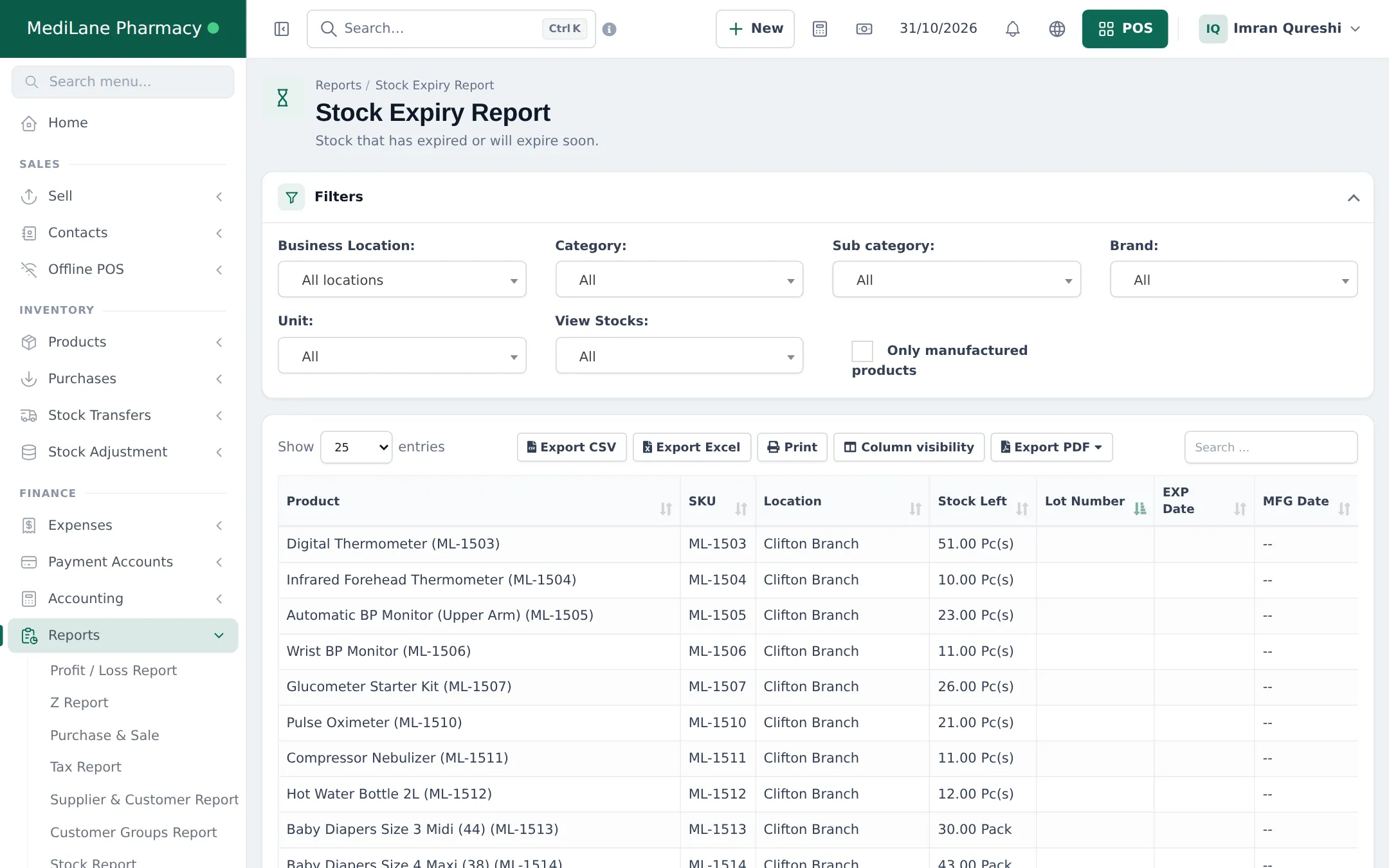
Section titled “Find stock close to expiry”- Open Reports › Stock Expiry Report (the dashboard’s Stock Expiry Alert shows the same in short).
- Filter by Business Location, Category, Brand and View Stocks (expired, or expiring within a period).
- The list shows each product’s location, stock left, lot number, expiry and manufacturing date.
Return to the distributor
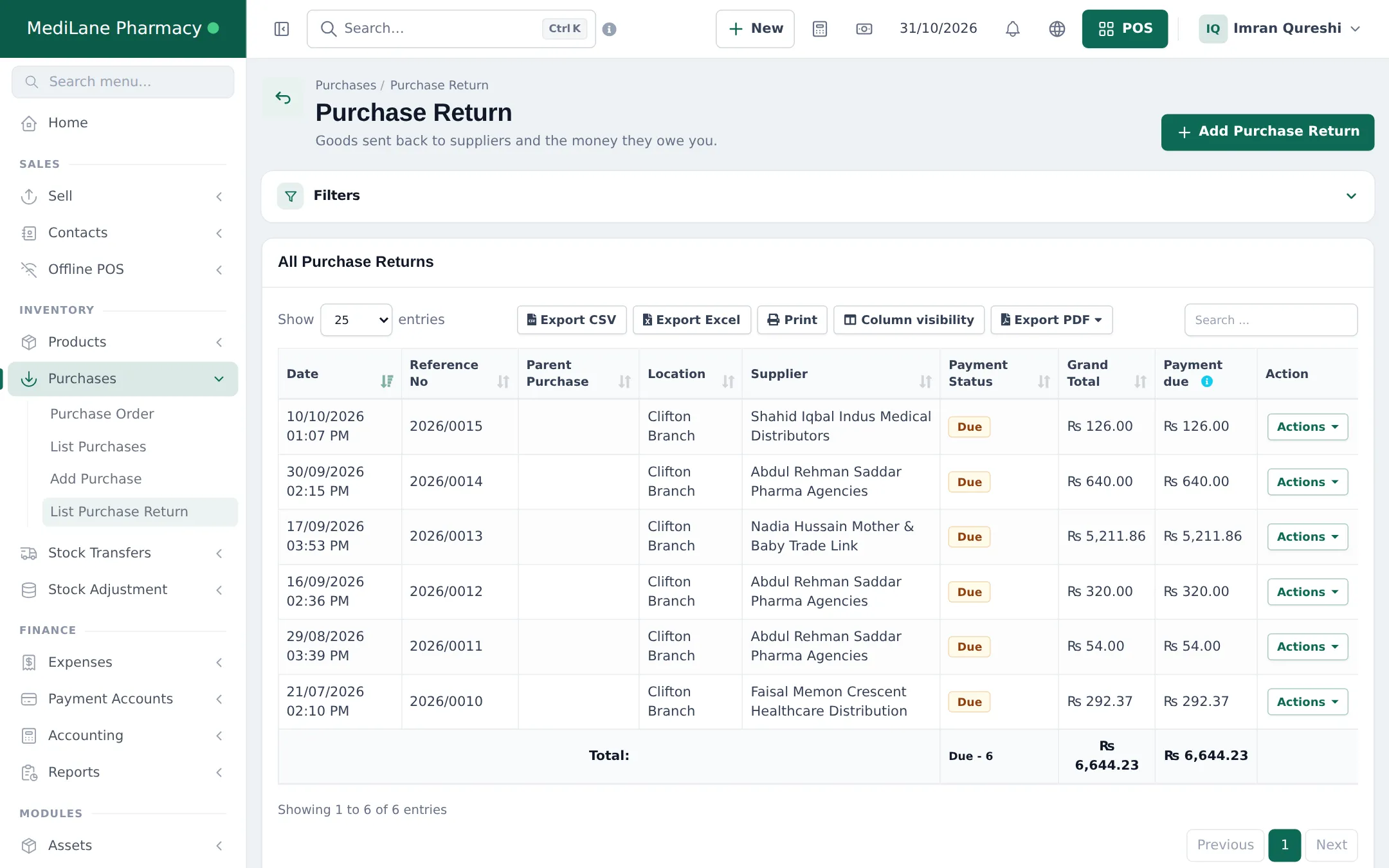
Section titled “Return to the distributor”- Open Purchases › List Purchase Return and click Add Purchase Return, or use Return in the Actions menu of the original purchase.
- Choose the supplier and location, add the medicines, quantities and lot.
- Save. Stock goes down and the amount is due from the supplier.
- When the distributor gives you a credit note or refund, record it as a payment on the return.
Write off expired or damaged stock
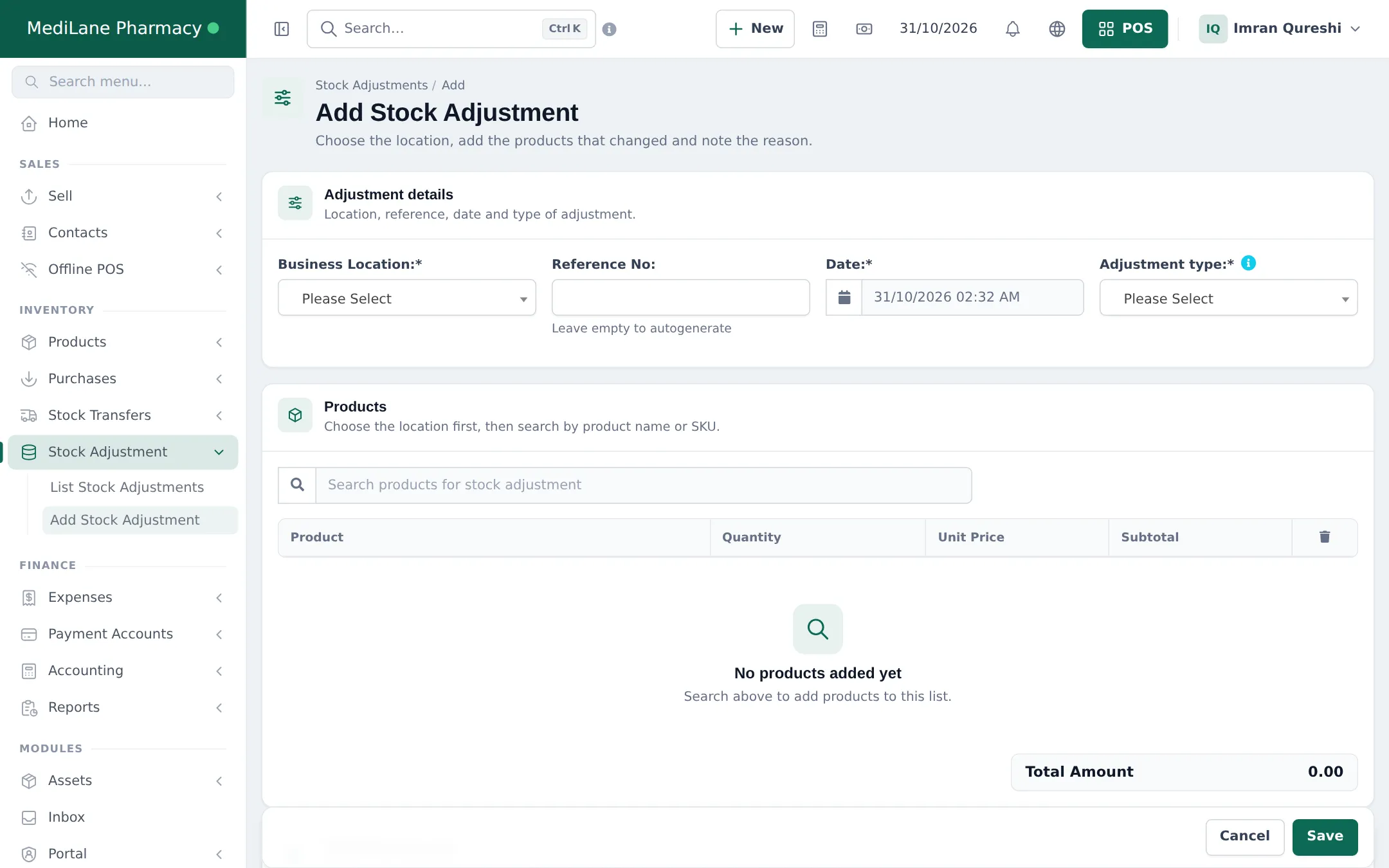
Section titled “Write off expired or damaged stock”- Open Stock Adjustment › Add Stock Adjustment.
- Choose the Business Location and the Adjustment type.
- Search the medicines and enter the quantities to remove.
- Write the reason (for example “Expired, destroyed on 30/10”) and save.
Keep any destruction records your regulator requires; the adjustment note can carry their reference.
More: Purchases, Stock adjustments, Expiry and batches.
Frequently asked questions
How far ahead should I check expiry?
Many pharmacies check 90 days ahead, so there is time to sell, move to another branch or return to the distributor. Use the View Stocks filter on the Stock Expiry Report.
What is the difference between a purchase return and a stock adjustment?
A purchase return sends goods back to the supplier and records that they owe you money or credit. A stock adjustment removes stock that is lost, damaged or destroyed, with no supplier involved.
Does a purchase return reduce what I owe the distributor?
Yes. The return amount is due from the supplier and is set against what you owe, or paid back to you.
Can I move short-dated stock to another branch?
Yes. Use a stock transfer to the branch that sells that medicine faster.