
Bottle shop step 4: trade prices, clubs, deposits
A bottle shop has more than one price for the same bottle: the shelf price, a trade price for bars and caterers, a club price for members, and seasonal offers. This page sets them up, and explains how to handle container deposits.
Before you start
Section titled “Before you start”- Products and units are set up (step 2).
Trade and club price lists
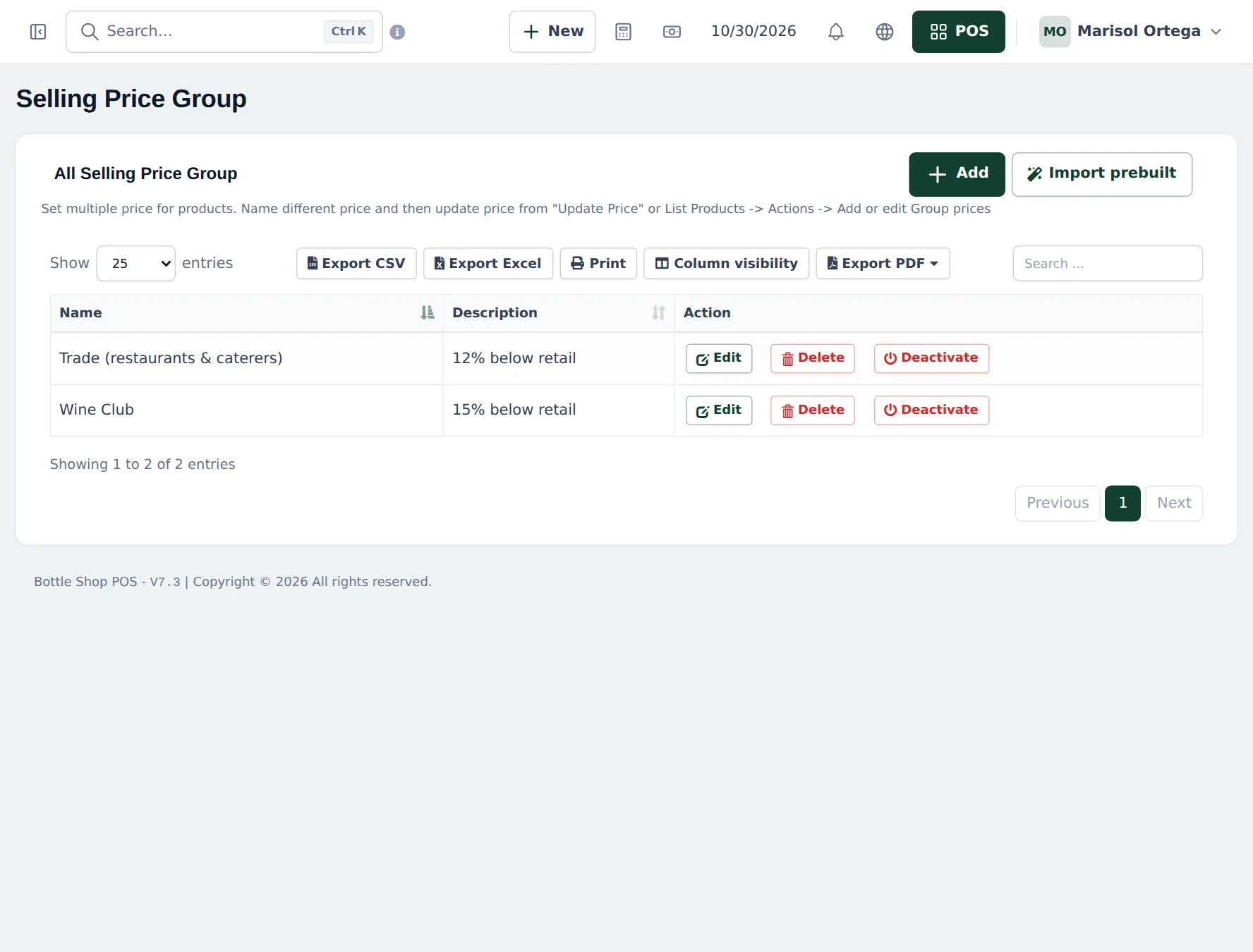
Section titled “Trade and club price lists”- Open Products › Selling Price Group and click Add: Trade (restaurants & caterers) (12 % below retail) and Wine Club (15 % below retail).
- Set the prices with Products › Update Price (one column per group) or per product with Actions › Add or edit Group Prices. Choose Fixed or Percentage.
- Open Contacts › Customer Groups, add Trade and Wine Club with Price calculation type Selling Price Group and pick the matching group.
- Put each bar, restaurant or member in their customer group.
Automatic discounts and offers
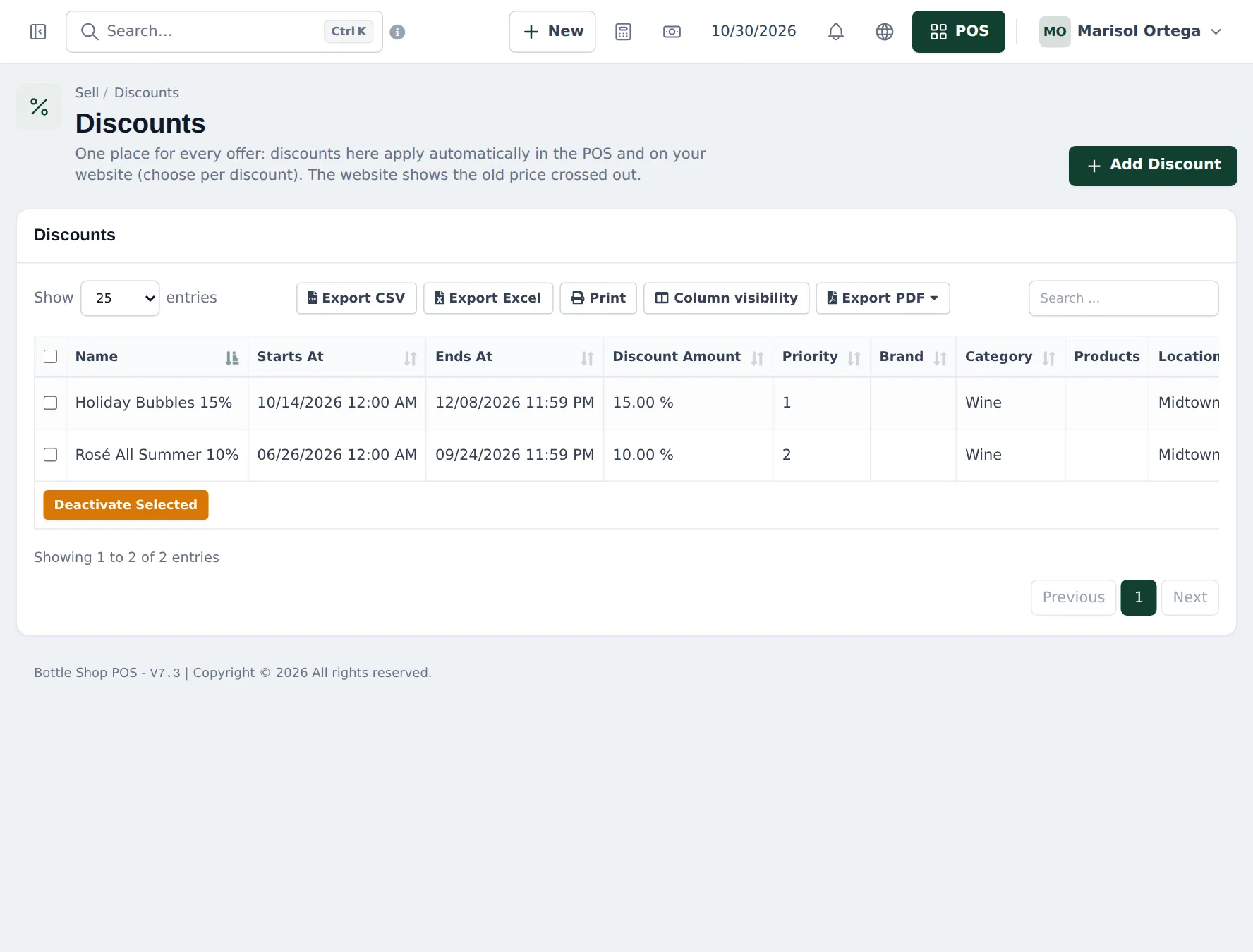
Section titled “Automatic discounts and offers”Open Sell › Discounts and click Add Discount. Choose the brand, category or products, the location, the start and end date, the amount (percentage or fixed) and the priority. Choose whether it applies in the POS, on your website or both. Active discounts are applied automatically and the website shows the old price crossed out.
Container deposits
Section titled “Container deposits”SmartPOS Hub has no built-in container deposit (bottle bill, CRV). Two common ways:
| Option | How | Good for |
|---|---|---|
| Separate deposit line | Product Bottle deposit (or Can deposit), Manage Stock? unticked, price = the deposit, tax as your rules require. Add it per container. | States that require the deposit shown separately |
| Included in price | Add the deposit to the shelf price | Where showing it separately is not required |
When customers return empties, refund the deposit with a return of the deposit line on a sale, or a cash refund recorded as you normally do.
Loyalty points
Section titled “Loyalty points”With Enable Reward Point on, customers you pick on the sale earn points and can redeem them. See reward points.
Tips and mistakes to avoid
Section titled “Tips and mistakes to avoid”- Name price groups clearly; the name shows on the POS and in reports.
- Don’t stack a club price and a big seasonal discount by accident; set discount priorities.
- Keep trade customers on a credit limit; a busy bar can run up a large balance quickly.
Frequently asked questions
How do restaurants get trade prices?
Create a selling price group Trade, set each product's trade price (fixed or a percentage), and link a customer group Trade to it. Pick the restaurant as customer on the sale and trade prices apply.
How do wine club members get their discount?
The same way, with a Wine Club price group and customer group. With Shopper app member prices on, approved members also see their prices in the app.
How do I give 10 % off mixed cases?
There is no mixed-case rule. Give the discount on the sale (the discount field in the POS) or use a price group. Sell › Discounts applies automatic offers by brand, category or product.
How do I charge a container deposit?
Create a product such as Bottle deposit with Manage Stock? unticked and the deposit as price, no tax if your rules say so. Add it once per container. When empties come back, refund it with a return of that product or a cash refund.
Can restaurants buy on account?
Yes. Give them a pay term and credit limit on the customer and use Credit Sale. Collect with Add payment.