
Shopper app & Scan & Go module reference
The Shopper app & Scan & Go module connects your store to SmartPOS Shopper, the customer app. This page lists what it does and how to switch it on; the step-by-step guides are Shopper app for your store, Scan & Go and Store profile and design.
What customers get
Section titled “What customers get”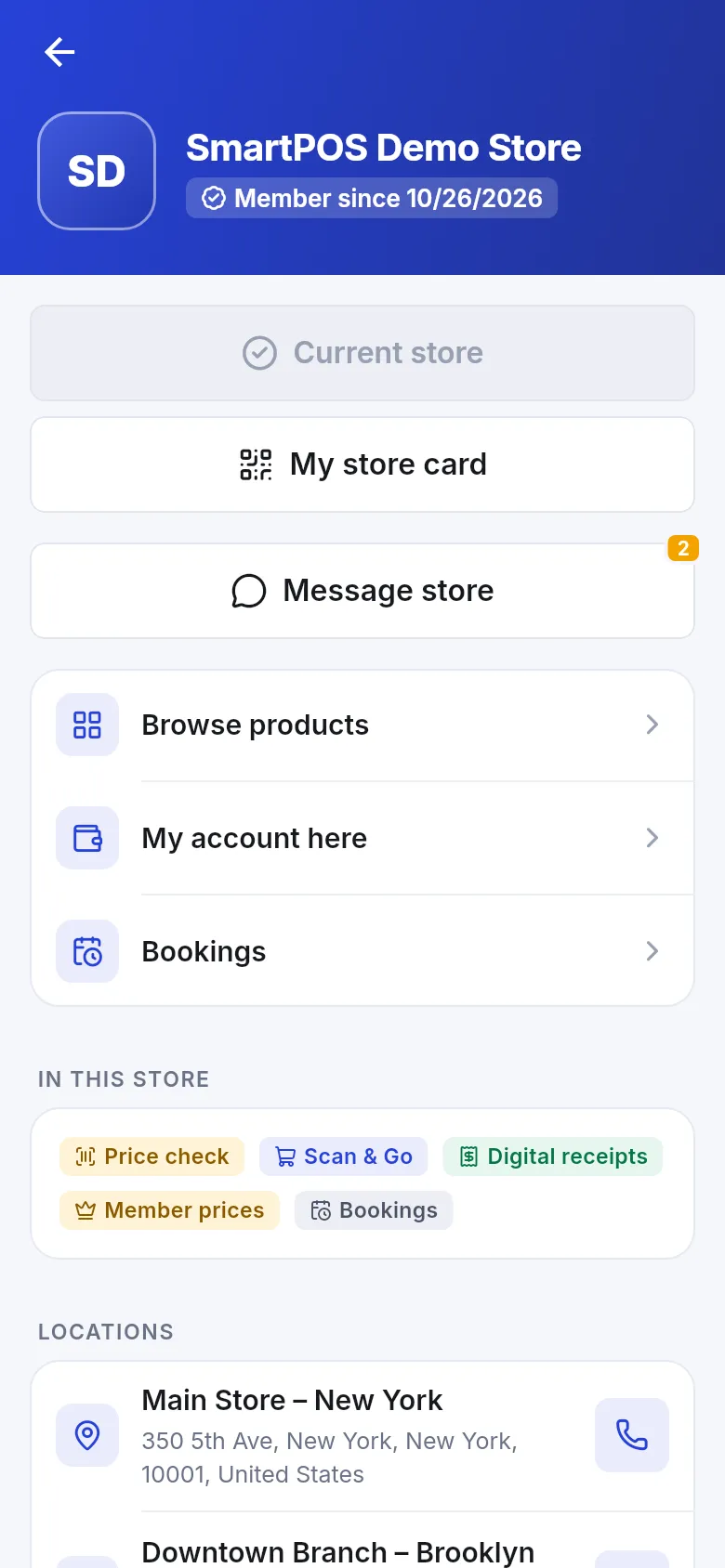
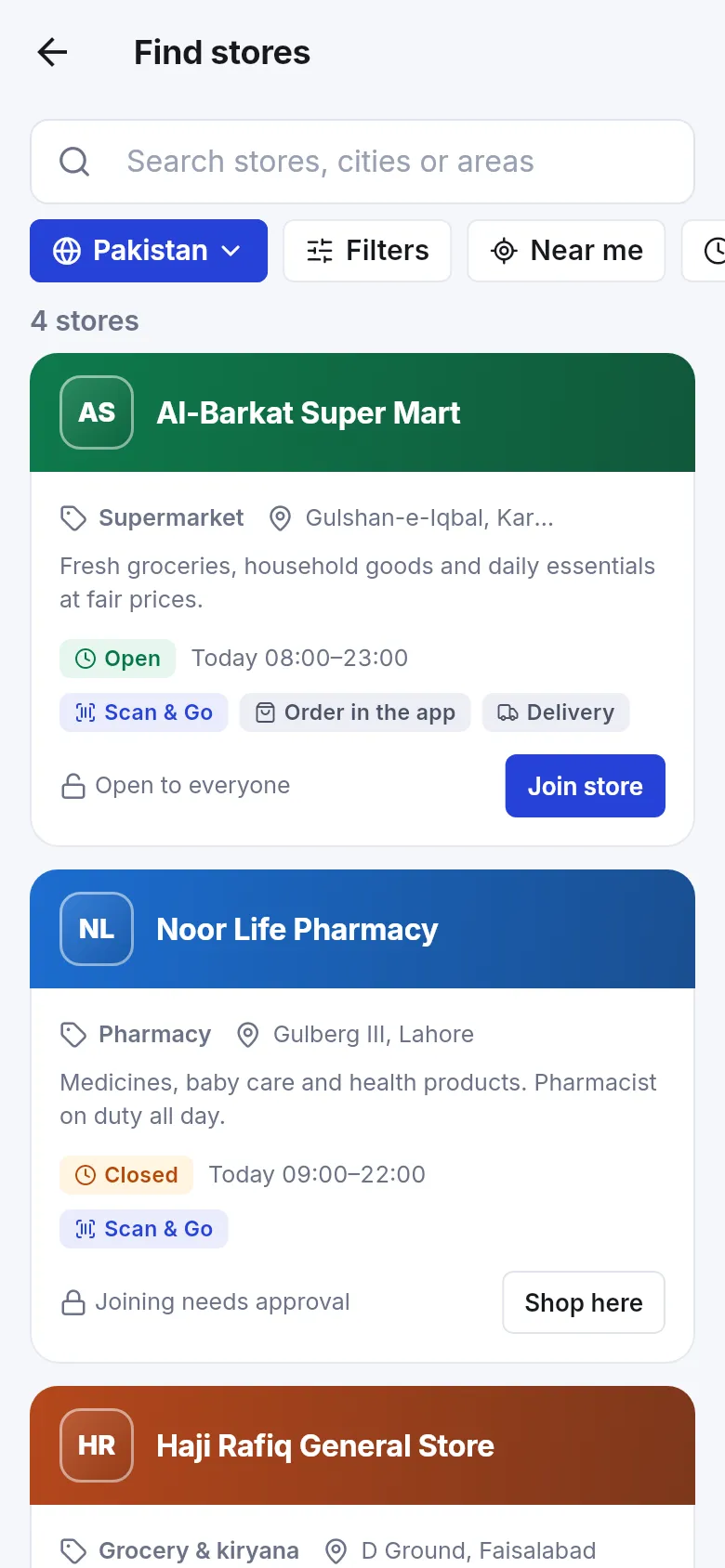
- Join with the store code, the Store QR poster, a join link, or Find stores.
- Price check and member prices; Scan & Go with a cart code at the counter.
- My store card so counter sales go on their account; receipts and their account with you.
- Ordering for pickup, delivery or dine-in (needs Website); bookings for tables, services, rooms, gym and repairs when those modules are on; chat with App chat.
The settings page
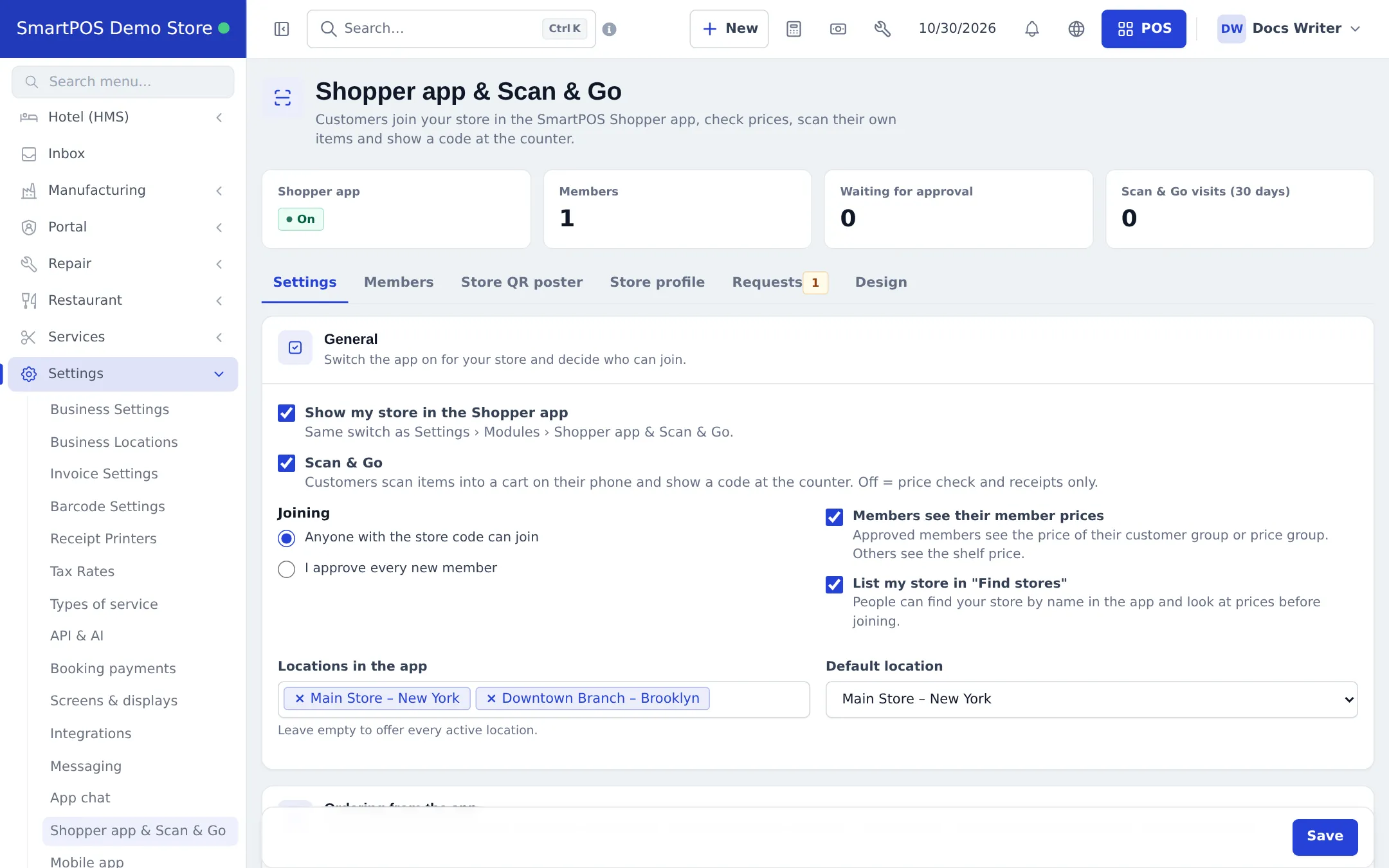
Section titled “The settings page”Settings › Shopper app & Scan & Go has the tabs Settings (General, Ordering from the app, Checks at the counter, Products, Shop tab, Currency display, and the services/rooms/gym/repairs sections), Members, Store QR poster, Store profile, Requests (requests sent from the app such as repair, membership or cancellation requests) and Design.
Related pages
Section titled “Related pages”Frequently asked questions
What is the Shopper app & Scan & Go module?
It puts your store in the free SmartPOS Shopper customer app: joining with a store code, price check, member prices, Scan & Go, My store card, receipts, ordering, bookings and chat.
Is it switched on by default?
No. Each business switches it on: Settings › Business Settings › Modules › Shopper app & Scan & Go, which is the same switch as Show my store in the Shopper app.
Do customers pay for the app?
No. SmartPOS Shopper is free for customers.
Does ordering in the app need another module?
Yes, Website & online store. App orders land in Website › Orders, Sales and the kitchen display.
Can customers chat with me?
Yes, with the Messaging module and Shopper app chat switched on. See the App chat module.
Is there an iPhone app?
Not yet. SmartPOS Shopper is for Android, from Google Play: https://play.google.com/store/apps/details?id=com.smartposhub.shopper. An iPhone version is planned.