
Receipts and invoice layouts (22 ready-made designs)
Your receipts and invoices come from invoice layouts (what the printout looks like) and invoice schemes (how invoices are numbered). SmartPOS Hub includes 22 ready-made designs for different shop types, on A4 or thermal paper, with a live preview while you edit.
Where to find it
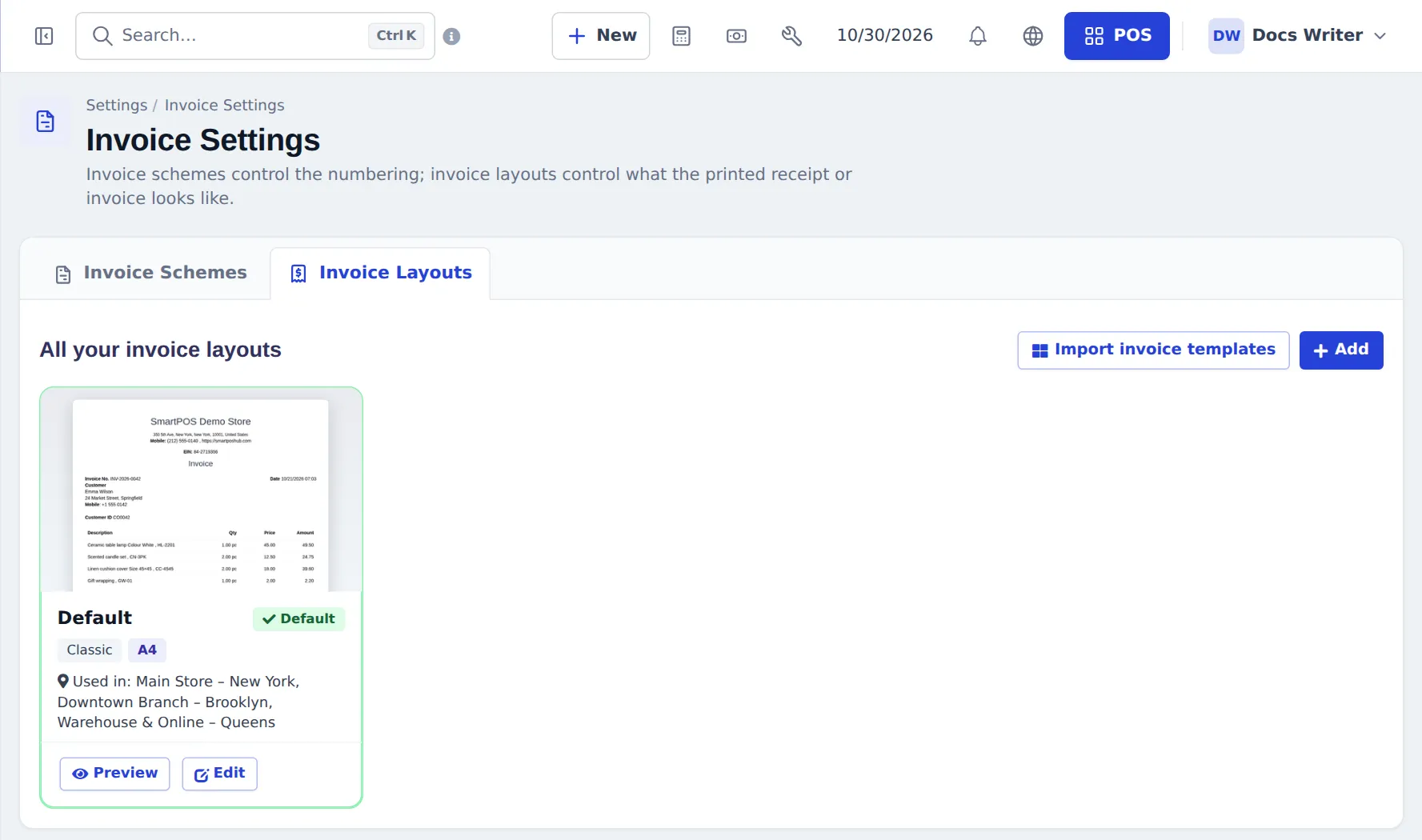
Section titled “Where to find it”Settings › Invoice Settings has two tabs:
- Invoice Schemes — numbering per shop.
- Invoice Layouts — designs, with Preview, Edit, Add and Import invoice templates.
Pick a design for your shop
Section titled “Pick a design for your shop”- On Invoice Layouts, press Import invoice templates. Filter by business type and paper, preview, tick the ones you want and press Import.
- Or press Edit on a layout and use Choose a design in the Design & live preview card.
- Set the accent colour, text size and terms / policy text, plus the usual labels, header and footer text and which fields to show (logo, tax numbers, customer details, barcode or QR).
- Watch the live preview (switch A4 / 80 / 58, sample data or your latest sale) and Save.
- Assign the layout to a shop: Settings › Business Locations › edit › invoice layout.
Some of the designs:
| Design | Paper | For |
|---|---|---|
| Modern retail | A4 | Retail, florist, pet shops — totals card, loyalty, QR |
| Grocery | 80 mm | Marts — quantity × unit price, “you saved”, item count |
| Restaurant / Café / Fast food | 80 / 58 mm | Table, waiter, order type, modifiers, tips, order number |
| Kitchen ticket (KOT) | 80 mm | No prices, big quantities for the kitchen |
| Electronics / Mobile shop | A4 / 80 mm | Serial / IMEI and warranty columns |
| Pharmacy | 80 mm | Batch and expiry per line, prescription box |
| Hardware / B2B tax | A4 | Tax IDs, tax per line, amount in words, bank details |
| Repair / Auto garage | A4 | Device or vehicle box, parts vs labour |
| Hotel folio, Gym, Salon, Optical, Jewellery, Bilingual (English + Arabic) | various | Their own fields |
Each design hides fields you don’t use.
Number your invoices (schemes)
Section titled “Number your invoices (schemes)”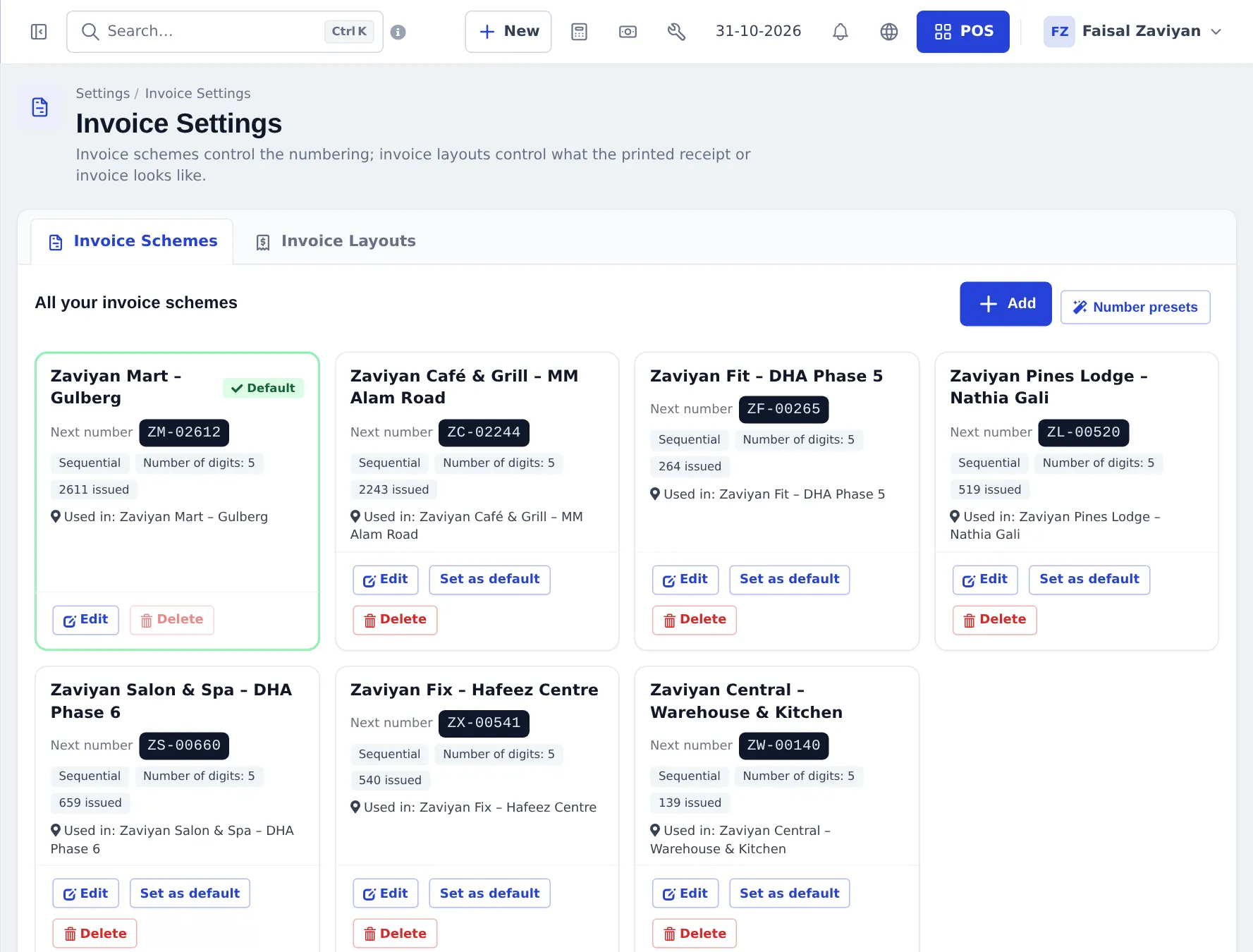
- On Invoice Schemes, press Add, or Number presets for ready formats (yearly
INV-2026-0001,POS-0001, tax invoices, one per location…). - Choose sequential or random, the prefix and number of digits.
- Use Set as default, or assign schemes per location in Settings › Business Locations.
Each card shows the Next number, how many invoices were issued and which shops use it.
What a printed invoice shows
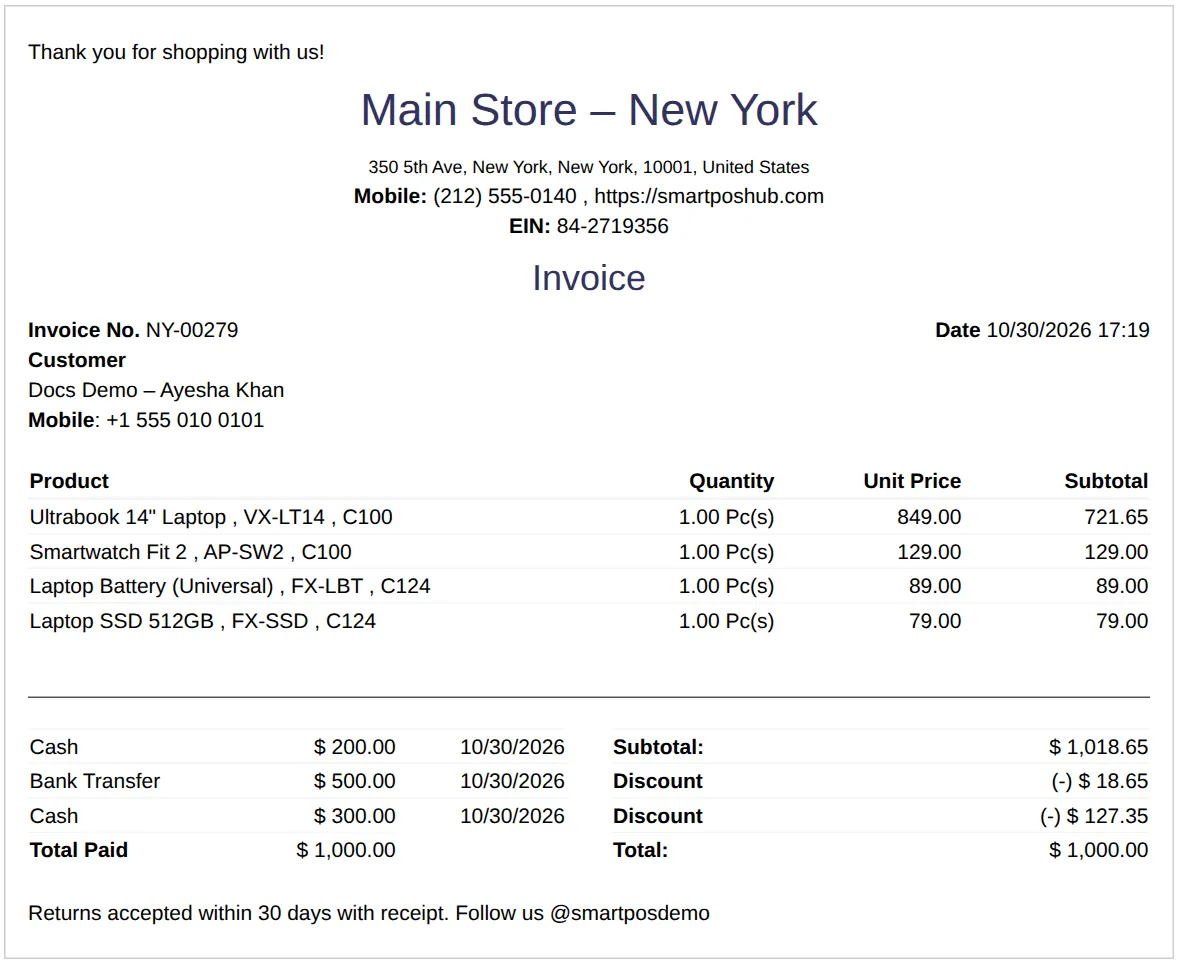
Section titled “What a printed invoice shows”Business header, invoice number and date, customer, products with quantity and price, discounts and taxes, every payment with date and method, Total Paid and Total Due on unpaid sales, and your footer text.
- Receipt printers: set them up in Settings › Receipt Printers and link them to the location.
- Use the latest sale preview to check real data before printing on paper.
- Quotations, credit notes and proforma invoices use the same layout with their own heading.
Frequently asked questions
Where do I change how my receipt looks?
Settings › Invoice Settings › Invoice Layouts. Edit a layout, choose a design, set the accent colour, text size and terms, and watch the live preview.
Can I print on an 80 mm or 58 mm thermal printer?
Yes. Many designs are made for 80 mm or 58 mm rolls, and the preview has an A4 / 80 / 58 toggle.
How do I use a different receipt in each shop?
Create one layout per shop, then choose it as the invoice layout of each location in Settings › Business Locations.
How do I change the invoice number format?
In Settings › Invoice Settings › Invoice Schemes, add a scheme (or use Number presets such as INV-2026-0001) and set it as default or assign it to a location.
Does the receipt show what the customer still owes?
Yes. Every design lists the payments taken and the amount due on part-paid and credit sales.
Does the online invoice use the same design?
Yes. The printed receipt, the PDF, the online invoice link and the customer portal all use your invoice layout.