
Appliance store step 6: after-sales and warranty repairs
After the sale comes the service: an AC that does not cool, a fridge that leaks, a washing machine under warranty. The Repair module handles appliance repairs with its own appliance fields and on-site visits, so your service team works from the same customers, products and invoices as your showroom.
Before you start
Section titled “Before you start”- The Repair module is on (step 1).
- Spare parts (compressors, PCBs, gas refills) exist as products, and labour and visit charges as products without stock.
Add the appliance device category
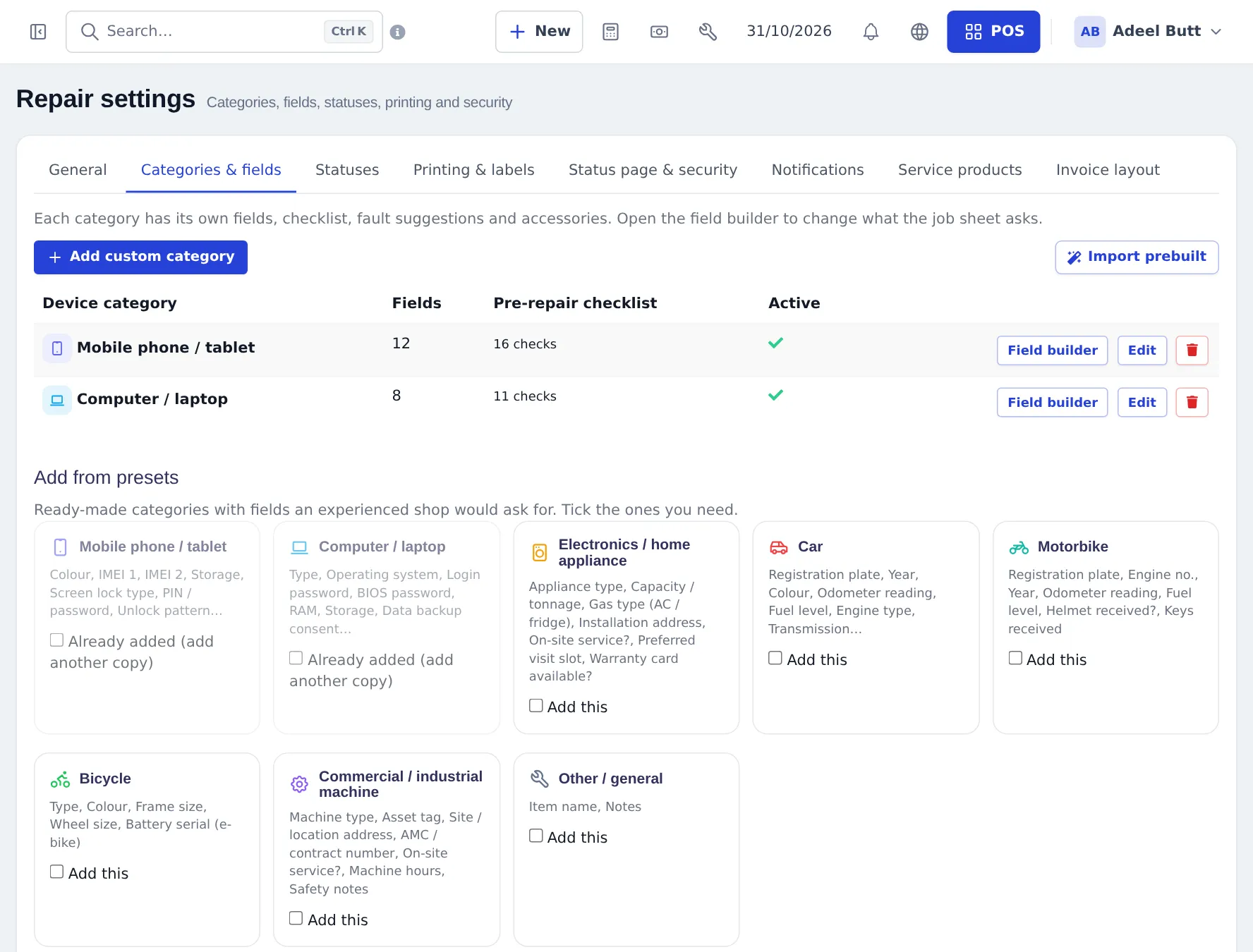
Section titled “Add the appliance device category”- Open Repair › Settings › Categories & fields.
- Under Add from presets, tick Electronics / home appliance and add it.
- Click Field builder to adjust it, for example add “Gas type” options for ACs or make Installation address required.
- In General, set the default Service type to On-site if most of your service is at the customer’s home.
- In Service products, choose the product used for visit charges.
Book a service or warranty job
Section titled “Book a service or warranty job”- Repair › Add job sheet. Choose the customer (search by phone).
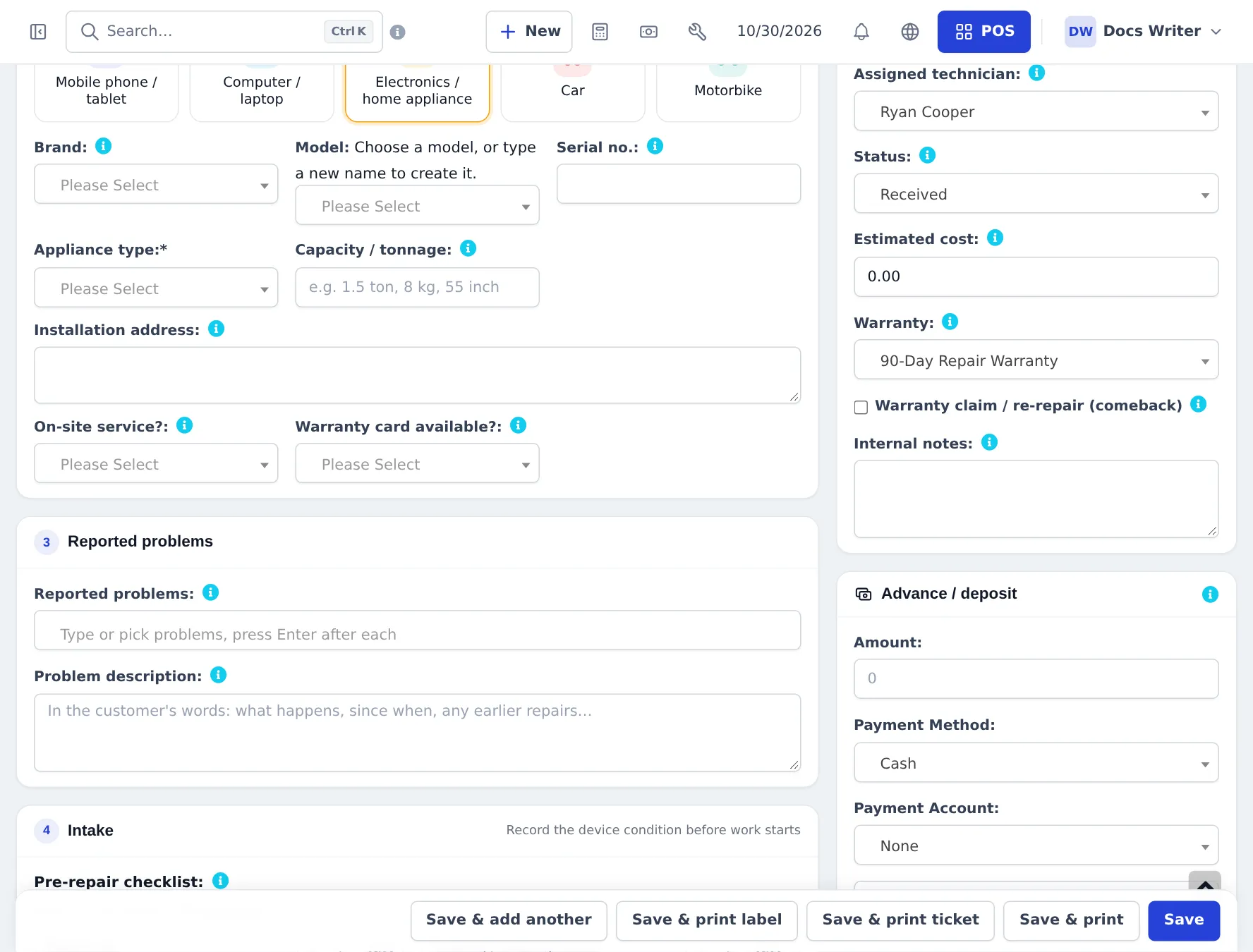
- Click Electronics / home appliance. Fill Appliance type, brand and model, Serial no., Capacity / tonnage, Installation address, On-site service? and Warranty card available?.
- Enter the Reported problems and the problem description.
- In Job details, choose On-site service type, the technician, expected date and the Warranty (for a claim, tick Warranty claim / re-repair (comeback) if it is a repeat fault).
- Save.
Send the technician
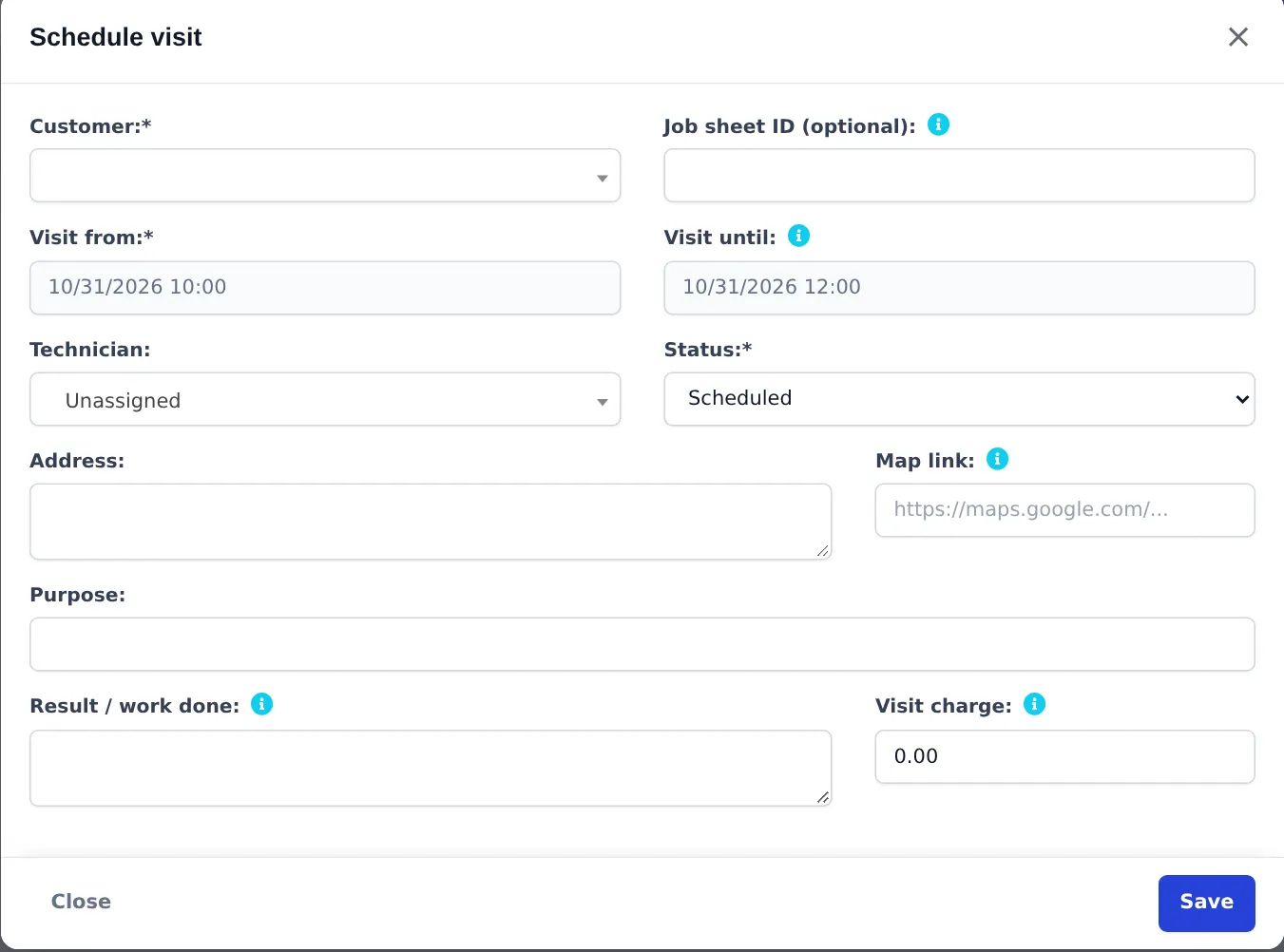
Section titled “Send the technician”From the job, choose Actions › Schedule visit, or open Repair › On-site visits › Schedule visit and enter the Job sheet ID. Set the time window, technician, address and map link. When the visit is done, record the Result / work done; Add charge to job puts the visit charge on the job.
Close the job
Section titled “Close the job”Change the status as work goes on, then Convert to invoice to bill parts, labour and the visit (or 0 for warranty work), and Mark as delivered. The tech store repair page shows each of these screens in detail.
Next: step 7: seasonal reports.
Frequently asked questions
Which device category fits appliances?
Add the Electronics / home appliance preset in Repair › Settings › Categories & fields. It asks for appliance type, capacity or tonnage, installation address, whether service is on-site, and whether a warranty card is available.
How do I handle a warranty repair at no charge?
Book the job, choose the warranty on the job sheet, and add the parts and labour at 0 or use a warranty labour product priced 0. The repair invoice still records the parts used, so stock stays correct.
Can I send a technician to the customer's home?
Yes. Set the service type to On-site on the job sheet and schedule an on-site visit with the date, time window, technician and address. Add a visit charge to the job if you charge for the trip.
Can I sell annual AC service contracts?
You can sell the contract as a service product. Visits are then booked as on-site visits or appointments when they are due; there is no automatic contract schedule.
Can the customer see the repair status?
Yes, on the public repair status page with the job number and the last 4 digits of their phone, if you keep the page switched on.