
Reports overview - which report answers which question
SmartPOS Hub has reports for sales, payments, stock, profit, expenses, cash registers, customers and full accounting. This page lists them by the question they answer, so you can open the right one quickly. Every report filters by location and dates and exports to CSV, Excel or PDF.
Which report do I need?
Section titled “Which report do I need?”| Question | Report | Where |
|---|---|---|
| Did we make a profit? | Profit / Loss Report | Reports |
| How much did we sell and buy? | Purchase & Sale | Reports |
| What did we sell, by product, category or brand? | Product Sell Report, Items Report, Trending Products | Reports |
| Which payments came in? | Sell Payment Report | Reports |
| Who owes us, and how late? | Payment by Age, Supplier & Customer Report | Reports |
| Sales by customer group / staff / table | Customer Groups Report, Sales Representative Report, Service Staff Report, Table Report | Reports |
| End of day | Z Report, Register Report | Reports |
| How much stock and what is it worth? | Stock Report, Stock Expiry Report, Lot Report, Stock Adjustment Report | Reports |
| What did we spend? | Expense Report | Reports |
| Tax collected and paid | Tax Report | Reports |
| What came back? | Returned items | Reports |
| Account balances, transfers | List Accounts, Balance Sheet, Trial Balance, Cash Flow, Payment Account Report | Payment Accounts |
| Full double-entry books | Dashboard, journals, ledgers, financial statements | Accounting |
| Who did what? | Activity Log | Reports |
Working with reports
Section titled “Working with reports”- Filters sit at the top (location, date range, customer, user, category…). On phones the filter card starts closed.
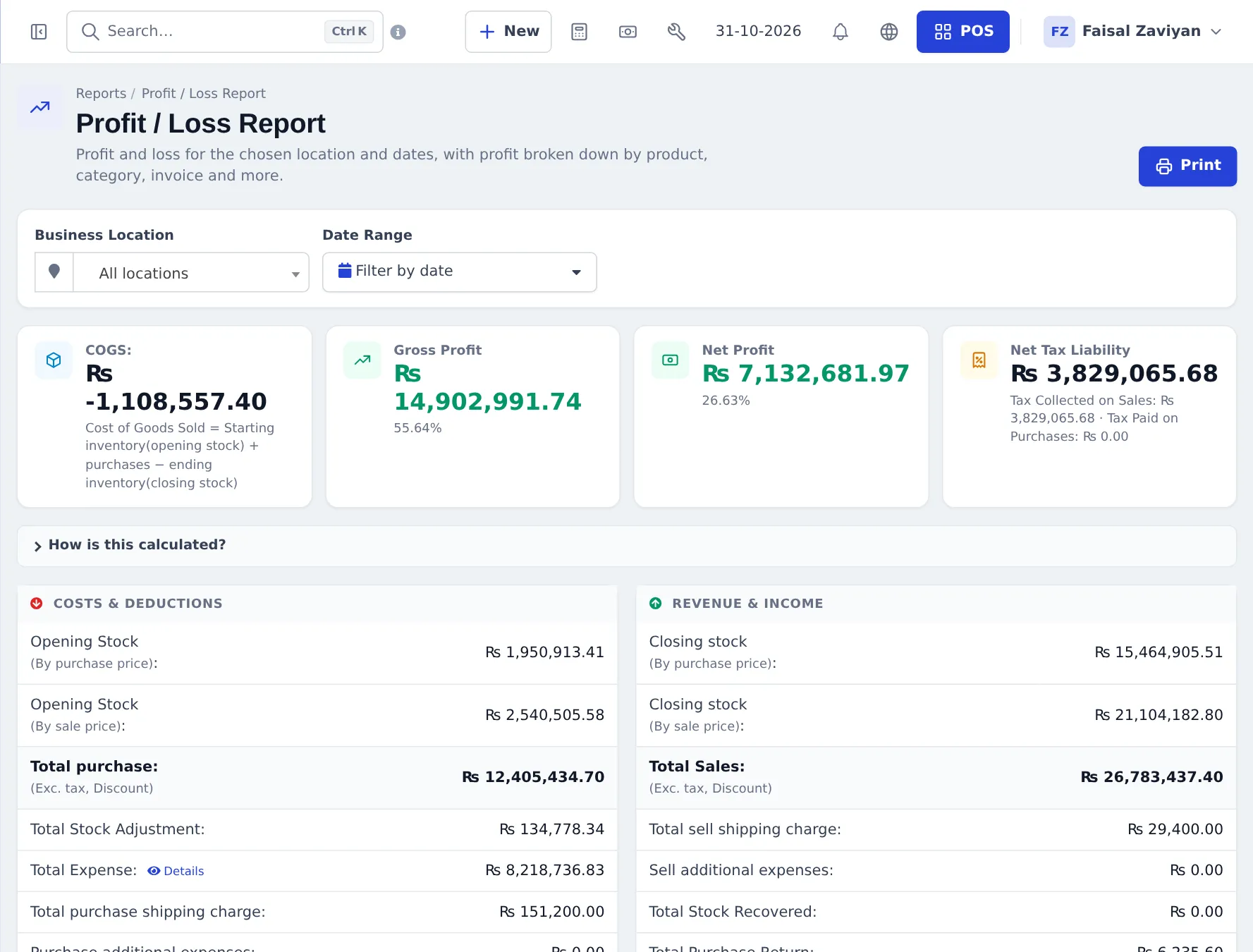
- KPI cards summarise the period; How is this calculated? explains the formula on the profit report.
- Export CSV / Export Excel / Print / Export PDF and Column visibility sit above each table.
Reports in the SmartPOS Business app
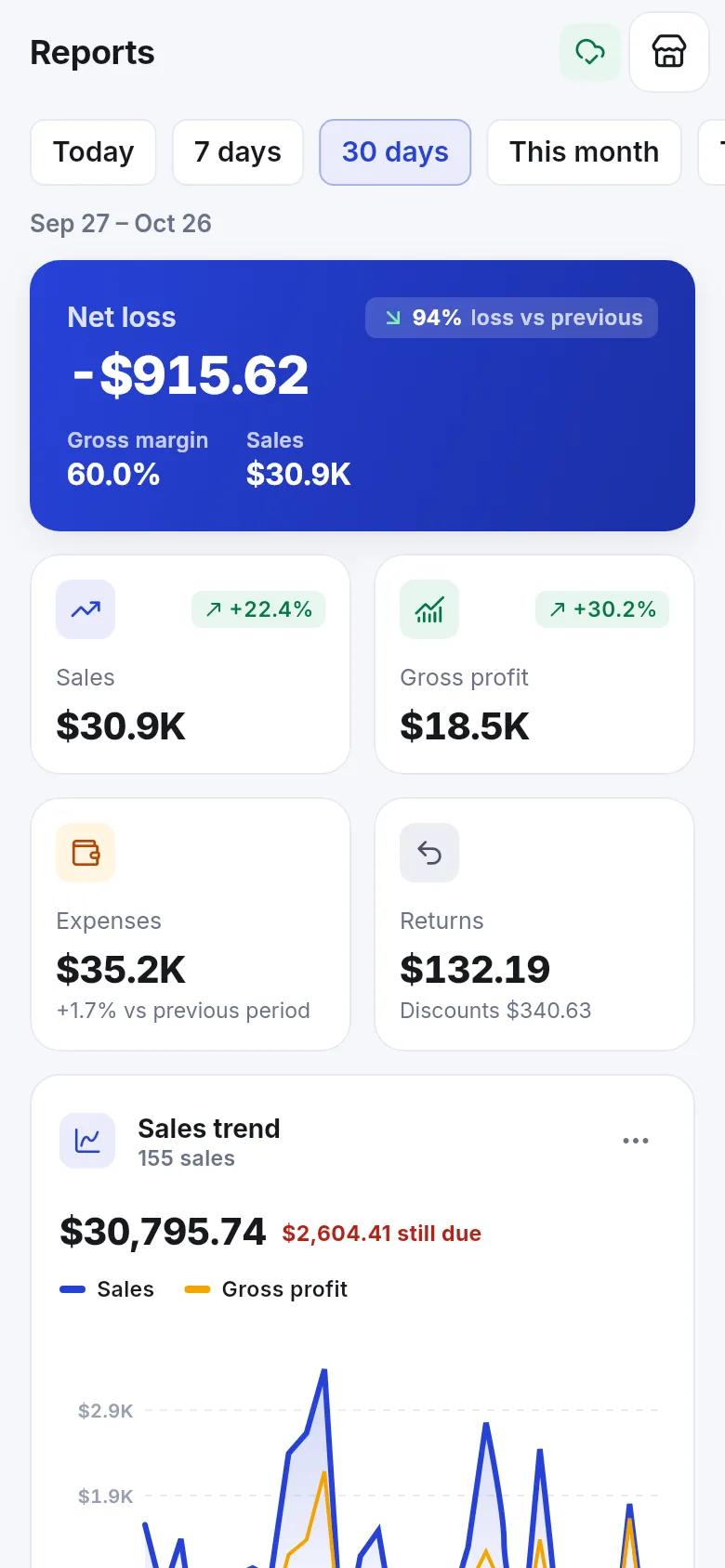
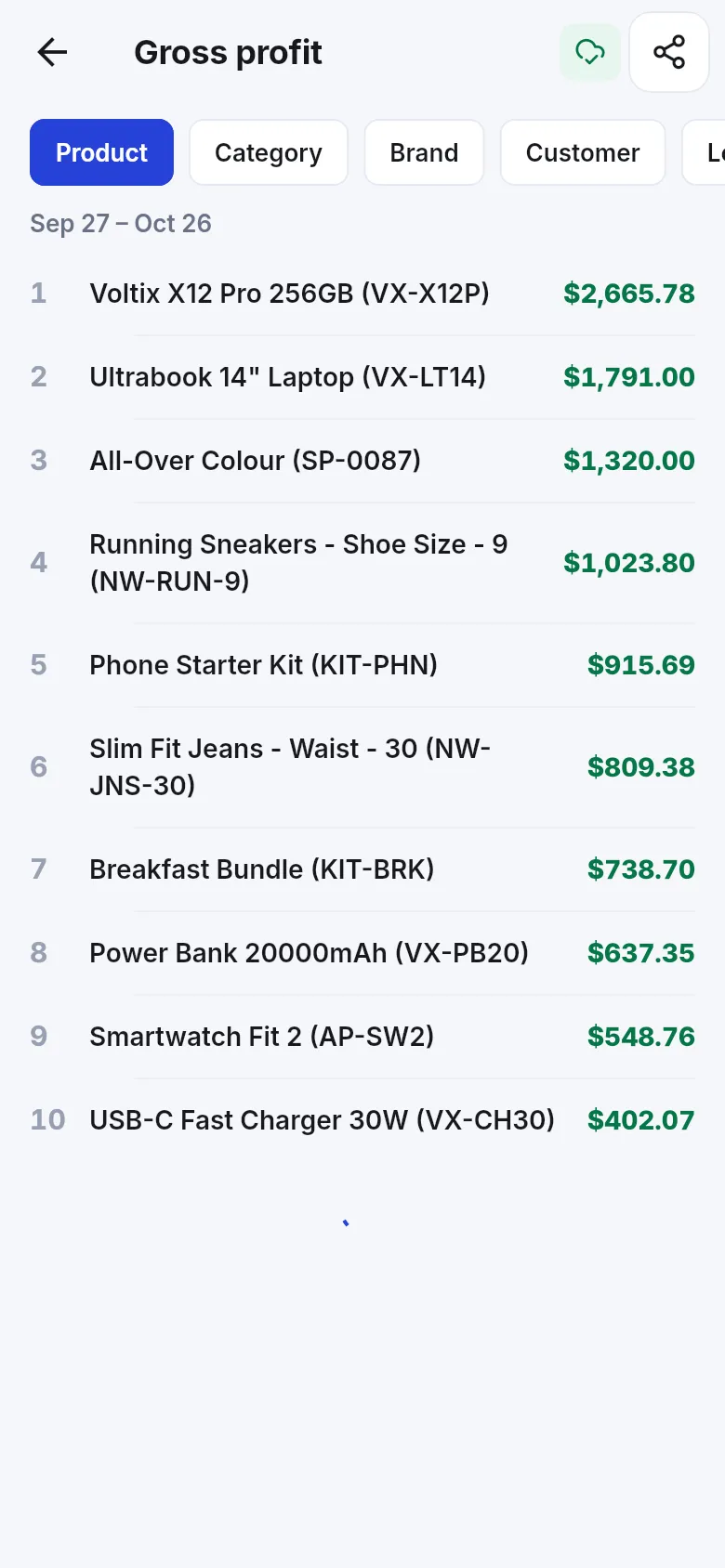
Section titled “Reports in the SmartPOS Business app”The app’s Reports screen shows net profit or loss, sales, gross profit, expenses and returns with change against the previous period, a sales trend, and drill-down tables such as Gross profit by product, category, brand or customer. Pick Today, 7 days, 30 days, This month or a custom range.
Report guides
Section titled “Report guides”Frequently asked questions
Where are the reports?
In the sidebar under Reports. Payment Accounts and Accounting have their own menus for account books and financial statements.
Can I export a report to Excel?
Yes. Most reports have Export CSV, Export Excel, Print and Export PDF buttons above the table, and Column visibility to choose columns.
Can I see one shop only?
Yes. Nearly every report has a Business Location filter. Staff only see the locations they are allowed to.
Why does a report show zero?
Check the date range and location filters first. Many reports start with the current financial year or today.
Do credit sales count as sales?
Yes, on the sale date and for the full amount. Money received counts on the day it is paid, so payment reports and the cash register show only what was collected.
Can staff see profit?
Only if their role has the report permissions. Profit / Loss and purchase prices can be hidden from cashiers in User Management › Roles.
Can I see reports on my phone?
Yes. The SmartPOS Business app has a Reports dashboard with sales, profit, expenses, returns, trends, top products and gross profit tables.
Which report shows who owes me money?
Payment by Age for overdue invoices, Supplier & Customer Report for totals per contact, and the Sales Payment Due list on the home dashboard.