
Electronics store setup guide for SmartPOS Hub
This guide sets up a consumer electronics store: TVs, audio, laptops, phones, gadgets and accessories, in one or more shops and online. You import the catalog, add variants with photos, record serial numbers, run retail and wholesale prices, open an online store with widgets and the Shopper app, move stock between stores and read the reports that matter.
Who this guide is for
Section titled “Who this guide is for”- Electronics retailers with a wide catalog of brands and models.
- Stores with wholesale customers (resellers, offices, schools) who need their own prices.
- Stores that sell online as well as in the shop.
Mostly phones and repairs? See the tech store guide. ACs and appliances with installation and instalments? See the appliance store guide.
What you will set up
Section titled “What you will set up”- Locations and modules.
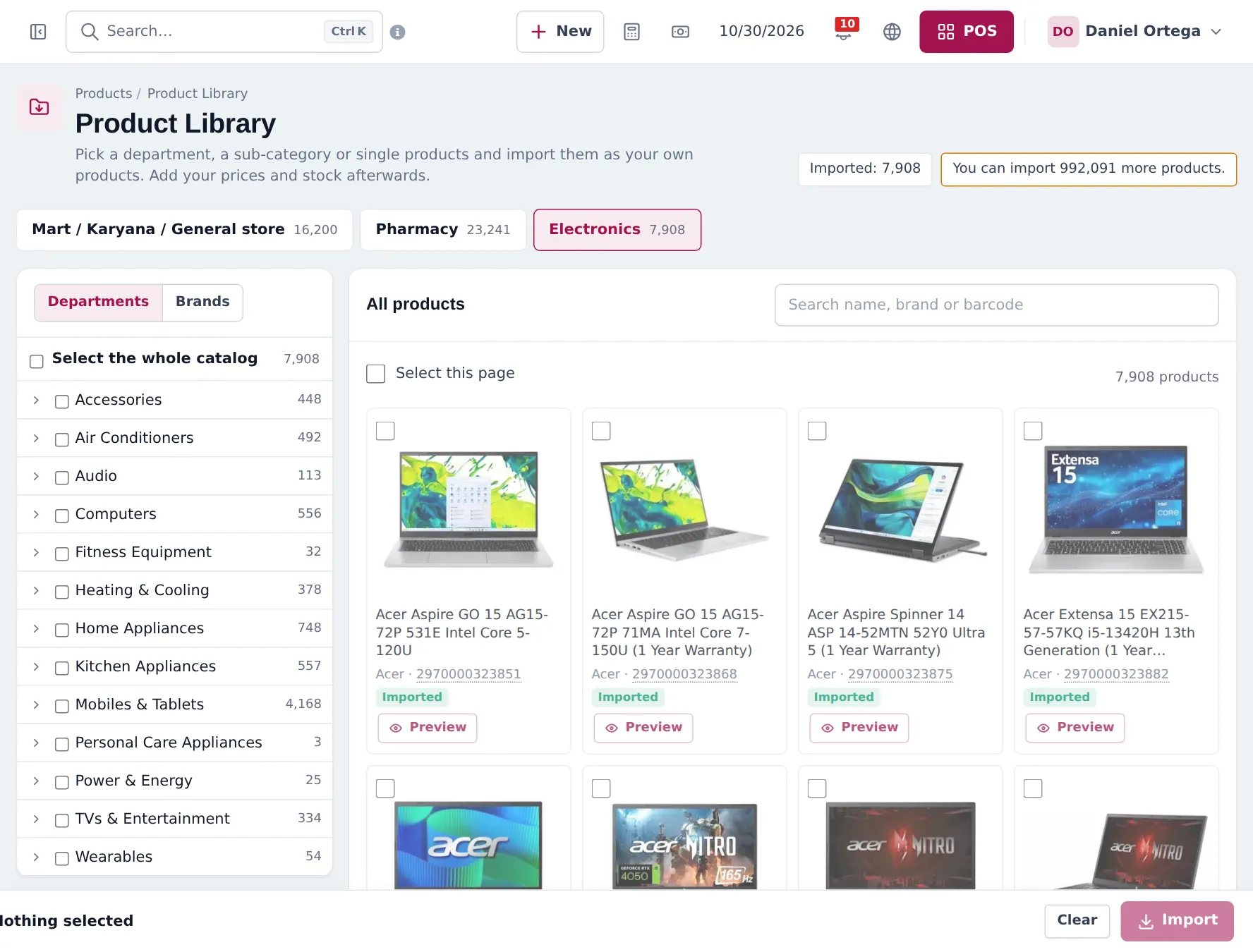
- Import the Electronics catalog.
- Variants, photos and serial numbers.
- Price groups and discounts: retail, wholesale and offers.
- Sell in the store: POS, serials, warranties, credit.
- Online store, widgets and Shopper app.
- Move stock between stores.
- Reports.
- Daily operations and the go-live checklist.
Frequently asked questions
Is there a ready-made electronics catalog?
Yes. The Product Library Electronics catalog has about 7,900 products in departments such as Mobiles & Tablets, Computers, TVs & Entertainment, Audio, Wearables, Accessories, Home and Kitchen Appliances and Air Conditioners, with barcodes, photos and variants.
Can I have retail and wholesale prices?
Yes. Create selling price groups such as Wholesale or Business Accounts, enter group prices per product, and pick the group in the POS, on a location or on a customer group.
Can each colour have its own photo?
Yes. Variable products have Variation Images per variant. The photos show on your website, in the Shopper app and in the product list.
Can I record serial numbers of TVs and laptops?
Yes, on the sale line. Switch on Enable Product description, IMEI or Serial Number on the product and type the serial on each line.
Can I sell online too?
Yes. The Website module gives you an online store, shop widgets you can paste into any website, and online orders in one list. Customers can also shop in the SmartPOS Shopper app.
Do online and in-store share stock?
Yes. Online orders, Shopper app orders and POS sales all use the same products and stock.
Can I run several stores?
Yes. Each store is a location with its own stock, prices and receipts. Move stock with stock transfers.
Which reports matter most?
Stock Report for what you hold, Product Sell Report by category and brand, Trending Products, Profit / Loss, and Payment by Age if you sell on credit.
Do discounts apply online too?
You choose per discount, POS only, website only, or both. The website shows the old price crossed out.
Can staff check stock from the shop floor?
Yes. The SmartPOS Business app shows stock by store, scans barcodes and sells.