
Accounting & bookkeeping - double-entry books from your POS
Accounting & Bookkeeping keeps a full double-entry general ledger that fills itself from your POS: every sale, payment, purchase, return, expense and stock movement is posted for you. You get a live accounting dashboard and the financial statements your accountant needs.
Set it up (once)
Section titled “Set it up (once)”- Open Accounting in the sidebar. The first visit starts the setup wizard.
- Choose a chart of accounts template: Retail, Restaurant, Services, Hotel, Gym or Repair.
- Choose account numbering, whether to keep perpetual inventory, and which history to post (everything, this financial year, or from a date).
- Finish. Existing documents are posted, and new ones post automatically every few minutes.
The dashboard
Section titled “The dashboard”Accounting › Dashboard shows Cash & bank, Receivables (what customers owe), Payables (what you owe suppliers), income and expenses this month and year, Net profit this year, Current ratio and Gross margin, with charts for income vs expenses, profit trend, expense breakdown and cash flow. Needs attention lists what to check.
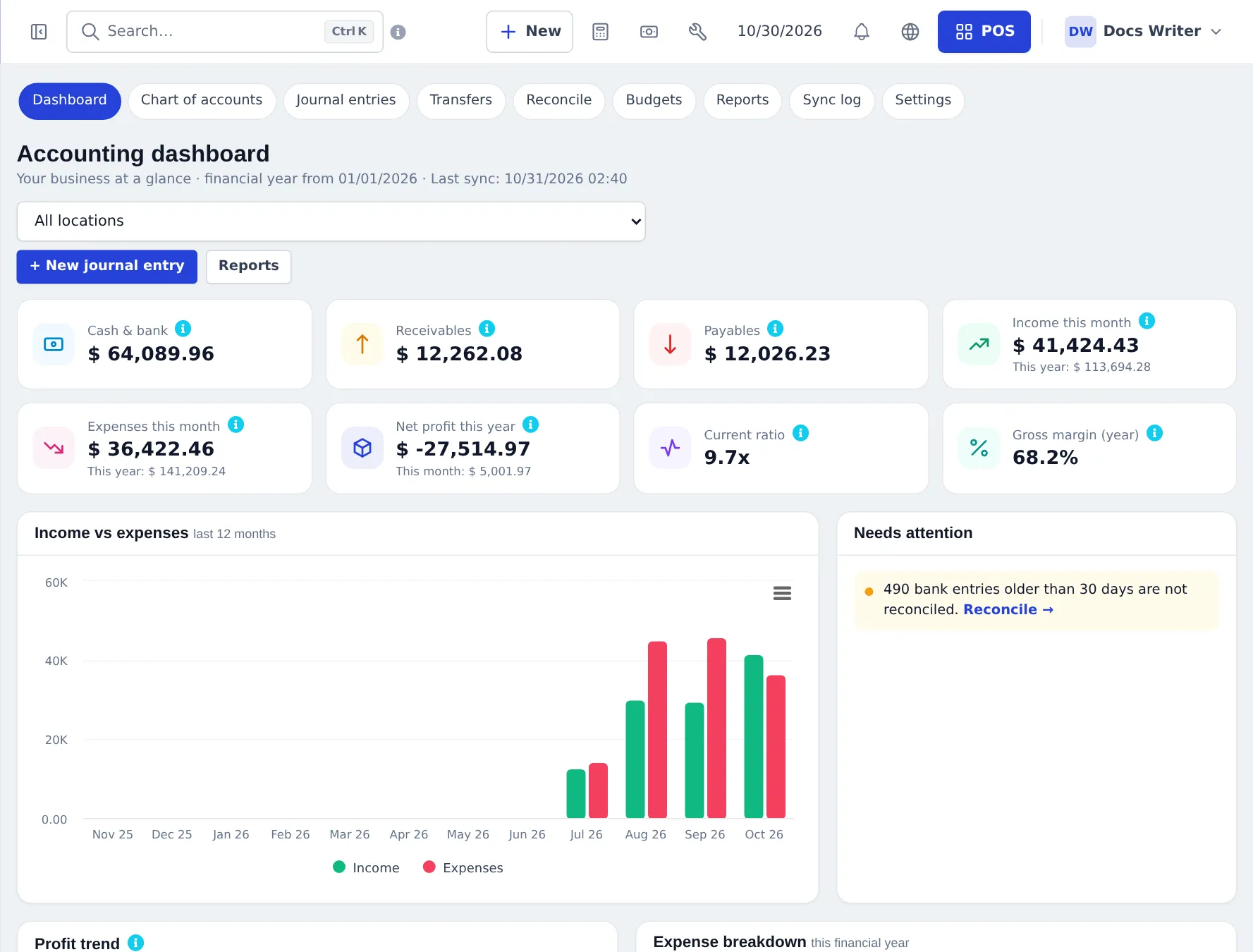
Credit sales show up here as Receivables until the customer pays — see Credit sales.
| Page | What you do there |
|---|---|
| Chart of accounts | Accounts tree by type, opening balances, import / export |
| Journal entries | Manual entries with live balance check, templates, recurring journals, approval |
| Transfers | Move money between cash, bank and card accounts with a fee |
| Bank reconciliation | Match the bank statement, import CSV statements |
| Budgets | Budget per account and month, compared with actuals |
| Reports | Financial statements and ledgers |
| Sync log | What was posted automatically and any errors |
| Settings | Accounts used for posting, periods, approval |
Accounting reports
Section titled “Accounting reports”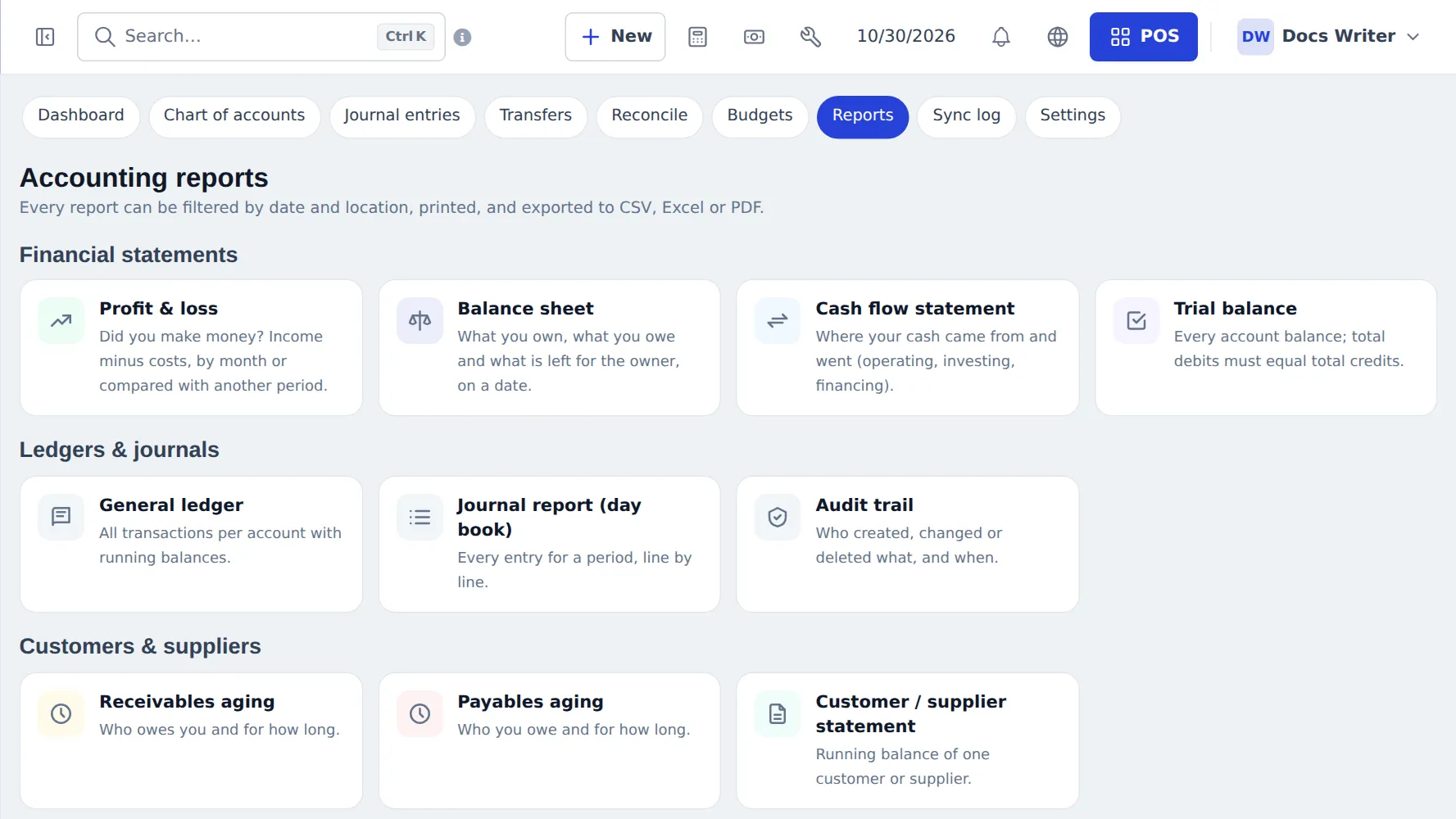
- Financial statements: Profit & loss, Balance sheet, Cash flow statement, Trial balance.
- Ledgers & journals: General ledger, Journal report (day book), Audit trail.
- Customers & suppliers: Receivables aging, Payables aging, Customer / supplier statement.
- Analysis: Tax summary, Budget vs actual, Expenses by category, Income by source.
Every report filters by date and location, prints and exports to CSV, Excel or PDF.
Frequently asked questions
Do I have to type every sale into the books?
No. Sales, payments, purchases, returns, expenses and stock movements post to the ledger automatically, every few minutes. You only add manual journal entries for things outside the POS, such as loans or depreciation.
Which chart of accounts should I choose?
Pick the template closest to your business - Retail, Restaurant, Services, Hotel, Gym or Repair - in the setup wizard. You can add or rename accounts afterwards.
Can my accountant get the financial statements?
Yes. Accounting › Reports has Profit & loss, Balance sheet, Cash flow statement and Trial balance, plus ledgers and aging reports, all printable and exportable to CSV, Excel or PDF.
How do I reconcile my bank?
Accounting › Bank reconciliation - enter the statement date and ending balance, tick the cleared items until the difference is zero, and finish. You can import a CSV bank statement.
What does Needs attention on the dashboard mean?
Things to check, such as unposted documents, sync errors or bank entries older than 30 days that are not reconciled.
Is Accounting the same as Payment Accounts?
No. Payment Accounts tracks money balances. Accounting keeps the full general ledger. You can link each payment account to a ledger account.