
Pet store step 3: pet food by bag, can, case and weight
Pet food comes in more shapes than almost any other product: dry food in several bag sizes, wet food by the can or the case, and in some stores loose food by weight. Each needs a slightly different setup.
| You sell | Setup | Example |
|---|---|---|
| One recipe in 4 lb, 12 lb, 24 lb bags | Variable product, option Bag size | Grain-Free Chicken & Sweet Potato Dog Food |
| A can singly or by the case | Unit Can with sub-unit Case (24 cans) | Chicken Stew Dog Food 13 oz Can |
| Loose kibble, seed, chews | Weight unit with decimals | Bulk birdseed per lb |
Before you start
Section titled “Before you start”Enable Sub Units, Enable Product Expiry and Enable Lot number are on (step 1).
Bag sizes as variants
Section titled “Bag sizes as variants”- Products › Add Product (or edit), name the recipe, choose brand and category (Dog Food › Dry Dog Food).
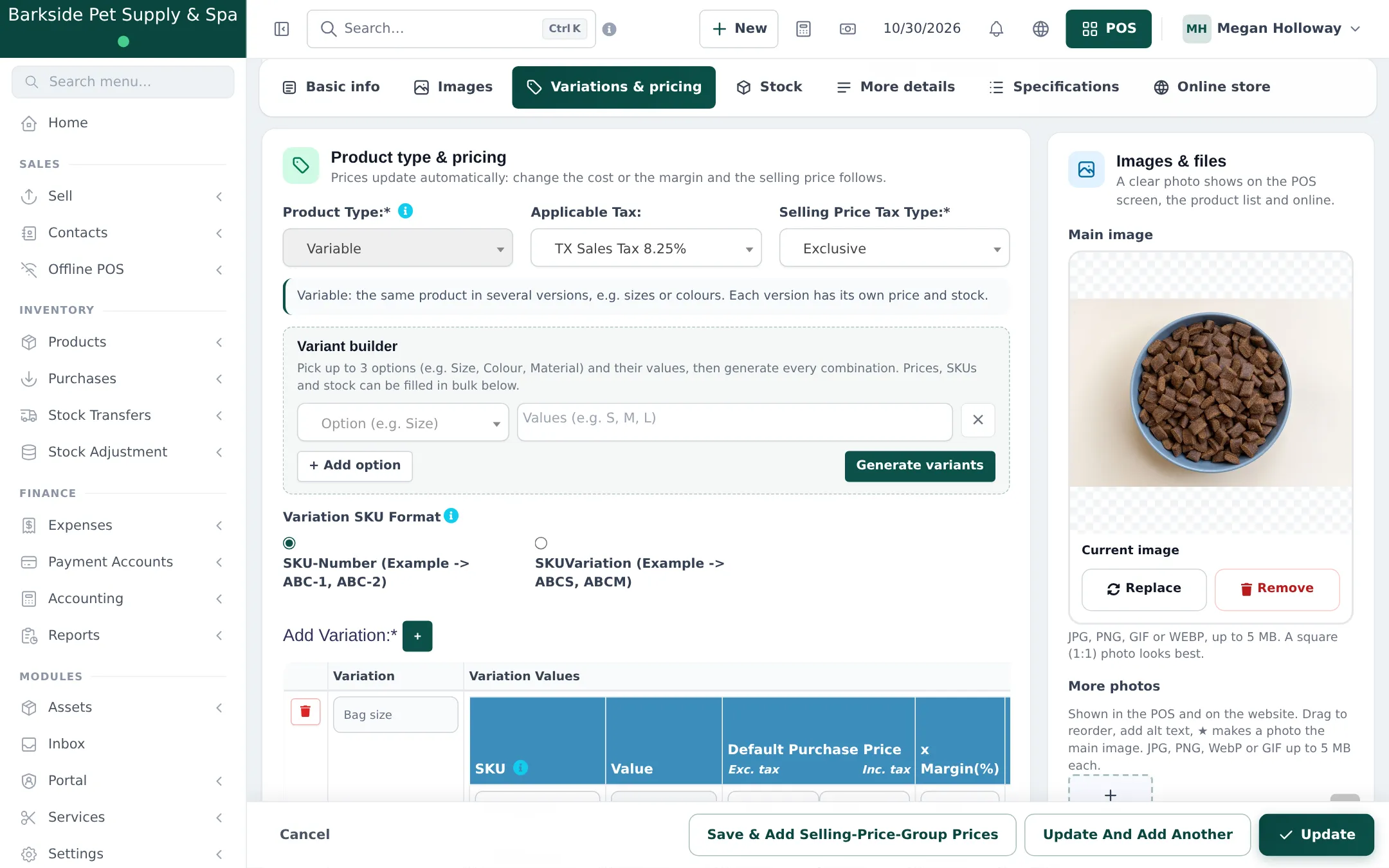
- Variations & pricing: Product Type = Variable. In the Variant builder, add the option Bag size with values 4 lb, 12 lb, 24 lb and click Generate variants.
- Enter each size’s purchase and selling price, and the barcode from the bag in each SKU.
- Add a photo per bag size in Variation Images if the bags look different. Save.
Cans and cases
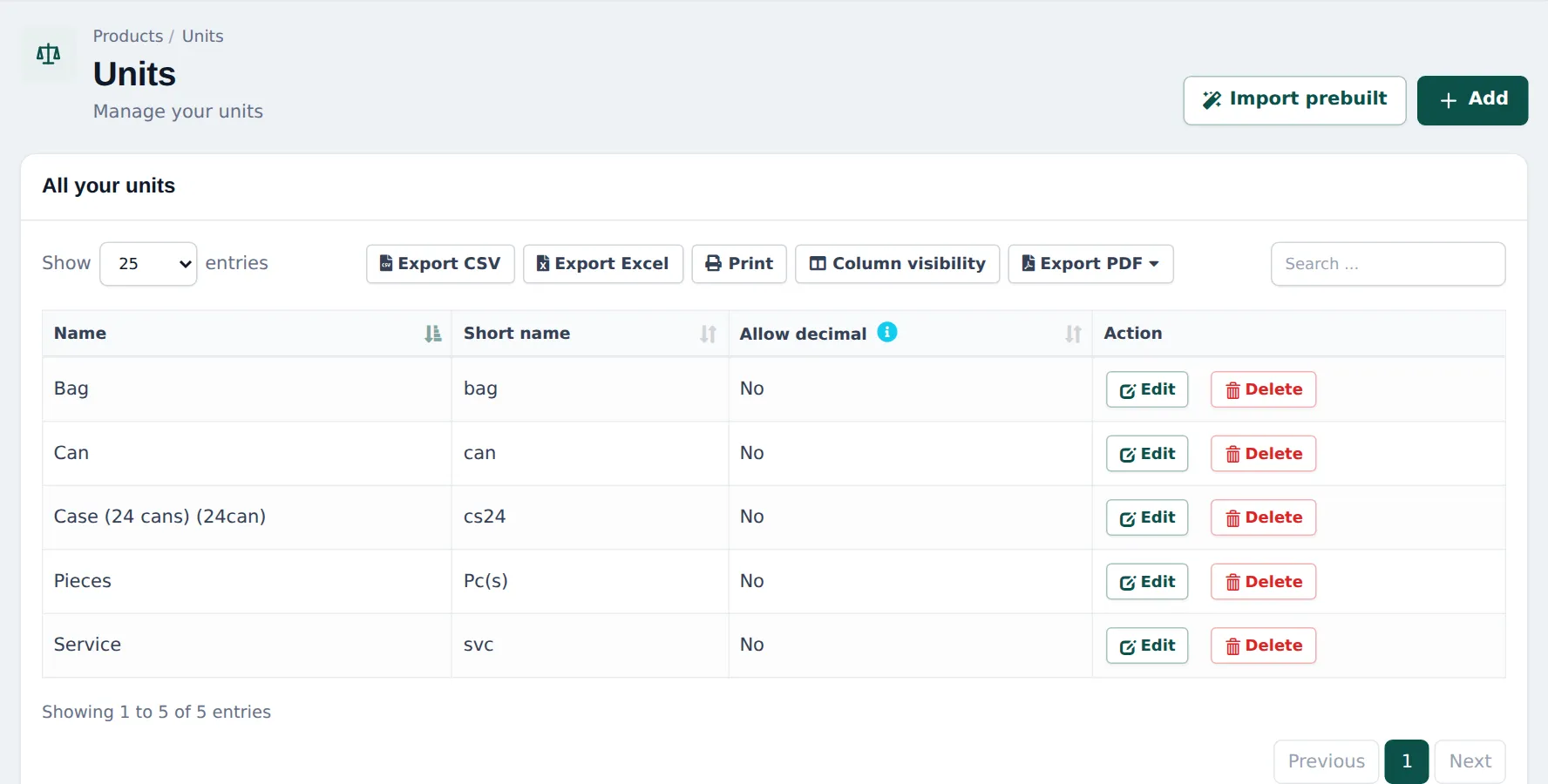
Section titled “Cans and cases”- Products › Units: add Can (no decimals). Add Case (24 cans) with Add as multiple of other unit, 24 times base unit, base unit Can.
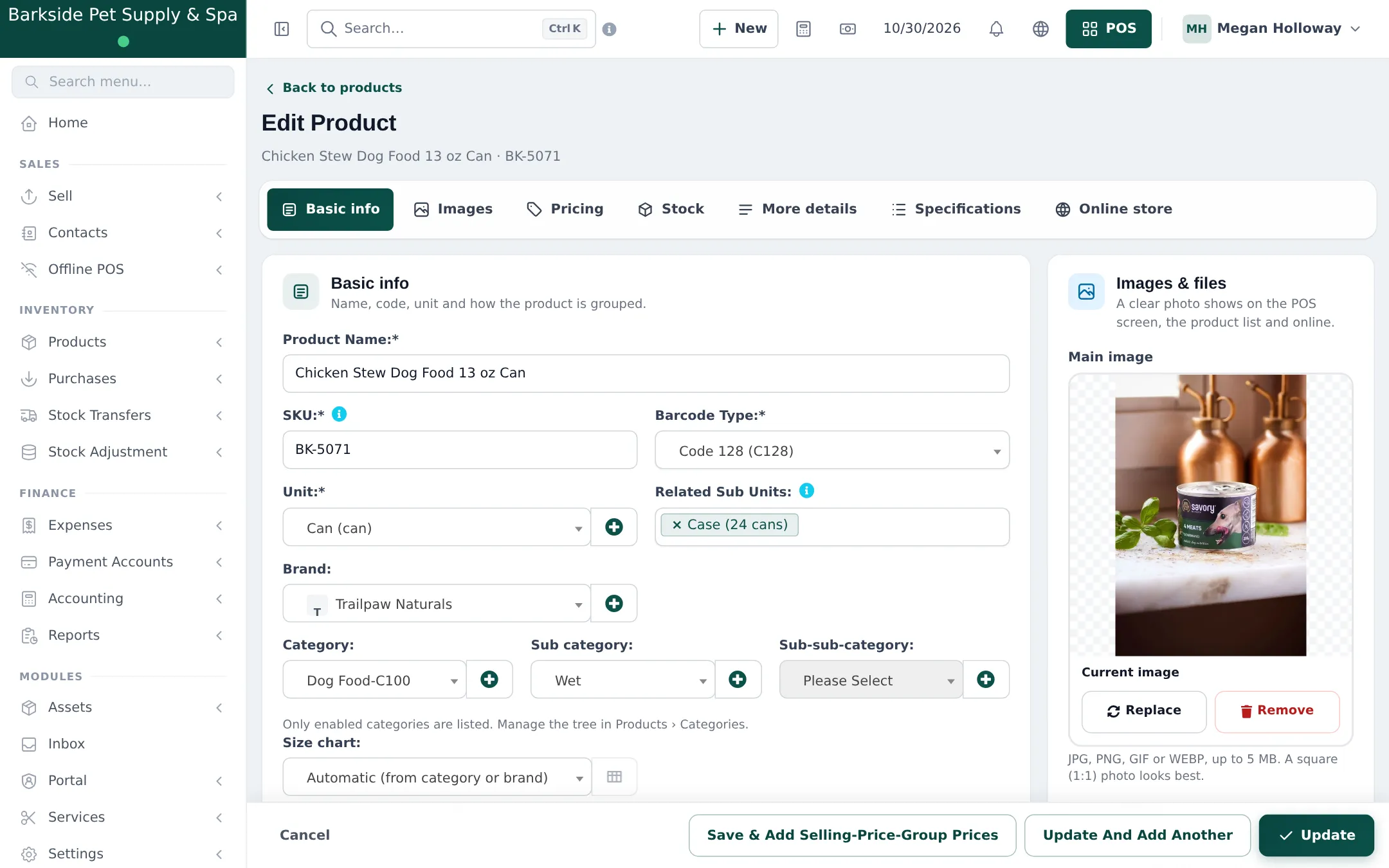
- On the product, choose Unit = Can and pick Case (24 cans) in Related Sub Units.
- Buy by the case on purchases; sell by the can or the case at the till by changing the unit on the line.
Loose food by weight
Section titled “Loose food by weight”- Add a unit Pound (short name lb) or Kilogram with Allow decimal = Yes.
- Add the bulk product with that unit and the price per pound or kilogram.
- At the till, type the weight as the quantity (2.5). With a label scale, set up scale barcodes so the weight comes from the label (barcodes, scales and labels).
Best-before dates
Section titled “Best-before dates”Enter the Lot Number and EXP Date on every purchase line. Check Reports › Stock Expiry Report weekly and move short-dated food to the front or onto an offer. See Expiry and batches.
Frequently asked questions
Bag sizes or sub-units, which do I use?
Bag sizes are different products on the shelf (4 lb, 12 lb, 24 lb), so use a variable product. A case is just 24 of the same can, so use a sub-unit.
Is the case price always 24 × the can price?
By default the case is priced from the can price × 24. For a case discount, use a discount on the product or a separate case product.
Can I sell loose kibble or birdseed by weight?
Yes. Add a unit such as Pound (lb) or Kilogram with Allow decimal set to Yes, sell the bulk product in it, and type the weight as the quantity.
How do I keep track of best-before dates?
With Enable Product Expiry and Enable Lot number on, enter the lot and expiry on every purchase line. Reports › Stock Expiry Report shows what expires soon.
Do staff see the bag size at the till?
Yes. Each variant is its own product tile and search result, with its size in the name and its own barcode.