
Food truck step 1: each truck as a location
Each vehicle is a business location in SmartPOS Hub. That one decision gives every truck its own stock, receipts, invoice numbers, cash register and reports.
Before you start
Section titled “Before you start”- Business name, currency, time zone and tax rates are set (Business settings).
Add the trucks
Section titled “Add the trucks”- Open Settings › Invoice Settings and add an invoice scheme per truck with its own prefix (T1-, T2-).
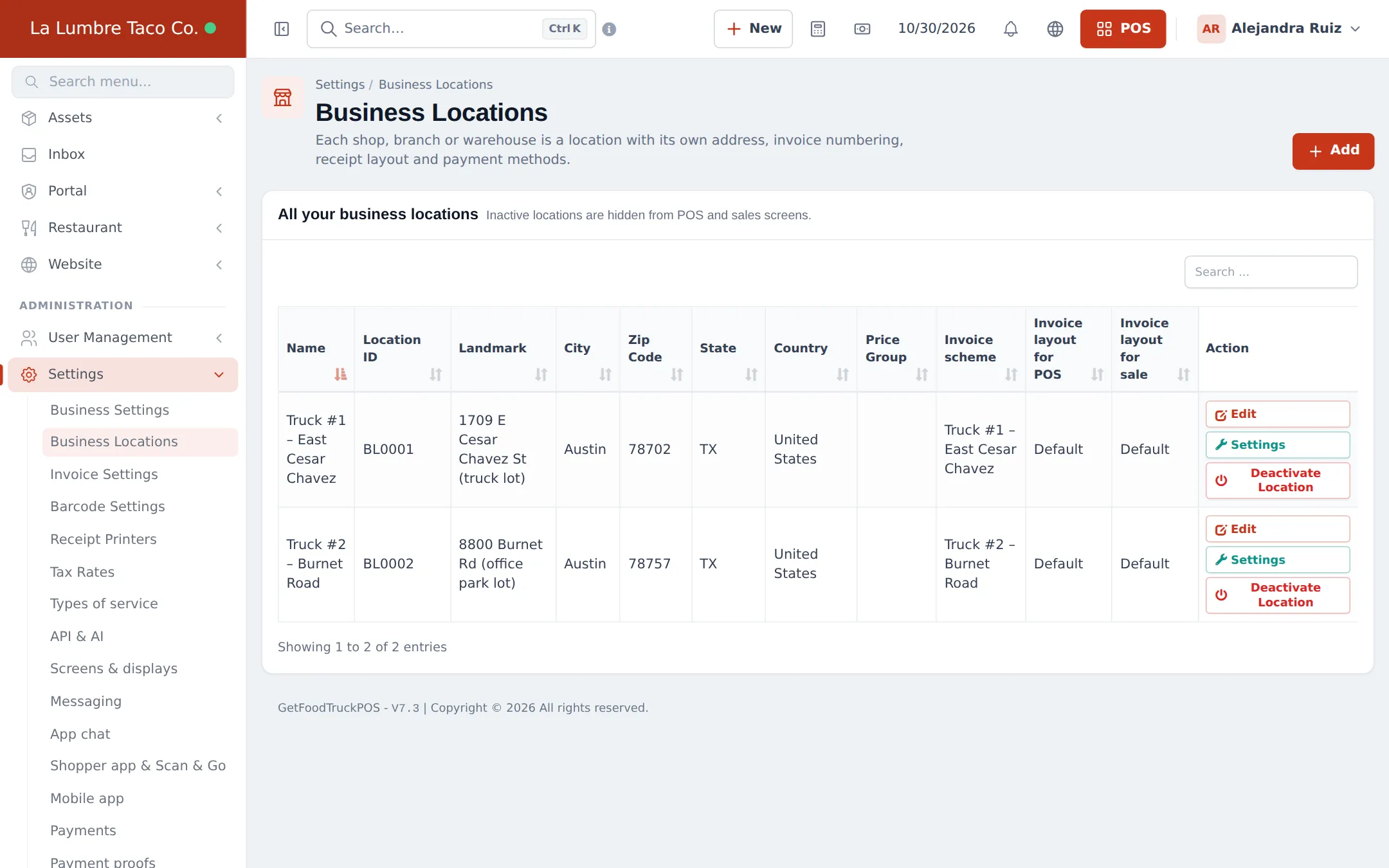
- Open Settings › Business Locations and click Add.
- Name the location after the truck (“Truck #1 – East Cesar Chavez”), enter the home address, and pick its invoice scheme and receipt layout.
- Repeat for every truck, and add a Commissary location if you keep stock in a store room.
- Open Settings on each truck location to choose its payment methods and POS featured products.
Switch on the modules
Section titled “Switch on the modules”- Open Settings › Business Settings and click the Modules tab.
- Turn on Offline POS and Modifiers. Add Kitchen only if a cook works from a screen.
- Click Update Settings.
Add the crew
Section titled “Add the crew”Create a Cashier role (or use the prebuilt one) and add each crew member as a user with access to their truck only (Users and roles). Roles are edited under User Management › Roles.
Tips and mistakes to avoid
Section titled “Tips and mistakes to avoid”- Don’t share one login between trucks; you lose the per-truck cash count.
- If trucks swap crews, give a user access to both trucks and let them pick the location on the POS.
Next step
Section titled “Next step”Frequently asked questions
Why make each truck a location?
So each truck has its own stock, cash register, invoice numbers and sales report. You can compare trucks and still see the business total.
My truck parks in different spots. Which address do I use?
Use the truck's home lot or commissary as the address. The location is the truck, not the street corner.
Do I need a commissary location?
Only if you keep stock (cans, bottles, packaging, ingredients) in a store room and load trucks from it. Then trucks are refilled with stock transfers.
Can staff be limited to one truck?
Yes. When you add a user, give access to their truck's location only. They then sell and see stock only there.
What should the invoice prefix be?
Something that tells the trucks apart on receipts, such as T1- and T2-. Set it on the invoice scheme of each location.