
Booking payments - pay to confirm bookings
Booking payments lets you ask customers to pay - a deposit or the full amount - to confirm a booking made online, in the portal or in the Shopper app. Payment methods come from Settings › Payments; this feature decides when, how much and by when.
Set the rule
Section titled “Set the rule”- Open the settings of the booking type: Bookings › Settings (tables and appointments), Services › Settings, Gym › Settings or Hotel › Settings.
- In the card Payment to confirm, choose payment required (no / deposit / full) and the deposit type.
- Choose when due: pay now (the booking is held for N minutes) or pay within N hours.
- Choose the allowed methods (accounts attached to that booking channel in Settings › Payments › Where used) and save.
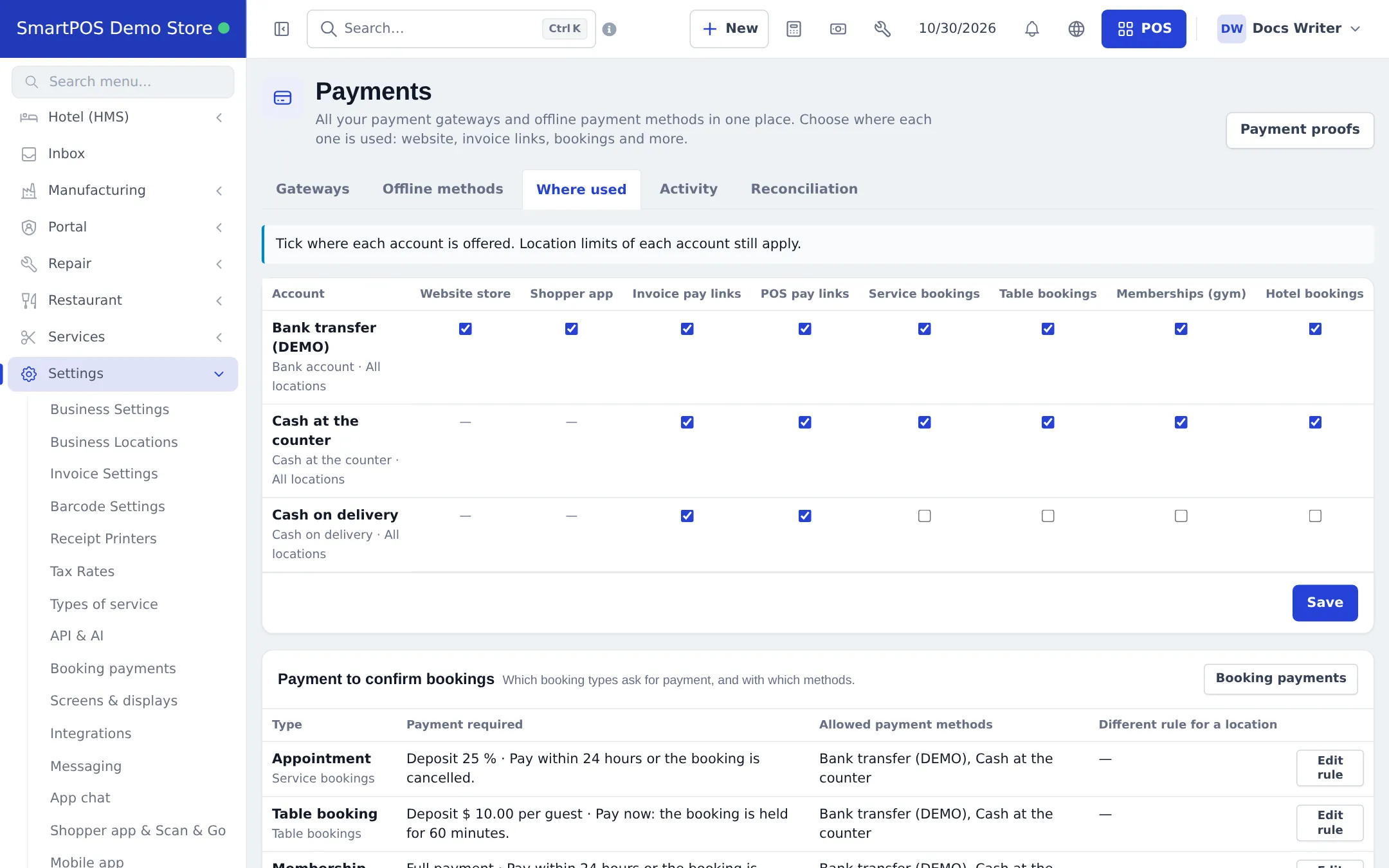
Follow payments
Section titled “Follow payments”Settings › Booking payments lists every payment requirement with filters by status (waiting for payment, receipt under review, paid · confirmed, expired, cancelled, confirmed without payment) and type, plus Receipts to review. On each booking, the payment panel offers Review receipt, Mark as paid, Resend payment link, Copy link, Confirm without payment or Request payment. Calendars and floor plans show bookings waiting for payment in their own color.
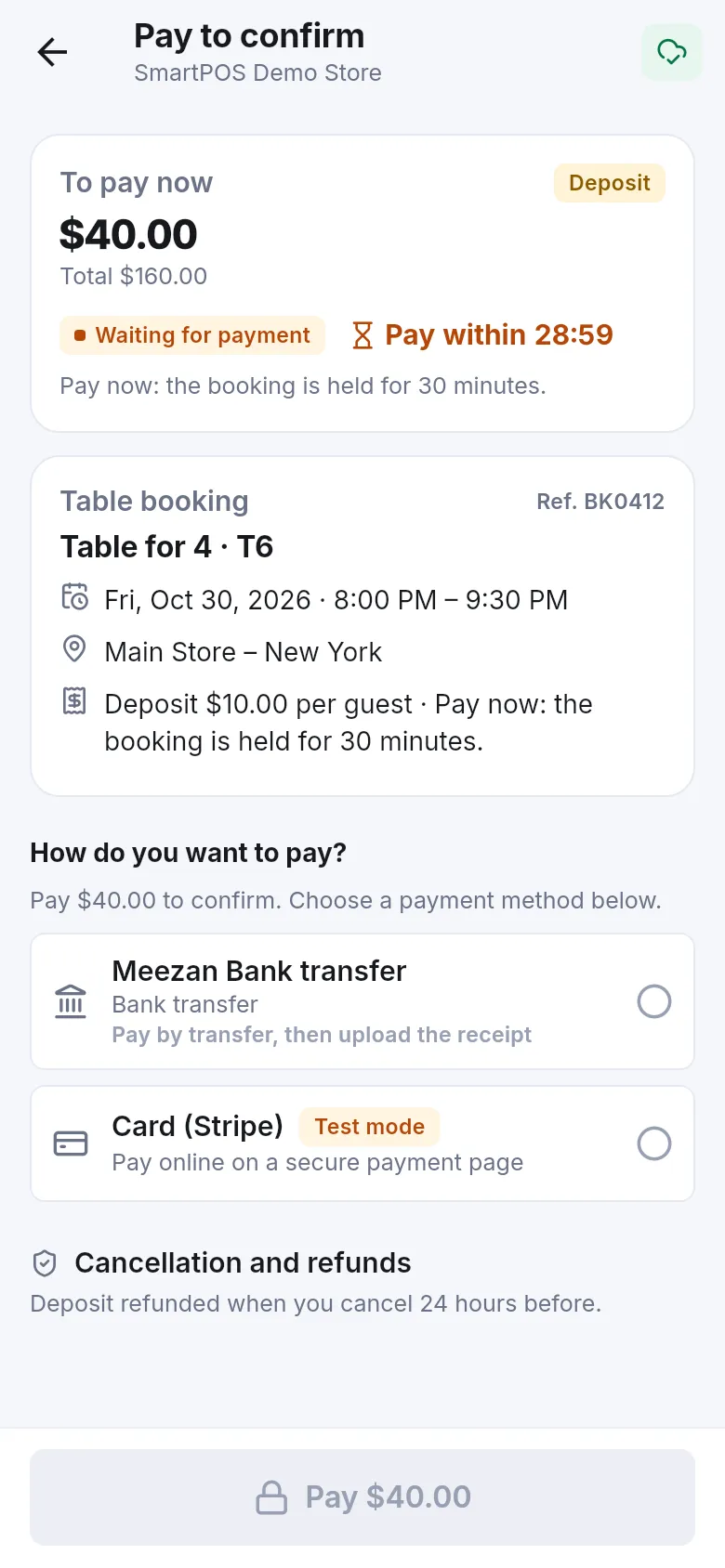
Customer messages use six notification templates (“Booking payment: waiting for payment”, “receipt received”, “paid and confirmed”, “receipt not approved”, “time running out”, “expired”) in Settings › Notification templates.
Related pages
Section titled “Related pages”Frequently asked questions
Which bookings can ask for payment?
Table bookings, service appointments, hotel stays and gym memberships - each with its own rule.
Can I take a deposit instead of the full amount?
Yes. Choose no payment, a deposit (percent, fixed, per guest for tables, or each service's own deposit) or full payment.
What happens if the customer does not pay in time?
The booking is held for the time you set (pay now) or until a deadline (pay within N hours). If nothing is paid by then, the hold expires and the booking is released.
Can customers pay by bank transfer?
Yes, with an offline method from Settings › Payments. They upload the receipt and transaction ID; you approve it in Payment proofs.
Do staff bookings ask for payment?
Not automatically. Staff can press Request payment on a booking to send a payment link.
Can I confirm a booking without payment?
Yes, with Confirm without payment on the booking's payment panel, or Mark as paid when the money came another way.