
Mart step 7: buy stock from suppliers
A mart restocks every day. Recording purchases keeps your stock levels and profit right, tells you what you owe each supplier, and lets you print labels for new stock straight away.
Before you start
Section titled “Before you start”- Suppliers are added in Contacts › Suppliers (name, phone, Pay term such as 30 days).
- Decide where deliveries arrive: each shop, or a central warehouse (step 1).
Record a purchase
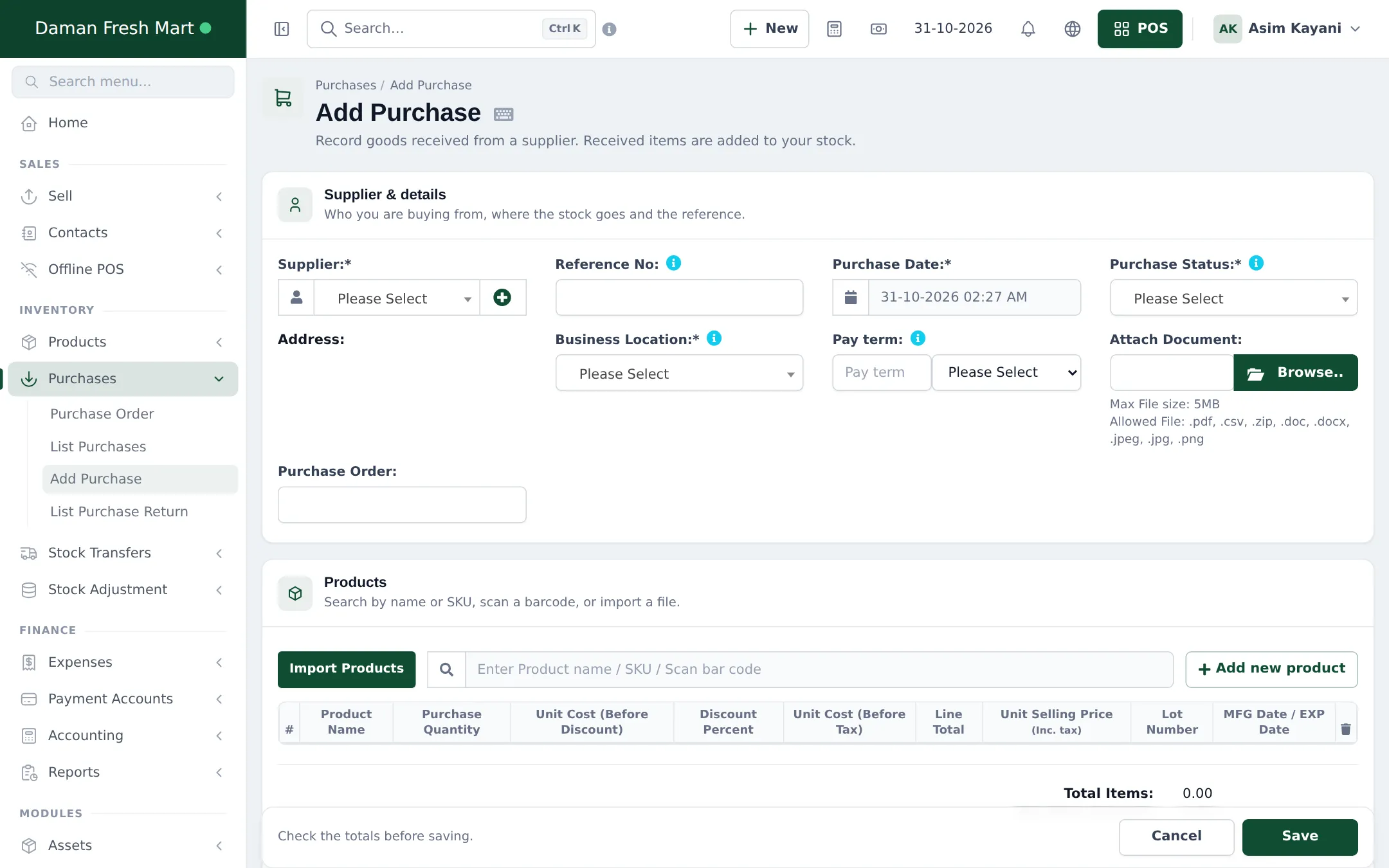
Section titled “Record a purchase”- Open Purchases › Add Purchase.
- Pick the Supplier, the Business Location receiving the goods and the Purchase Date. Add the supplier’s bill number in Reference No and attach a photo of the bill under Attach Document if you like.
- Set Purchase Status to Received when the goods are on your shelves (stock is added only then), or Ordered / Pending if they’re still coming.
- Scan or search each product. Enter Purchase Quantity (choose a carton unit if you buy by the carton) and Unit Cost. Fill Lot Number and MFG Date / EXP Date for dated goods.
- Add the payment made now at the bottom, or leave it for later.
- Click Save.
Track and pay purchases
Section titled “Track and pay purchases”Purchases › List Purchases shows every purchase with its Purchase Status, Payment Status and Payment due. Use the Actions menu to view, edit, add a payment, print labels or return items.
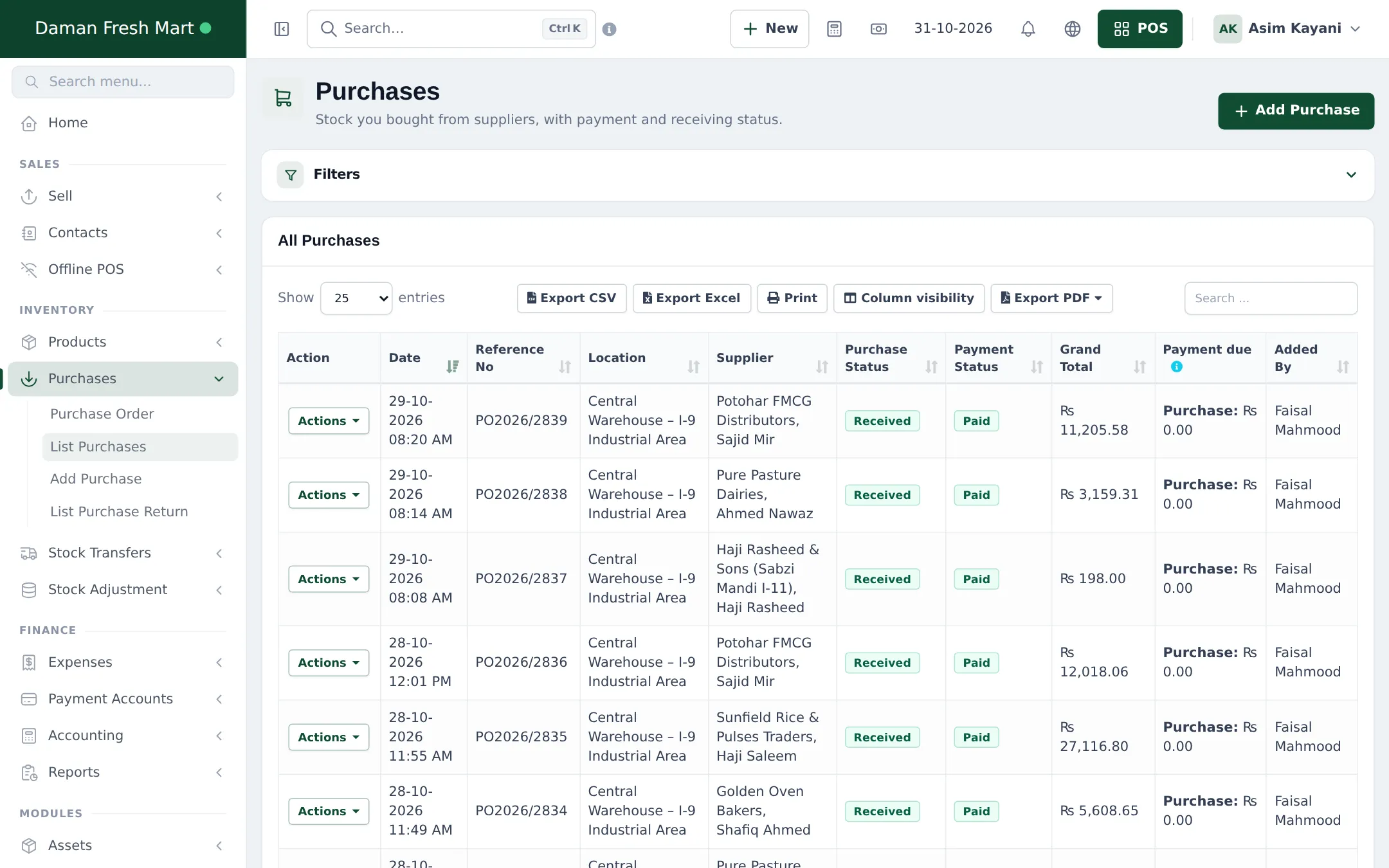
- Pay a supplier: Add payment on a purchase, or pay several at once from the supplier’s page. See Supplier payments and credit.
- Order ahead: create a Purchase Order, then turn it into a purchase when the goods arrive. See Purchase orders.
- Return goods: Purchases › List Purchase Return.
Good practice
Section titled “Good practice”- Receive into the warehouse, then transfer to shops, so each shop’s stock is exact.
- Check the Product Stock Alert list on the dashboard before ordering.
- Print shelf labels for new items right after saving the purchase.
Frequently asked questions
Do I need purchase orders?
No. Small stores often record the purchase when goods arrive. Purchase orders help when you order ahead and want to check the delivery against what you ordered.
Can I buy in cartons and sell in pieces?
Yes. Pick the carton unit on the purchase line; stock is added in pieces and the unit cost is worked out per piece.
How do I record that I still owe the supplier?
Save the purchase with a partial or no payment. The balance shows as Payment due on the purchase and on the supplier, and you pay it later.
Can a purchase update my selling prices?
Yes, if Enable editing product price from purchase screen is on in Business Settings › Purchases. The Unit Selling Price column then updates the product price.
How do I send damaged or expired goods back?
Use Purchases › List Purchase Return (or Return on the purchase). Stock goes down and the supplier owes you the amount.