
Electronics store step 2: import the Electronics catalog
The Product Library gives an electronics store a full catalog in minutes instead of weeks of typing. Each product comes with name, brand (with logo), three-level category, barcode, photo, description and specifications; phones and laptops come as variable products with one variant per storage and colour.
Before you start
Section titled “Before you start”- Locations exist (step 1).
- You know which departments and brands you carry and your sales tax rate.
Import
Section titled “Import”- Products › Product Library › Electronics tab.
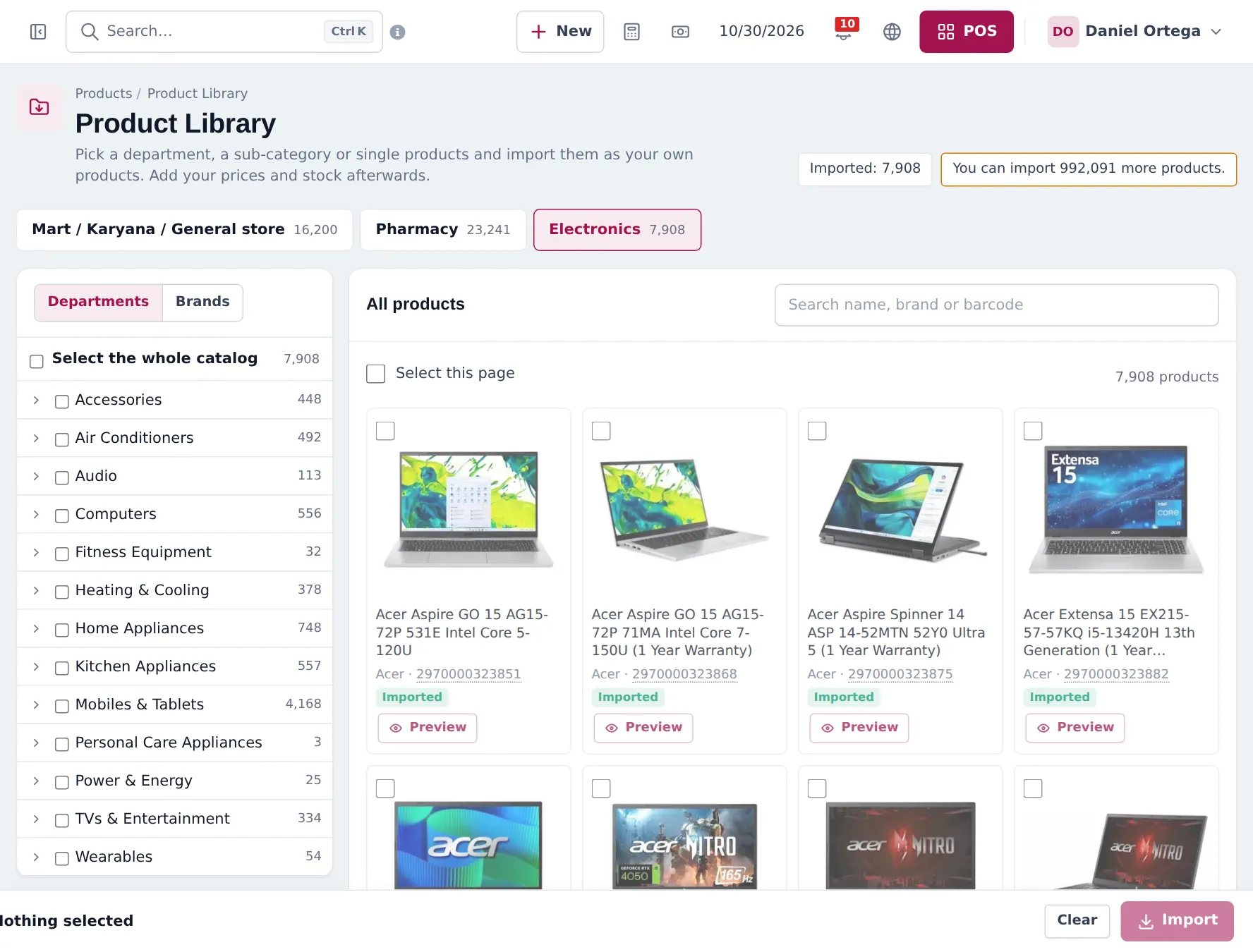
- Tick a department on the left (or open it and tick sub-categories), switch to Brands to pick by brand, or search and tick single products. Select the whole catalog imports everything.
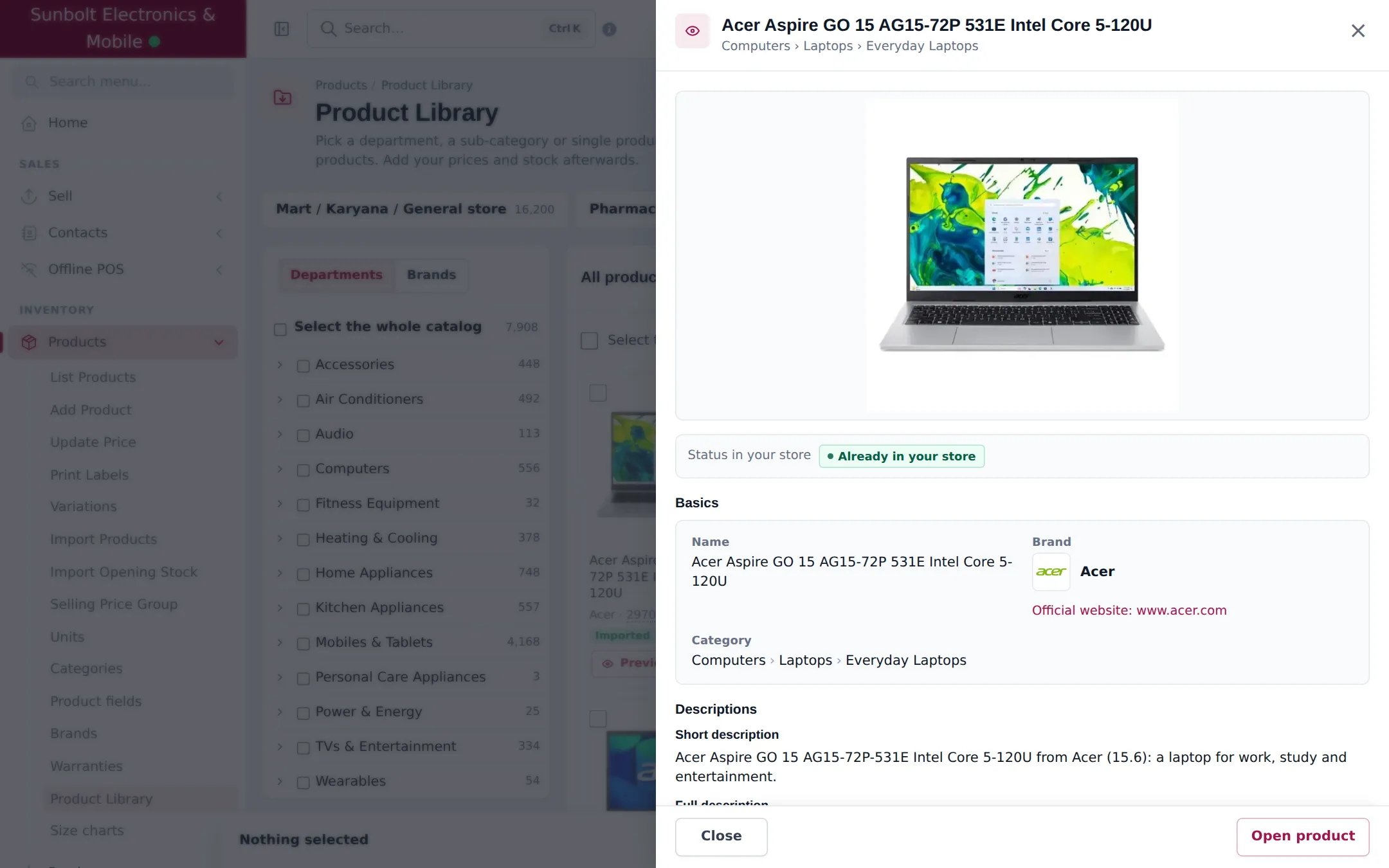
- Click Preview on a card to see the full details.
- Click Import in the bar at the bottom.
- Choose Business locations, Tax and Manage stock for these products.
- Review Will create, Will reuse (already in your store) and Will skip, then Import now.
- Watch the progress or come back later; Recent imports lists every import with products created and skipped.
After the import
Section titled “After the import”- Set prices. Products start at 0. Use Products › Update Price to export, edit and import prices in bulk.
- Enter stock. Use a purchase or Products › Import Opening Stock.
- Check categories and brands in Products › Categories and Products › Brands.
Frequently asked questions
How big is the Electronics catalog?
About 7,900 products at the time of writing, in departments from Accessories and Audio to TVs & Entertainment and Wearables. The tabs show the current count.
Do I have to import everything?
No. Tick only the departments, brands or single products you sell. You can import more later; products already imported are skipped.
Are photos copied into my account?
The imported products use the library photos directly, so imports are fast. You can replace or add photos on any product.
What barcode do products without a manufacturer code get?
A generated barcode that starts with 297. Print labels for them with Products › Print Labels.
Is there a limit?
Your plan's product limit applies, and the page shows how many more products you can import.