
Gym step 2: membership packages
Membership packages are what you sell: a duration, a price and the rules that come with it. This page imports ready-made packages or builds your own, from a basic monthly plan to off-peak, student and visit passes. It is for the owner or manager.
Before you start
Section titled “Before you start”- The Gym module is on and the settings are saved (step 1).
- If some packages include only certain classes, add your classes first (step 3) or come back to edit the package later.
Import prebuilt packages
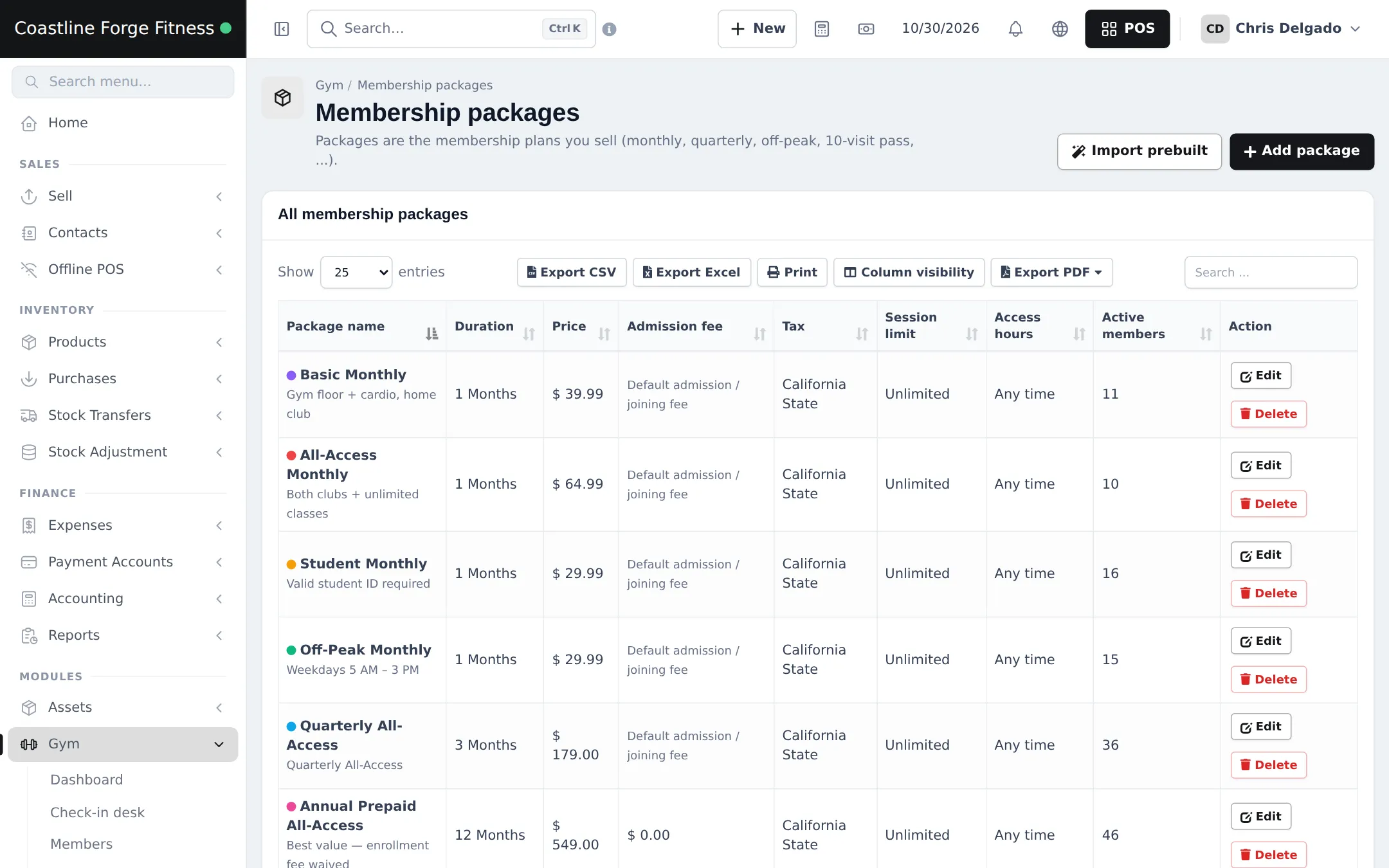
Section titled “Import prebuilt packages”- Open Gym › Membership packages and click Import prebuilt.
- Tick the packages you offer, for example Monthly Membership, Quarterly Membership, Off-Peak Monthly, Student Monthly and 10-Visit Pass.
- Import, then Edit each package to set your own price and admission fee.
Add or edit a package
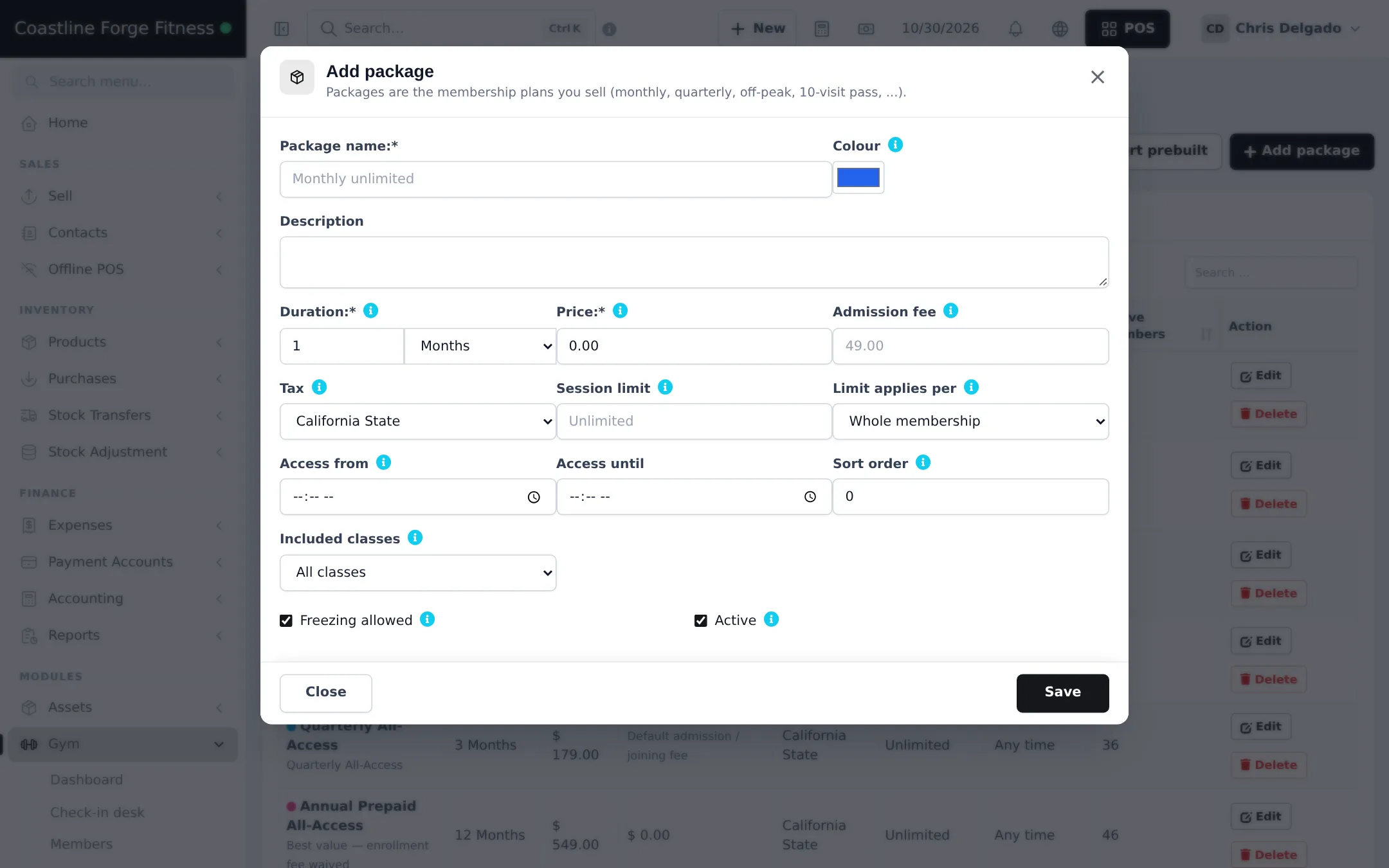
Section titled “Add or edit a package”Click Add package (or Edit). Fill in:
| Field | What to enter |
|---|---|
| Package name / Colour / Description | What members and staff see, and the colour tag in lists. |
| Duration | A number and a unit: days, weeks, months or years. |
| Price | The plan price. |
| Admission fee | Leave empty to use the default from Gym settings. |
| Tax | The tax rate for this package. |
| Session limit / Limit applies per | Empty = unlimited. Otherwise the number of visits for the Whole membership, per Week or per Month. |
| Access from / Access until | Off-peak or morning-only hours. Empty = any time. |
| Included classes | All classes, Selected classes only or No classes. |
| Freezing allowed / Active | Whether members on this plan can freeze, and whether it is on sale. |
Personal training
Section titled “Personal training”Sell personal training as a package too, for example Personal Training (8 Sessions) with a session limit of 8, and assign the member’s trainer on their profile (step 4).
Frequently asked questions
Which packages can I import?
Monthly, quarterly, half-yearly and annual memberships, off-peak, gym only, day and weekly passes, 10 and 20 visit passes, class packs, a free trial, student, couple, family, senior, corporate, kids and a personal training pack. Change prices to yours after importing.
How do I make a 10-visit pass?
Set Session limit to 10 and Limit applies per to Whole membership, with a duration long enough to use the visits, for example 2 months.
How do I make an off-peak plan?
Set Access from and Access until, for example 5 AM to 3 PM. With Enforce package access hours on in Gym settings, the check-in desk blocks visits outside those hours.
Can a plan exclude classes?
Yes. Set Included classes to No classes or Selected classes only. Class bookings then check the member's package.
Can I delete a package?
Only if nobody has bought it. A package in use is deactivated instead, so it disappears from sale but old memberships keep it.
Should I use discounts for students instead of a separate package?
Use a separate package. Reports by plan then show exactly how many student memberships you sell.