
Gym & fitness studio setup guide
This guide sets up a gym, fitness club or studio on SmartPOS Hub, step by step. You finish with membership packages, members with cards, a front-desk check-in that works with a scanner, classes and trainers, renewals at the POS, supplements and drinks in stock, online sign-ups and the reports you check every day.
Who this guide is for
Section titled “Who this guide is for”- Gyms and fitness clubs that sell monthly, quarterly and annual memberships.
- Yoga, pilates, spin and martial arts studios with class timetables and class packs.
- Clubs with personal trainers who earn commission and follow assigned members.
- Chains with several branches and a shared member base.
If you sell one-off appointments (massage, physio, haircuts) rather than memberships, see the Salon & spa guide.
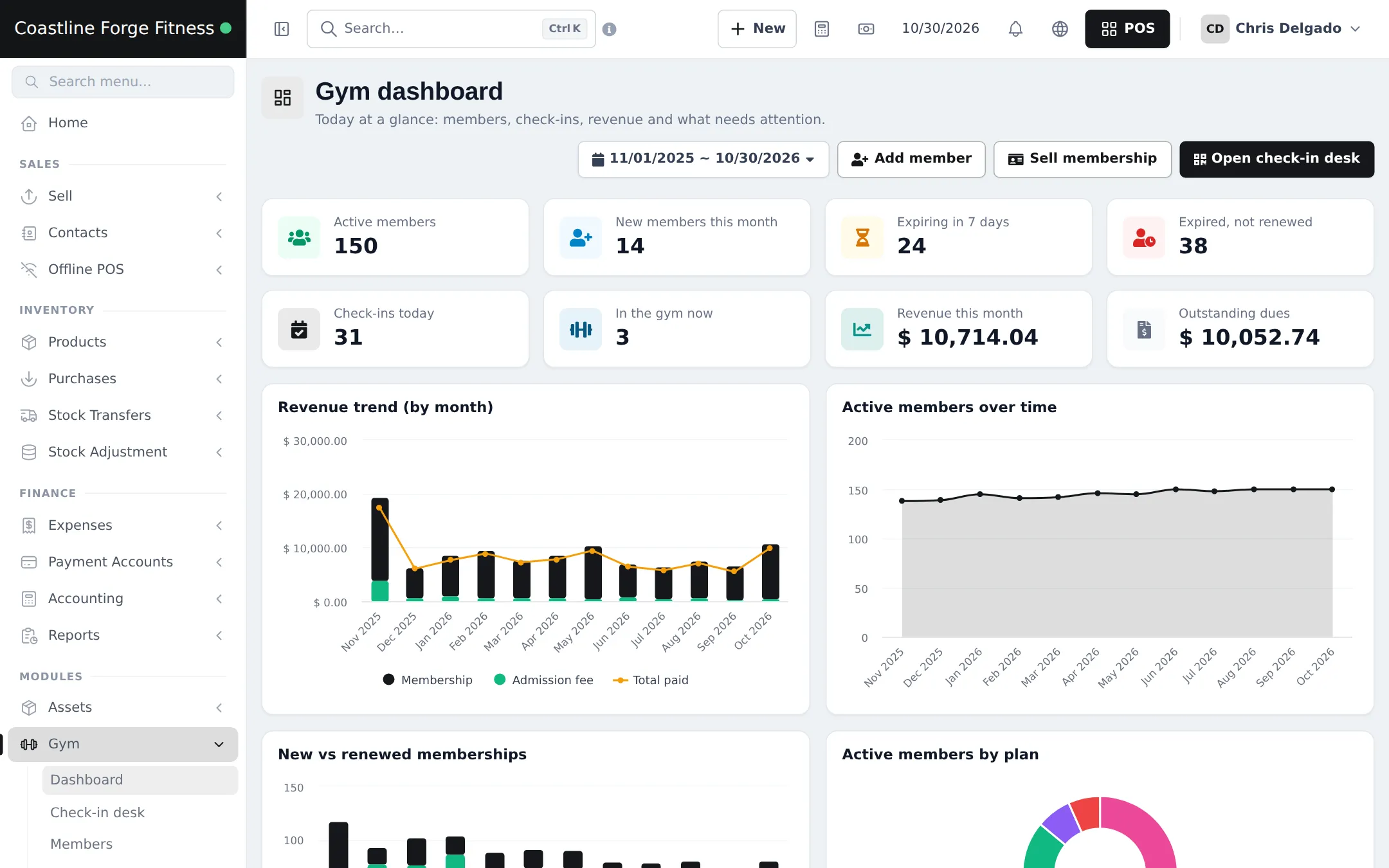
What you will set up
Section titled “What you will set up”- Turn on Gym and settings: locations, the module, member codes, admission fee, freeze and access rules.
- Membership packages: import or create your plans with prices, session limits and access hours.
- Trainers and classes: trainers with commission, classes and the weekly timetable.
- Members and cards: add or import members, photos and printable cards.
- Sell and renew memberships: in the Gym module and from the POS, dues, freeze and plan changes.
- The check-in desk: scanning cards, blocked entries and attendance.
- Supplements, drinks and merchandise at the POS.
- Online memberships and the Shopper app.
- Daily operations and the go-live checklist.
How the pieces fit together
Section titled “How the pieces fit together”| You want to… | Where it happens | Notes |
|---|---|---|
| Define plans and prices | Gym › Membership packages | Duration, price, admission fee, session limit, class access, access hours |
| Keep member details | Gym › Members | Linked to a customer contact, with photo, code and health notes |
| Sell, renew, freeze | Gym › Memberships, member page, POS Gym membership button | Each sale is a normal sale with payments |
| Let members in | Gym › Check-in desk | Scanner or search; blocks expired plans or dues if you choose |
| Run classes | Gym › Classes & schedule | Weekly time slots, rosters and attendance |
| Sell protein shakes | POS | Ordinary products with stock |
| See revenue and dues | Gym › Reports, Reports › Profit / Loss Report | Profit / Loss has a Gym membership revenue row |
Front desk in the app
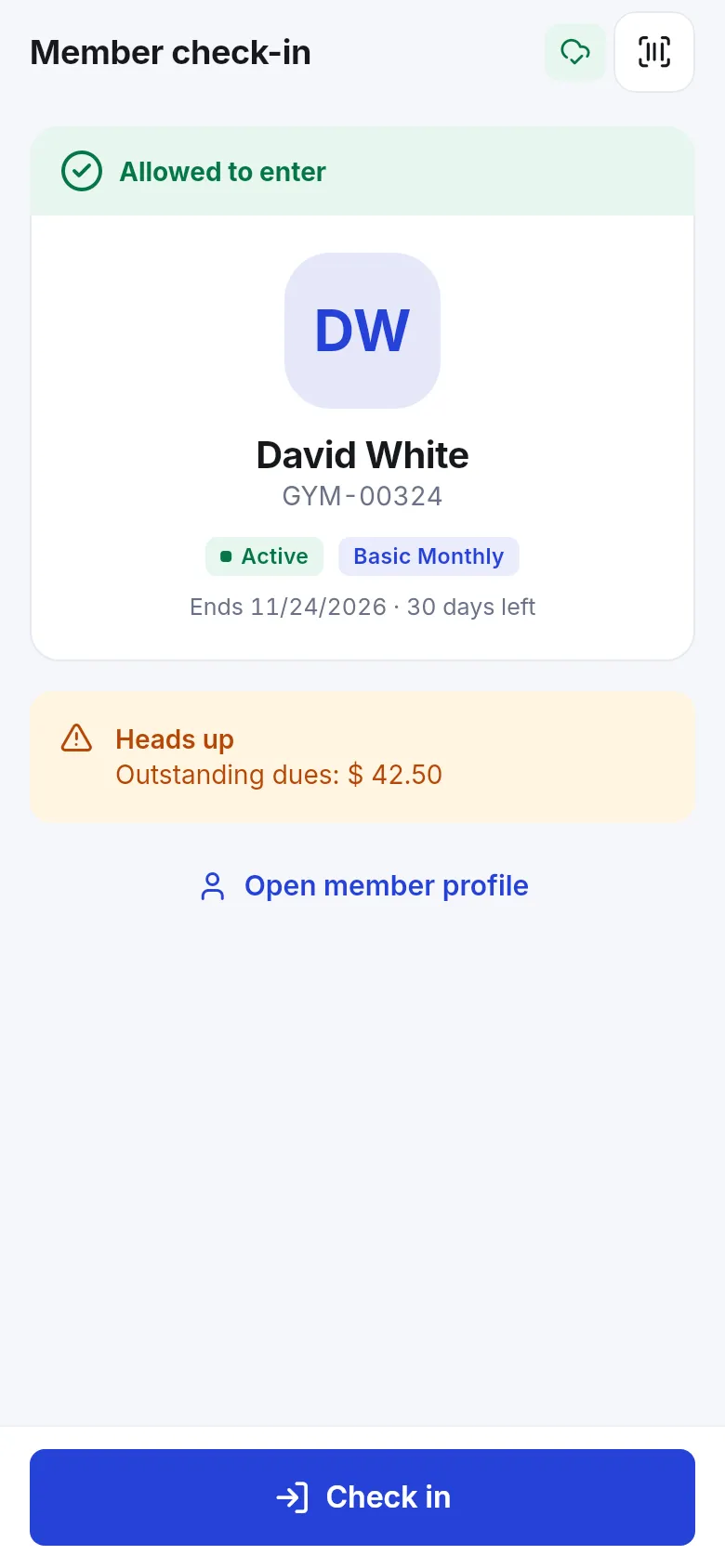
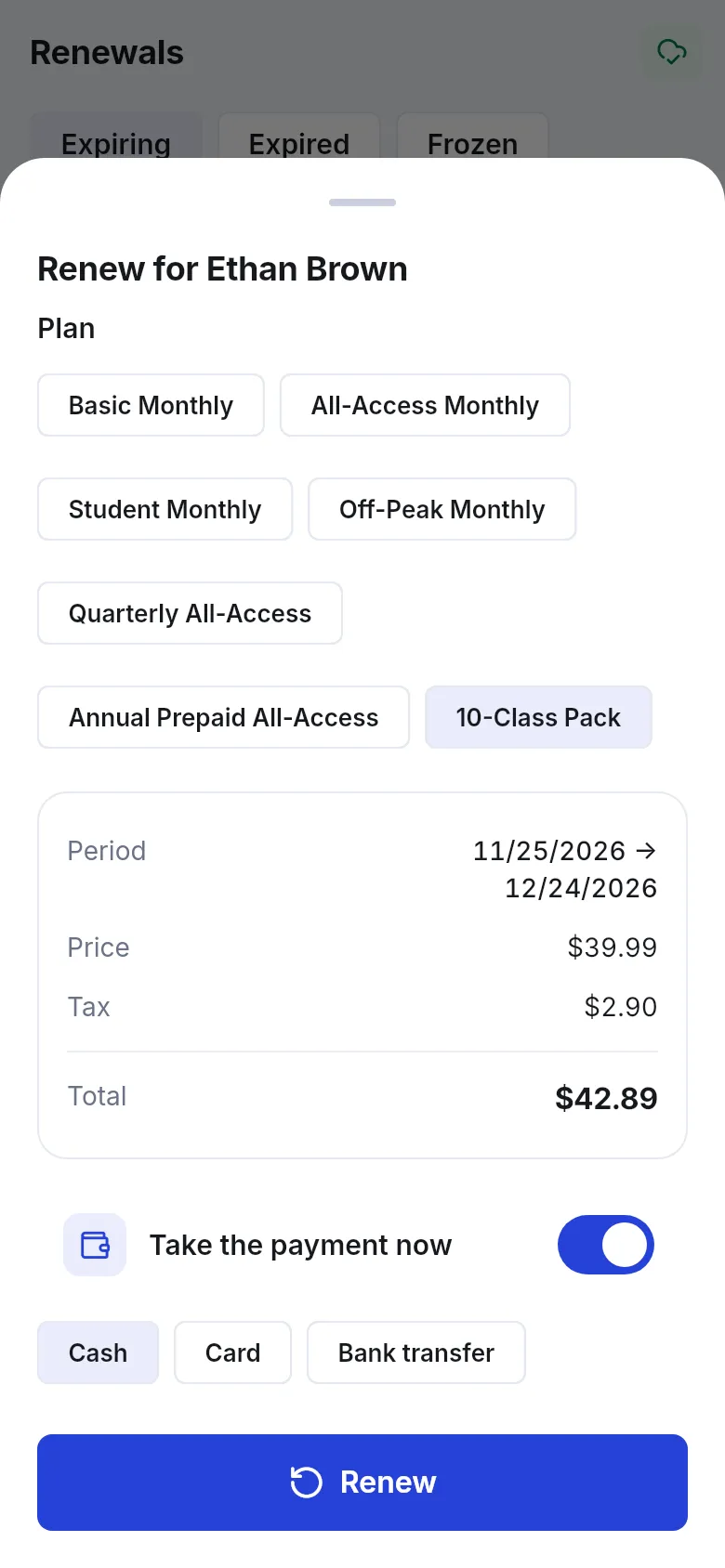
Section titled “Front desk in the app”With the SmartPOS Business app (Google Play), front-desk staff scan a member card with the phone camera and see Allowed to enter or the reason entry is blocked, plus dues. Renewals, members and class rosters are in the app too.
Related guides
Section titled “Related guides”Frequently asked questions
What does SmartPOS Hub do for a gym?
The Gym module handles membership packages, member profiles with photo and card, a front-desk check-in screen, classes and timetable, trainers, workout and diet plans, body measurements and gym reports. The POS sells supplements, drinks and merchandise.
How do I turn the Gym module on?
Your plan must include the Gym management module. Then switch it on in Settings › Business Settings › Modules and give staff the Gym permissions in User Management › Roles.
Do I have to create membership plans from scratch?
No. Gym › Membership packages has Import prebuilt with monthly, quarterly, annual, off-peak, student, family, visit-pass and personal training packages. Change the prices to yours after importing.
Can members check in with a card?
Yes. Print each member's card with their code. At Gym › Check-in desk, a barcode or QR scanner that types like a keyboard scans the card and checks the member in when they are allowed.
Can I sell a membership renewal at the POS?
Yes. Pick the member as the POS customer and click the Gym membership button in the POS toolbar. Choose a package, check the dates and price, and take payment now or later.
What happens when a membership expires?
The member shows as Expired and, if blocking is on, the check-in desk blocks them with the reason. Staff click Renew right there to sell the next period.
Can members pay in instalments?
Yes. Take part of the price when you sell the membership. The rest shows as Outstanding dues on the member, the dashboard and the Dues / outstanding report, and you add payments later.
Can members buy or renew online?
Yes, with a Payment to confirm rule for memberships in Gym › Settings. Members buy a plan in the SmartPOS Shopper app or the customer portal and the plan starts once it is paid.
Do members get expiry reminders?
Yes, by email, when auto-send is on for the Gym: membership expiry reminder template in Notification Templates and email is set up for your business.
Can front-desk staff use a phone?
Yes. The SmartPOS Business app has Gym screens: scan a member card with the camera to check them in, see dues, renew and manage class rosters.