
Bottle shop step 2: bottles, cases and packs
A bottle shop sells the same drink in different sizes: one bottle or a case of six, a single can or a 12-pack. SmartPOS Hub has two tools for this, sub-units and variations. This page shows when to use each.
Before you start
Section titled “Before you start”- Enable Sub Units is on (step 1).
Wine and spirits: bottle and case sub-units
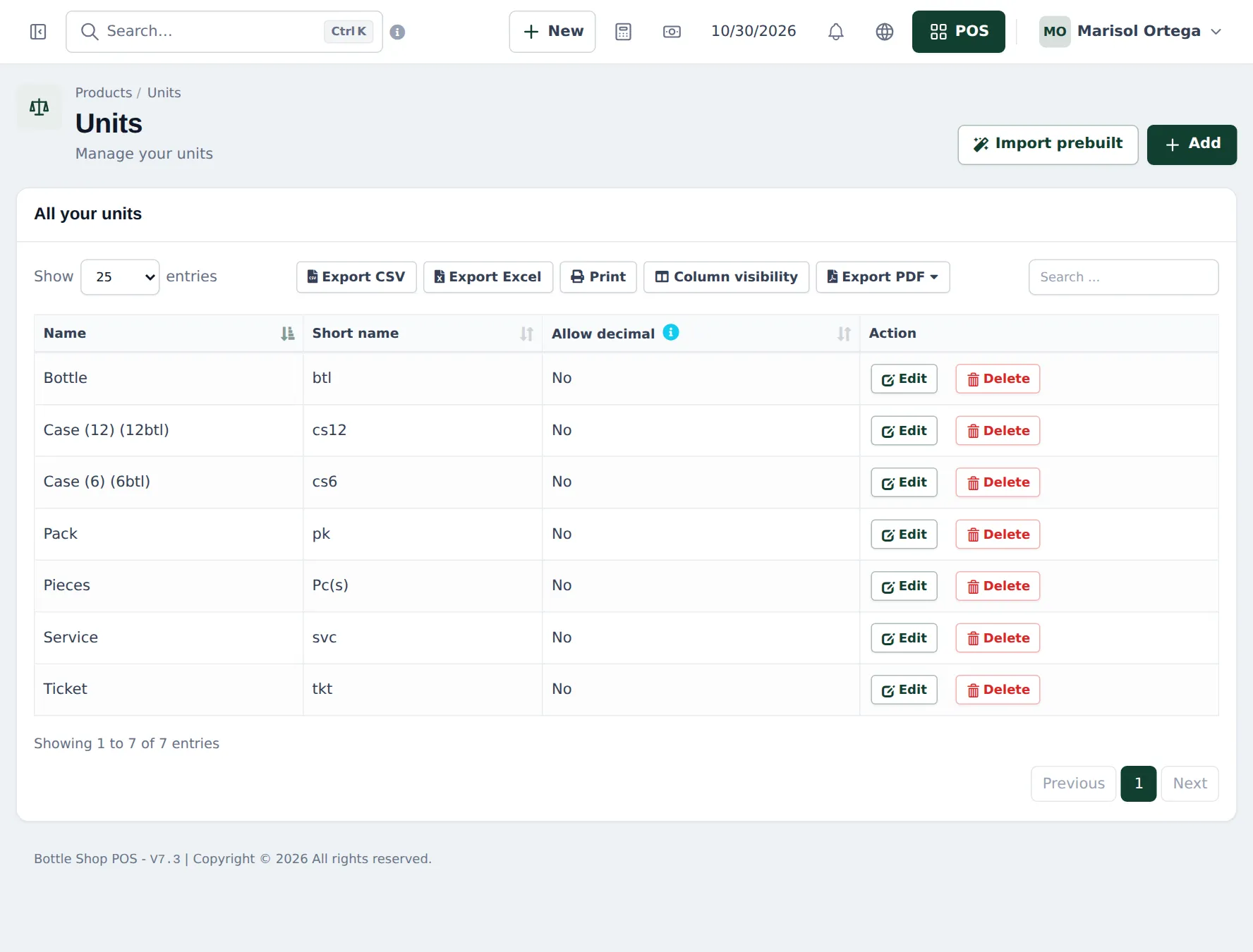
Section titled “Wine and spirits: bottle and case sub-units”- Open Products › Units. Add Bottle (short name btl, Allow decimal No).
- Add Case (6): tick Add as multiple of other unit, enter 6 times base unit, base unit Bottle. Do the same for Case (12).
- On each wine, set Unit to Bottle and Related Sub Units to the case sizes it comes in.
- Enter prices for one bottle.
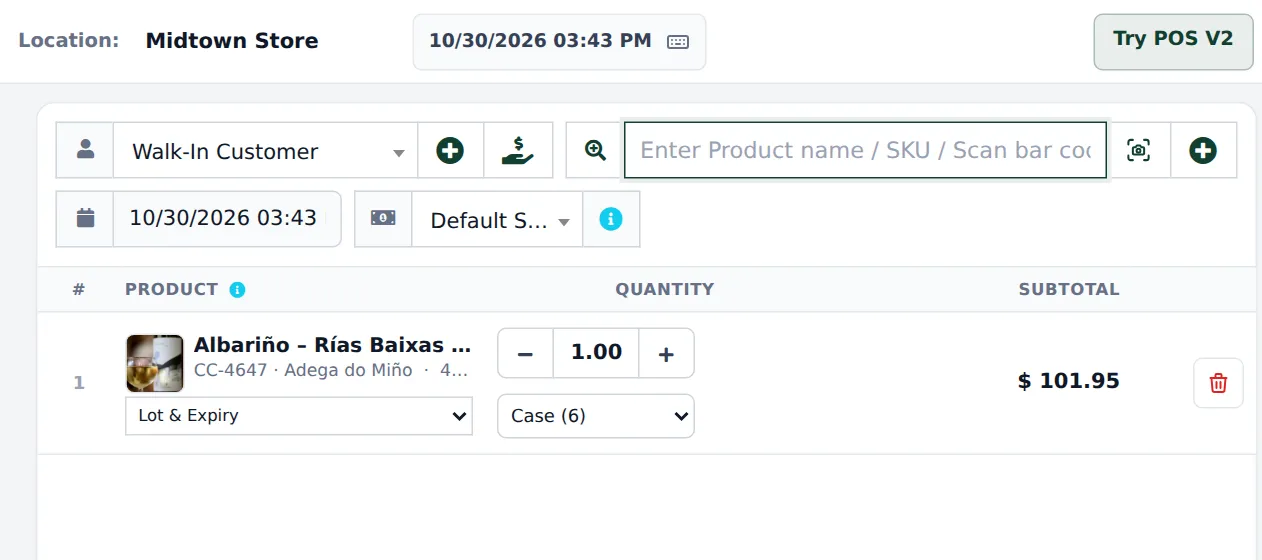
At the till the line shows a unit dropdown; choose Case (6) and stock goes down by six bottles.
Beer: one variation per pack
Section titled “Beer: one variation per pack”- Open Products › Add Product, choose Product Type Variable.
- Add a variation Pack with values Single, 4-Pack, 12-Pack, Case (24).
- Give each its own SKU (the pack barcode), purchase price and selling price.
- Save, then add opening stock per variation.
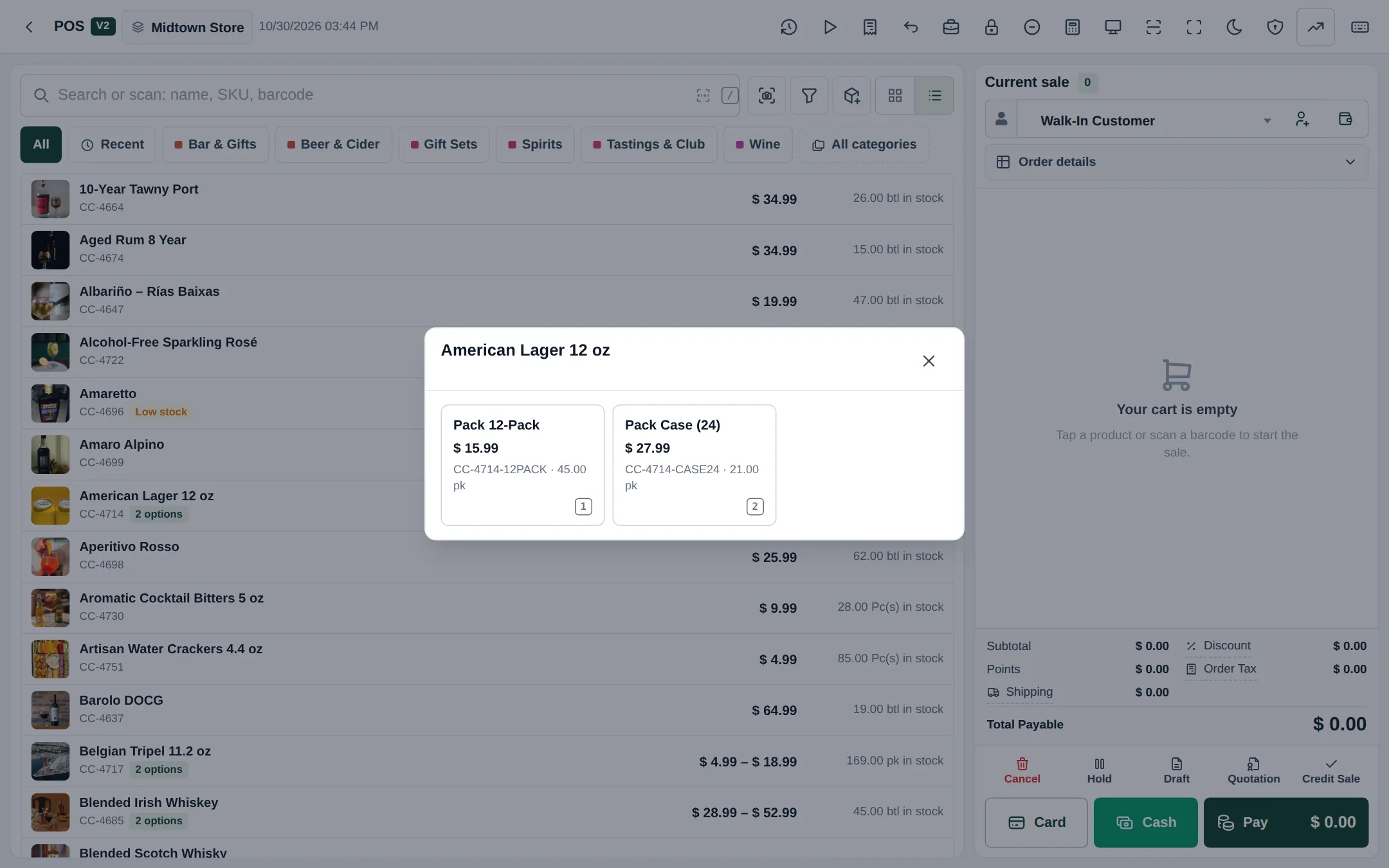
Tapping the beer in POS V2 opens a window with each pack and its price; scanning a pack barcode adds that pack directly.
Tips and mistakes to avoid
Section titled “Tips and mistakes to avoid”- Don’t mix the two methods on one product. Pick sub-units or variations per product.
- Put the size in the name (“12 oz”, “750 ml”, “1.75 L”); cashiers search by it.
- Print shelf labels with Products › Print Labels, choosing the variation or unit price to show.
Next: step 3: age-restricted sales.
Frequently asked questions
When should I use sub-units and when variations?
Use sub-units (Bottle and Case (6)) when the case price is simply bottles × price and stock is shared. Use variations (Single, 4-Pack, Case (24)) when each pack has its own barcode and price, as with most beer.
Can a case be cheaper than six bottles?
With sub-units the case price is 6 × the bottle price; give a case discount with Sell › Discounts or a price group. With variations, enter the cheaper case price directly.
Do variations share stock?
No. Each variation has its own stock. If you break a case into singles, record it with a stock adjustment on the case and opening stock or a purchase on the singles, or sell singles and cases from separate stock.
Which unit should wine use?
Bottle as the base unit, Case (6) and Case (12) as sub-units. Stock and stock reports are in bottles.
Can I scan the case barcode?
With variations, yes, each pack has its own barcode. With sub-units the product has one barcode; the cashier changes the unit to Case on the line.