
Pharmacy step 4: receive stock with batch and expiry
In a pharmacy every unit on the shelf belongs to a batch with an expiry date. You record both when the stock arrives, on the purchase. From then on SmartPOS Hub knows which batch each sale comes from and warns you before anything expires.
Before you start
Section titled “Before you start”- Enable Product Expiry and Enable Lot number are on (step 1).
- Your distributors are added in Contacts › Suppliers with their Pay term.
Record a distributor delivery
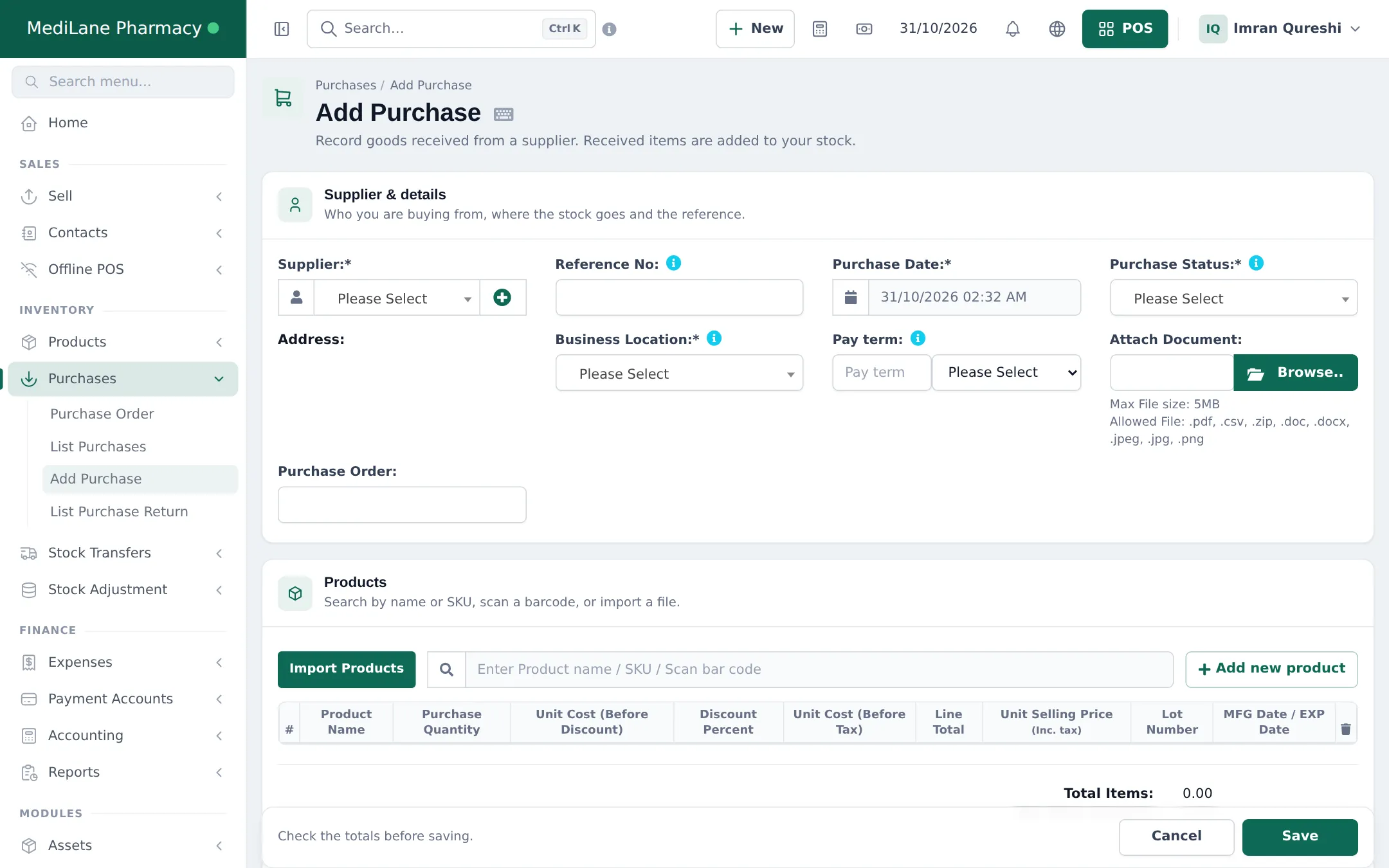
Section titled “Record a distributor delivery”- Open Purchases › Add Purchase.
- Choose the Supplier, the Business Location and the Purchase Date; type the distributor’s invoice number in Reference No.
- Set Purchase Status to Received once the medicines are checked in.
- Search or scan each medicine. On its line enter:
- Purchase Quantity and the unit (Box, Strip or Tablet);
- Unit Cost;
- Lot Number from the pack;
- MFG Date / EXP Date (or only the expiry, depending on your setting).
- Enter what you paid now (or leave it as due) and click Save.
Follow purchases and dues
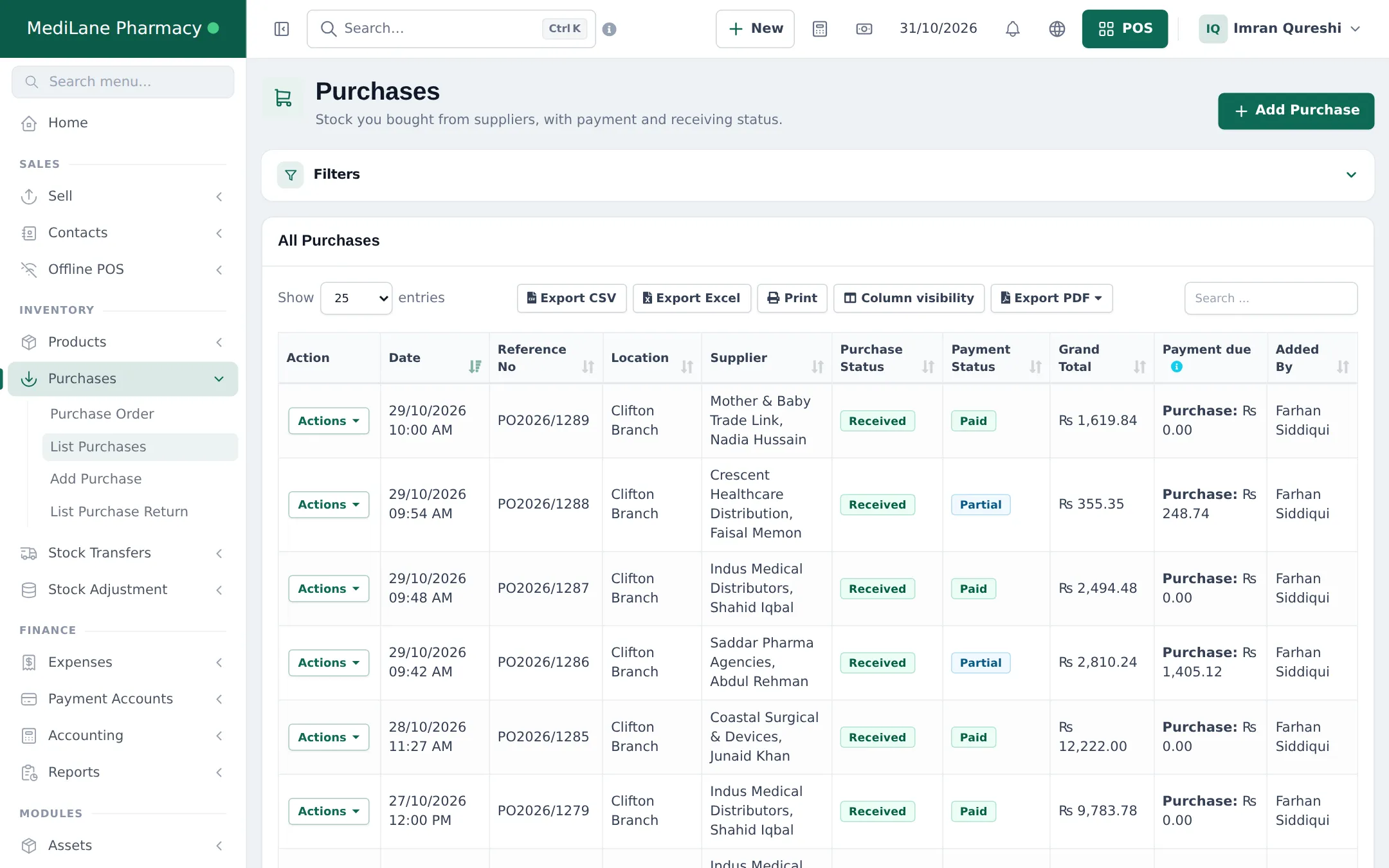
Section titled “Follow purchases and dues”Purchases › List Purchases shows each delivery with its status, payment status and what you still owe. Pay distributors from Add payment on the purchase or from the supplier’s page. See Supplier payments and credit.
See your batches
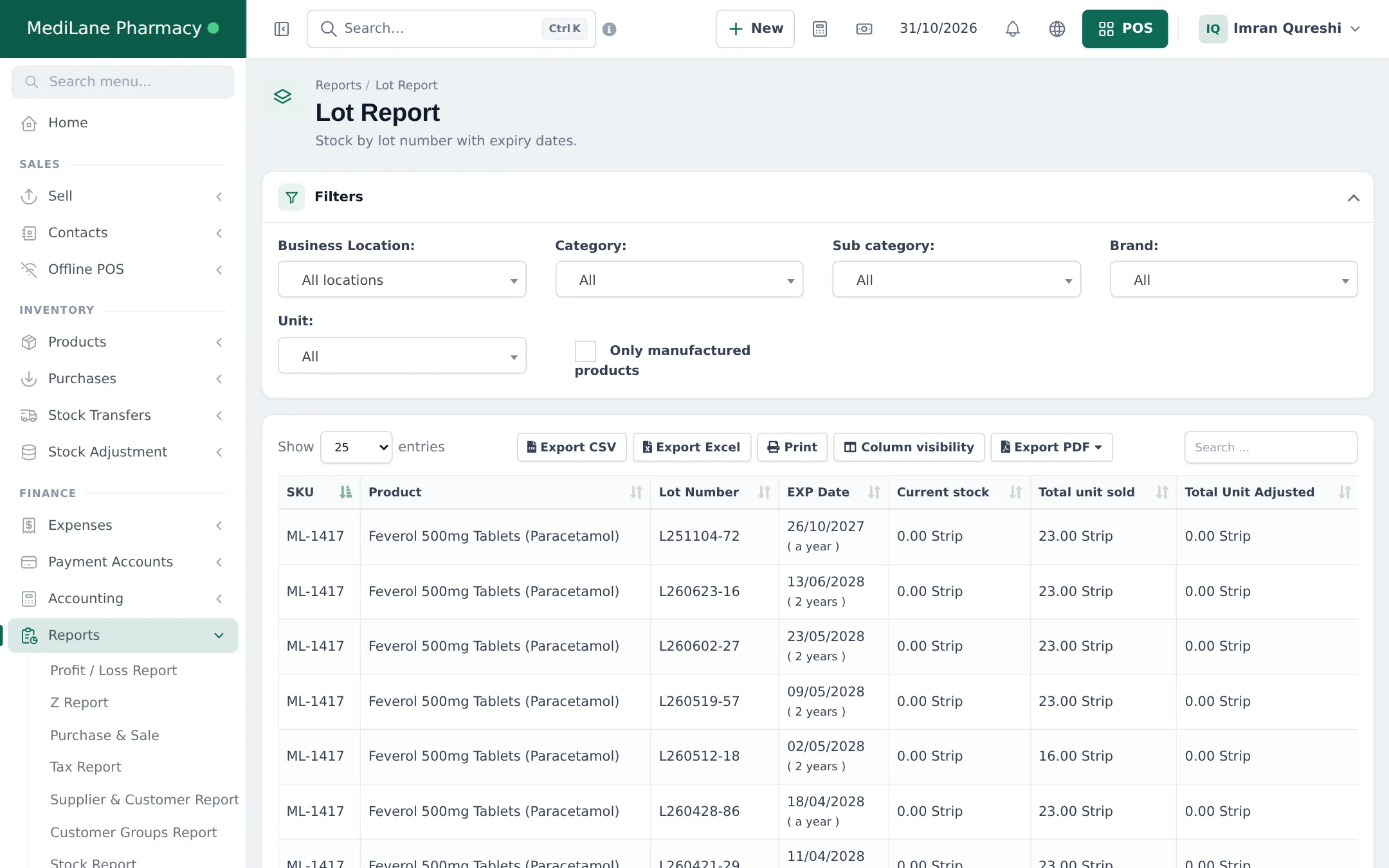
Section titled “See your batches”Reports › Lot Report lists every lot with its product, EXP Date (and how far away it is), current stock, units sold and units adjusted. Filter by location, category or brand.
Frequently asked questions
Can I buy in boxes and sell single strips?
Yes. Pick the Box unit on the purchase line. Stock is added in tablets (for example 1 box of 200 = 200 tablets) and you can sell by tablet, strip or box.
What if one delivery has two batches of the same medicine?
Add the medicine twice on the purchase, one line per lot number with its own expiry date.
How do I enter opening stock with expiry dates?
Use Products › Import Opening Stock or the product's opening stock window; both accept lot numbers and expiry dates when those settings are on.
Where do I see which batches I have?
Reports › Lot Report lists stock by lot number with the expiry date, current stock, units sold and adjusted.
Can I correct a wrong expiry date?
Yes. The Stock Expiry Report lets you edit the expiry date of a purchased lot.