
Bakery step 3: recipes and real product costs
A recipe (bill of materials) says what goes into one batch of a product and how much it yields. SmartPOS Hub uses it to plan production, check you have enough flour, take the ingredients out of stock and work out what each loaf really costs.
Before you start
Section titled “Before you start”- Raw materials and finished products exist with units (step 2).
- Raw materials have a purchase price or stock, so costs are real.
- Your role has Add recipes and See production costs and margins.
1. Check the Manufacturing settings
Section titled “1. Check the Manufacturing settings”- Open Manufacturing › Settings.
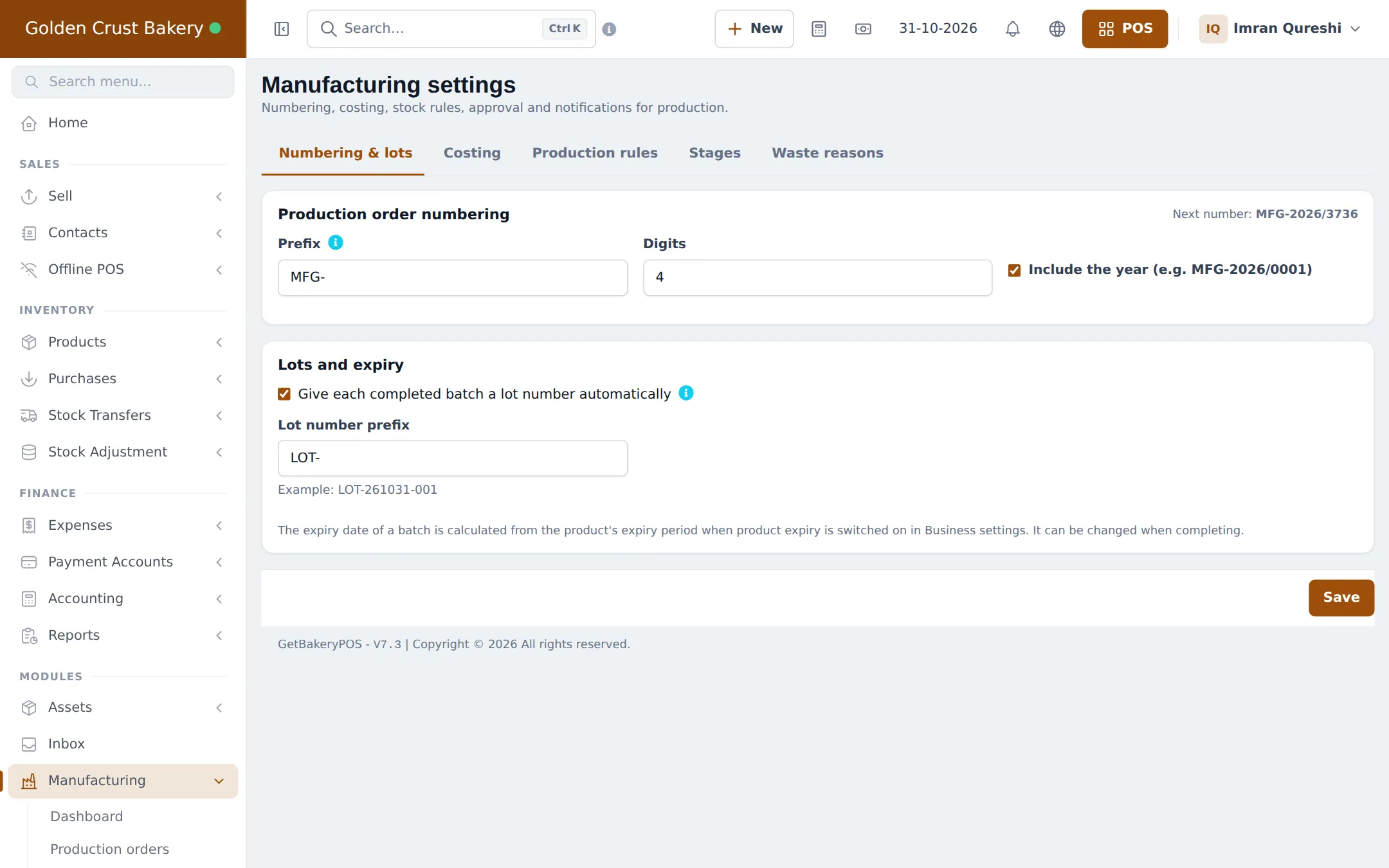
- Numbering & lots: check the production order prefix and tick Give each completed batch a lot number automatically.
- Costing: pick the Material cost method for estimates (last purchase price is simplest), the Default margin for suggested prices and whether waste is included in the product cost.
- Stages and Waste reasons: add steps like Mixing, Proofing, Baking, Packing and reasons like Burnt, Overproofed, Broken or misshapen. Save each tab.
2. Write a recipe
Section titled “2. Write a recipe”- Open Manufacturing › Recipes and click Add recipe (or Import prebuilt).
- Pick the finished product (or the size variation) and enter the batch output, for example 76 Pc(s).
- Add each ingredient with its quantity in any unit of that product, and a Waste % if some is always lost (trimming, spillage).
- Add packaging such as bags and boxes as ingredients too.
- Under Extra costs, add labour, oven gas or electricity: fixed per batch, per unit, or % of material.
- Add stages if you track them, and save.
3. Check costs and margins
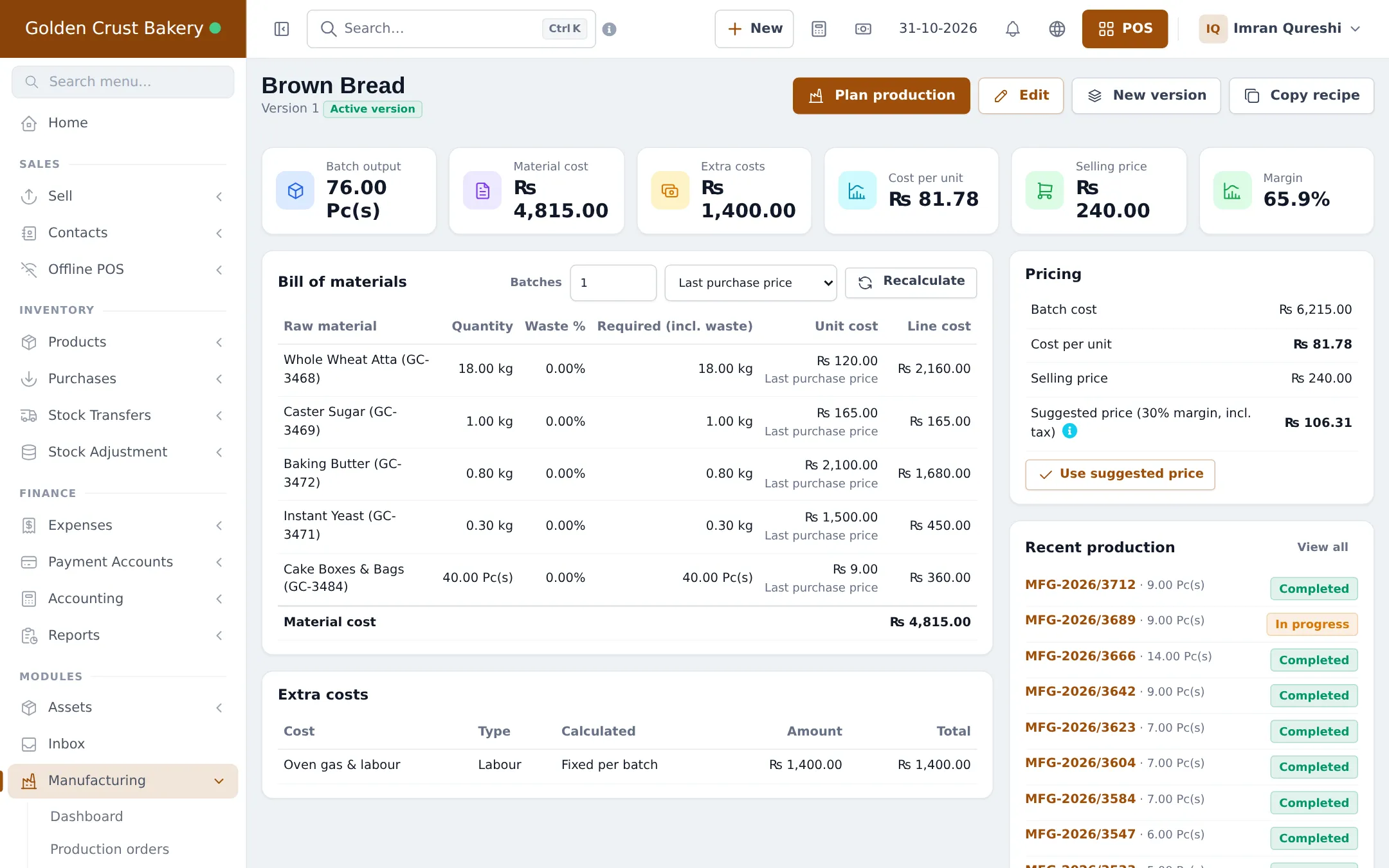
Section titled “3. Check costs and margins”The recipe list shows each product’s version, batch output, number of ingredients, Unit cost with Margin, and selling price. Sort by margin to find products that cost too much to make.
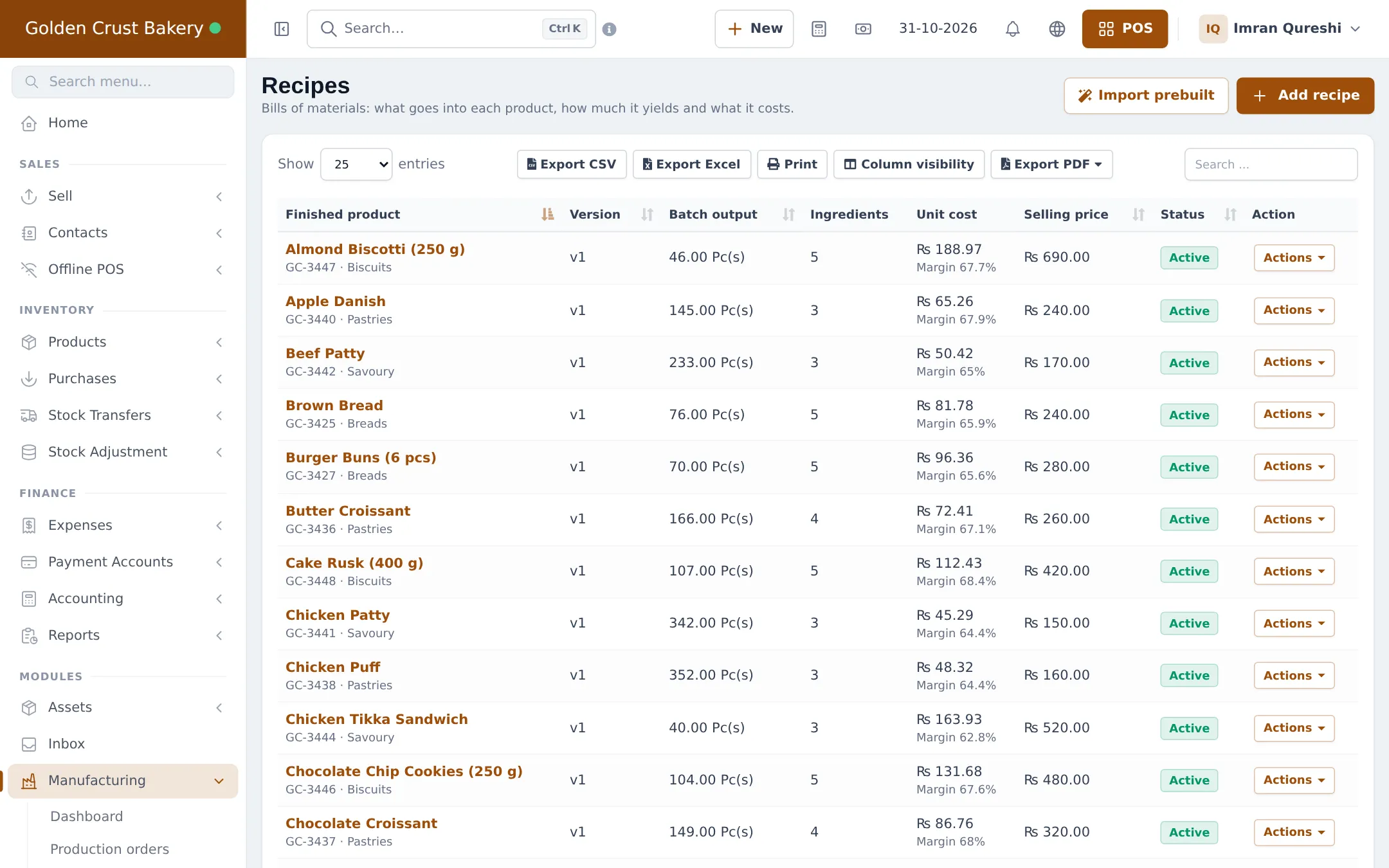
On a recipe, switch the cost basis (Last purchase price, Average cost of stock, Stock lots (FIFO / LIFO), Default purchase price) and click Recalculate to see how flour price changes affect your cost.
Tips and mistakes to avoid
Section titled “Tips and mistakes to avoid”- Weigh a real batch once and enter the real yield; guessed yields make every cost wrong.
- Include packaging; a cake box can be a large share of a cheap item’s cost.
- If you record labour as an extra cost and also pay salaries as expenses, tell your accountant so they aren’t counted twice.
Next step
Section titled “Next step”Frequently asked questions
What is batch output?
How many finished units one batch of the recipe makes, for example 76 loaves from 18 kg of flour. Production orders scale the ingredients up or down from it.
How do I include labour and oven gas?
Add them under Extra costs, fixed per batch, per unit or as a percentage of material cost. They are added to the batch cost, so the cost per loaf includes them.
Are there ready-made bakery recipes?
Yes. Recipes › Import prebuilt has bakery templates as well as stage and waste-reason lists. Check each ingredient and quantity against your own recipe after importing.
What happens when I change a recipe?
Use New version. Old production orders keep the version they used, and new orders use the active version.
Why is my suggested price different from my selling price?
The suggested price is the cost per unit plus your default margin and tax. Click Use suggested price only if you want to change the product's selling price.
Can a recipe use another recipe, such as a dough?
Yes. If an ingredient has its own recipe, its cost is worked out from that recipe when there is no purchase price, up to five levels deep.