
Bakery daily operations in SmartPOS Hub
A bakery runs on an early clock. This page lists the routine, who does it, and where.
Before dawn (bakehouse)
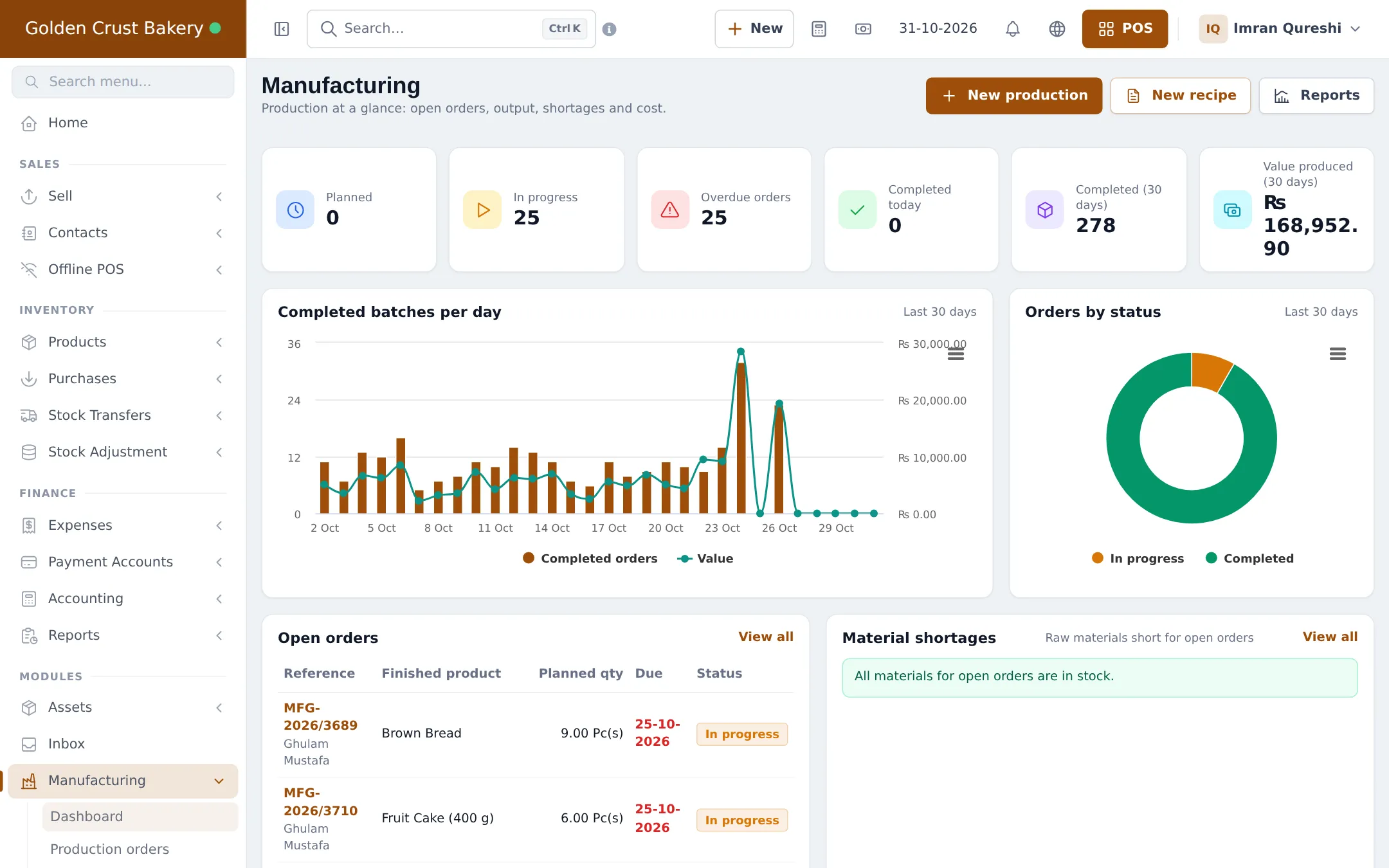
Section titled “Before dawn (bakehouse)”- Open Manufacturing › Dashboard: check In progress, Overdue orders and Material shortages.
- Start the day’s orders (Start production) and print production sheets for the bakers.
- As each batch comes out, click Complete, enter good and rejected output, and Complete and update stock.
Early morning (dispatch)
Section titled “Early morning (dispatch)”- Create one stock transfer per shop from the bakehouse, status In Transit, and print the delivery notes (step 5).
- Shop managers check the delivery and set the transfer to Completed.
Shop hours
Section titled “Shop hours”- Open the cash register with the starting cash (Cash register and closing).
- Sell at the POS; weighed items by kg, packs by the dozen.
- Take cake orders with the cake form and a deposit (step 6).
- Check Sell › Personalised orders › Due today and hand over ready cakes; mark them Collected.
Afternoon (planning)
Section titled “Afternoon (planning)”- Check sales per product per shop (Sales reports) and what is left.
- Create tomorrow’s production orders as Planned at the bakehouse.
- Buy any materials short for tomorrow (Purchases).
Closing (each shop)
Section titled “Closing (each shop)”- Record unsold goods as a stock adjustment with a reason (step 7).
- Close the cash register and print the Z Report.
Weekly
Section titled “Weekly”| What | Where |
|---|---|
| Waste by reason and product | Manufacturing › Reports › Wastage |
| Recipe costs after price changes | Manufacturing › Reports › Recipe costing |
| Leftovers per shop | Reports › Stock Adjustment Report |
| Profit | Reports › Profit / Loss Report |
Frequently asked questions
When should I create tomorrow's production orders?
In the afternoon, after checking today's sales and leftovers per shop. Save them as Planned for the next morning.
What if the bakehouse runs out of an ingredient?
The Manufacturing dashboard lists Material shortages for open orders. Create a purchase or a purchase order for the missing materials.
How does a shop see what is coming?
Transfers marked In Transit to their location show in Stock Transfers. The shop completes them when the van arrives.
Which reports matter most for a bakery?
Product sales per shop, the Wastage report, the Stock Adjustment Report for leftovers and the Profit / Loss Report.