
Wholesale step 5: delivery and shipping
Most wholesale invoices end with a truck run. SmartPOS Hub keeps the delivery on the invoice itself: where it goes, who takes it, what it costs and where it is now.
Before you start
Section titled “Before you start”- Delivery staff exist as users, so you can pick them as Delivery Person.
- Optional: Shipping & delivery module for courier companies and own riders with zones (Shipping & delivery).
Add delivery details to the invoice
Section titled “Add delivery details to the invoice”- On Sell › Add Sale (in the POS, the edit icon next to Shipping), open Shipping Details.
- Check the shipping address (it comes from the customer).
- Enter Shipping Charges if you charge for delivery.
- Set Shipping Status to Ordered or Packed, and choose the Delivery Person.
- Save the sale.
Follow every delivery
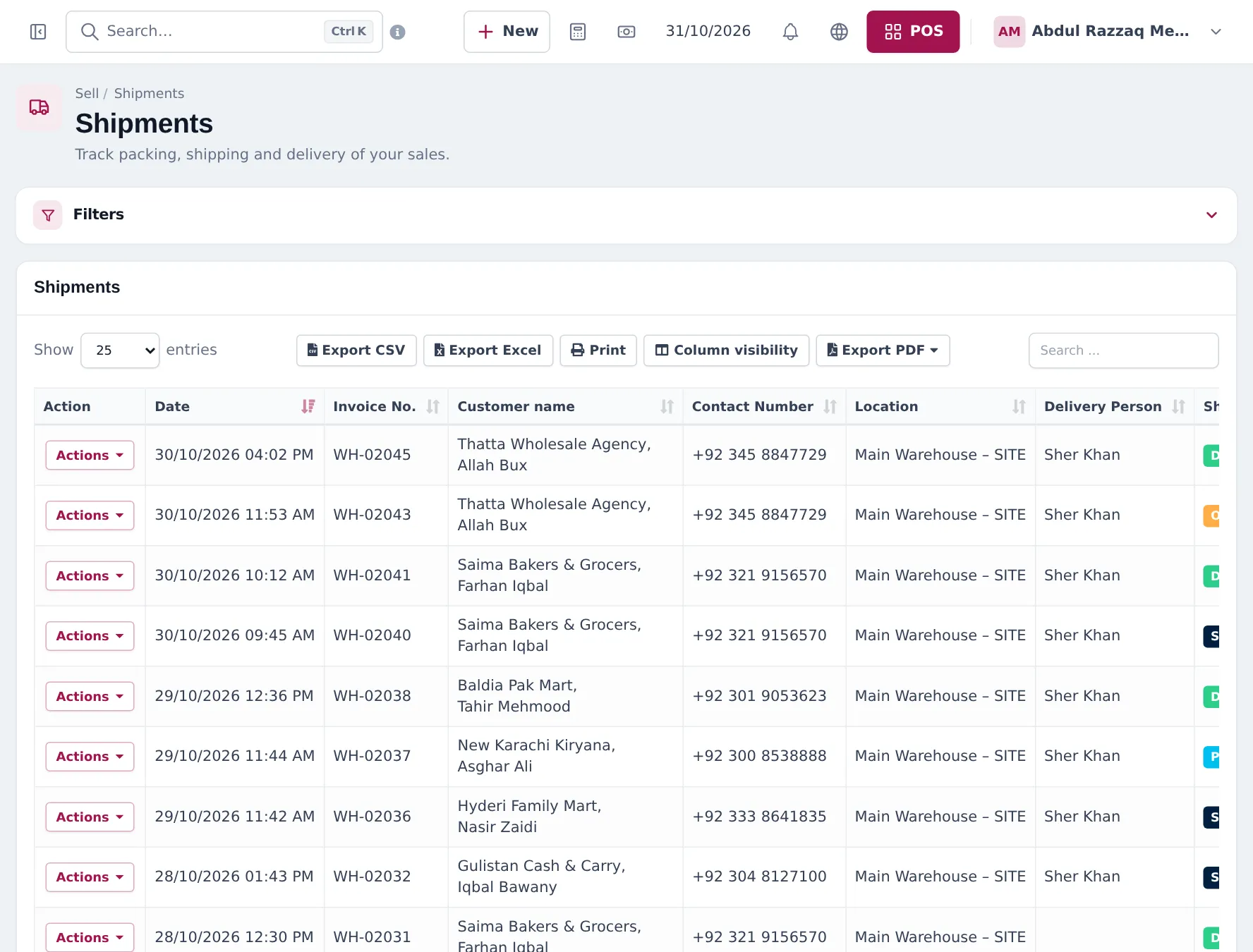
Section titled “Follow every delivery”Sell › Shipments lists every sale with shipping: date, invoice, customer, contact number, location, delivery person and shipping status. Filter by location, delivery person or status, and use Actions to update the status to Shipped and Delivered with Delivered To.
Couriers and riders
Section titled “Couriers and riders”For parcels to other cities, the Shipping & delivery module books couriers, prints labels, tracks parcels and reconciles cash on delivery. For your own riders it adds a dispatch board and end-of-day settlements. See Shipping & delivery and deliveries in the Business app.
Frequently asked questions
Where do I record the delivery?
In Shipping Details on the sale - shipping address, Shipping Charges, Shipping Status, Delivered To and Delivery Person. You can update them later from Sell › Shipments.
What shipping statuses are there?
Ordered, Packed, Shipped, Delivered and Cancelled. Change them as the order moves from the warehouse to the shop.
Can I charge for delivery?
Yes. Enter Shipping Charges on the sale; they are added to the invoice total and appear in the Z Report as delivery charges.
Can I book couriers such as TCS or Leopards?
Yes, with the Shipping & delivery module and your courier account connected in Integrations. It adds labels, tracking and cash-on-delivery reconciliation.
Can my own drivers update deliveries from a phone?
With the Shipping & delivery module, riders use the SmartPOS Business app; the Customer & partner portal also has rider updates.