
Pharmacy step 2: import the Pharmacy catalog
The Pharmacy catalog of the Product Library holds more than 23,000 medicines and non-medicine pharmacy products. Each medicine comes with its brand (manufacturer), category by body system and therapeutic class, generic name, strength, dosage form, pack size, Rx or OTC status and, for tablets and capsules, ready-made tablet, strip and box units.
Before you start
Section titled “Before you start”- Step 1 is done (expiry, lot numbers).
- Decide which tax rate applies to medicines, if any.
1. Find your medicines
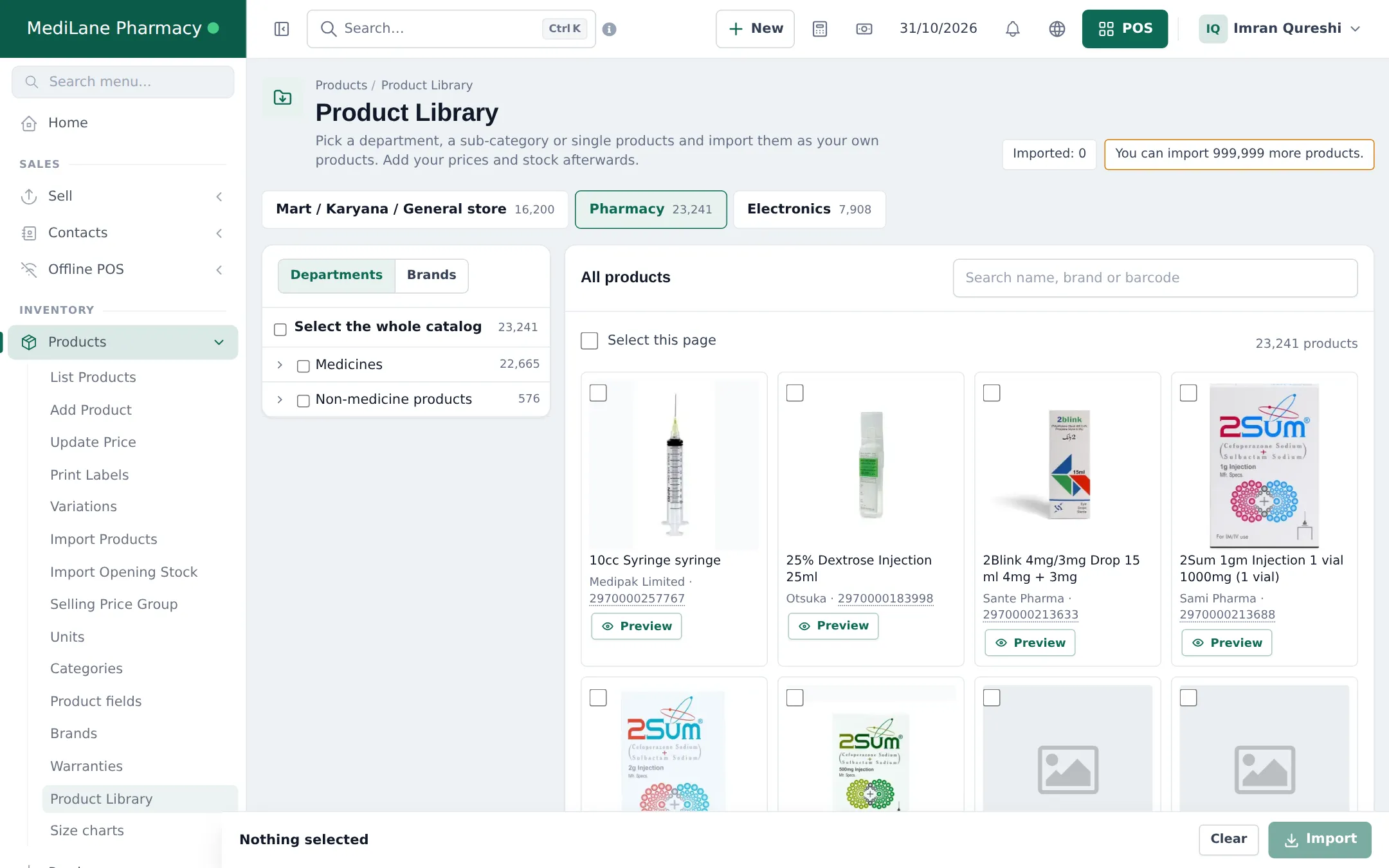
Section titled “1. Find your medicines”- Open Products › Product Library and click the Pharmacy tab.
- The tree on the left has two departments: Medicines (by body system › therapeutic class) and Non-medicine products. The Brands tab lists manufacturers.
- Search by medicine name, brand or barcode, for example “Panadol 500mg”.
2. Check a medicine before importing
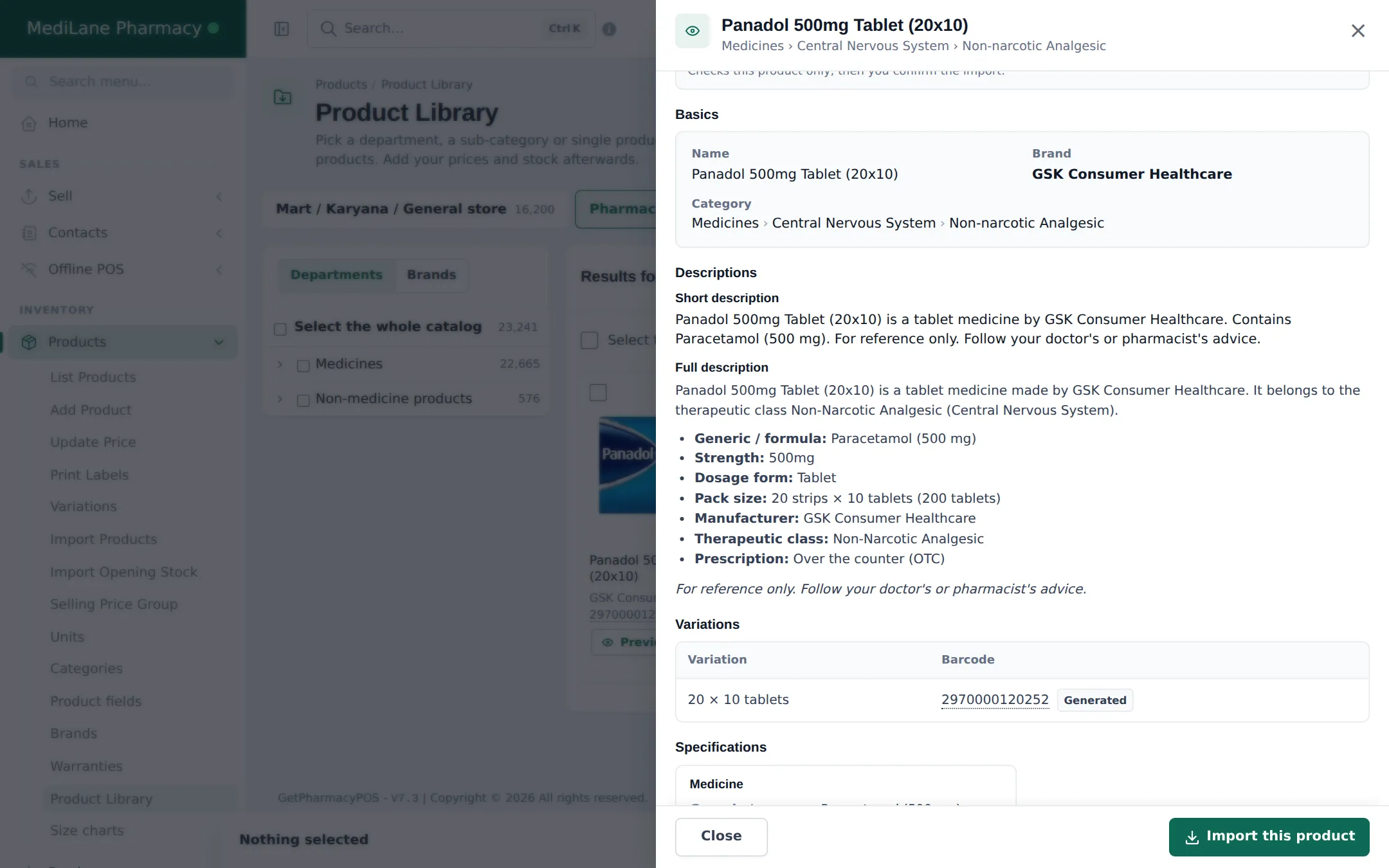
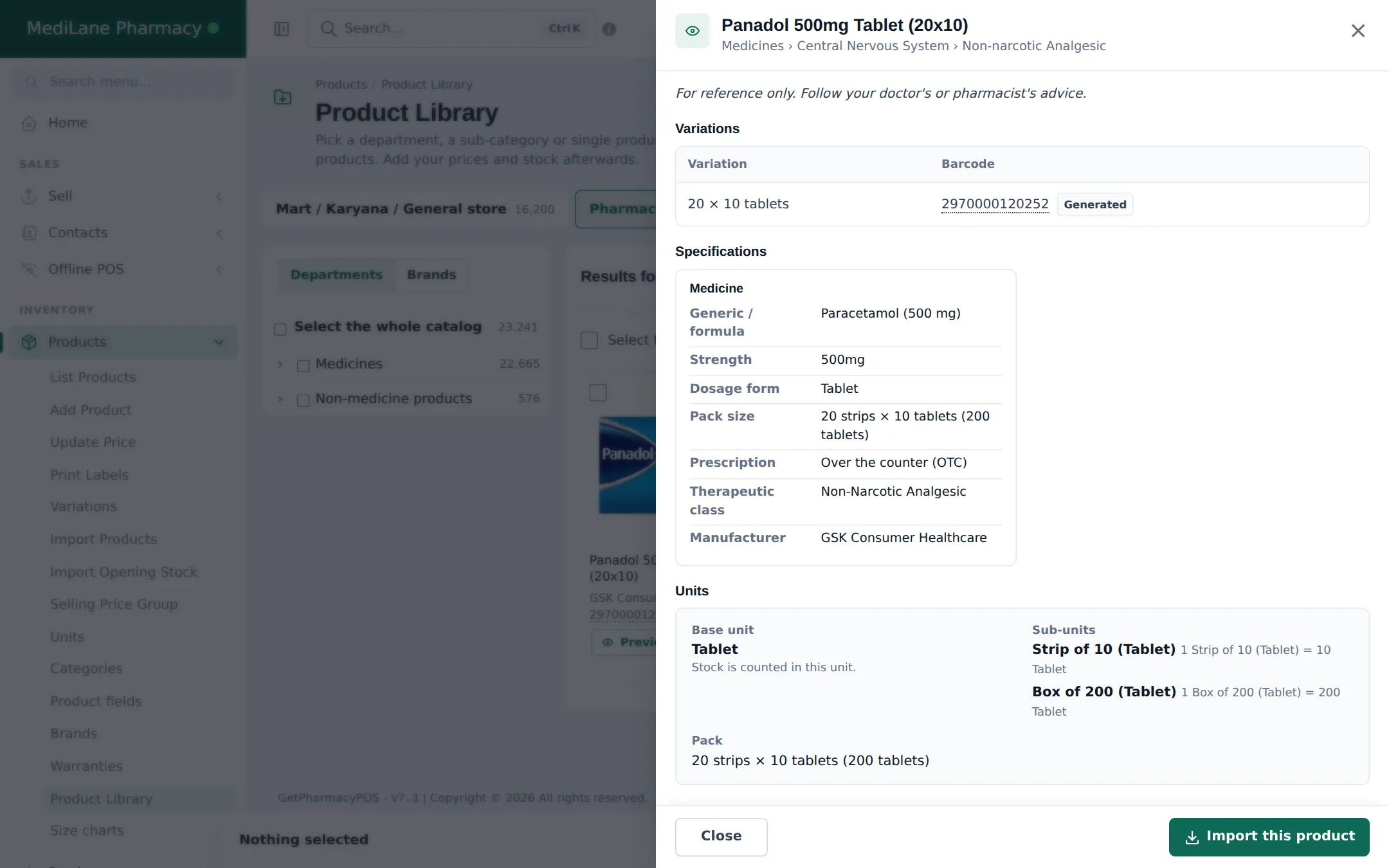
Section titled “2. Check a medicine before importing”Click Preview. The Medicine section shows the generic / formula, strength, dosage form, pack size, prescription status (for example “Over the counter (OTC)”), therapeutic class and manufacturer. The Units section shows the base unit and sub-units it will be imported with.
3. Import
Section titled “3. Import”- Tick the medicines (cards) or classes (tree) you stock.
- Click Import, choose the Business locations, the Tax and keep Manage stock for these products ticked.
- Review the check: what will be created, reused and skipped.
- Click Import now and wait for the progress bar to finish.
The general import steps with screenshots are in Mart step 2 and Product Library.
4. After the import
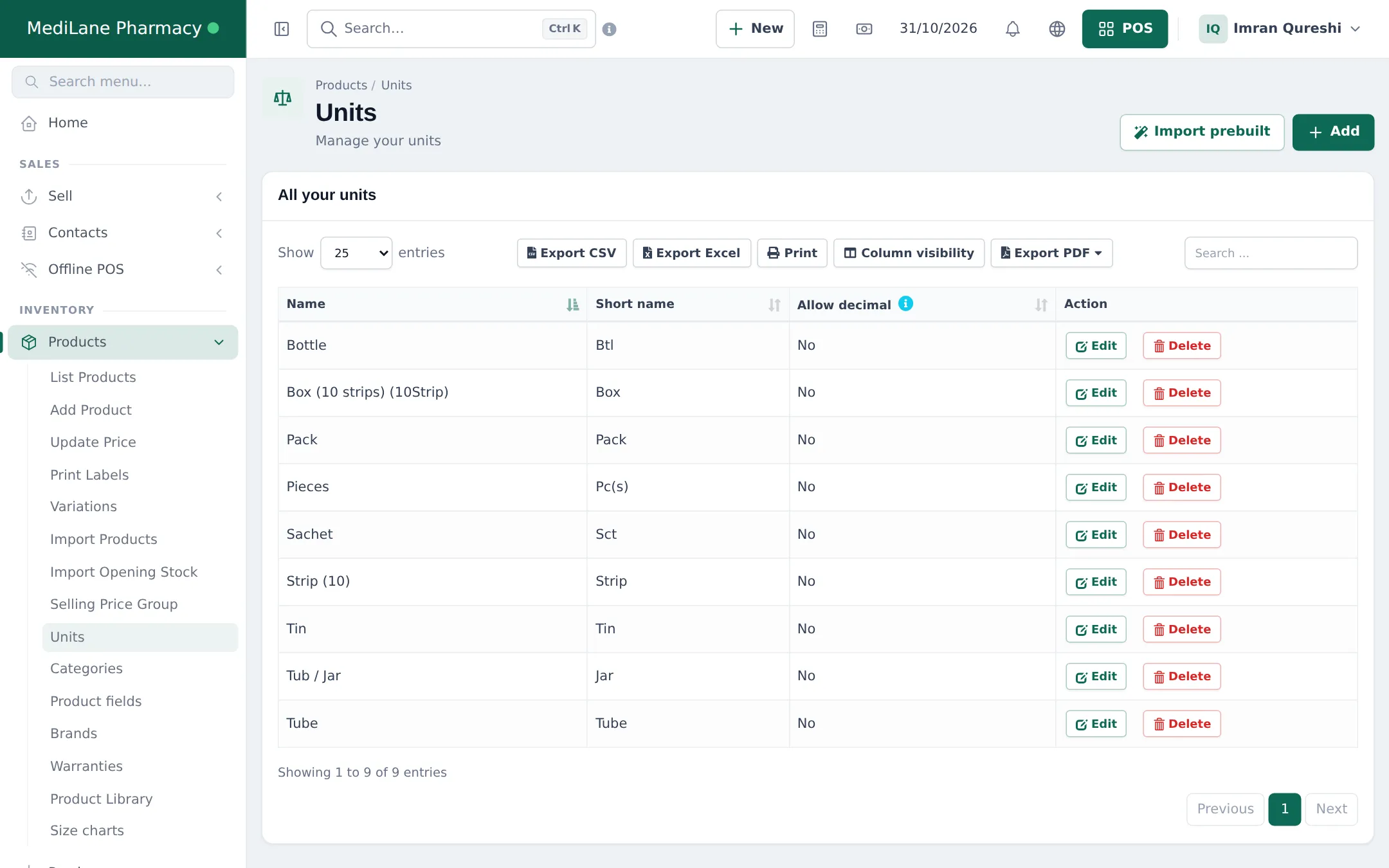
Section titled “4. After the import”- Units: your Units list now has the pharmacy units (Bottle, Strip, Box, Sachet, Tube…). Enable Sub Units is switched on automatically.
- Prices: set the price per tablet (or per bottle, tube…); strip and box prices follow. Use Products › Update Price for many at once.
- Opening stock: enter it with lot numbers and expiry dates (step 4).
Frequently asked questions
What units does an imported tablet get?
Tablets and capsules get Tablet or Capsule as the base unit plus sub-units such as Strip of 10 (Tablet) and Box of 200 (Tablet), based on the pack. Stock is counted in tablets.
What about syrups, creams and injections?
They get one unit that fits the pack - Bottle, Tube, Vial, Ampoule or Inhaler. Unclear packs are imported as Pack.
Are prices included?
No. The Pharmacy catalog has no prices. Imported medicines start at 0; set your prices after the import.
How is the price of a strip worked out?
The price is stored per base unit (one tablet). A strip of 10 sells at ten times the tablet price and a box at its tablet count times the tablet price.
Can I import only the medicines I stock?
Yes. Search by name, brand or barcode and tick single products, or tick a therapeutic class in the department tree.
What if a medicine is not in the catalog?
Add it yourself with Products › Add Product, using the same units and the Pharmacy product fields.