
Tech store step 5: sell phones and accessories
This page shows a tech store sale from scan to receipt: the phone with its IMEI, its warranty, accessories as a combo, an automatic discount, and optional trade-in details.
Before you start
Section titled “Before you start”- The IMEI switch is on for phones and laptops, and your invoice layout shows the sale description and warranty (step 3).
- You have stock in the selling location (step 4).
- A cash register is open for the cashier (the POS asks for one).
Sell a phone at the POS
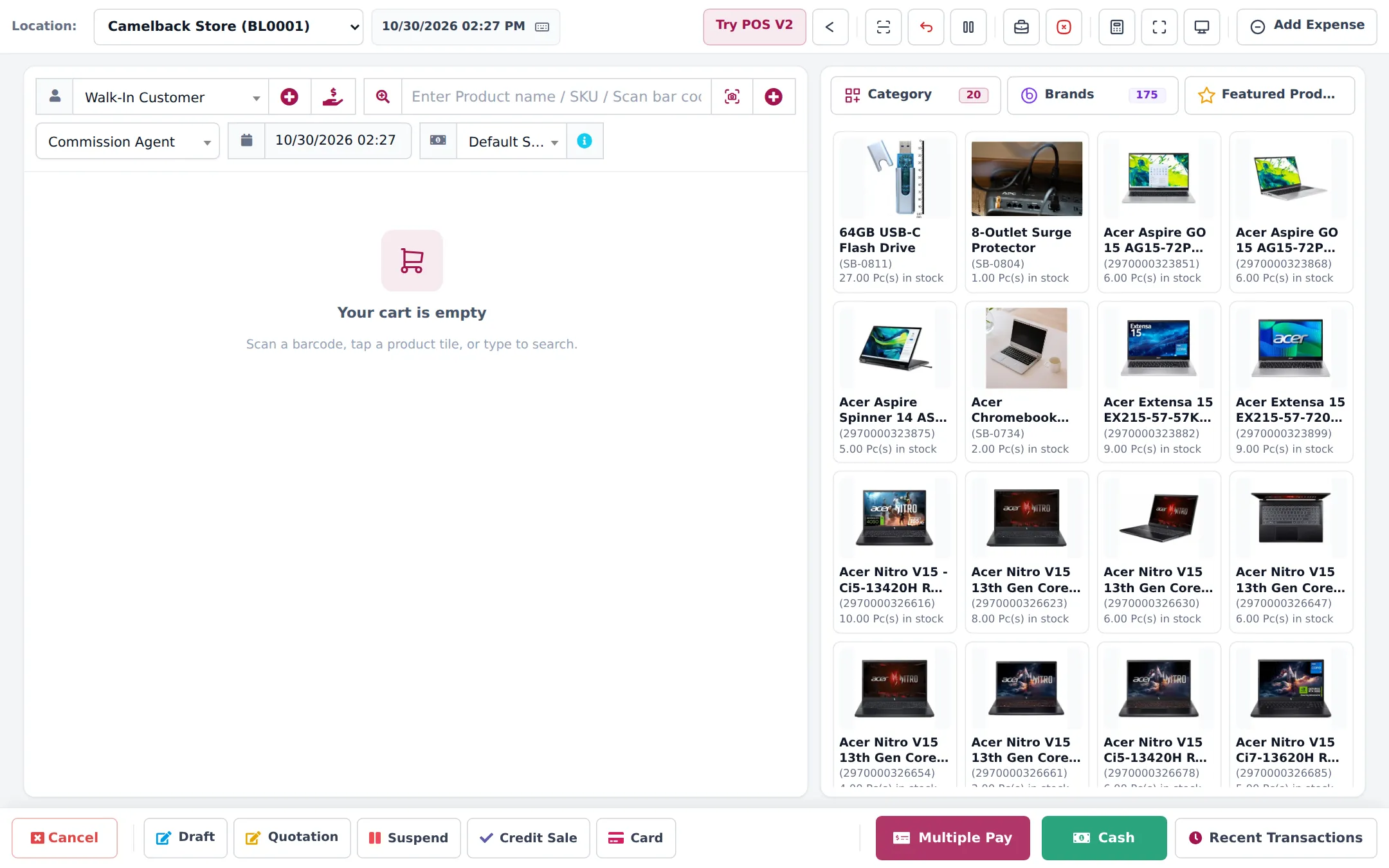
Section titled “Sell a phone at the POS”- Open POS from the top bar. Check the Location at the top left.
- Choose the customer, or keep Walk-In Customer. For warranty claims later, a named customer with a phone number is better.
- Scan the phone’s box barcode, or type the model in Enter Product name / SKU / Scan bar code. For a variable phone, the barcode finds the exact storage and colour.
- The line’s edit window opens. Type or scan the IMEI in the description box and close the window. Repeat for each phone: every unit gets its own line.
- Add accessories. These merge into one line with a quantity, as usual.
- Take payment: Cash, Card, or Multiple Pay for split or part payments. For full credit see step 8.
Sell with Add Sale (invoice-style)
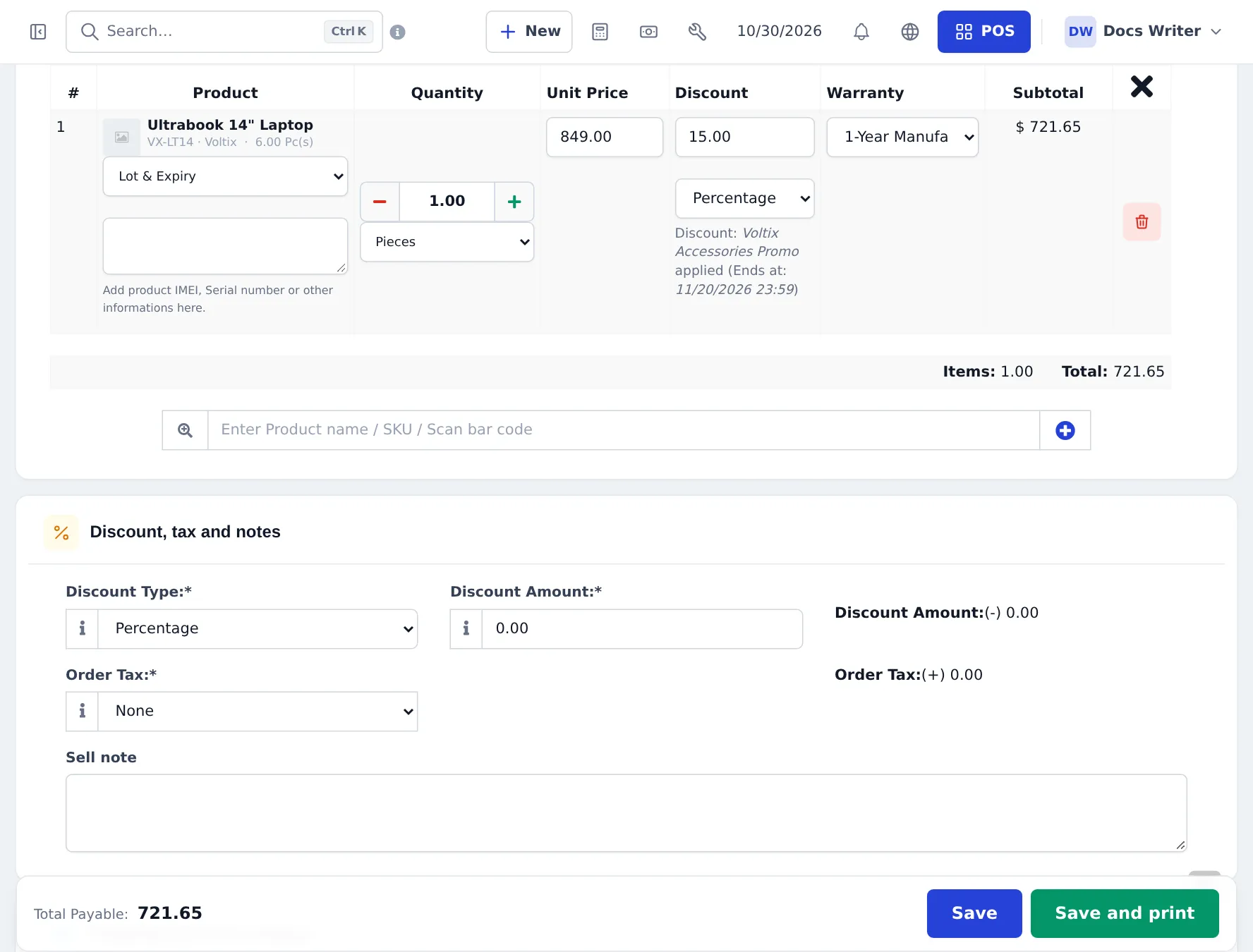
Section titled “Sell with Add Sale (invoice-style)”For corporate buyers and big laptop orders, Sell › Add Sale is easier to check line by line. Each line shows the IMEI/serial box under the product, a Warranty column (when Enable Warranty is on) and a discount.
Bundle accessories as a combo
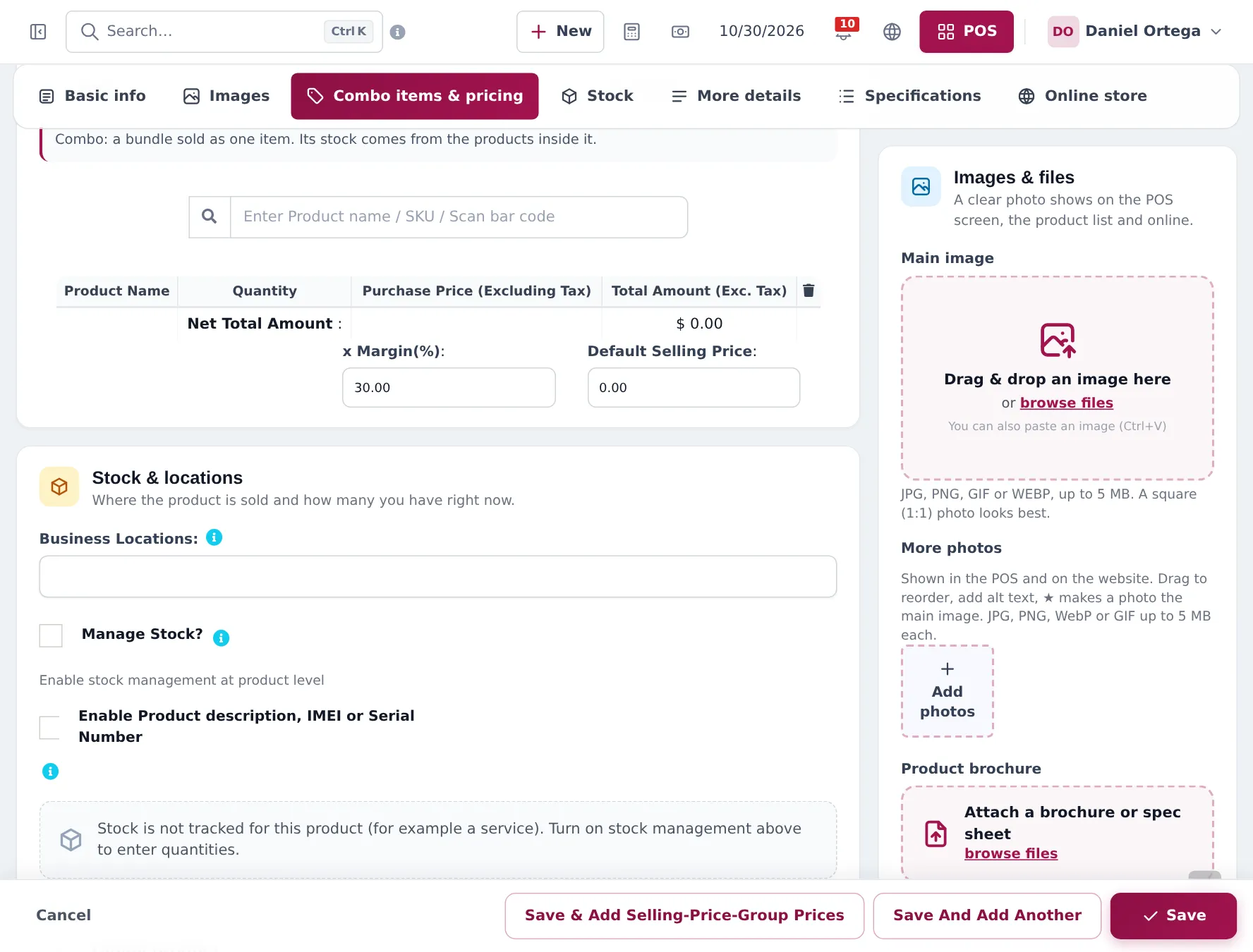
Section titled “Bundle accessories as a combo”- Products › Add Product, name it (for example “Phone starter pack: case + glass protector”).
- Set Product Type to Combo and add the products inside with their quantities.
- Set the combo’s selling price and save.
Automatic offers
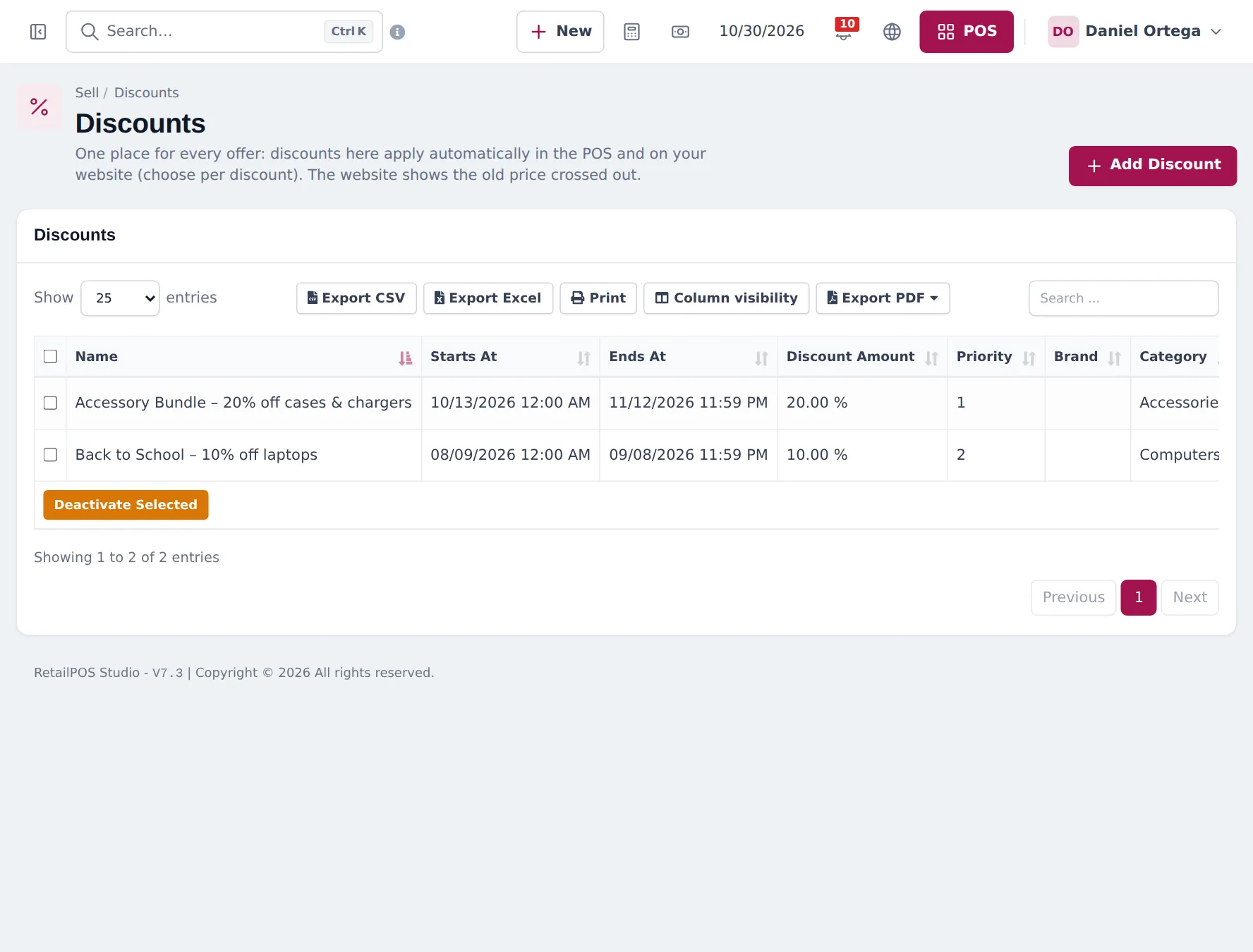
Section titled “Automatic offers”Create offers in Sell › Discounts: a percentage or fixed amount on a brand, category or products, for a location and a date range. Choose whether it applies in the POS, on the website or both. The POS applies it automatically when the item is added.
Trade-ins and setup services
Section titled “Trade-ins and setup services”The Order options & personalisation module (Settings › Business Settings › Modules) has ready-made forms for electronics and phone shops, including Trade-in (device, condition, agreed value, declaration), New phone setup (IMEI, screen protector, data transfer), Device setup and Warranty claim. Attach a form to a product, category or brand and the POS asks for the details when that item is sold. The answers print on the invoice.
After the sale
Section titled “After the sale”- The receipt prints the IMEI under the phone and the warranty name and expiry date (if your layout shows them).
- Find the sale in Sell › All sales or List POS. Returns: Returns and refunds.
Frequently asked questions
Why does each phone get its own line?
Because the product has Enable Product description, IMEI or Serial Number switched on. Each unit needs its own IMEI, so scanning the same model twice adds two lines instead of quantity 2.
How do I type the IMEI in the POS?
Click the product name on the cart line. The line's edit window opens with a description box. Type or scan the IMEI and close the window. When the IMEI switch is on, this window opens by itself when you add the phone.
Can I sell a phone with a free case and screen protector?
Yes. Create a combo product, for example Phone starter pack, with the case and protector inside at a combo price, or give a discount on accessories under Sell › Discounts.
Can I sell an extended warranty?
Yes. Create it as a product without stock management, for example Extended warranty 1 year, and add it to the sale like any item.
How do I record a trade-in?
With the Order options module, attach the ready-made Trade-in form to the products you accept trade-ins for. The form records the device, condition, agreed value and the seller's declaration on the sale line. The trade-in value is not deducted automatically; give it as a discount on the sale.
Can I sell from my phone?
Yes. The SmartPOS Business app sells, scans barcodes and works offline.