
Hotel step 3: seasonal rates, long stays and extras
Your room types carry a base and weekend price. Under Hotel (HMS) › Rates & extras you add everything on top: Seasonal rates for date ranges, Long-stay pricing for weekly and monthly guests, Extras guests can add, and Coupons. The booking form uses all of them to build the price automatically.
Before you start
Section titled “Before you start”- Room types exist (step 2).
- Your role has Hotel: manage seasonal rates, extras & coupons.
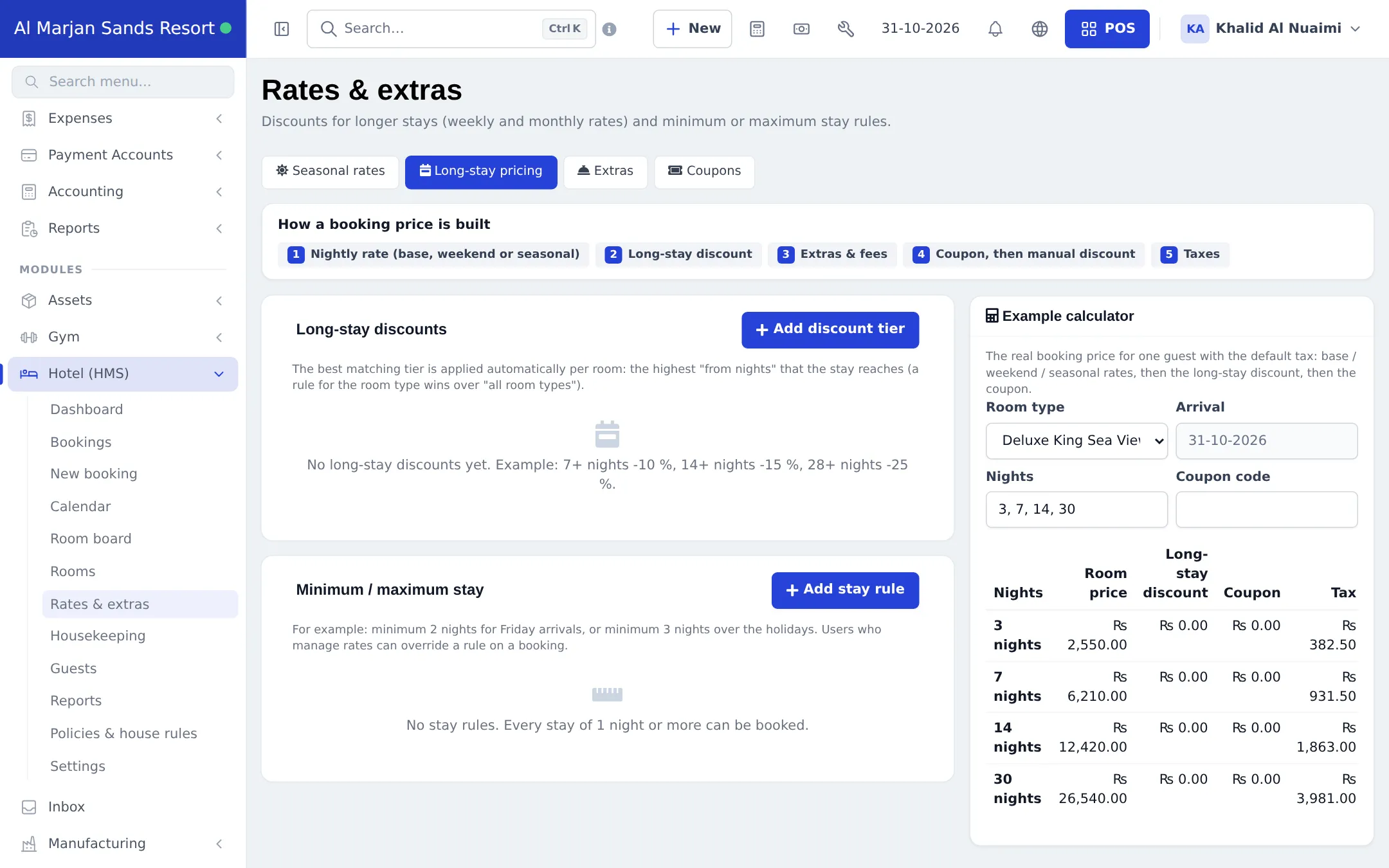
How a booking price is built
Section titled “How a booking price is built”| Order | Part | Example |
|---|---|---|
| 1 | Nightly rate: base, weekend or seasonal | 850 on weekdays, 980 on weekend nights |
| 2 | Long-stay discount | −10 % for 7+ nights |
| 3 | Extras and fees | Breakfast for 2 × 5 nights |
| 4 | Coupon, then manual discount | SUMMER10 |
| 5 | Taxes | Room tax 15 % |
Seasonal rates
Section titled “Seasonal rates”- Open Rates & extras and stay on Seasonal rates. Click Add.
- Enter a name (High season, New Year), pick one or more room types and the date range.
- Enter the price per night, an optional weekend price, Min. nights and a Priority for overlaps. Save.
Long-stay pricing (weekly and monthly rates)
Section titled “Long-stay pricing (weekly and monthly rates)”- Click the Long-stay pricing tab.
- Under Long-stay discounts, click Add discount tier: enter the “from nights” (7, 14, 28) and the discount, for all room types or one type.
- Under Minimum / maximum stay, click Add stay rule for rules such as minimum 2 nights for Friday arrivals or minimum 3 nights over the holidays.
- Use the Example calculator on the right to check the real price for 3, 7, 14 and 30 nights with your default tax.
Extras
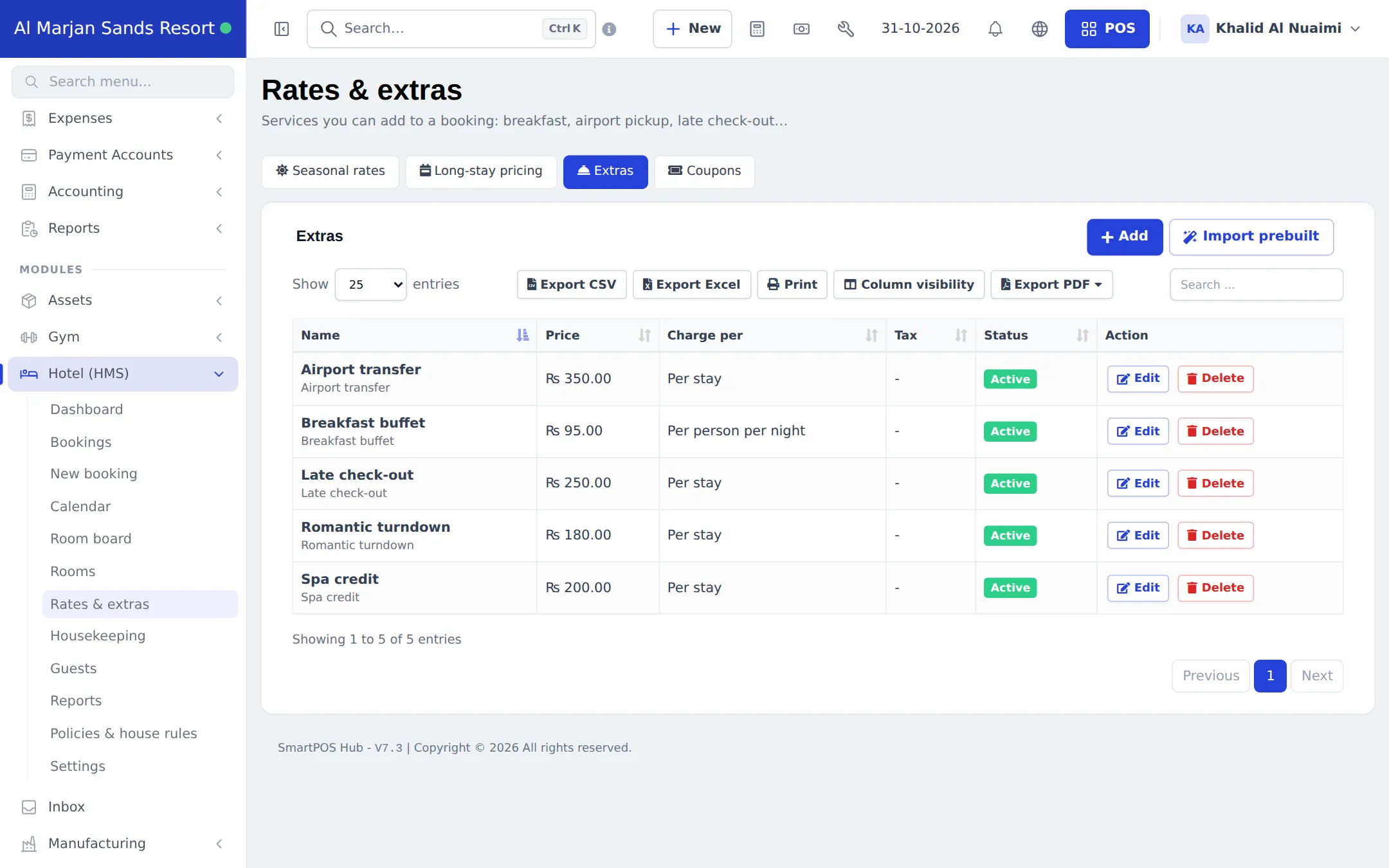
Section titled “Extras”- Click the Extras tab, then Add (or Import prebuilt).
- Enter the name and price, choose Charge per (Per stay, Per night, Per person, Per person per night) and, if needed, its own tax. Save.
Coupons
Section titled “Coupons”On the Coupons tab, add a code with a percentage or fixed Discount type, Valid from / Valid to dates (checked against the arrival date), minimum nights, room types and a Usage limit.
Tips and mistakes to avoid
Section titled “Tips and mistakes to avoid”- Set Priority on every seasonal rate that overlaps another one, or the result may surprise you.
- Long-stay tiers apply per room, so a two-room booking gets the tier on each room.
- Extras you sell often at the front desk (late check-out, spa credit) are quicker as extras than as separate sales.
Next step
Section titled “Next step”Frequently asked questions
In what order is a booking price worked out?
Nightly rate first (base, weekend or seasonal), then the long-stay discount, then extras and fees, then the coupon and any manual discount, and finally taxes.
What if two seasonal rates overlap?
The rate with the higher Priority wins for the nights where they overlap. Give holiday and event rates a higher priority than the general high season.
How do I give 15 % off for two-week stays?
Open Rates & extras › Long-stay pricing, click Add discount tier and enter 14 nights and 15 %. The best matching tier is applied to each room automatically.
Can I force a minimum of two nights at weekends?
Yes. Add a stay rule under Minimum / maximum stay, for example minimum 2 nights for Friday arrivals. Users who manage rates can override it on a booking with Ignore min./max. stay rules.
How are extras charged?
Each extra is charged Per stay, Per night, Per person or Per person per night, and can have its own tax. Breakfast is usually per person per night, an airport transfer per stay.
When is a coupon checked?
Against the arrival date, the minimum nights, the room types it is valid for and its usage limit. Cancelling a booking gives the use back.