
App chat - customer messages from the Shopper app
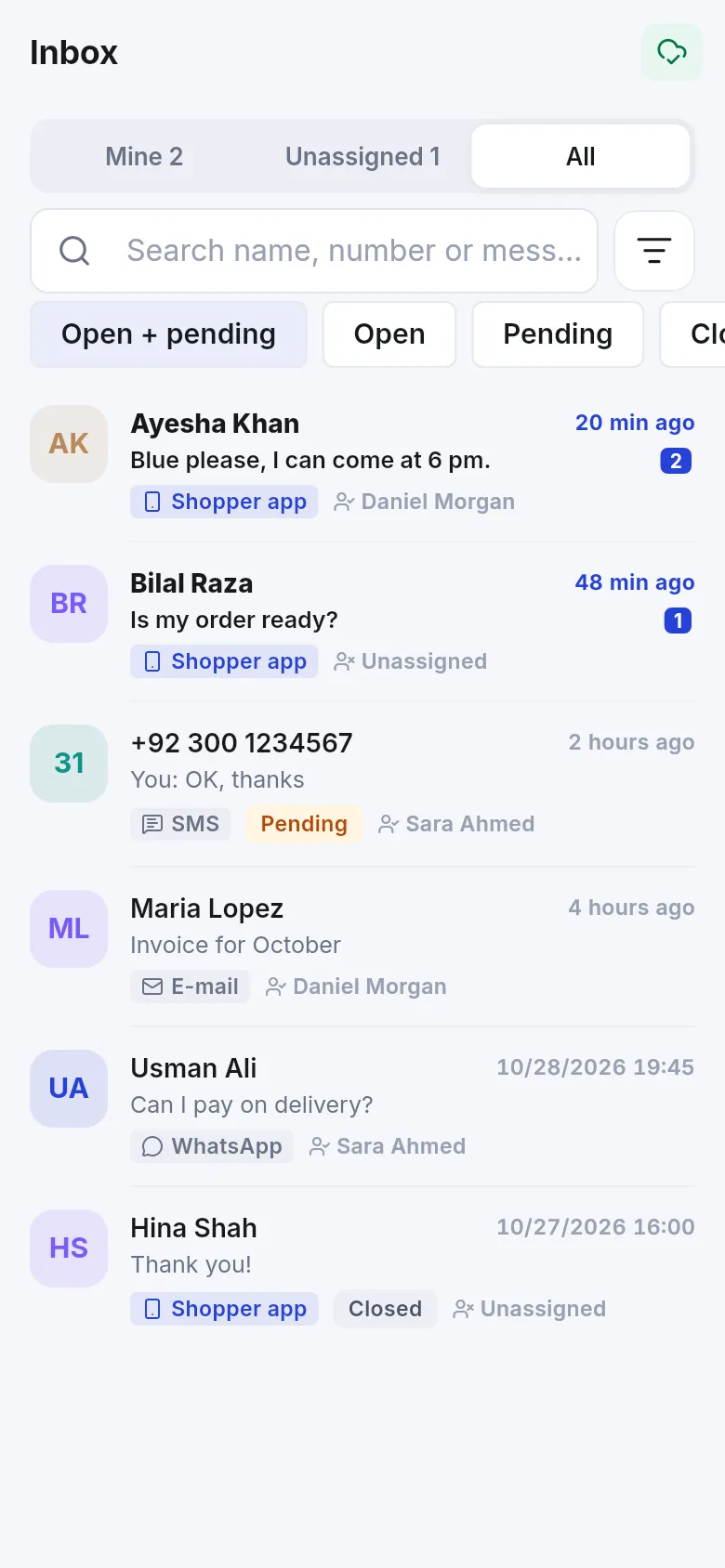
App chat lets customers who joined your store message you from the SmartPOS Shopper app. Every chat is one conversation in your Inbox, next to SMS, e-mail and WhatsApp, and on the customer’s contact page. The full guide is Website chat and app chat.
Settings at a glance (Settings › App chat)
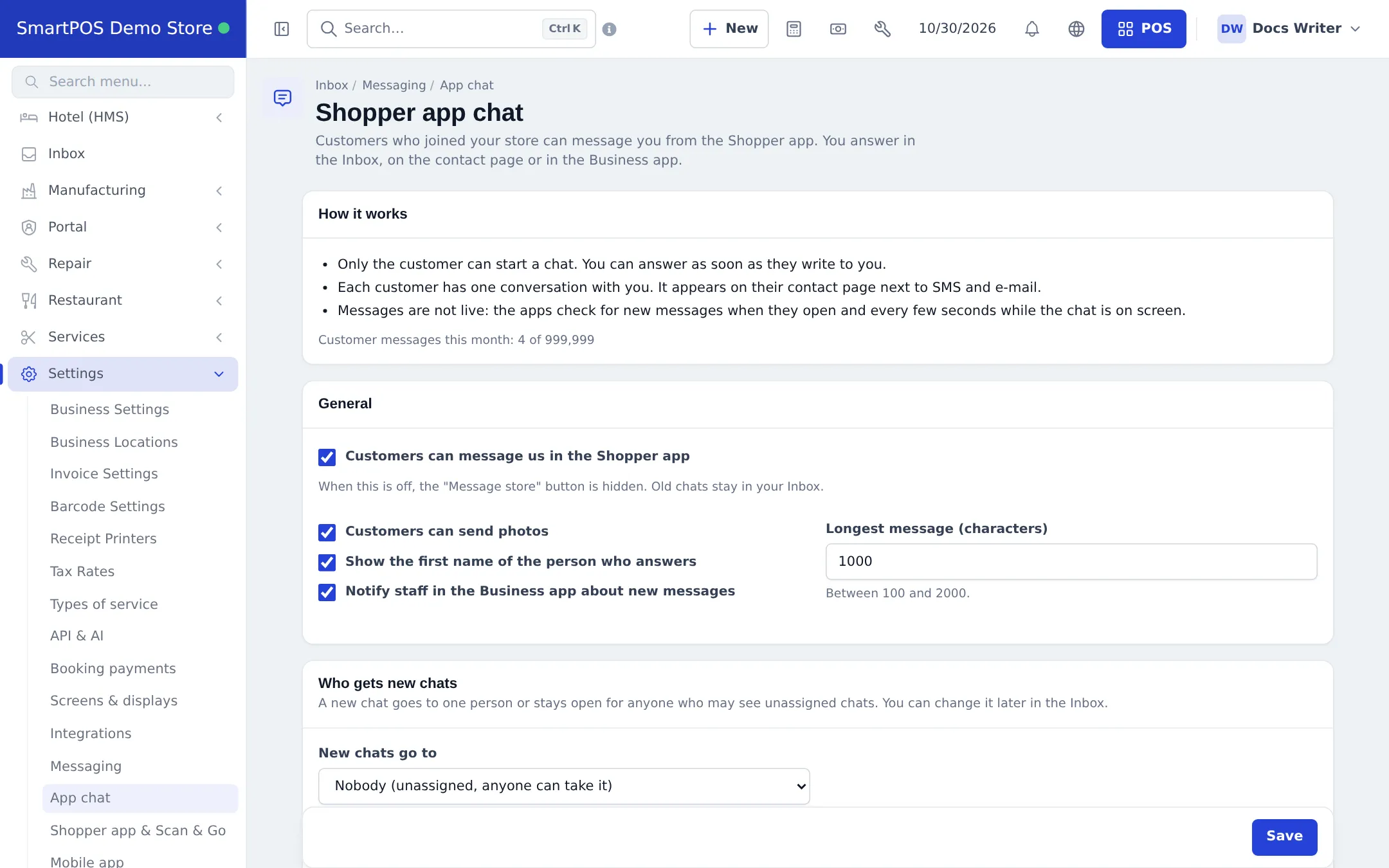
Section titled “Settings at a glance (Settings › App chat)”| Setting | What it does |
|---|---|
| Customers can message us in the Shopper app | Shows or hides the Message store button |
| Customers can send photos | Allows photo messages |
| Show the first name of the person who answers | Otherwise customers see your store name |
| Notify staff in the Business app about new messages | App notifications for staff |
| Longest message (characters) | 100 to 2000 |
| New chats go to | Nobody (unassigned), One person, or Take turns (round robin) |
| Answer the first message automatically / Answer automatically when we are closed | Greeting and closed-hours answer (at most once every 12 hours per chat) |
| Opening hours | Store hours from the Shopper app, own hours for chat, or always open |
Good to know
Section titled “Good to know”- Chats are not live calls: apps check for new messages on open and every few seconds while the chat is on screen.
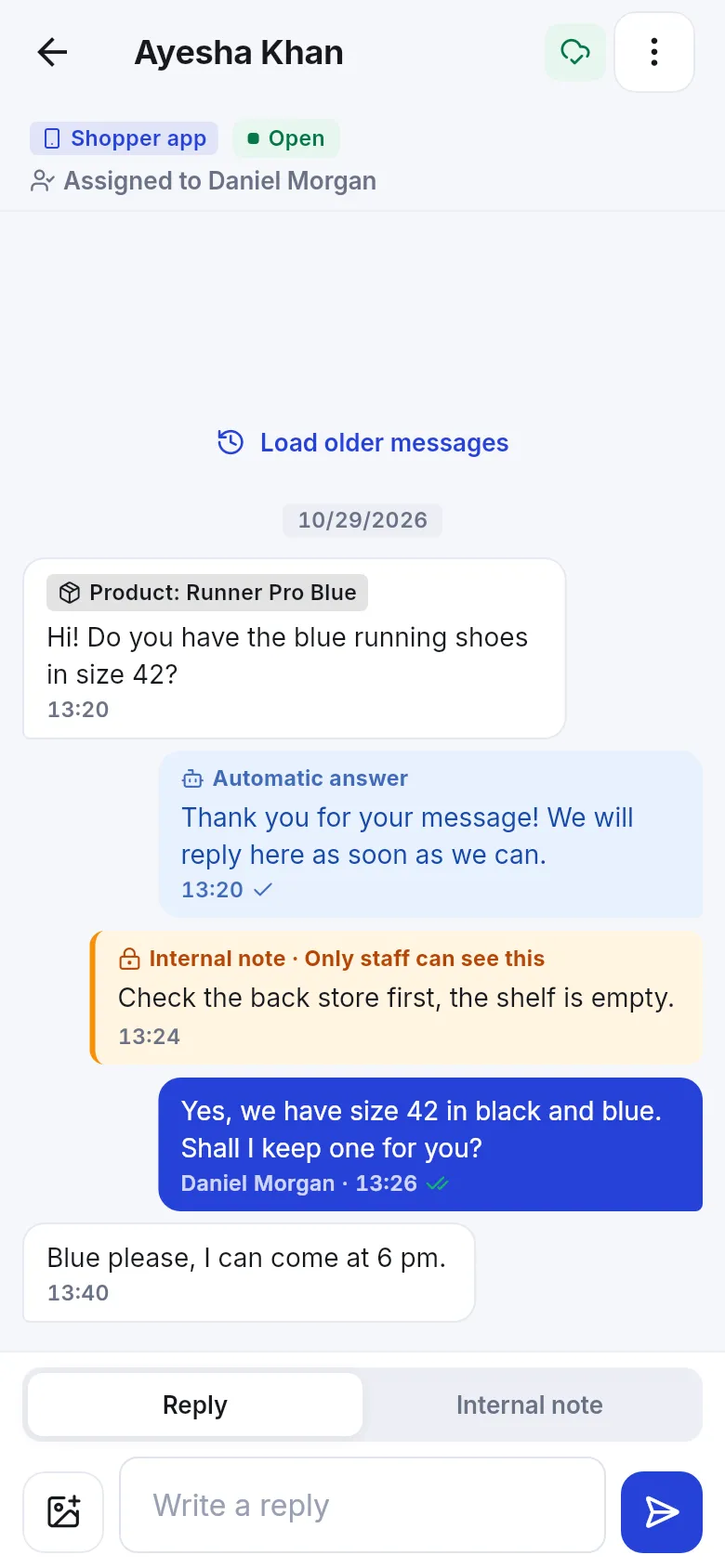
- Internal notes are never sent to the customer.
- Staff with the manage permission can block a customer from writing; customers can block your replies. Both can be undone.
- Replying to app chats through the API or AI assistants is not available.
Related pages
Section titled “Related pages”Frequently asked questions
Who can start an app chat?
Only the customer, from the Message store button in the SmartPOS Shopper app. Staff cannot open a new app chat.
Is this a website chat widget?
No. SmartPOS Hub has no website live-chat widget. App chat works only between the Shopper app and your team.
What do I need to turn it on?
The Messaging module, the Shopper app chat switch in Settings › Business Settings › Modules, your store in the Shopper app, and Customers can message us in the Shopper app ticked in Settings › App chat.
Who sees new chats?
Depends on New chats go to: unassigned (anyone allowed to see unassigned chats can take it), one person, or take turns (round robin).
Is there a monthly limit?
Yes. Your plan sets how many customer messages you can receive per month. The App chat page shows this month's count.
Can I answer from my phone?
Yes, in the Inbox of the SmartPOS Business app, with assignment, status, internal notes and photos.