
Food truck step 2: a short, fast menu
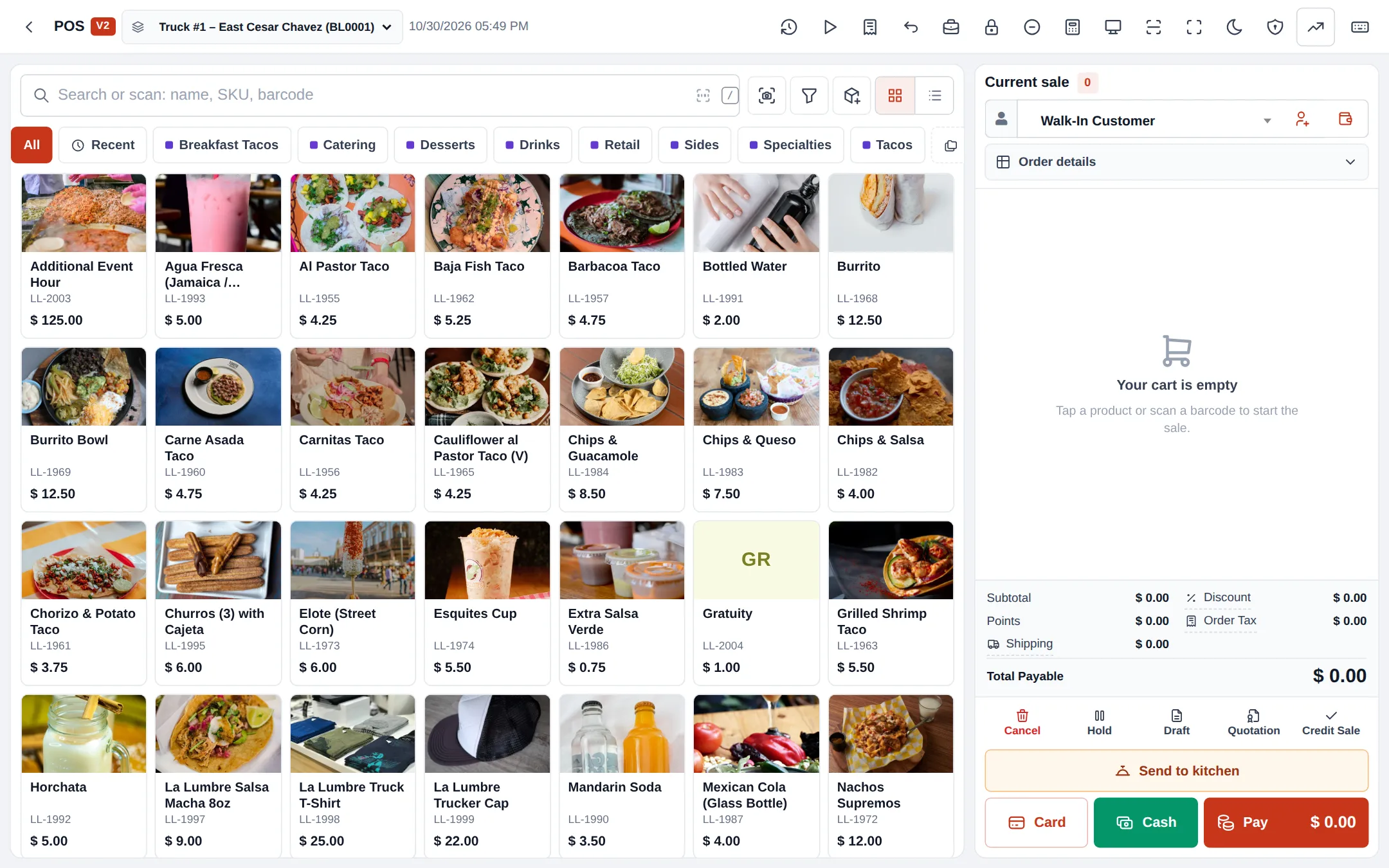
A truck window can serve a customer every 30 seconds only if the menu is short and the till is simple. Aim for 15–40 items in 5–8 categories.
Before you start
Section titled “Before you start”- Trucks are set up as locations (step 1).
Build the menu
Section titled “Build the menu”- Create a few categories in Products › Categories: Tacos, Burritos, Sides, Drinks, Desserts, Catering, Merch.
- Add each item in Products › Add Product with a short name, price and photo. Untick Manage Stock? for cooked dishes.
- Under Business Locations on the product, tick the trucks that sell it.
- For meal deals, create a Combo product (Combo and service products).
- For extras (extra meat, guacamole, salsa choice), create modifier sets in Restaurant › Modifiers and link them (Modifiers).
- On each truck’s location settings, add the bestsellers as POS featured products.
Make the till fast
Section titled “Make the till fast”In Settings › Business Settings › POS, make POS V2 the default and pick a tile style with pictures and prices (POS V2). Set Quick cash buttons to the notes customers usually hand over, so one tap enters the cash received.
Tips and mistakes to avoid
Section titled “Tips and mistakes to avoid”- Remove items you have sold out of for the day from the featured list, or let staff see stock badges for tracked items.
- Keep event and catering items in their own category so they don’t clutter the window menu.
- Different prices at a festival? Use a price group instead of editing every product.
Next step
Section titled “Next step”Frequently asked questions
Can each truck sell a different menu?
Yes. When adding a product, choose the business locations it is sold at. A truck only shows the products assigned to it.
Can prices differ between trucks or events?
Yes. Use a selling price group for event prices and assign it to a location, or pick it on the sale. See price groups.
How do I sell a taco plate with a drink?
Create a combo product made of the plate and the drink at a combo price. Stock of tracked parts goes down when it is sold.
Should I track stock for tacos?
Usually not for cooked dishes; untick Manage Stock?. Track cans, bottles and merchandise so each truck knows what to reload.
Where do "no onions" and extra salsa go?
Paid extras go in a modifier set. Free requests can be options priced at 0, or a note on the cart line.