
Payments hub - gateways and offline methods in one place
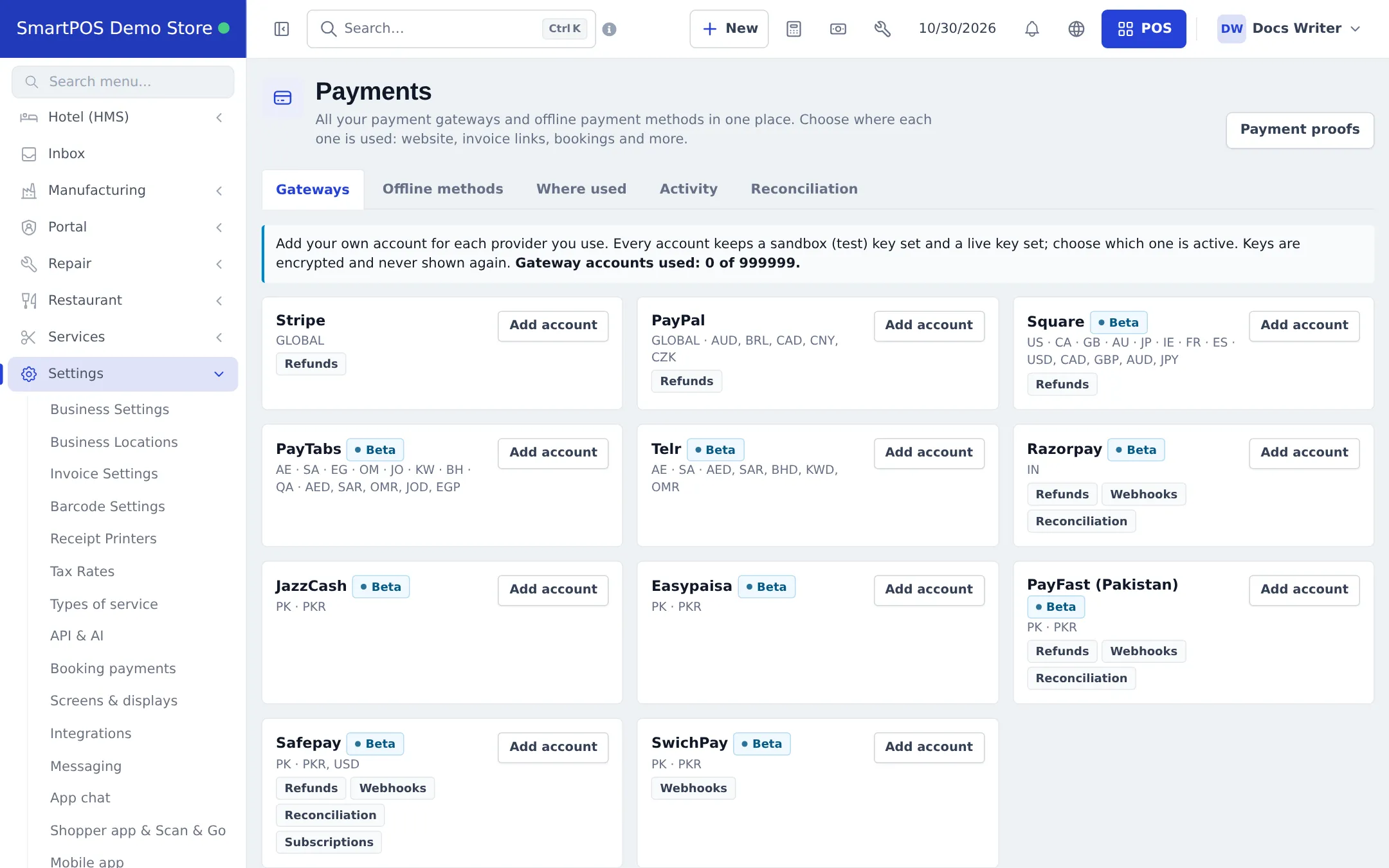
The Payments hub (Settings › Payments) holds every payment gateway and offline method of your business. The step-by-step guide is Payments for online orders.
| Tab | Purpose |
|---|---|
| Gateways | Provider cards with Add account: two key sets (sandbox and live), active mode, webhook URL, channels, locations, currencies, min/max amount, Test |
| Offline methods | Bank account, JazzCash / Easypaisa wallet, Raast, cash on delivery, cheque or your own; details, instructions, QR, “requires receipt” |
| Where used | Accounts × channels: Website store, Shopper app, Invoice pay links, POS pay links, Service / Table / Hotel bookings, Memberships (gym) |
| Activity | Recent payments and provider log |
| Reconciliation | Compare payments with providers that support it |
Payment proofs
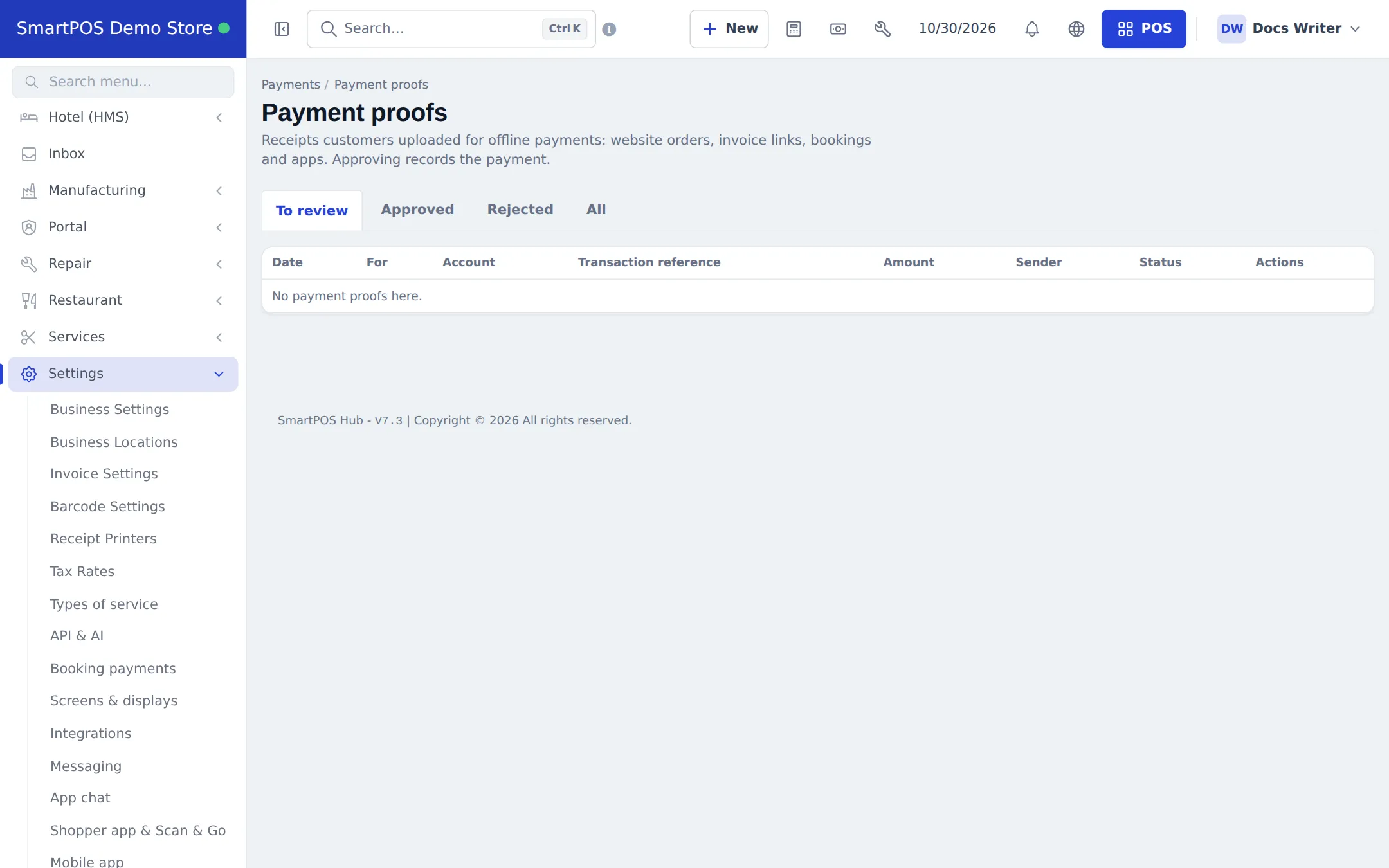
Section titled “Payment proofs”Settings › Payment proofs is one queue for receipts customers uploaded - website orders, invoice links, bookings and the apps - with tabs To review, Approved, Rejected and All. Approving records the payment.
Related pages
Section titled “Related pages”Frequently asked questions
What is the payments hub?
Settings › Payments - the one place for your payment gateways and offline payment methods, and for choosing where each is used: website store, Shopper app, invoice pay links, POS pay links and bookings.
Which gateways can I add?
Stripe, PayPal, Square, PayTabs, Telr, Razorpay, JazzCash, Easypaisa, PayFast (Pakistan), Safepay and SwichPay. Those marked Beta are newer.
Is my subscription paid here?
No. Your SmartPOS Hub subscription is separate. The hub is for money your customers pay you.
Who can review payment proofs?
Staff with Review payment proofs or Manage payments, while Offline payment methods is switched on.
Can I limit a method to one branch?
Yes. Each account can be limited to locations, and a location's own account replaces the general one.
Is there a limit on gateway accounts?
Your plan may set a maximum number of gateway accounts; the Gateways tab shows how many you use.