
Bookings, services, hotel, gym and repair in the app
Service businesses run their front desk from SmartPOS Business: restaurant and salon bookings, walk-ins and the waitlist, each stylist’s day and commission, hotel rooms and housekeeping, gym member check-in and renewals, and repair job sheets. Each screen appears only when its module is on and your role allows it.
Before you start
Section titled “Before you start”Each area follows the same three gates as the web: the module is in your plan, switched on in Settings › Business Settings › Modules, and allowed by your role. Set up the module on the web first: Bookings, Services, Hotel, Gym, Repair.
Bookings and walk-ins
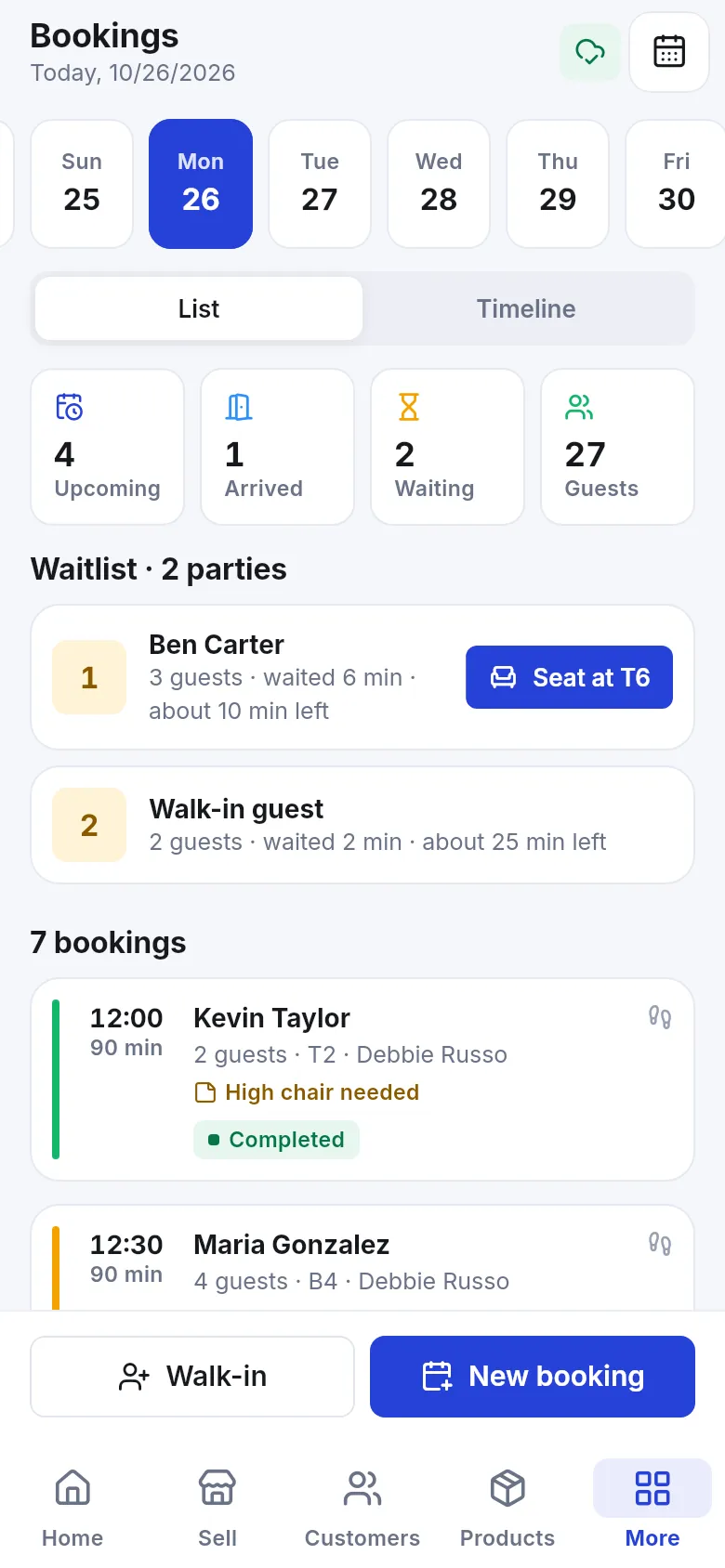
Section titled “Bookings and walk-ins”Bookings shows the day (swipe the date strip) as a List or Timeline, with counts of Upcoming, Arrived, Waiting and guests, the Waitlist and every booking with time, guests, table or staff, and status (Requested, Confirmed, Arrived, Seated, Completed, Cancelled).
- Tap New booking for a reservation or appointment, or Walk-in for guests at the door.
- For a walk-in, set the Party size, choose where to Seat at (a free table or Waitlist) and optionally the guest’s name and mobile. Tap Seat now.
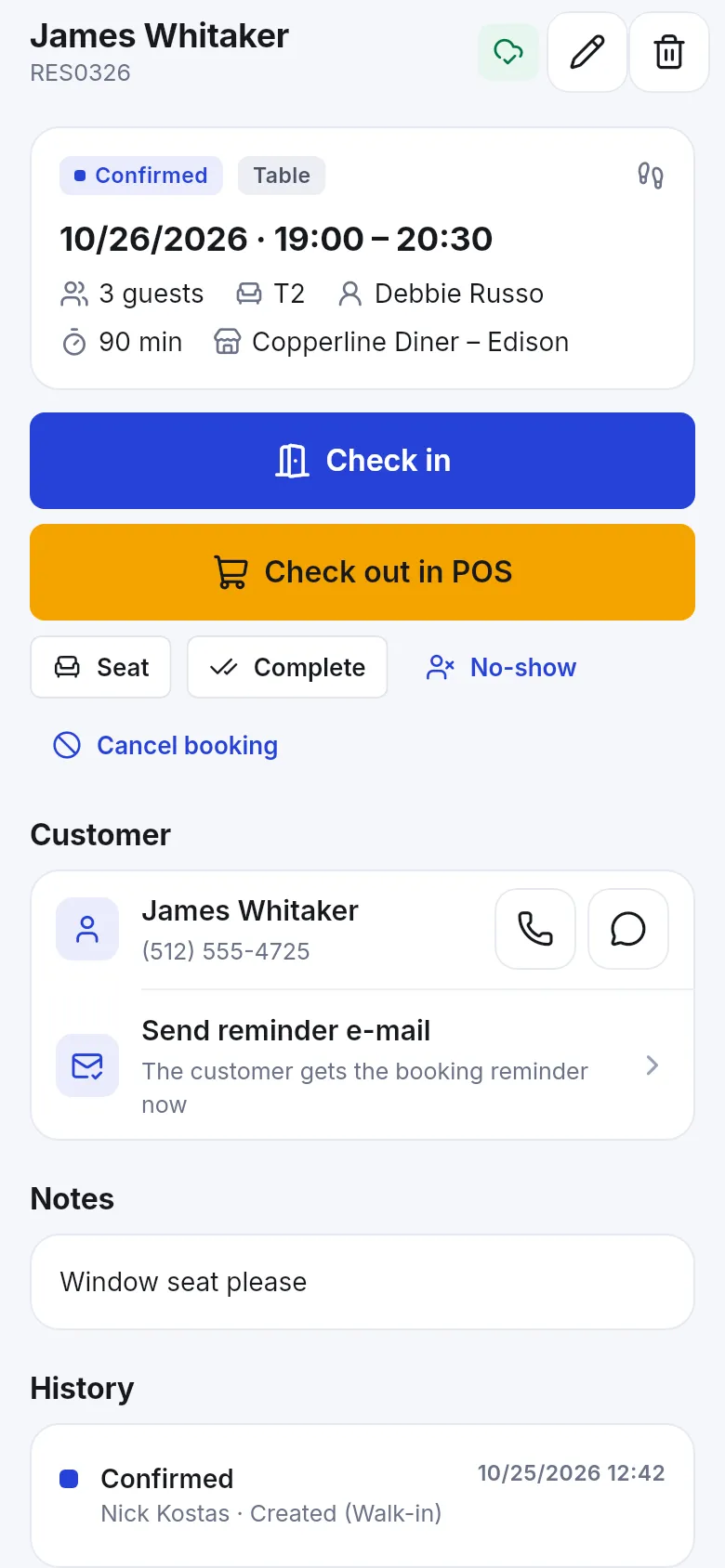
- Open a booking to Check in, Seat, Complete, mark No-show or Cancel booking, call or message the customer, or Send reminder e-mail.
- Tap Check out in POS to take payment for the booking.
Services: the staff member’s day
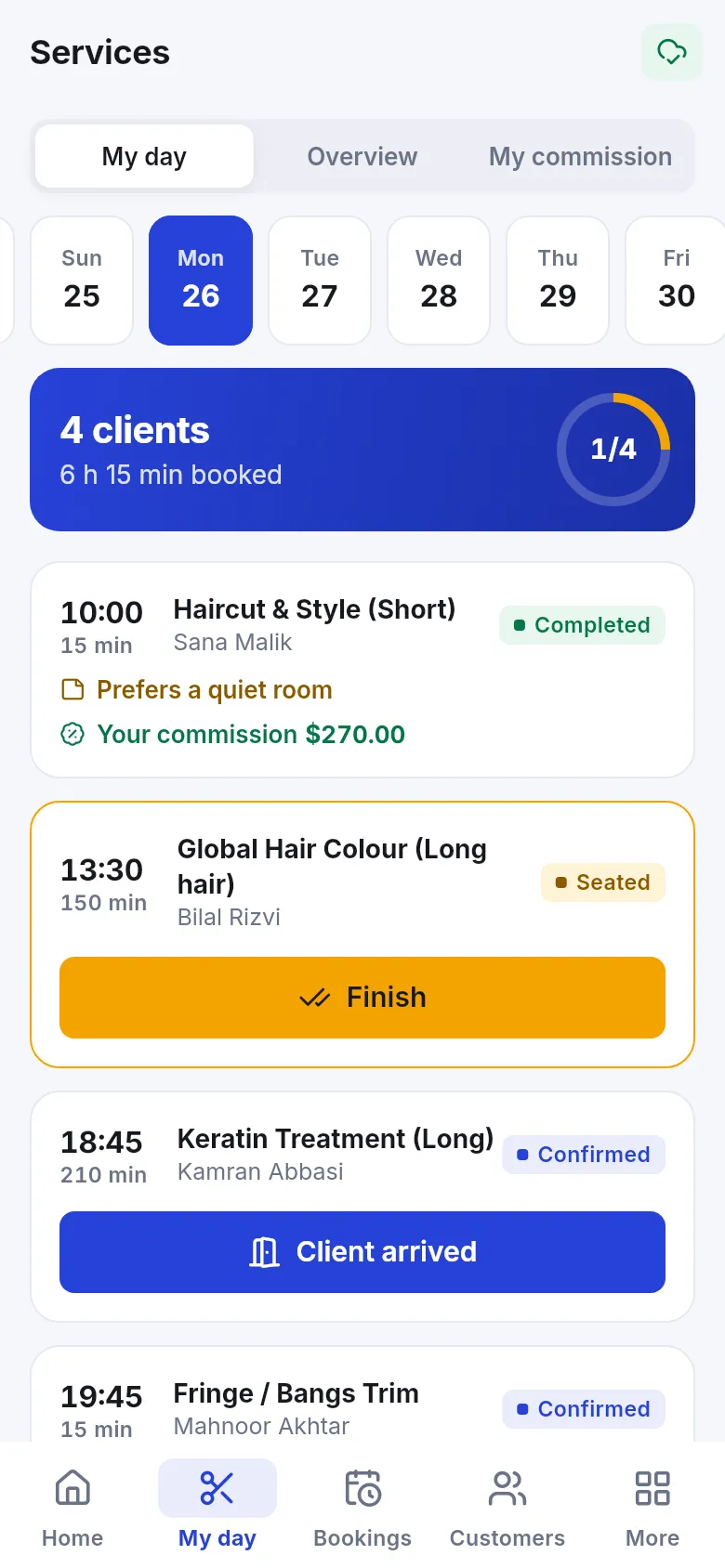
Section titled “Services: the staff member’s day”Stylists, therapists and other service staff open Services › My day: today’s clients with times and services, notes such as Prefers a quiet room, and buttons Client arrived and Finish. Overview shows the team’s day; My commission shows what the staff member earned.
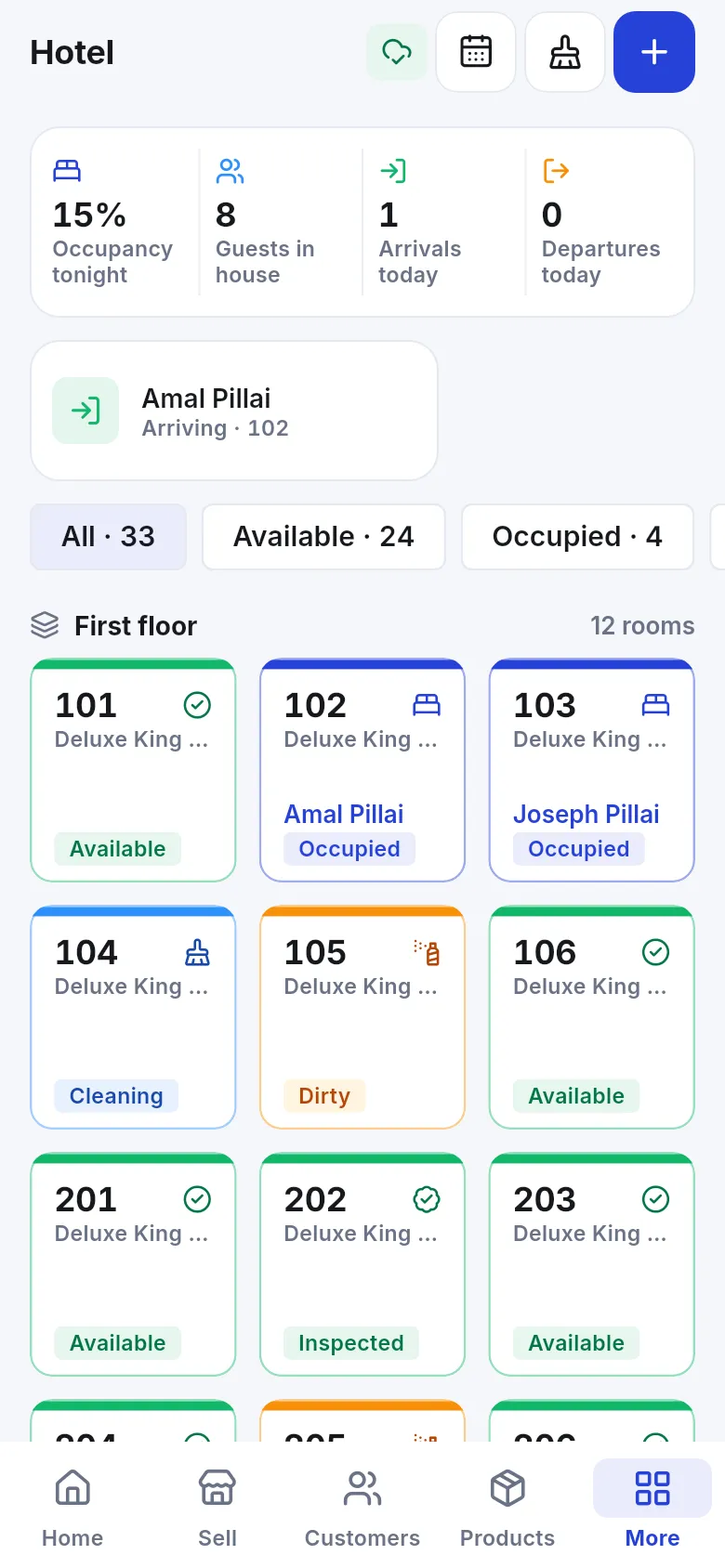
Hotel shows occupancy tonight, guests in house, arrivals and departures, and a room board by floor with each room’s state (Available, Occupied, Cleaning, Dirty, Inspected, Out of service). From here you make a New booking, Check in and Check out guests, see the guest folio and update housekeeping.
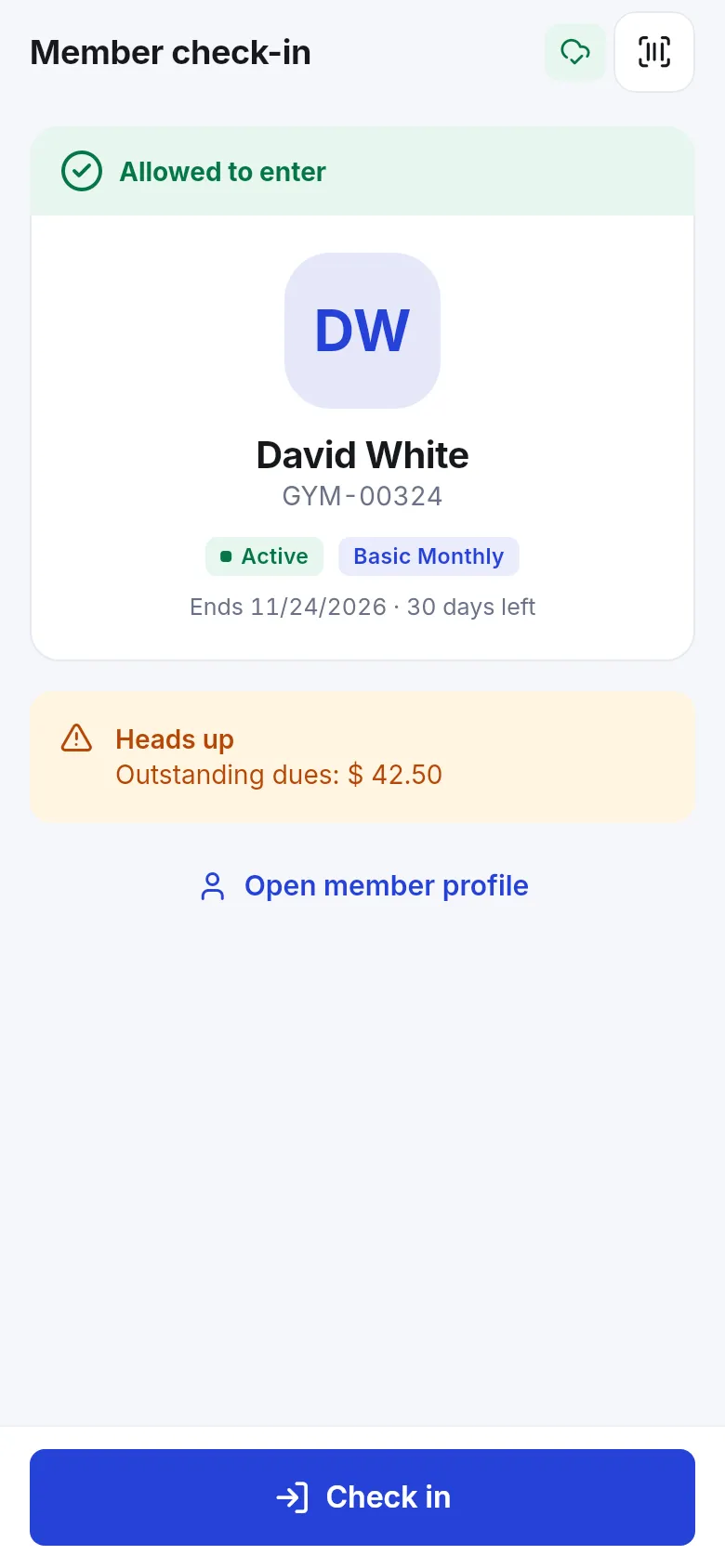
Gym covers check-in, members and classes. At the desk, tap the scan button (Scan member card) or search the member: the app shows Allowed to enter or why entry is blocked, the membership and its end date, and any outstanding dues. Tap Check in. From the member you can Renew a membership; Classes and the roster show who is booked.
Repairs
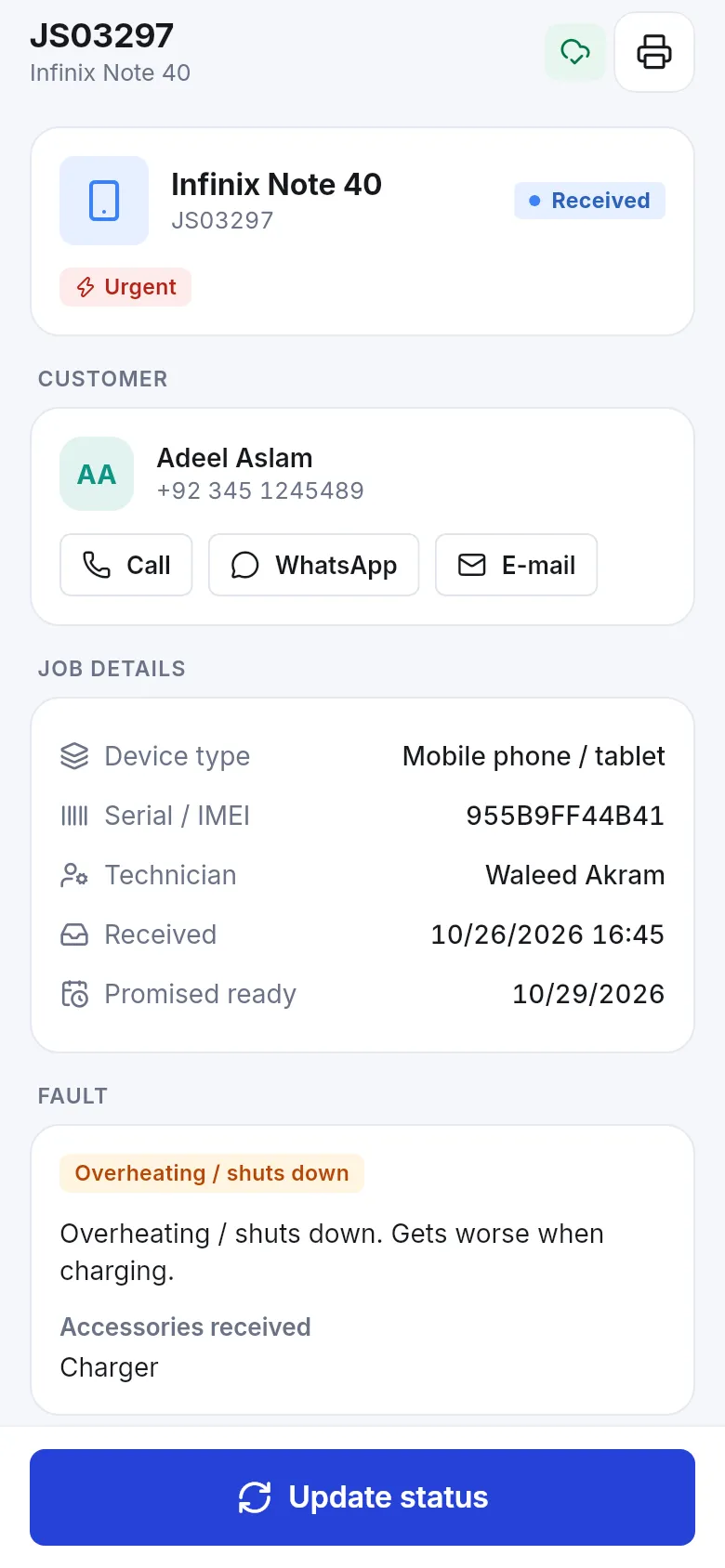
Section titled “Repairs”Repairs lists job sheets with counts of Open, Due today, Overdue and Ready. Search or scan the job number or IMEI. A job shows the device, serial or IMEI, technician, dates, fault and accessories received; call, WhatsApp or e-mail the customer, print the job sheet and tap Update status as the repair progresses. Tap + for a New repair job.
Other screens
Section titled “Other screens”Depending on your modules, More also offers Leads (including Shopper app carts), Manufacturing (recipes and production orders), Assets and Bookkeeping (accounts and journals).
Related pages
Section titled “Related pages”Frequently asked questions
Which industry screens does the app have?
Bookings (tables and appointments), Services (staff day and commission), Hotel (rooms, bookings, housekeeping, folio), Gym (members, check-in, renewals, classes) and Repairs (job sheets and status). Leads, manufacturing, assets and bookkeeping screens exist too.
Why don't I see the Hotel or Gym menu?
Each screen appears only when the module is in your plan, switched on in Settings › Business Settings › Modules and allowed by your role.
Can I take a walk-in at a full restaurant?
Yes. Tap Walk-in on Bookings, enter the party size and seat them at a free table or put them on the Waitlist.
How does gym check-in work?
Scan the member card or search the member and tap Check in. The app shows whether entry is allowed and warns about outstanding dues or an expired membership.
Can I check out a booking in the POS?
Yes. A booking has Check out in POS, which opens a sale with the booked service so you can take payment.
Can I find a repair job by IMEI?
Yes. Search or scan the job number or IMEI on the Repairs screen.