
Customer groups for discounts and price levels
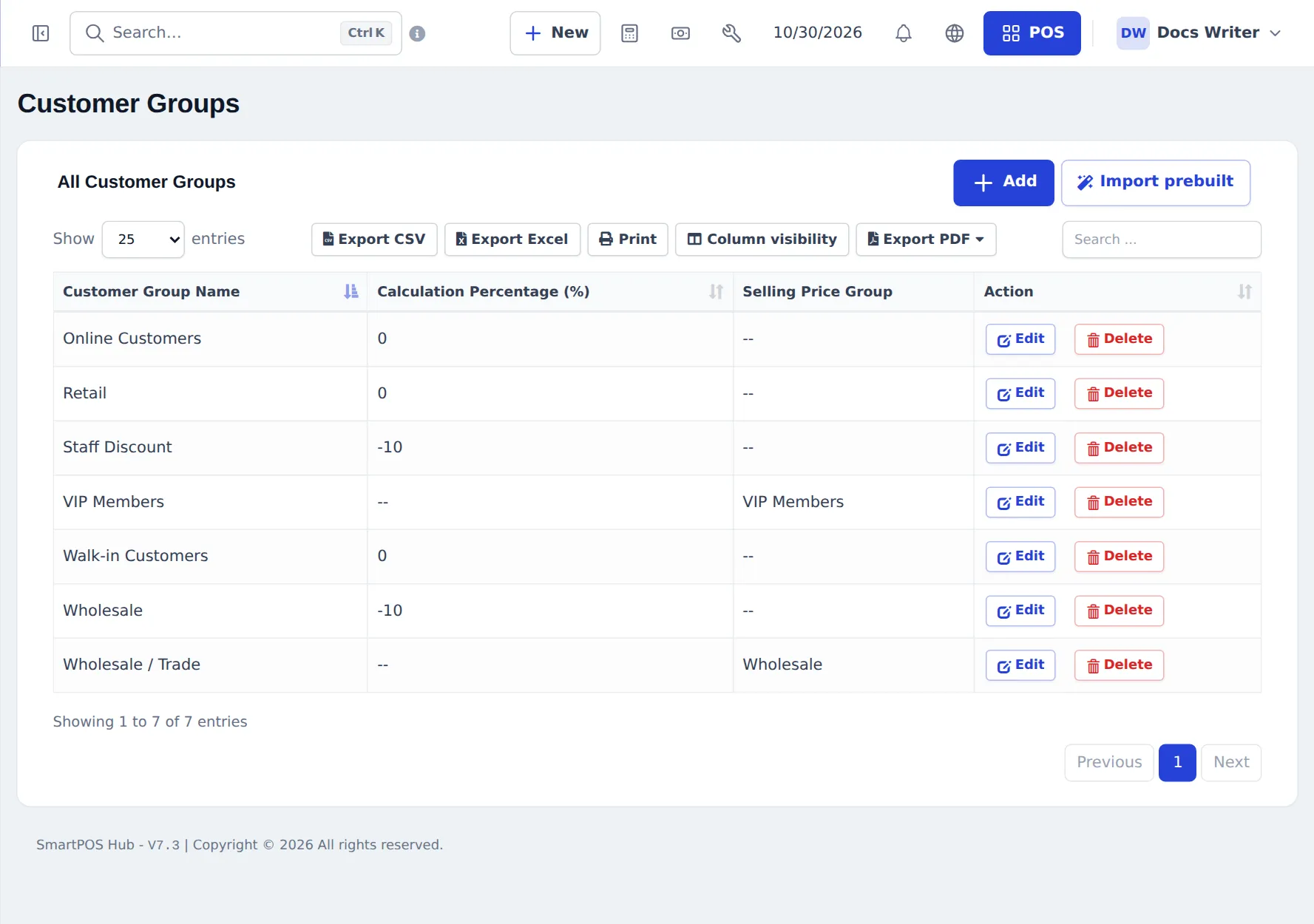
Customer groups let you treat sets of customers differently — wholesale buyers, staff, VIP members — without changing every product. A group either changes prices by a percentage or points to its own selling price group, and the POS applies it automatically when you pick the customer.
Create a group
Section titled “Create a group”- Go to Contacts › Customer Groups and press Add (or Import prebuilt for ready-made groups).
- Enter the Customer Group Name.
- Choose how prices change (Price calculation type):
- Percentage — enter the Calculation Percentage (%):
-10for 10 % off,5for 5 % more. - Selling Price Group — pick a price list such as Wholesale or VIP Members. Set those prices on each product (see Price groups).
- Percentage — enter the Calculation Percentage (%):
- Press Save.
Use it
Section titled “Use it”- Assign a group on the customer form (Business & tax › Customer Group).
- At the POS, pick the customer: their group’s prices are used for every product you add.
- Reports › Customer Groups Report totals sales per group; the customers list can be filtered by group.
Frequently asked questions
How does a group discount work?
Give the group a Calculation Percentage, for example -10. When you sell to a customer in that group, their prices are 10 % lower automatically. A positive number raises prices.
What is a selling price group on a customer group?
A separate price list, such as Wholesale, set on each product. Customers in the group get those prices instead of the normal selling price.
How do I put a customer in a group?
Edit the customer and choose the Customer Group in the Business & tax section, or set the group column when importing contacts.
Can one customer be in two groups?
No. Each customer has one group. Use price groups and discounts for other cases.
Is there a ready list of groups?
Yes. Import prebuilt adds common groups for your type of business, such as Retail, Wholesale and VIP Members.
Can I report sales per group?
Yes. Reports › Customer Groups Report shows sales totals per customer group.