
Wholesale step 2: cartons, units and price groups
Distributors buy from manufacturers by the carton and sell to shops by the carton, sometimes by the piece. Prices differ by customer type: supermarket key accounts, sub-distributors and small retailers. This page sets up both.
Before you start
Section titled “Before you start”- Enable Sub Units is on (step 1).
Cartons and bales
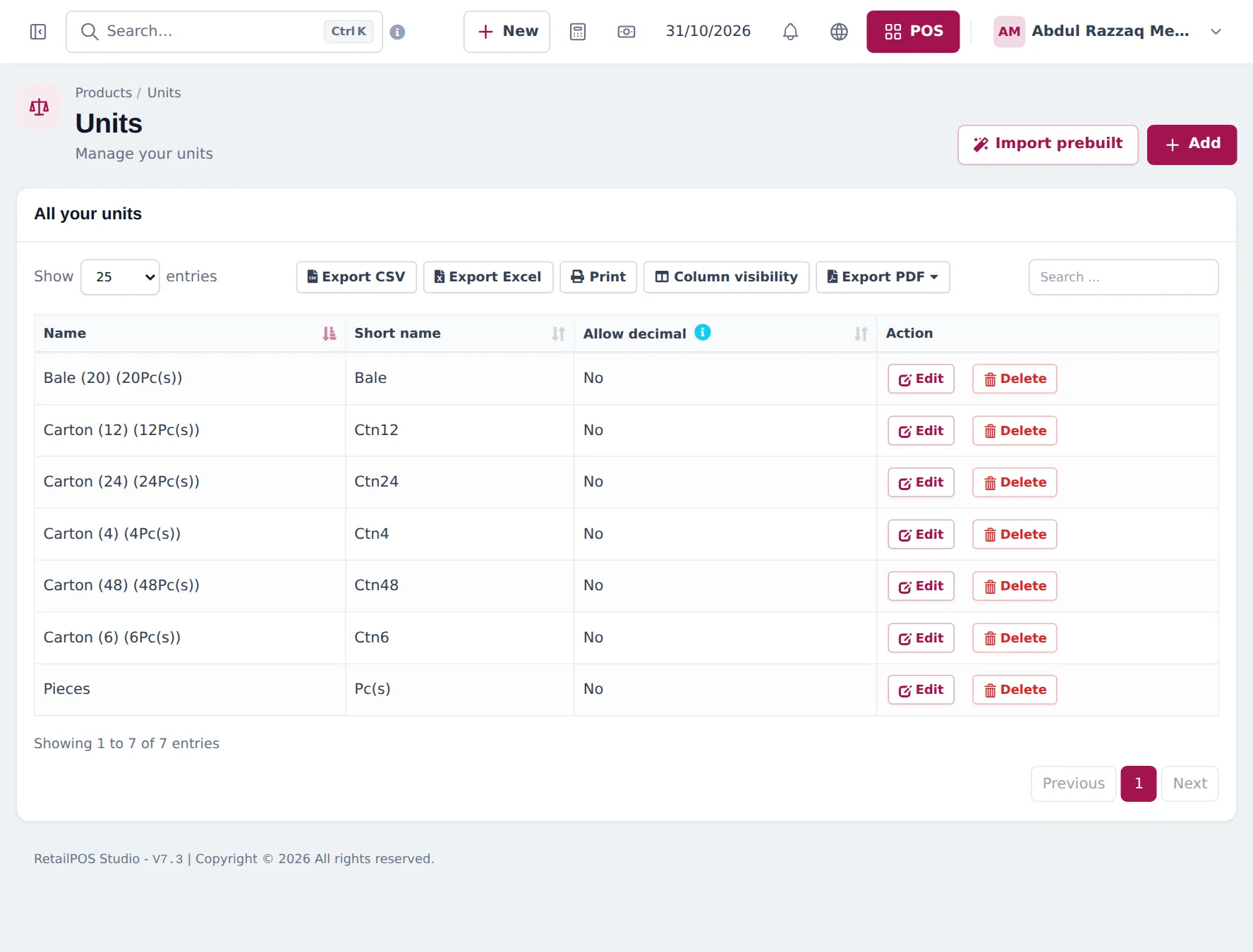
Section titled “Cartons and bales”- Open Products › Units. Keep Pieces as the base unit.
- Click Add for each pack size: Carton (6), Carton (12), Carton (24), Carton (48), Bale (20). Tick Add as multiple of other unit, enter the size in times base unit and choose Pieces.
- On each product, set Unit to Pieces and Related Sub Units to its carton. Enter the price of one piece.
Price lists per customer type
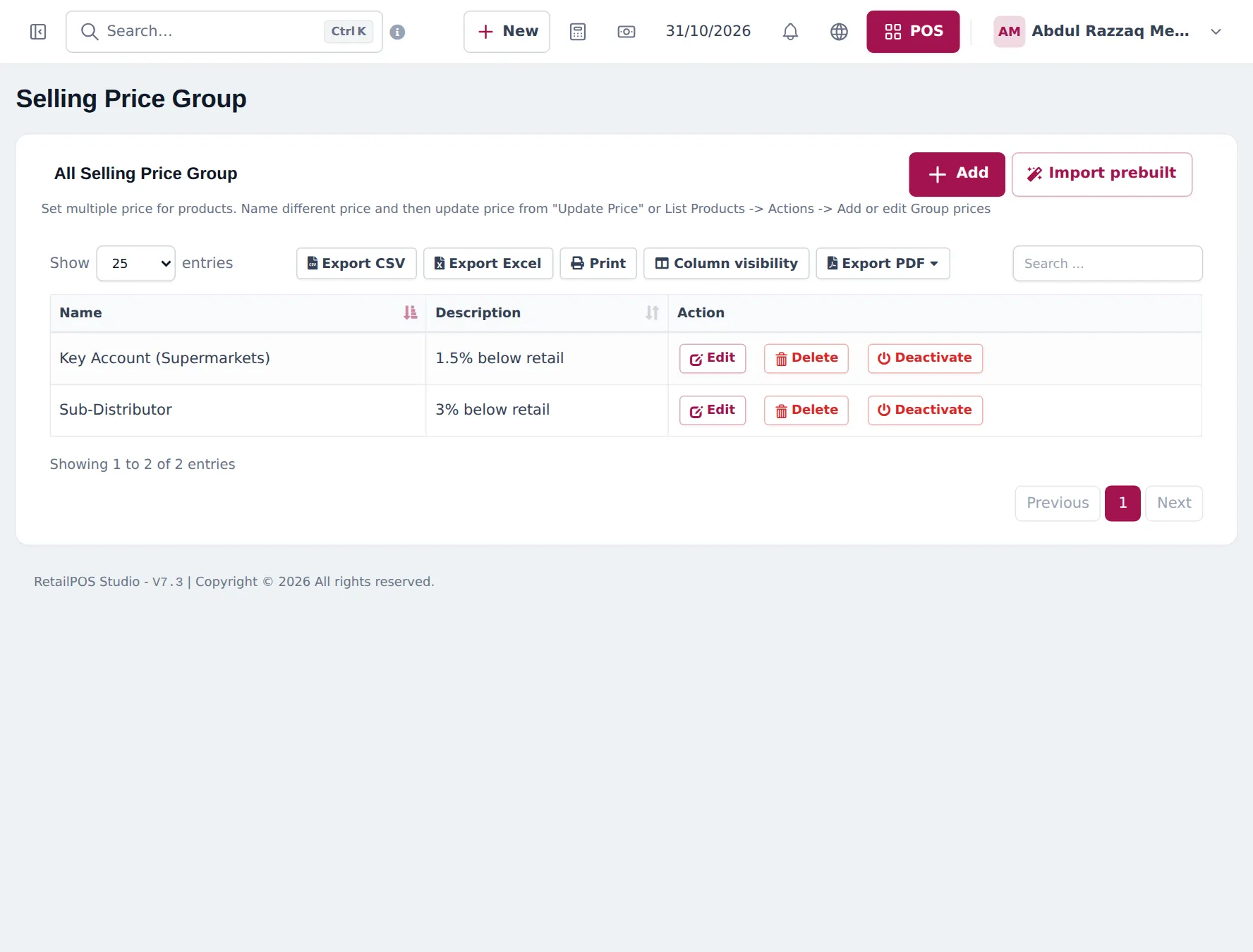
Section titled “Price lists per customer type”- Open Products › Selling Price Group and add one group per customer type, for example Key Account (Supermarkets) (1.5 % below retail) and Sub-Distributor (3 % below retail).
- Fill in the prices with Products › Update Price (export, edit the group columns, import) or per product with Actions › Add or edit Group Prices.
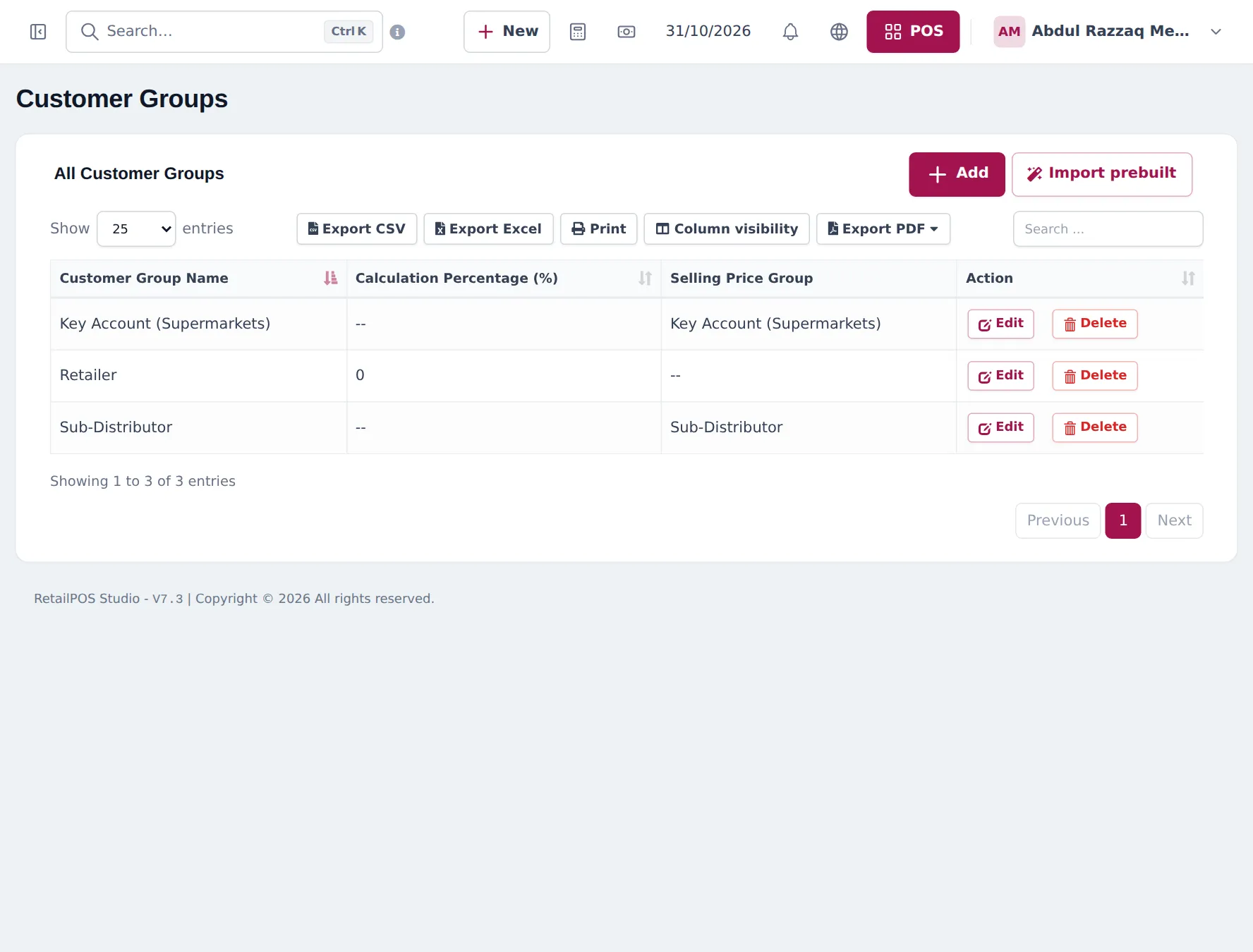
- Open Contacts › Customer Groups, add groups with Price calculation type Selling Price Group and link them. Keep a Retailer group at 0 for the default price.
Tips and mistakes to avoid
Section titled “Tips and mistakes to avoid”- Enter opening stock in pieces, never cartons.
- Keep carton sizes exact per product; a 24-pack sold as Carton (12) gives wrong stock.
- Margins are thin in distribution. Check Reports › Profit / Loss Report after setting group prices.
Frequently asked questions
How do I set up a carton of 12?
In Products › Units add Carton (12) with Add as multiple of other unit, 12 times base unit Pieces. On products sold in that carton, choose it in Related Sub Units.
Can a product be sold only in cartons?
Yes. Choose only the carton in Related Sub Units. The sale line then offers only the carton and stock goes down by 12 pieces per carton.
How are price groups priced?
Each product can have a Fixed price or a Percentage of the default price in each group. Products › Update Price fills them for the whole catalog from a spreadsheet.
Do customers without a group pay the default price?
Yes. The default selling price is your retailer price. Only customers in a group linked to a price group get that group's price.
Can I stop selling below cost?
Turn on Sales price is minimum selling price in the Sale settings, so staff cannot sell below the product's selling price.