
Gym daily routine: open, check in, renew, close
A short routine for a gym or studio front desk. Print it and keep it at reception.
Opening
Section titled “Opening”- Open the cash register with the opening cash (the POS asks the first time each day).
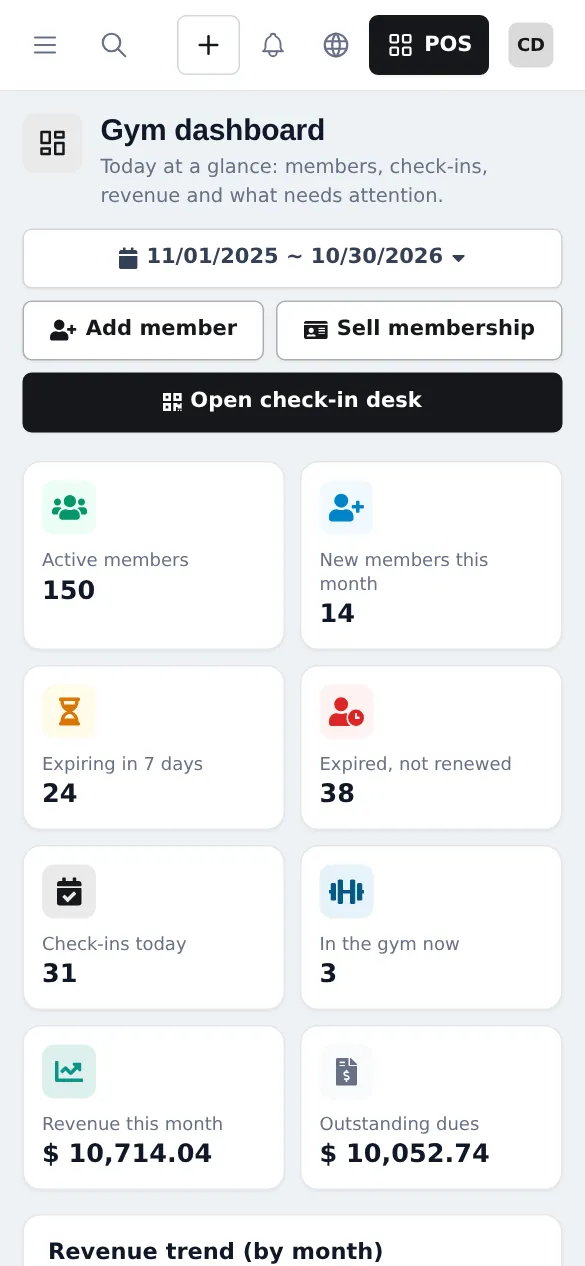
- Open Gym › Dashboard: Expiring in 7 days, Expired, not renewed, Outstanding dues, today’s classes and birthdays this week.
- Open Gym › Check-in desk on the door screen with the scanner ready.
- Check Settings › Booking payments for online memberships waiting for payment or receipts to review.
During the day
Section titled “During the day”- Check-ins: scan cards; for blocked members, read the reason and Renew or collect dues on the spot.
- Renewals and new members: Sell membership on the member page, or the Gym membership button in the POS.
- Classes: open the time slot roster, Book members and mark Attended or No-show.
- Shop and shake bar: sell at the POS; members can pay later with Credit Sale.
- Freezes and plan changes: on the membership, within your settings.
Closing
Section titled “Closing”- Check out anyone still listed under Currently in the gym (or rely on auto check-out).
- Each cashier counts the cash and closes the register (Cash register and closing).
- Note tomorrow’s expiries and full classes.
Weekly and monthly
Section titled “Weekly and monthly”| When | Check | Where |
|---|---|---|
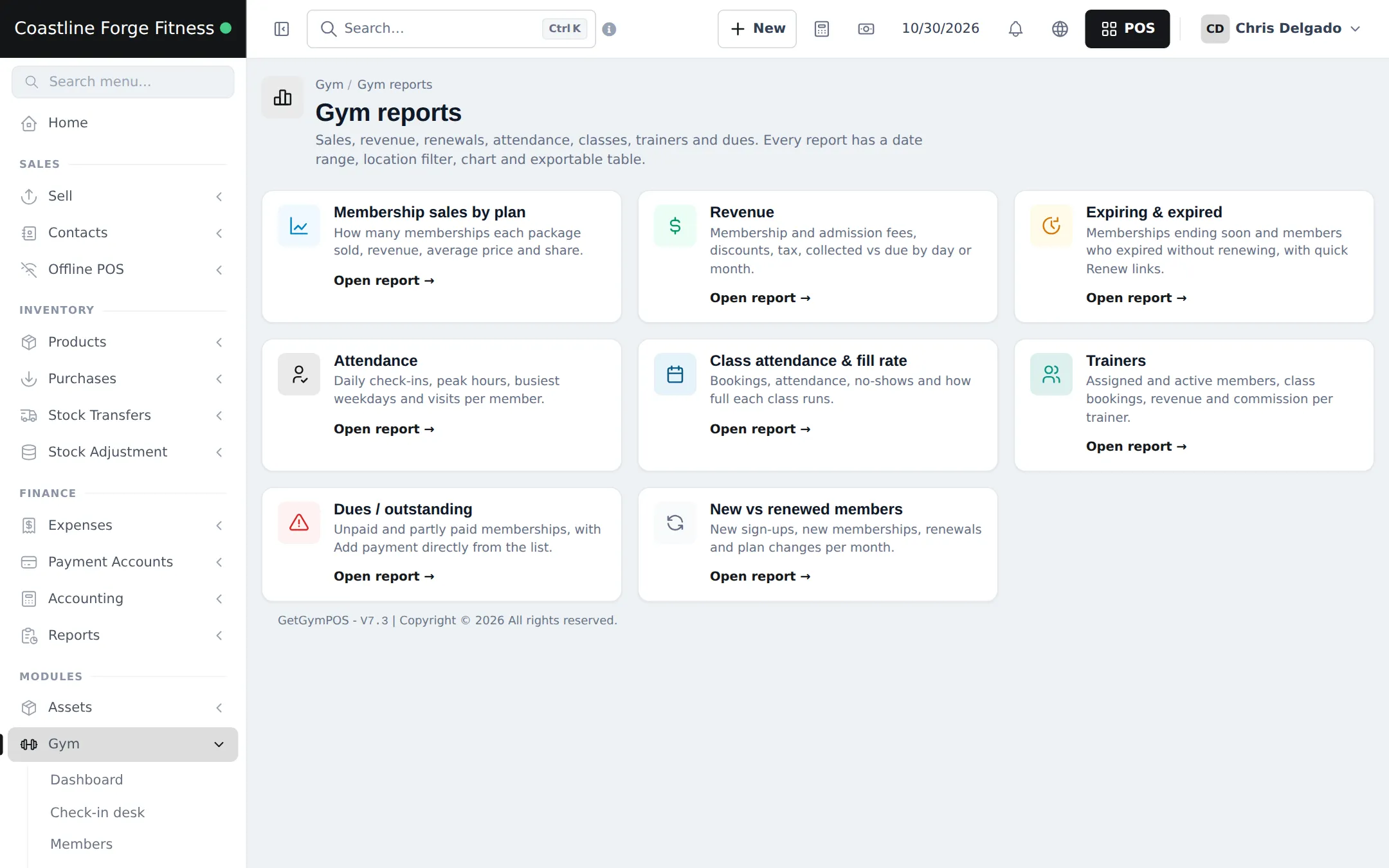
| Weekly | Expiring and expired members to call | Gym › Reports › Expiring & expired |
| Weekly | Unpaid memberships | Gym › Reports › Dues / outstanding |
| Weekly | Class fill rate | Gym › Reports › Class attendance & fill rate |
| Weekly | Supplements to reorder | Reports › Stock Report |
| Monthly | Sales by plan, new vs renewed | Gym › Reports |
| Monthly | Trainer commission estimate | Gym › Reports › Trainers |
| Monthly | Profit | Reports › Profit / Loss Report |
Frequently asked questions
What should the front desk check first?
Open the cash register, then the Gym dashboard: Expiring in 7 days, Expired, not renewed, Outstanding dues and today's classes. Call members whose plans run out this week.
Which report shows unpaid memberships?
Gym › Reports › Dues / outstanding lists unpaid and partly paid memberships, and you can add a payment straight from the list.
Where do I see gym revenue in my accounts?
Membership sales are normal sales, so they are in the cash register and the member's ledger, and Reports › Profit / Loss Report has a Gym membership revenue row.
How do I see the busiest hours?
Gym › Attendance history and Gym › Reports › Attendance show check-ins by hour and weekday, which helps plan staff and classes.