
Daily operations in an auto repair shop
A garage day is a loop: cars arrive, get diagnosed, wait for approval or parts, get fixed and go home. SmartPOS Hub keeps that loop visible on the job board and the Repair dashboard. Here is the routine that keeps promises on time.
Morning
Section titled “Morning”- Open the register at the front desk (Sell › POS, Cash in hand, Open Register).
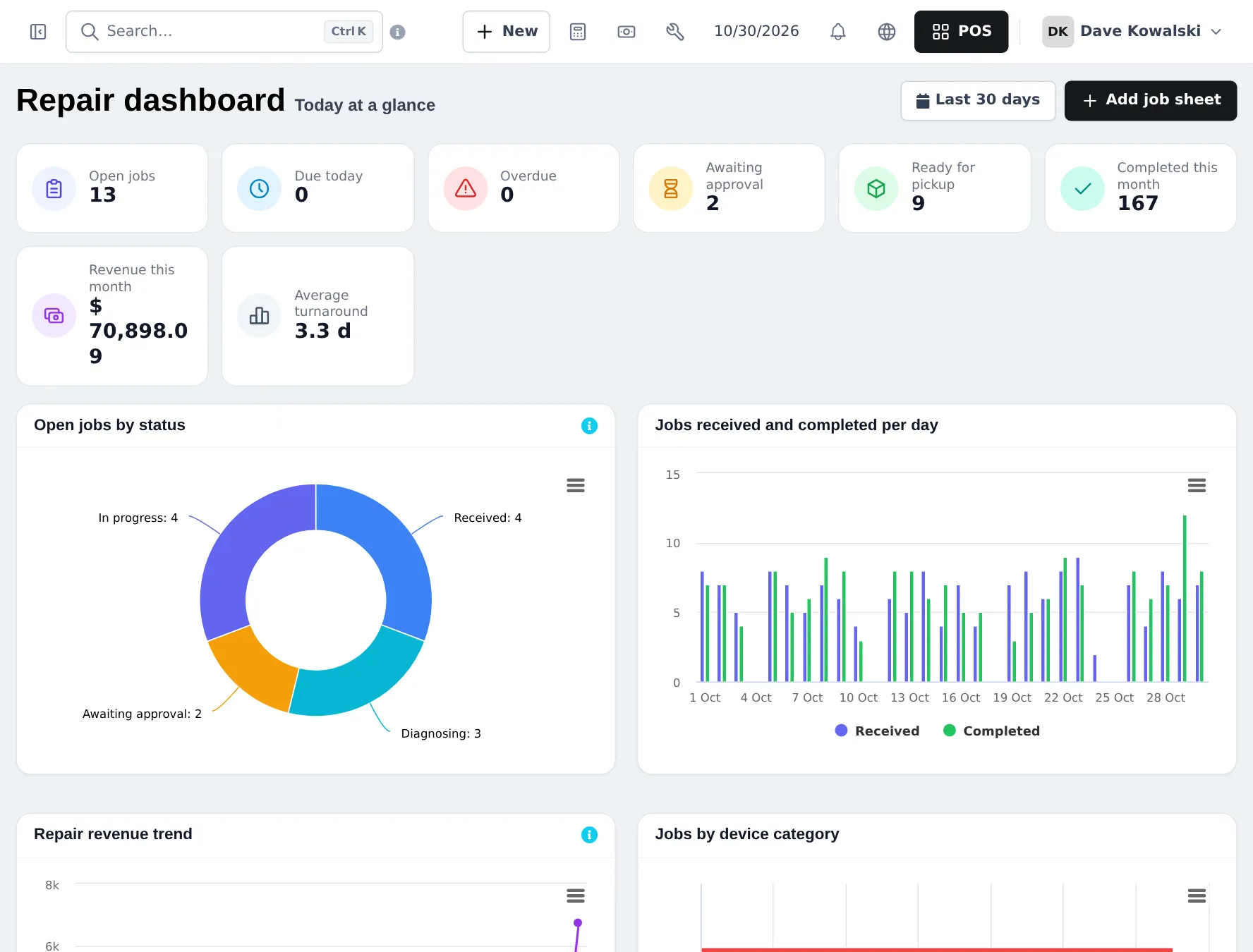
- Open Repair › Dashboard: open jobs, due today, overdue, awaiting approval, ready for pickup.
- Call customers whose estimates are still Awaiting approval.
- Check Waiting for parts jobs against today’s deliveries.
During the day
Section titled “During the day”- Drop-offs: a job card for every car, with odometer, fuel and damage photos (step 4).
- Technicians: change status and add comments as they work, from a PC or a phone.
- Parts counter: sell parts and quick services in the POS; receive deliveries with Purchases › Add Purchase.
- Pickups: Convert to invoice, take payment, Mark as delivered (step 5).
Closing
Section titled “Closing”- Make sure every car that left today is Delivered and invoiced.
- Close the register and count the cash.
- Check Reports › Z Report for the day’s totals.
Weekly and monthly
Section titled “Weekly and monthly”| When | What | Where |
|---|---|---|
| Weekly | Overdue jobs and comebacks | Job sheets tiles, Comebacks tab |
| Weekly | Low stock on fast parts (filters, oil, pads) | Reports › Stock Report |
| Weekly | Unpaid fleet invoices | Reports › Payment by Age |
| Monthly | Revenue, turnaround and technician performance | Repair › Reports |
| Monthly | Profit, labour vs parts | Reports › Profit / Loss Report, Reports › Product Sell Report by category |
Frequently asked questions
What should the service advisor look at first in the morning?
Repair › Dashboard and the job sheet tiles - due today, overdue, awaiting approval and ready for pickup - so promised cars are not forgotten.
How do technicians know which car is theirs?
Filter the job sheets by technician, or give technicians the View only own job sheets permission so they only see their jobs.
How do I see revenue from repairs?
Repair › Dashboard shows revenue this month and average turnaround. Repair › Reports and Reports › Profit / Loss Report give the details.
How do I chase fleet accounts?
Reports › Payment by Age lists unpaid invoices by days overdue, and the customer page shows the ledger.