
Barbershop step 1: shop, modules and POS
Before you add a single fade to the price list, give SmartPOS Hub your shops and switch on the modules a barbershop uses. This page is for the owner setting up the account.
Before you start
Section titled “Before you start”- Your business name, currency, time zone and logo are set in Settings › Business Settings (Business settings).
- You know each shop’s address and opening hours.
Add your shop locations
Section titled “Add your shop locations”- Open Settings › Business Locations and click Add.
- Enter the shop name (for example “Midtown Shop”), address, city and country. Customers see this name on the booking page.
- Choose the invoice scheme and receipt layouts, or keep Default for now. Save.
- Repeat for each shop.
Switch on the modules
Section titled “Switch on the modules”- Open Settings › Business Settings and click the Modules tab.
- Under Industry modules, switch on Services. Add Product Library for grooming products and Mobile app if barbers will use phones.
- Under Restaurant, bar & bookings, switch on Service staff. It adds a Select service staff box to the POS, so even a quick sale can name the barber.
- Leave Tables, Kitchen and Modifiers off.
- Click Update Settings.
Set opening hours
Section titled “Set opening hours”Open Bookings › Settings and fill in Opening hours for each day. Barbers who follow the shop hours and the online booking page use them.
Check the dashboard
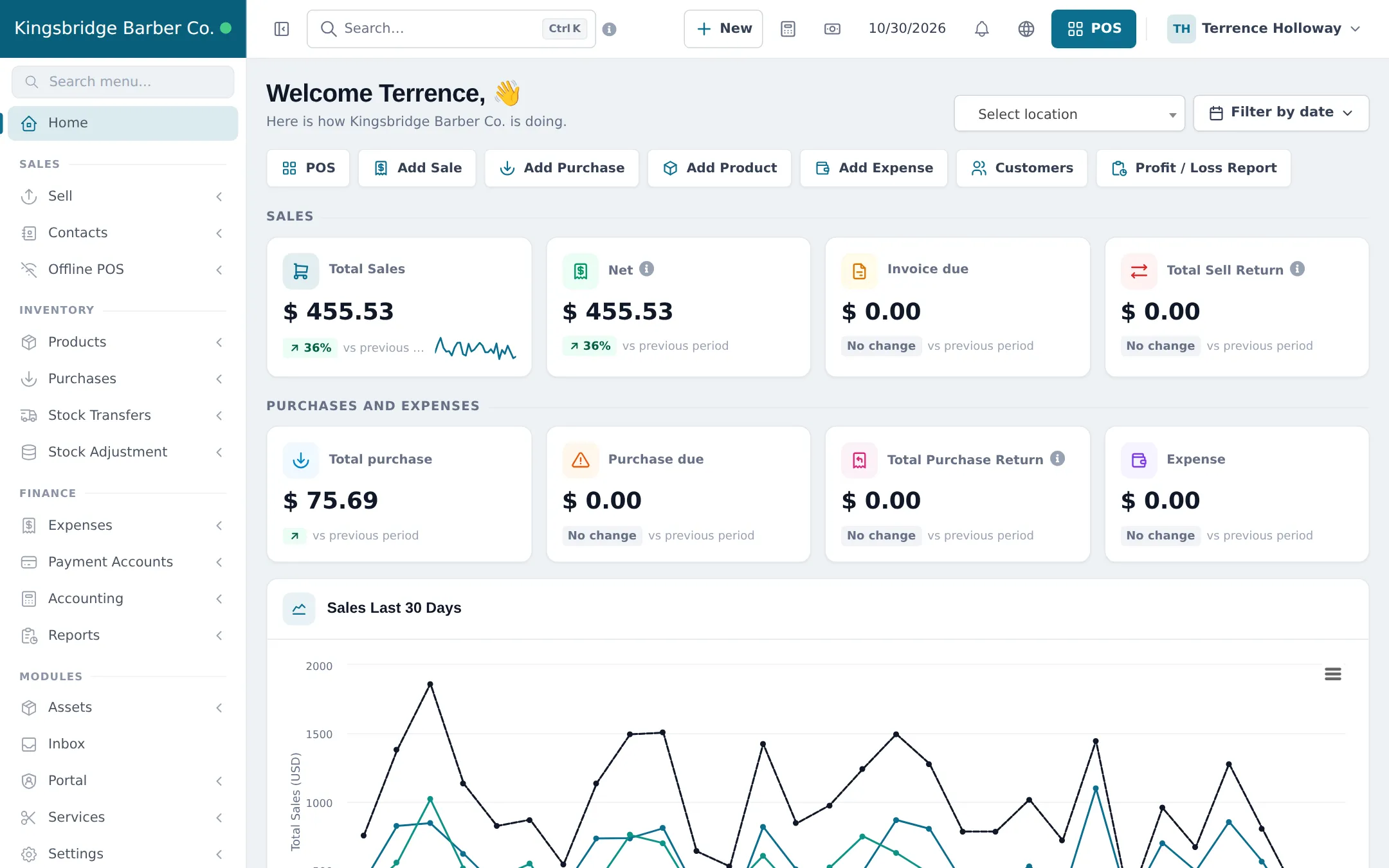
Section titled “Check the dashboard”The Home dashboard shows sales, purchases and expenses per shop with quick buttons for POS, Add Sale and Customers. Filter by location to see each shop.
What happens next
Section titled “What happens next”The Services menu and Bookings appear in the sidebar. Continue with step 2: price list and barbers.
Frequently asked questions
Which modules does a barbershop need?
Services for the price list, barbers, appointments and commission. Bookings opens with it. Service staff is useful for quick POS sales, and Product Library for grooming products.
Why is the Services card greyed out?
It shows Not in your plan with a See plans button when your plan does not include the Services module. Upgrade on the Subscription page or contact support.
Do I need a location for a second chair?
No. A location is a shop with its own address and cash drawer. Chairs are your barbers, which you add as staff in step 2.
Where do I set the shop's opening hours?
In Bookings › Settings under Opening hours, or with the Business hours button on Services › Settings. Online times and barbers without their own hours use them.