
Hardware step 2: units, boxes and lengths
Hardware is sold in many sizes: one screw or a box of 100, a pound of nails or a 5 lb box, a foot of rope or a 100 ft spool, a bag of concrete or a pallet. In SmartPOS Hub each product has one base unit that stock is counted in, plus optional sub-units that are multiples of it. This page shows how to set them up and how cashiers use them.
Before you start
Section titled “Before you start”- Enable Sub Units is ticked in Settings › Business Settings › Product (step 1).
- Decide the base unit for each product family: the smallest amount you ever sell (piece, pound, foot, board, bag).
Typical hardware units
Section titled “Typical hardware units”| Base unit | Sub-units | Allow decimal |
|---|---|---|
| Pieces | Box (10), Box (25), Box (50), Box (100), Case (12) | No |
| Lb | Box (5 lb) | Yes, if you weigh loose nails |
| Ft or Metre | Spool (100 ft), Coil (250 ft) | Yes, for cut lengths |
| Board | Bundle (10), Unit (208) | No |
| Bag | Pallet (42 bags), Pallet (56 bags) | No |
| Service | none | No |
Create the base units and sub-units
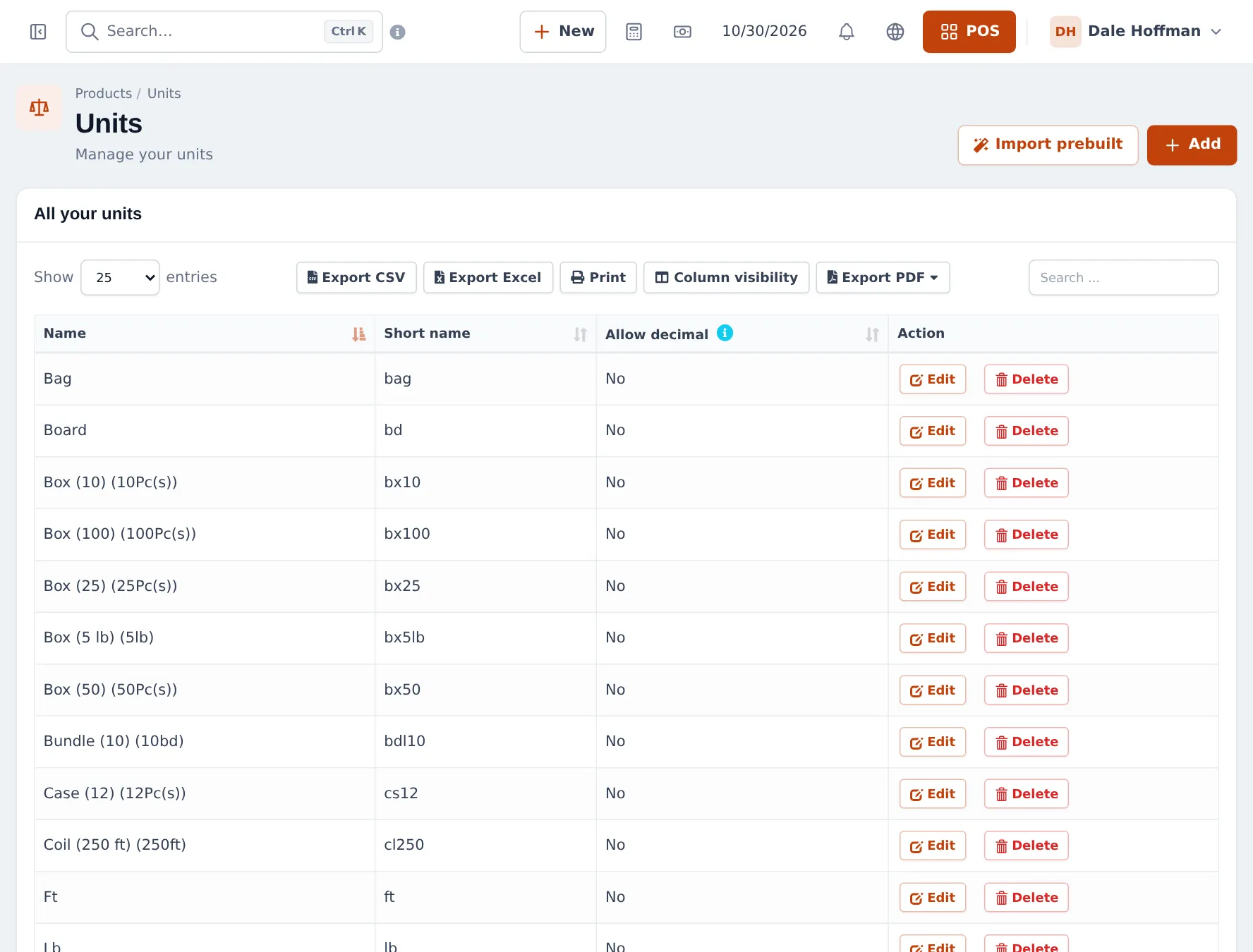
Section titled “Create the base units and sub-units”- Open Products › Units. Click Import prebuilt to add common units in one go, or click Add.
- For a base unit, enter Name and Short name (for example Pieces / Pc(s)) and set Allow decimal.
- For a sub-unit, enter the name (for example Box (100)), tick Add as multiple of other unit, type 100 in times base unit and pick the base unit (Pieces).
- Save. The list shows the sub-unit with its size, such as Box (100) (100Pc(s)).
Attach units to a product
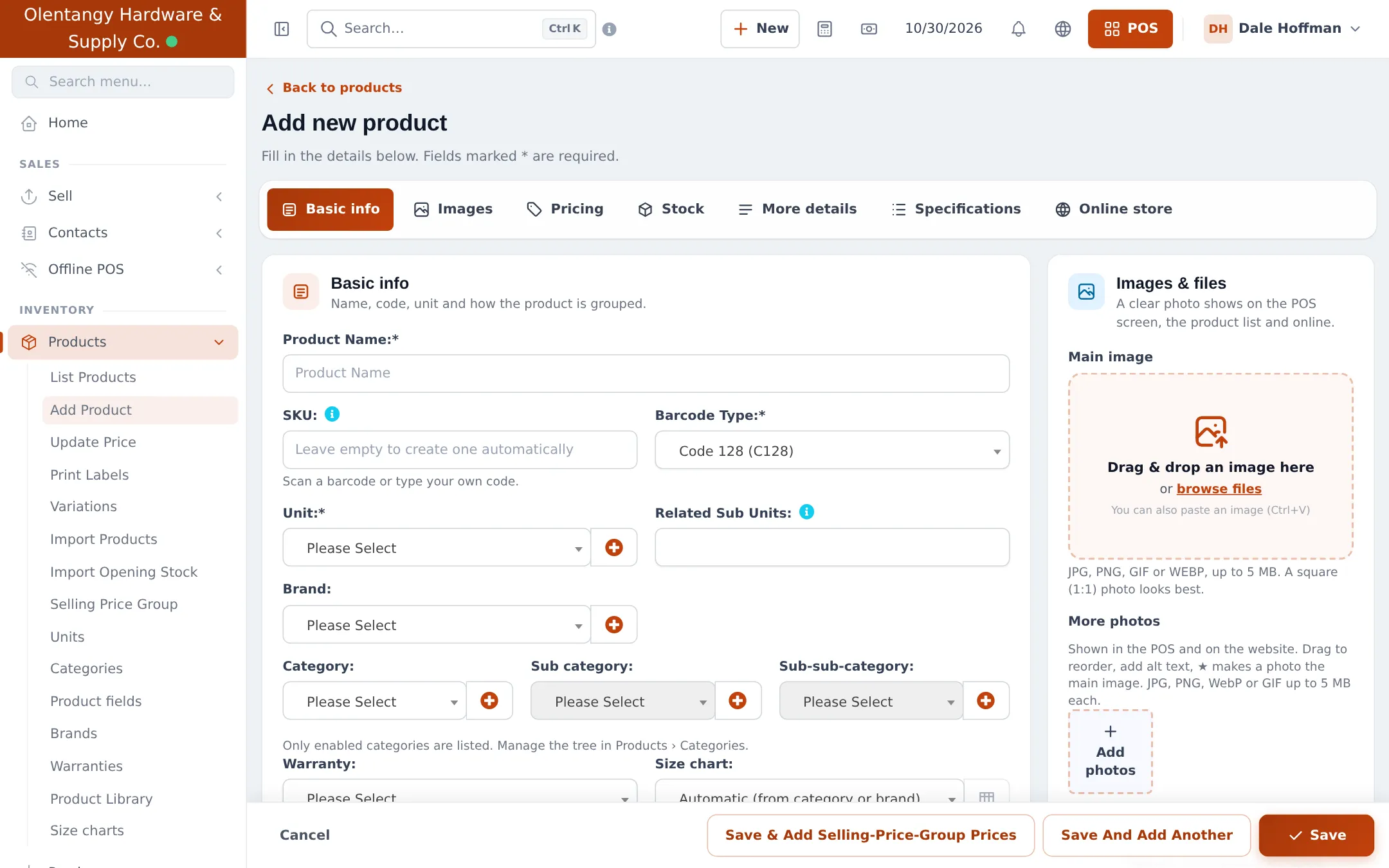
Section titled “Attach units to a product”- Open Products › Add Product (or edit an existing one).
- In Unit, choose the base unit, for example Pieces.
- In Related Sub Units, pick the packs this product is sold or bought in, for example Box (100). Leave it empty to allow every sub-unit of that base unit.
- Enter prices for one base unit on the Pricing tab. Save.
Sell by the box, the piece or the foot
Section titled “Sell by the box, the piece or the foot”In the POS, each line with sub-units gets a unit dropdown under the quantity. The cashier picks Box (100) or Pieces; the price and the stock deduction follow the multiplier.
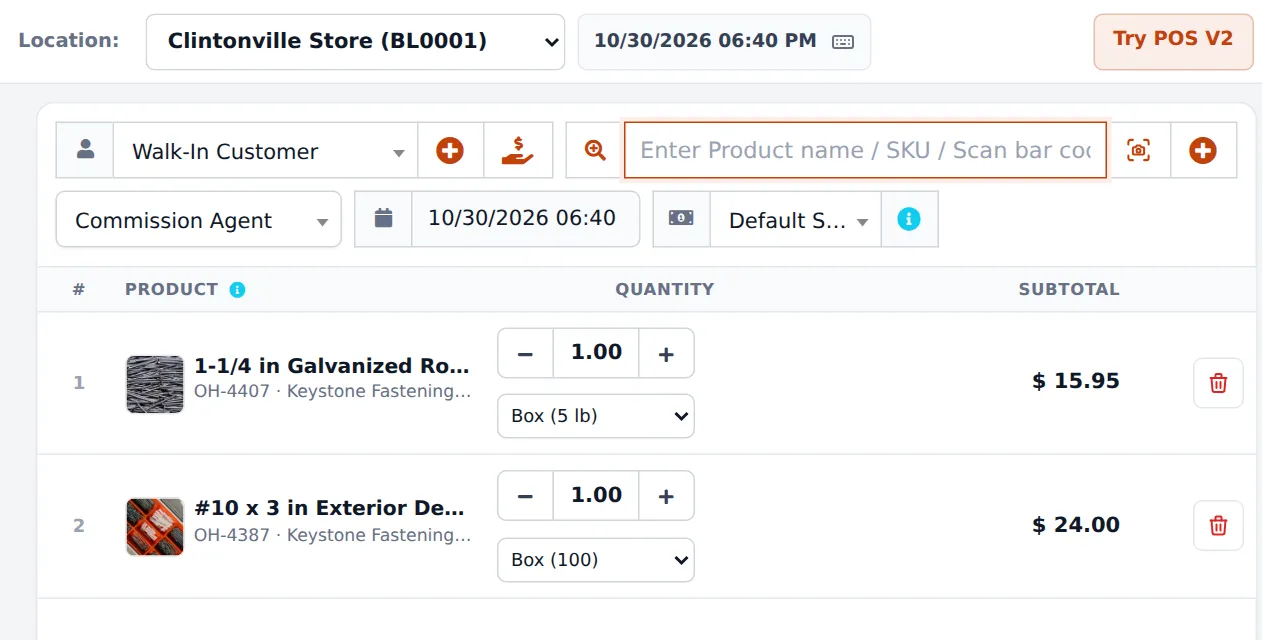
For cut lengths, type a decimal quantity such as 12.5 on a unit with Allow decimal on. The tiles show stock in the base unit, for example “145.00 ft in stock”.
Tips and mistakes to avoid
Section titled “Tips and mistakes to avoid”- Price per base unit. The box price is always base price × size. If boxes should be cheaper, add a discount or sell the box as a variation with its own price (variable products).
- Box-only items. For fasteners you never split, choose only the box in Related Sub Units. Staff then cannot sell a single screw by mistake.
- Receive in packs too. The purchase screen also has the unit dropdown, so a pallet of 56 bags adds 56 bags of stock.
- Print shelf labels per unit with Products › Print Labels (barcodes and labels).
Next: step 3: load a large catalog.
Frequently asked questions
What is a sub-unit?
A bigger pack of a base unit, such as Box (100) = 100 Pieces or Spool (100 ft) = 100 Ft. You create it in Products › Units with Add as multiple of other unit, and stock is always kept in the base unit.
How is the box price worked out?
From the base price times the multiplier. If one screw sells for 0.24, Box (100) sells for 24.00. To give a cheaper box price, use a discount or sell the box as its own variation with its own price.
Can I stop a product from being sold by the piece?
Yes. In Related Sub Units on the product, pick only the box. The POS then sells it only in boxes, and the stock still shows in pieces.
How do I sell 2.5 metres of chain?
Give the length unit Allow decimal = Yes. The cashier can then type 2.5 as the quantity. Units with Allow decimal = No only accept whole numbers.
Can I buy in pallets and sell in bags?
Yes. Create Pallet (56 bags) as a sub-unit of Bag. On the purchase line choose Pallet (56 bags); stock goes up by 56 bags for each pallet.
Can I change a product's base unit later?
Avoid it once the product has stock or sales, because past quantities are stored in the old unit. Set the base unit right before you import opening stock.