
Customer & partner portal module
The Customer & partner portal is a self-service website where your customers, suppliers and riders sign in. Customers see invoices (printed with your invoice layout, and as PDF), their statement, quotations to accept or decline, payments, returns, reward points, deliveries, bookings, memberships and repair status. Suppliers see purchase orders (and can confirm them), purchases, payments and their statement. Riders get their deliveries with call, map and delivered / could not deliver buttons. See also Customer portal.
Set it up
Section titled “Set it up”- Switch on Customer & partner portal in Settings › Business Settings › Modules.
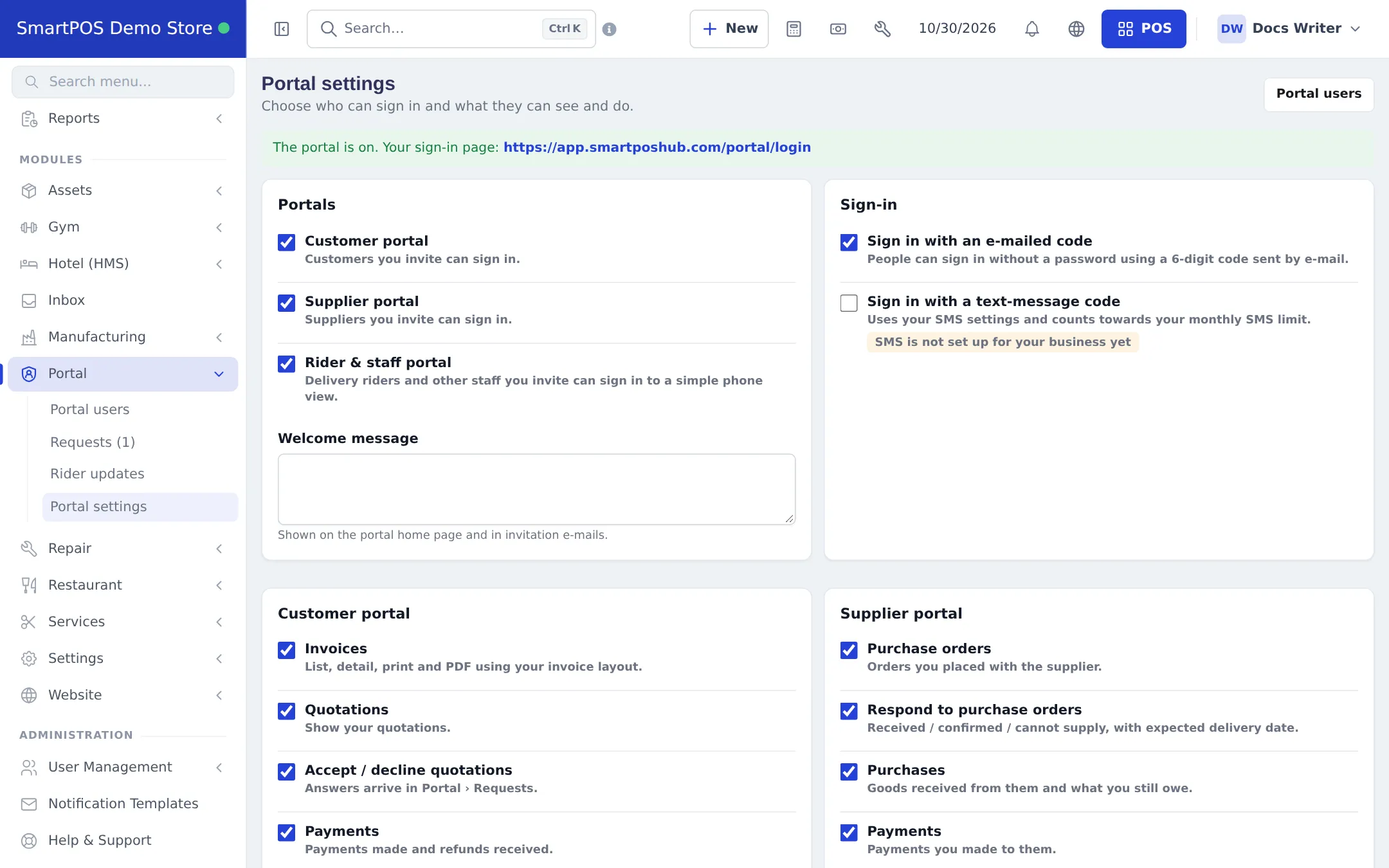
- Open Portal › Portal settings. Tick the portals you want, choose sign-in options (Sign in with an e-mailed code, Sign in with a text-message code) and write a Welcome message.
- In the Customer portal and Supplier portal sections, choose what people may see and do (invoices, quotations, accept / decline quotations, payments, purchase orders and so on).
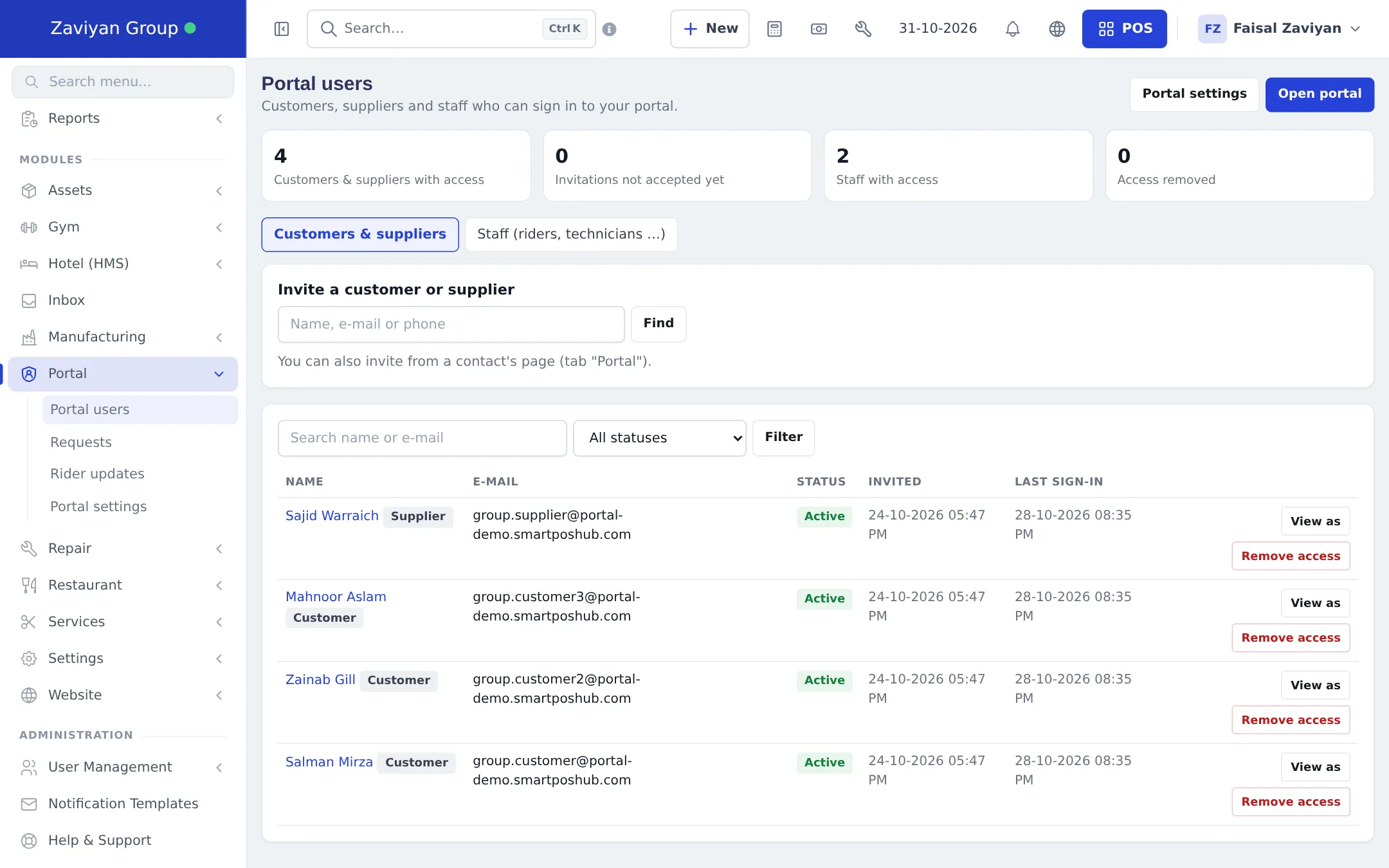
- Open Portal › Portal users and invite customers, suppliers or staff.
- Handle what they send in Portal › Requests (quotation answers, profile changes, cancellations) and Portal › Rider updates (delivery proofs and cash to post).
Related pages
Section titled “Related pages”Frequently asked questions
Who can use the portal?
Customers, suppliers and staff such as delivery riders you invite. Each portal type is switched on separately in Portal settings.
Where do people sign in?
At /portal on your app address, for example app.smartposhub.com/portal/login. Portal settings shows your exact sign-in link.
How do I invite someone?
On Portal › Portal users, search the customer or supplier and invite them, or use the Portal tab on their contact page. They receive an invitation e-mail.
Can customers sign in without a password?
Yes, with Sign in with an e-mailed code (on by default). A text-message code is also possible when SMS is set up.
Can I see what a customer sees?
Yes. View as opens a read-only preview of their portal.
Is the portal in every plan?
Yes, the portal is available on every plan. It is off until you switch it on.