
Pet store step 5: memberships, member prices and loyalty
Monthly clubs (unlimited self-wash, a full groom plus free nail trims) give you steady income and loyal customers. SmartPOS Hub has no separate membership module for pet stores, but the pieces you need are all there: service products, recurring invoices, price groups, customer groups and reward points.
1. Create the membership as a product
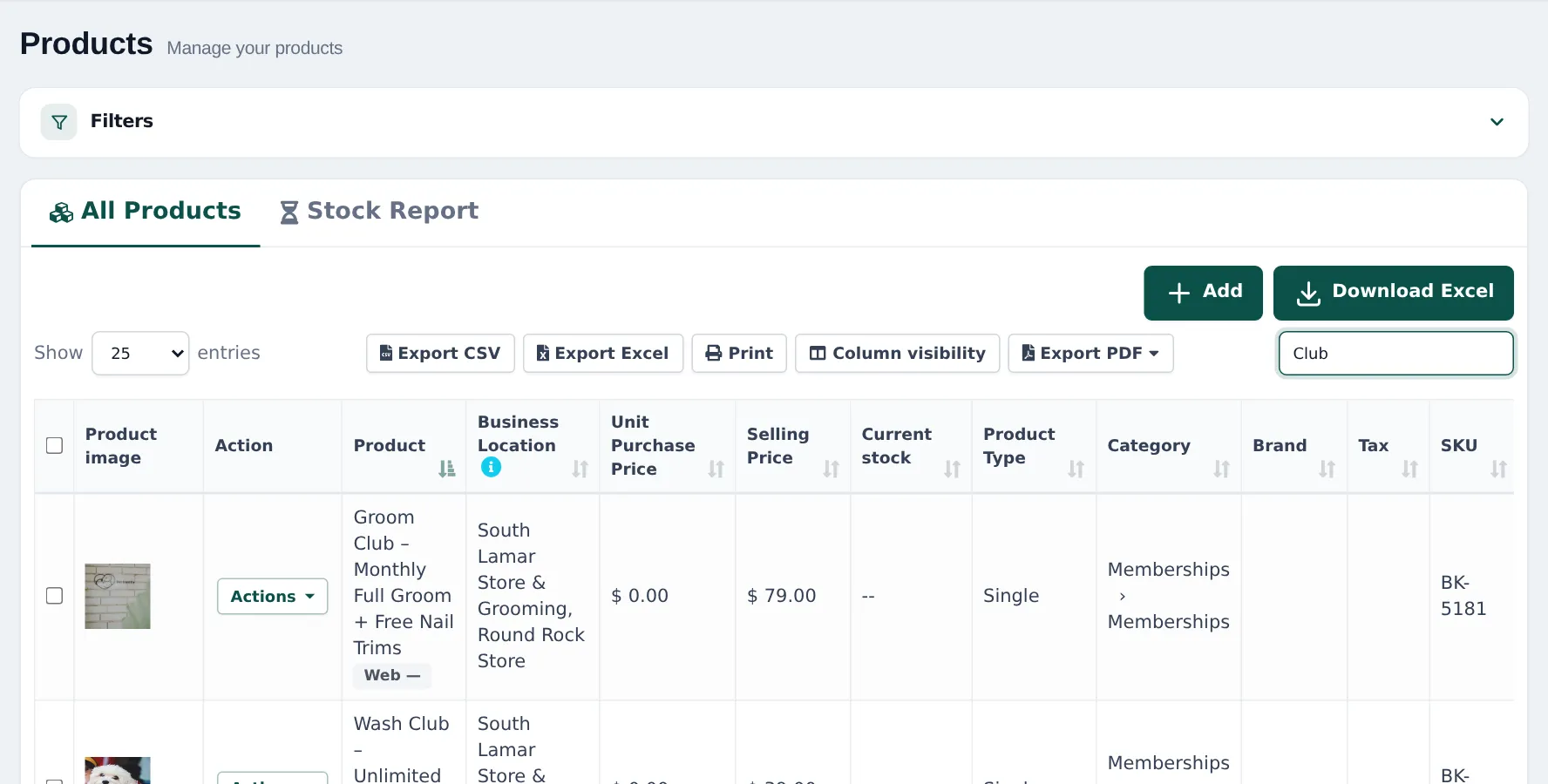
Section titled “1. Create the membership as a product”- Products › Add Product: name it clearly, for example “Groom Club – Monthly Full Groom + Free Nail Trims”.
- Unit Service, category Memberships, Manage Stock? off.
- Set the monthly price and the tax rate for services (or none).
- Describe what’s included in the description, so staff and customers can read it.
- Save. Do the same for each plan (Wash Club, Groom Club…).
2. Bill it every month
Section titled “2. Bill it every month”Choose one of two ways:
| Way | How | Good for |
|---|---|---|
| Sell it at the till each month | Add the membership product to the customer’s sale when they come in | Small clubs, cash and card payments |
| Recurring invoice | Turn on Recurring invoices in Settings › Business Settings › Modules. On Sell › Add Sale, tick Subscribe?, set the Recurring interval (monthly) and No. of Repetitions. | Clubs billed on account |
Subscriptions appear in Sell › Subscriptions, and on the customer’s Subscriptions tab. A new invoice is created at each interval; collect payment with Add payment. See Add sale and invoices.
3. Member prices
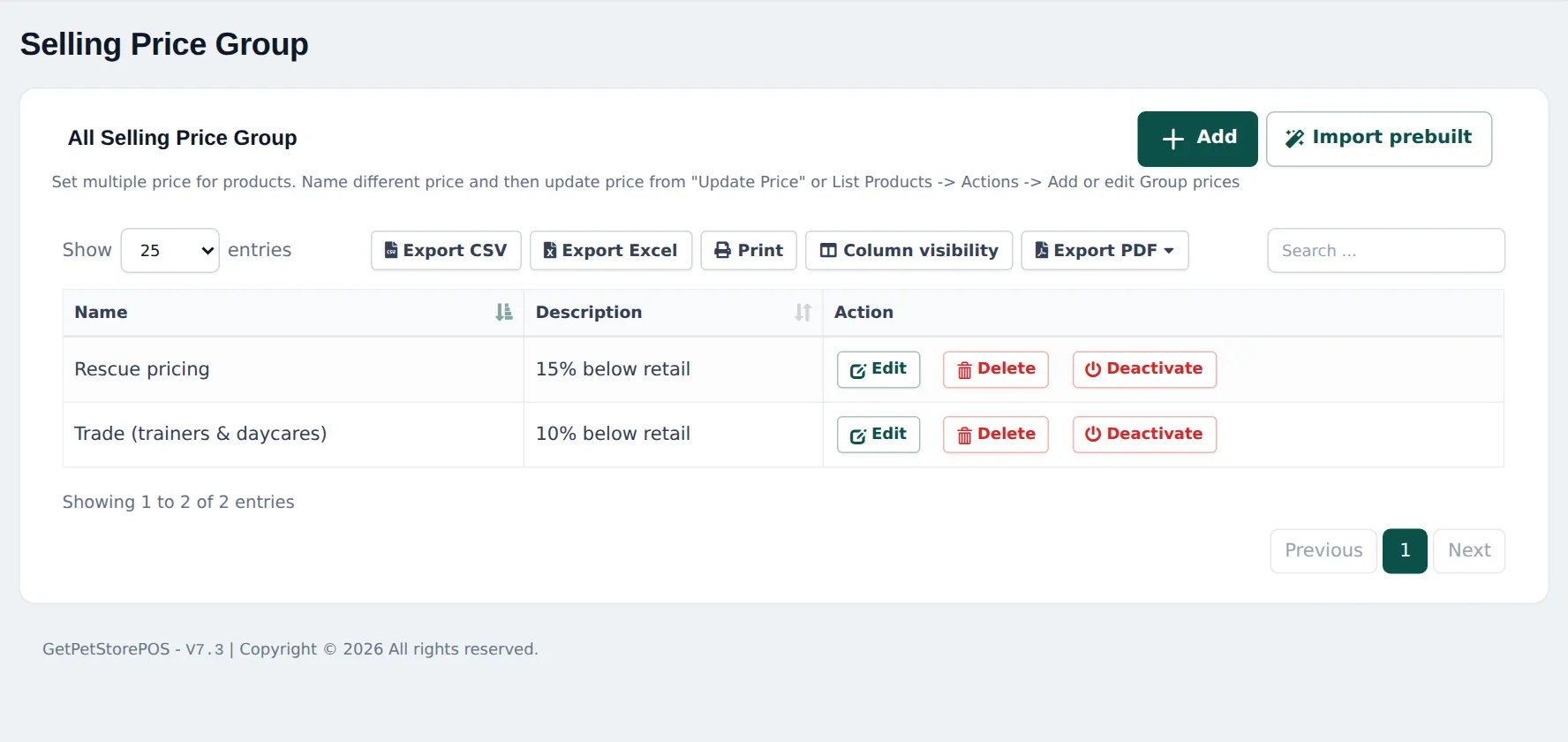
Section titled “3. Member prices”- Products › Selling Price Group: add a group such as Members.
- Enter member prices on products (or set included services to 0 for members).
- Contacts › Customer Groups: create a Members group and link it to the price group.
- Put each member in the group. Their prices apply in the POS, online and in the SmartPOS Shopper app.
See Price groups and Customer groups.
4. Reward points for everyone
Section titled “4. Reward points for everyone”Turn on Enable Reward Point in Settings › Business Settings › Reward Point Settings and set how many points each purchase earns and what a point is worth. Customers redeem points at the till. See Reward points.
5. Gift cards
Section titled “5. Gift cards”With Gift cards in your plan and switched on, sell cards in Sell › Gift cards for grooming gifts and accept them at the POS. See Gift cards and store credit.
Frequently asked questions
Is there a membership module for pet stores?
No dedicated one. A membership such as Wash Club or Groom Club is a service product you sell every month. Turn on Recurring invoices if you want the monthly invoice to be created automatically.
How do I make the invoice repeat every month?
Turn on Recurring invoices in Settings › Business Settings › Modules. On Sell › Add Sale (or POS V1), tick Subscribe? and set the interval. Sell › Subscriptions lists every subscription.
How do members get their free nail trims?
Add the included service to the member's sale at 100% discount, or give members a price group where included services cost 0. Note the allowance in the membership product's description.
Can members see their prices in the Shopper app?
Yes. Shopper app members see their own prices if their customer group has a price group.
How do reward points work?
Customers earn points on purchases and redeem them for a discount on later sales. Set the earning and redeeming rules in Settings › Business Settings › Reward Point Settings.
Can I sell gift cards for grooming?
Yes, if your plan includes Gift cards and the module is on. Or keep a gift card as a simple product, as many stores do.