
Subscription, plan limits and billing
This guide explains the Subscription & billing page in SmartPOS Hub: your current plan, what it includes, how much of each limit you use, and how to upgrade, renew, change plans or manage card billing. It is for the account owner. Checking or changing a plan takes a few minutes.
Open the page
Section titled “Open the page”Go to Settings › Package Subscription. Only the owner and users with subscription access see it.
The page shows, from top to bottom:
- A notice when something needs attention: free trial ending (“Your free trial ends in 3 days”), plan expired (“Your plan expired on…” with Renew now), payment Waiting for approval, or a plan ending with auto-renew off.
- Current plan: name, status (Active, Free trial, Waiting for approval, Expired, Renewal cancelled, Lifetime), price and period, started and ends or renews dates, billing (Renews automatically, Renew manually or One-time (lifetime)), and a days-left bar. Buttons: Change plan, Manage billing, Update card, Cancel auto-renew / Resume auto-renew, Lifetime-deal codes.
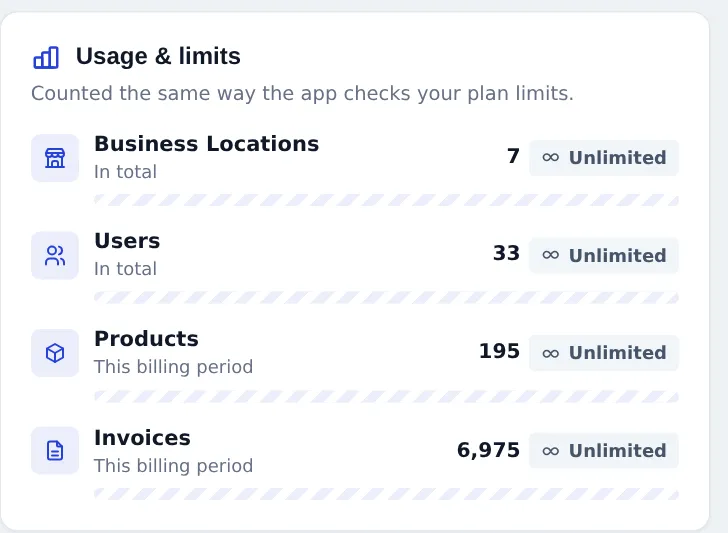
- Usage & limits: meters for Business Locations, Users, Products and Invoices.
- Modules in your plan: every industry module with Included or not.
- Upcoming & pending: plans queued to start later and payments waiting for approval.
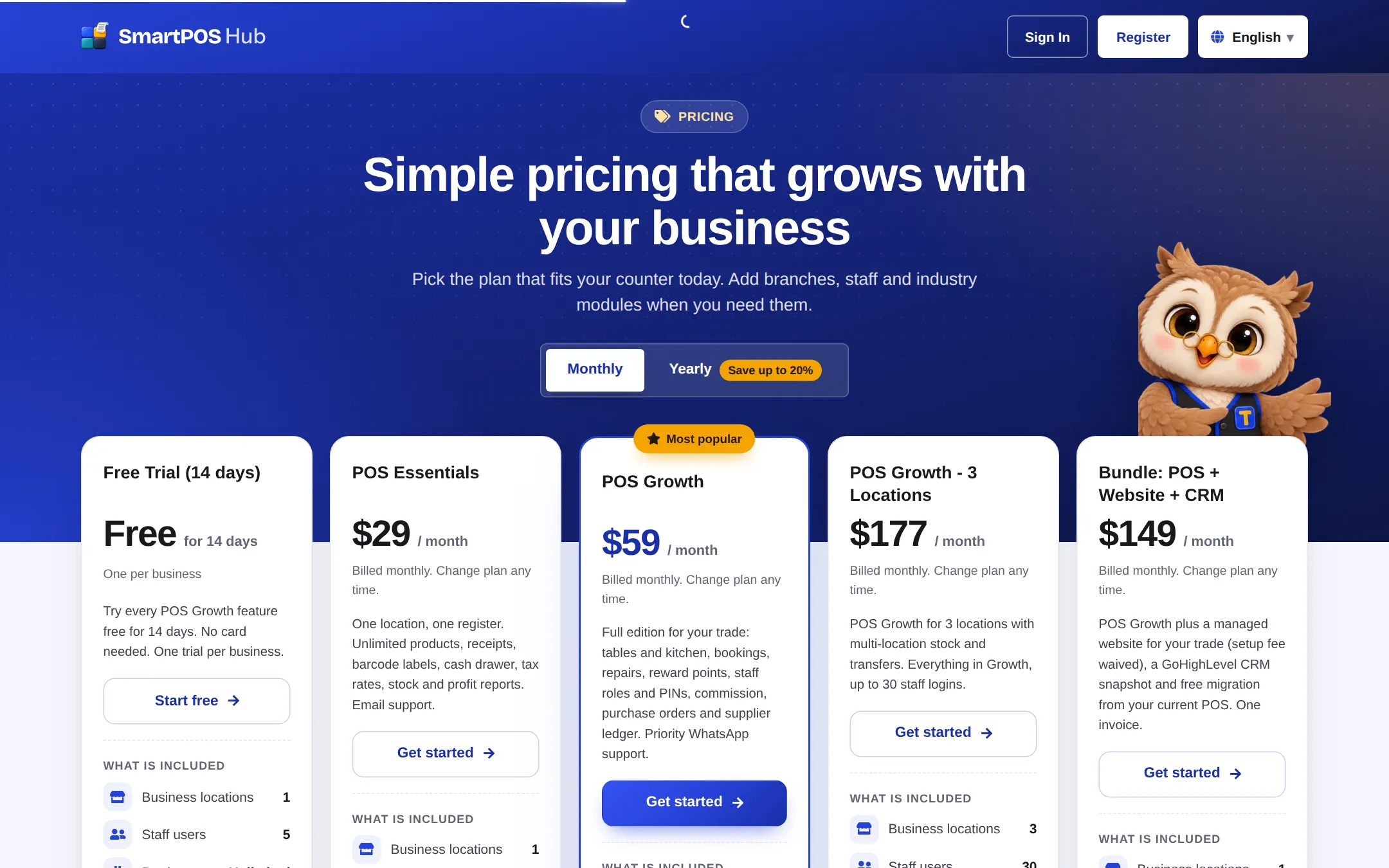
- Available plans with a Monthly / Yearly switch, and Invoices for card payments.
Upgrade, renew or change plan
Section titled “Upgrade, renew or change plan”- On Settings › Package Subscription, click Change plan (or See plans at the top).
- In Available plans, switch Monthly or Yearly.
- Click the button on the plan you want: Upgrade, Downgrade, Switch to this plan or Renew / extend. A plan your current usage does not fit says why (for example too many users or locations).
- On the payment page, check the summary. Enter a code under Have a coupon? if you have one.
- Under Payment method, choose card or another offered method and pay.
Card billing and auto-renew
Section titled “Card billing and auto-renew”Plans paid by card renew automatically.
- Manage billing opens the secure billing page to update your card, download invoices or cancel.
- Update card changes the card used for the next renewals.
- Cancel auto-renew stops renewal; the plan stays active until its end date. Resume auto-renew turns it on again.
- If a renewal payment fails, a “Last payment failed” notice asks you to update your card under Manage billing.
Modules and limits
Section titled “Modules and limits”- A module listed as not included cannot be switched on in Business Settings › Modules. Choose a plan that includes it, or contact support.
- Included modules still need to be switched on. See Business settings reference.
- When a meter shows Limit reached, upgrade or remove what you no longer use (deactivate a location, mark a user inactive).
Lifetime-deal codes
Section titled “Lifetime-deal codes”If you bought a lifetime deal, open Settings › Redeem code (or Lifetime-deal codes on the plan card), enter your code and click Redeem. The lifetime plan shows “Lifetime access — no renewals and no monthly fees.”
- Renew before the end date to avoid a pause in selling.
- Check Usage & limits before opening a new branch, so the new location fits your plan.
- Yearly billing costs less per month than monthly.
Related pages
Section titled “Related pages”Frequently asked questions
Where do I see my plan?
Settings, Package Subscription. The Subscription and billing page shows your current plan, its status, start and end dates, how you are billed and how many days are left.
What do the limits count?
Business locations and users count in total. Products and invoices count for the current billing period. Unlimited limits show an Unlimited badge.
What happens when I reach a limit?
The meter shows Limit reached and you cannot add more of that item until you upgrade, or remove or deactivate some.
What happens when my plan expires?
Selling, purchases and new records are paused until you renew. You can still sign in and see your lists and reports, and your data is safe.
When does a new plan start?
A plan bought while another is active starts the day after the current one ends. To switch sooner, use the activate button under Upcoming and pending.
How do I stop automatic renewal?
Click Cancel auto-renew on the current plan card. Your plan stays active until its end date. Resume auto-renew turns it back on.
Can I pay by bank transfer?
Where offered, choose bank transfer or cash on the payment page. The plan shows as Waiting for approval and is activated after the payment is confirmed.
How do I download invoices for my plan?
Card payments are listed under Invoices on the Subscription page, with a View link for each. Manage billing also lets you download invoices.
How do I redeem a lifetime-deal code?
Use Settings, Redeem code, or the Lifetime-deal codes link on the Subscription page, and enter your code.