
Shipping & delivery - couriers and your own riders
The Shipping & delivery module ships your sales, website orders, Shopper app orders and restaurant deliveries - with courier companies or with your own riders. It adds shipments, labels, tracking, a dispatch board, cash-on-delivery reconciliation and rider settlements.
Set it up
Section titled “Set it up”- Switch on Shipping & delivery (and Integrations for couriers) in Settings › Business Settings › Modules.
- Connect your courier account in Settings › Integrations › Couriers and press Test connection.
- Open Shipping › Settings: default courier, account, service and pickup code per location, default weight, cash on delivery = amount due, whether the sale status follows the shipment, the tracking page and customer notification templates.
- For own riders, add riders (staff with the rider role, or external riders with name and phone) and zones (a fee by area or by distance, with free delivery over an amount).
Daily work
Section titled “Daily work”- Orders to ship - sales waiting for a shipment; create them one by one or in bulk.
- Shipments - status tiles and filters; bulk print labels (100 × 150 mm), book, track or cancel.
- Shipment page - timeline, proof of delivery (photo, signature, recipient, cash), book / track / label / retry / cancel, assign a rider, send a rider job link.
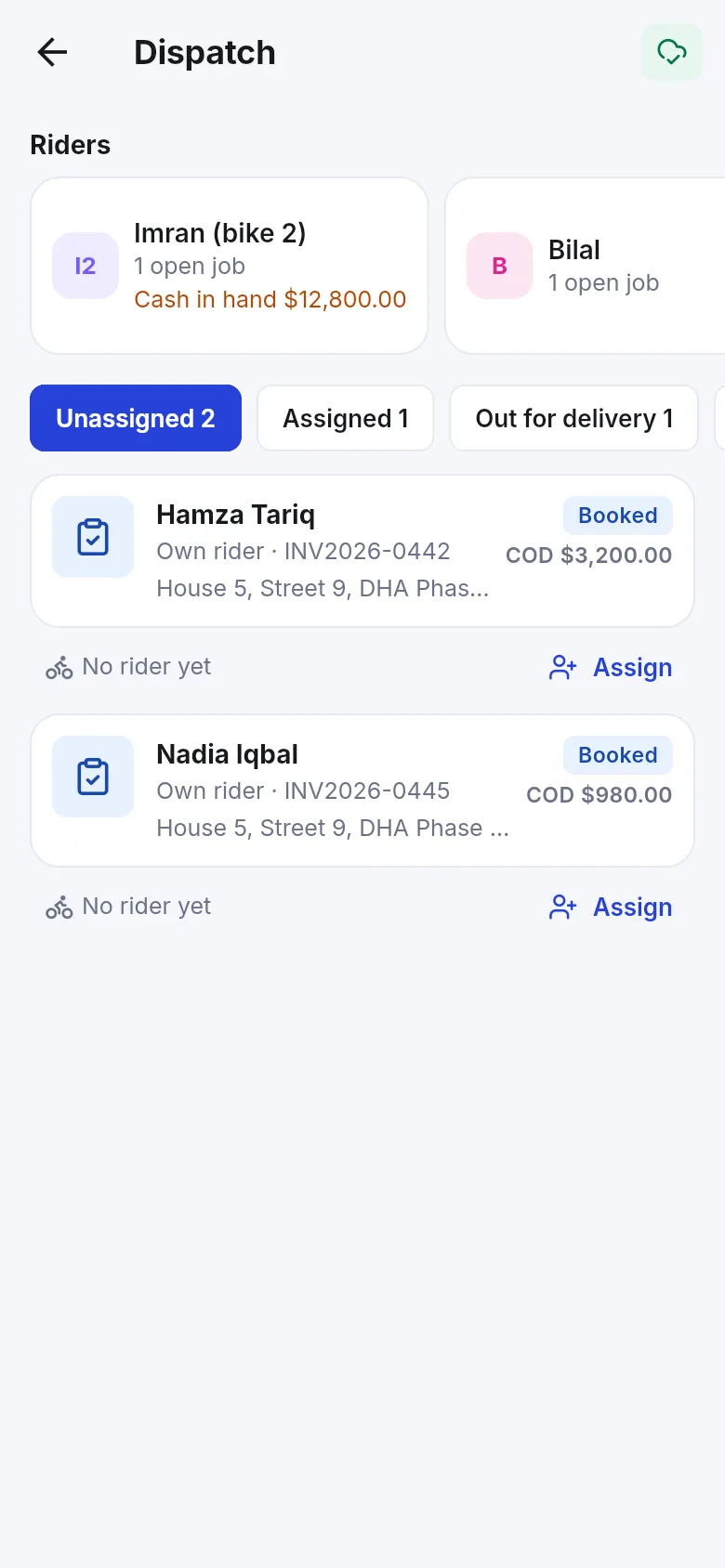
- Dispatch board - own riders: unassigned, assigned, picked, out for delivery, delivered today, failed, with each rider’s load and cash in hand.
- COD and Settlements - courier remittances (by hand or by importing the courier’s payment report) and rider end-of-day cash.
Related pages
Section titled “Related pages”Frequently asked questions
Which couriers are supported?
TCS, Leopards, M&P, Pakistan Post (tracking only - enter the article number), Flaship, Kourify and Run Courier. You can also deliver with your own riders.
Do I need a courier account?
For courier companies, yes - connect your own account in Settings › Integrations › Couriers. Own riders need no courier account.
How do I create a shipment?
From a sale (Create shipment on the sale or in the sales list), from Shipping › Orders to ship (also in bulk), or blank. Choose a courier and service or an own rider.
Can customers track their parcel?
Yes. Each shipment has a public tracking page, and customers can get SMS or e-mail updates when Messaging is on.
How is cash on delivery handled?
The COD page shows what couriers collected, remitted and still owe, and what each rider has in hand. Riders settle at the end of the day; the payment is then added on the sale.
Does the shipment update the sale?
Yes. Booked, picked, in transit, out for delivery, delivered, failed and returned update the sale's shipping status (unless you switch this off).