
Tech store daily routine: open, sell, repair, close
A short routine for a phone and laptop shop with a repair counter. Print it for your team or pin it near the counter.
Opening
Section titled “Opening”- Each cashier opens their cash register with the opening cash when they first open the POS.
- The front desk opens Repair › Dashboard for the branch: Due today, Overdue, Awaiting approval and Ready for pickup.
- Call customers whose devices are ready, and chase estimates waiting for an answer.
- Check deliveries due from distributors in Purchases › List Purchases (status Ordered or Pending).
During the day
Section titled “During the day”- Sales: scan, record the IMEI on each phone line, add accessories, take payment. See step 5.
- Repairs in: a job sheet for every device, with photos, checklist and signature. Hand over the claim ticket.
- Repairs out: convert to invoice, use the deposit, mark delivered.
- Instalments: find the customer, Add payment on the open invoice, note the instalment number.
- Stock arriving: record a purchase with status Received at the receiving branch.
- Stock between branches: create a stock transfer, mark it completed when it arrives.
Closing
Section titled “Closing”- Each cashier closes their register: count cash, compare with the expected total, and close. See Cash register and closing.
- Move finished repairs to Ready for pickup and update overdue jobs with a new expected date and a visible comment.
- Check Reports › Register Report or Z Report for the day.
Weekly and monthly
Section titled “Weekly and monthly”| When | Check | Where |
|---|---|---|
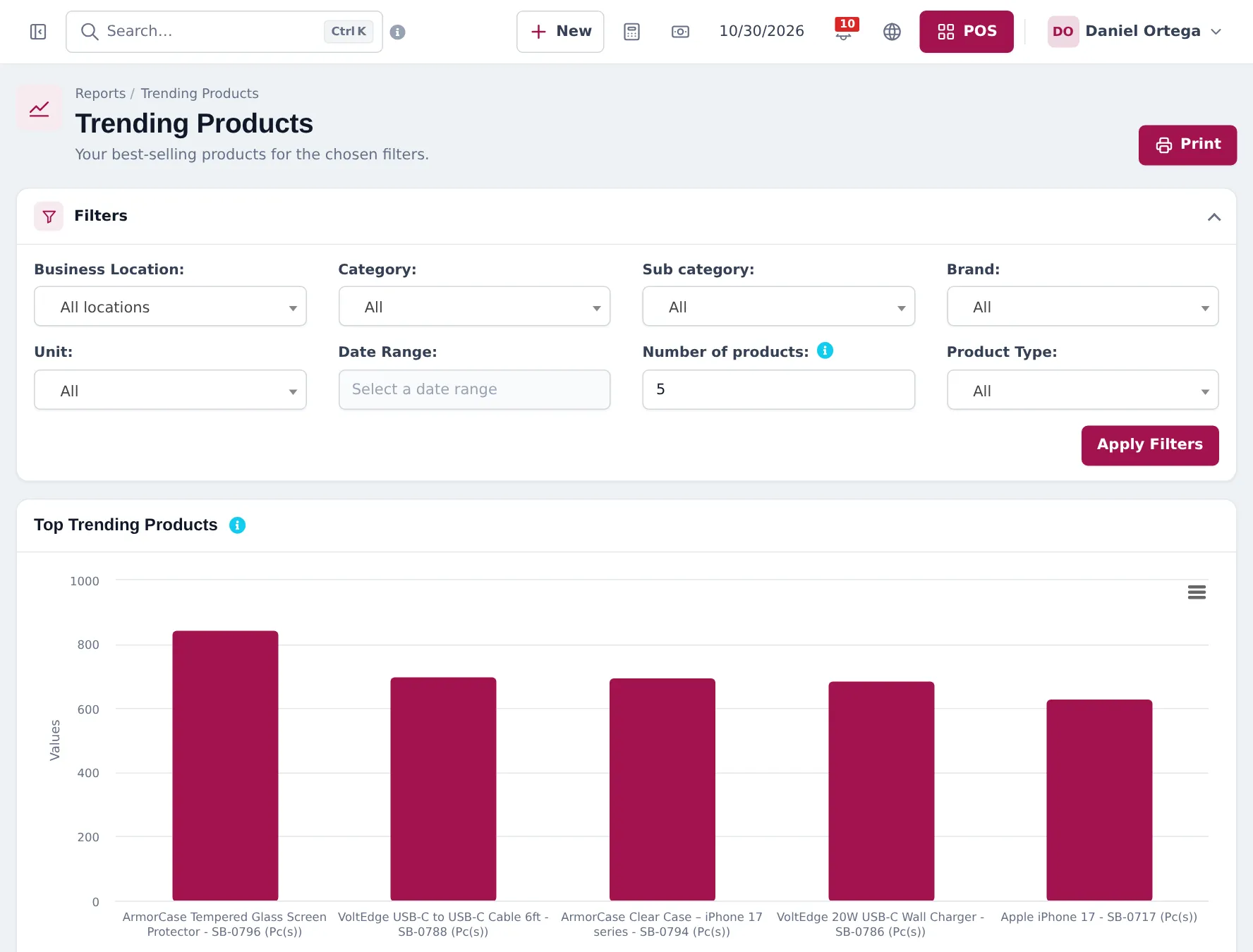
| Weekly | Best-selling phones and accessories | Reports › Trending Products |
| Weekly | Low stock per branch | Reports › Stock Report |
| Weekly | Unpaid instalments | Reports › Payment by Age |
| Monthly | Profit | Reports › Profit / Loss Report |
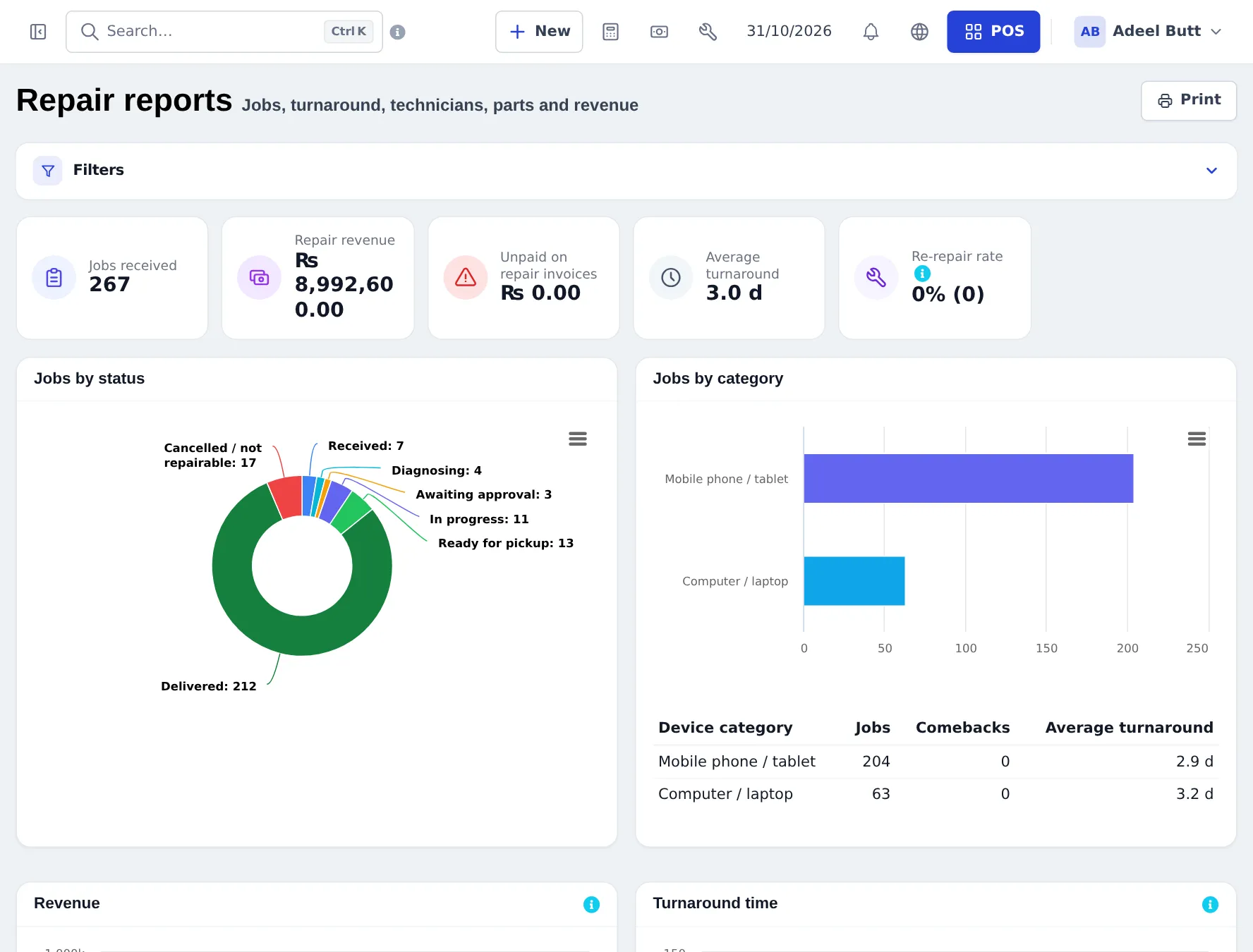
| Monthly | Technician performance, turnaround, comebacks | Repair › Reports |
Frequently asked questions
What should I check first thing in the morning?
Open the cash register, then look at the Repair dashboard for jobs due today, overdue jobs and estimates awaiting approval.
How do I see today's sales per branch?
The Home dashboard has a location filter and date filter. Reports › Register Report and Z Report show each cashier's register.
How do I know which phones to reorder?
Use Reports › Stock Report filtered by category, or the alert quantity on products. Products at or below their alert quantity show as low stock.
Which report shows money customers still owe?
Reports › Payment by Age and the Supplier & Customer Report.