
Hotel daily operations in SmartPOS Hub
Once the setup is done, the hotel runs on a simple daily rhythm. This page lists what each role does and where in SmartPOS Hub they do it.
Morning (front desk)
Section titled “Morning (front desk)”- Open the cash register at the front desk with the starting cash (Cash register and closing).
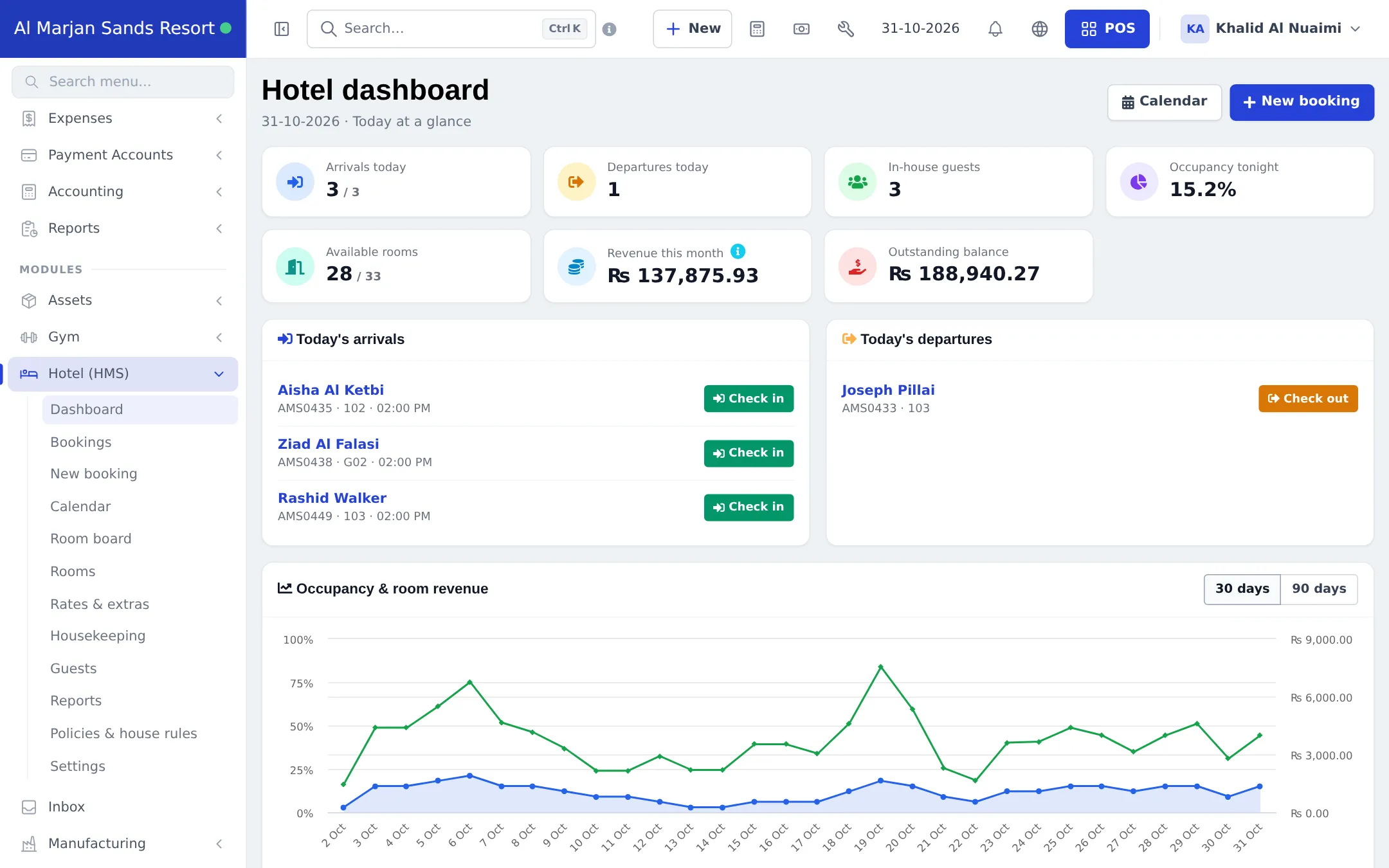
- Open Hotel (HMS) › Dashboard: check Arrivals today, Departures today, overdue departures, Available rooms and the Outstanding balance.
- Check Settings › Booking payments for stays waiting for a deposit and Settings › Payment proofs for bank-transfer receipts to approve.
- Confirm pending bookings whose deposit has arrived.
Morning (housekeeping)
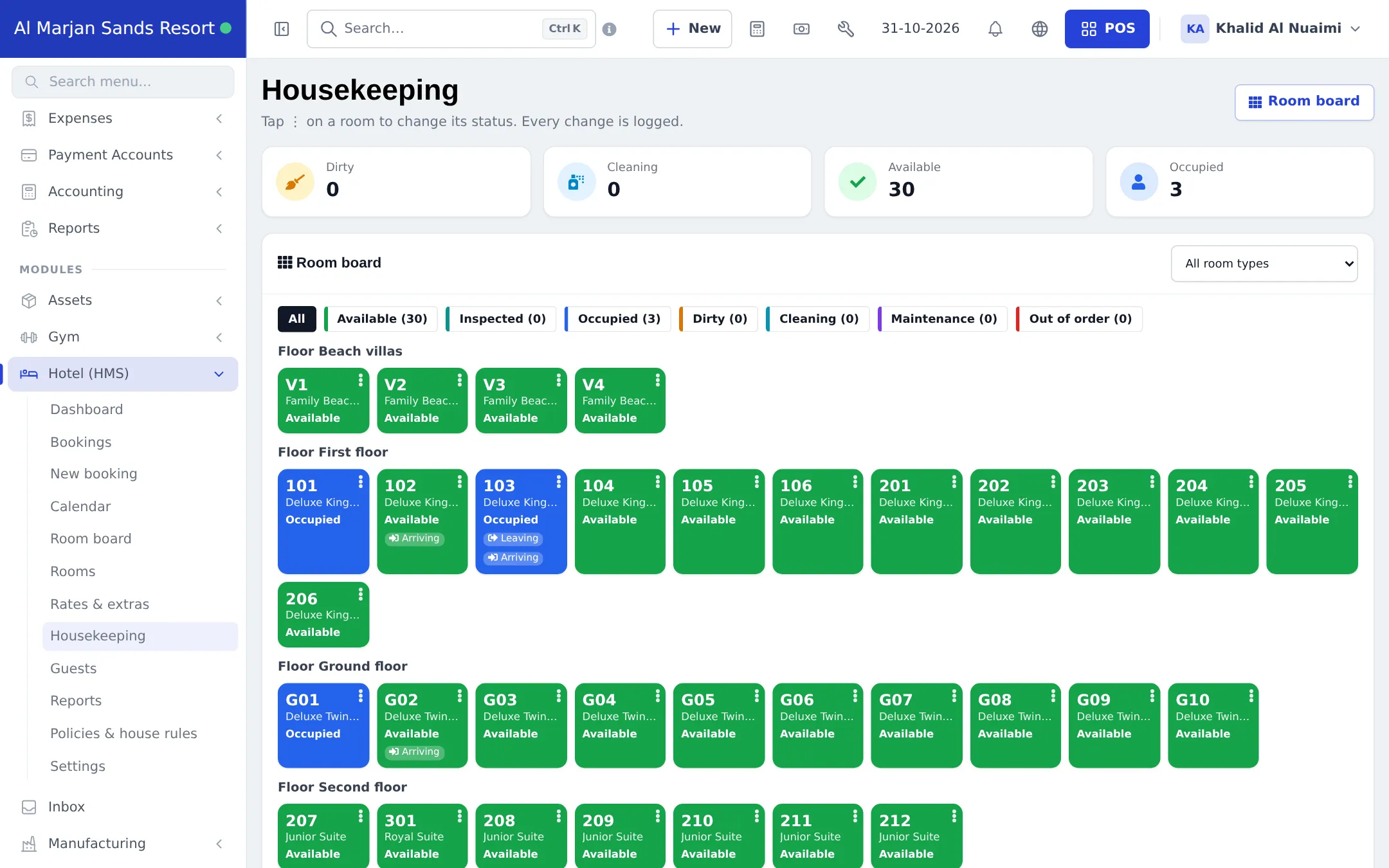
Section titled “Morning (housekeeping)”- Open Hotel (HMS) › Housekeeping or the Hotel screen in the SmartPOS Business app.
- Clean rooms marked Leaving and Arriving first, then the rest of the Dirty list.
- Move each room through Cleaning to Available (or Inspected).
During the day
Section titled “During the day”- Check-outs before the check-out time: take the balance, check out, print the invoice (step 6).
- Check-ins from the check-in time: ID, room, deposit.
- Walk-ins and phone bookings on New booking; outlet charges as credit sales to the guest (step 8).
- Room problems: mark the room Out of order with an until date on the Room board.
Evening close
Section titled “Evening close”- Check out any remaining departures; mark guests who never came as No-show.
- Review Reports › Payments due for in-house guests with large balances.
- Close the front-desk cash register and print the Z Report (Reports › Z Report).
- Restaurant, spa and shop close their own registers.
Weekly and monthly
Section titled “Weekly and monthly”| When | What | Where |
|---|---|---|
| Weekly | Occupancy, ADR & RevPAR, revenue by source | Hotel (HMS) › Reports |
| Weekly | Cancellations & no-shows | Hotel (HMS) › Reports |
| Monthly | Profit and loss for the whole property | Reports › Profit / Loss Report |
| Monthly | Bank reconciliation and books | Accounting › Bank reconciliation |
| Each season | Seasonal rates and long-stay tiers | Hotel (HMS) › Rates & extras |
Frequently asked questions
What should the front desk check first in the morning?
The Hotel dashboard - arrivals and departures today, overdue departures, available rooms and the outstanding balance - then the dirty rooms on the Housekeeping page.
How do I see who still owes money?
Open Hotel (HMS) › Reports › Payments due. It lists every booking with a balance and groups it by age. The Bookings list can also be filtered by Payment Status Due or Partial.
How do I close the day?
Check out today's departures, mark no-shows, close the front-desk cash register and print the Z Report. Restaurant and spa outlets close their own registers.
Can managers follow the hotel from their phone?
Yes. The Hotel screen in the SmartPOS Business app shows occupancy tonight, guests in house, arrivals, departures and the room board.
Which reports should I look at every week?
Occupancy, ADR & RevPAR and Revenue by source in Hotel reports, plus the Profit / Loss Report for the whole property.