
Wholesale step 4: sales orders and invoices
Wholesale orders come in by phone, from reps visiting shops, or by message. They are packed, loaded and invoiced the next day. Sales orders record the order; the invoice records the delivery and the money owed.
Before you start
Section titled “Before you start”- Enable Sales Order is on (Settings › Business Settings › Sale).
- Customers, price groups and carton units are set up (steps 2 and 3).
- Reps are added in User Management › Sales Commission Agents if you pay commission.
Record the order
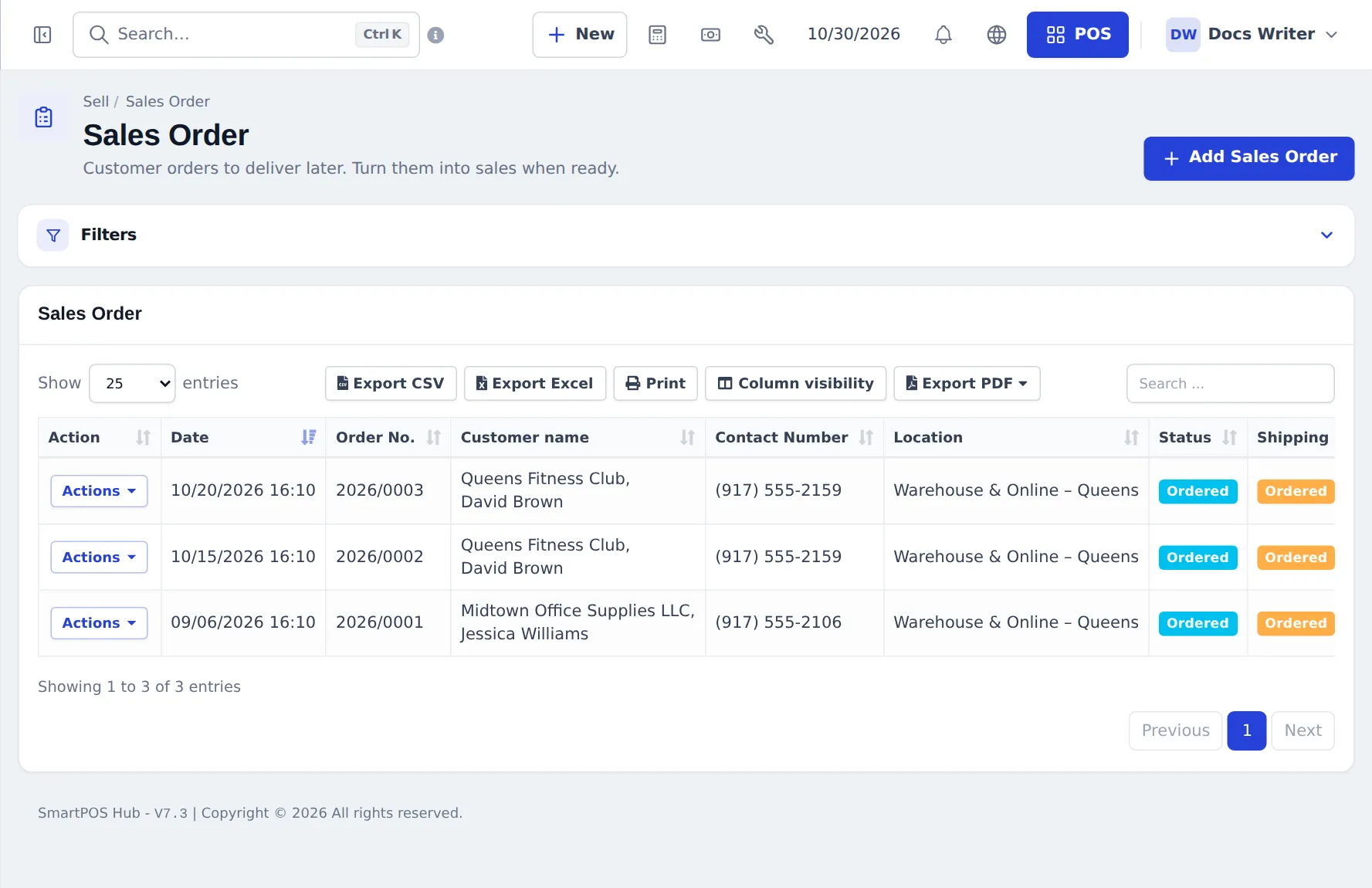
Section titled “Record the order”- Open Sell › Sales Order and click Add Sales Order.
- Choose the warehouse or depot (Business Location) and the Customer.
- Add products with carton units and quantities. Prices follow the customer’s price group.
- Add delivery details (address, preferred day) and save. The order shows status Ordered.
Invoice the delivery
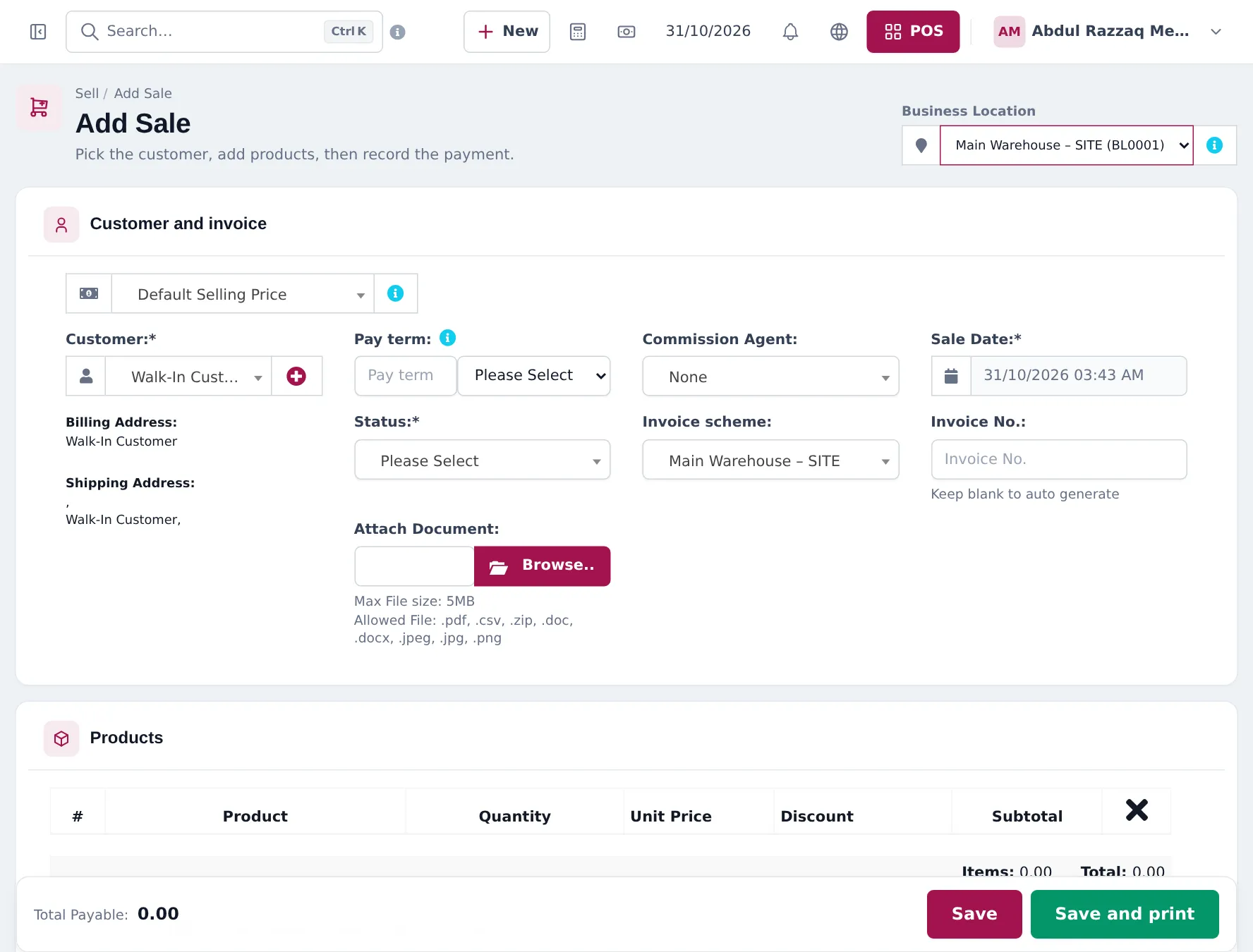
Section titled “Invoice the delivery”- Open Sell › Add Sale and pick the Business Location that ships the goods.
- Choose the Customer, then the order in Sales Order. The lines are copied in.
- Change quantities to what is loaded (short-shipped items stay on the order).
- Check Pay term, choose the Commission Agent if a rep took the order, and fill in Shipping Details (step 5).
- Set Status to Final, enter any payment received (or none) and click Save and print.
Rep performance
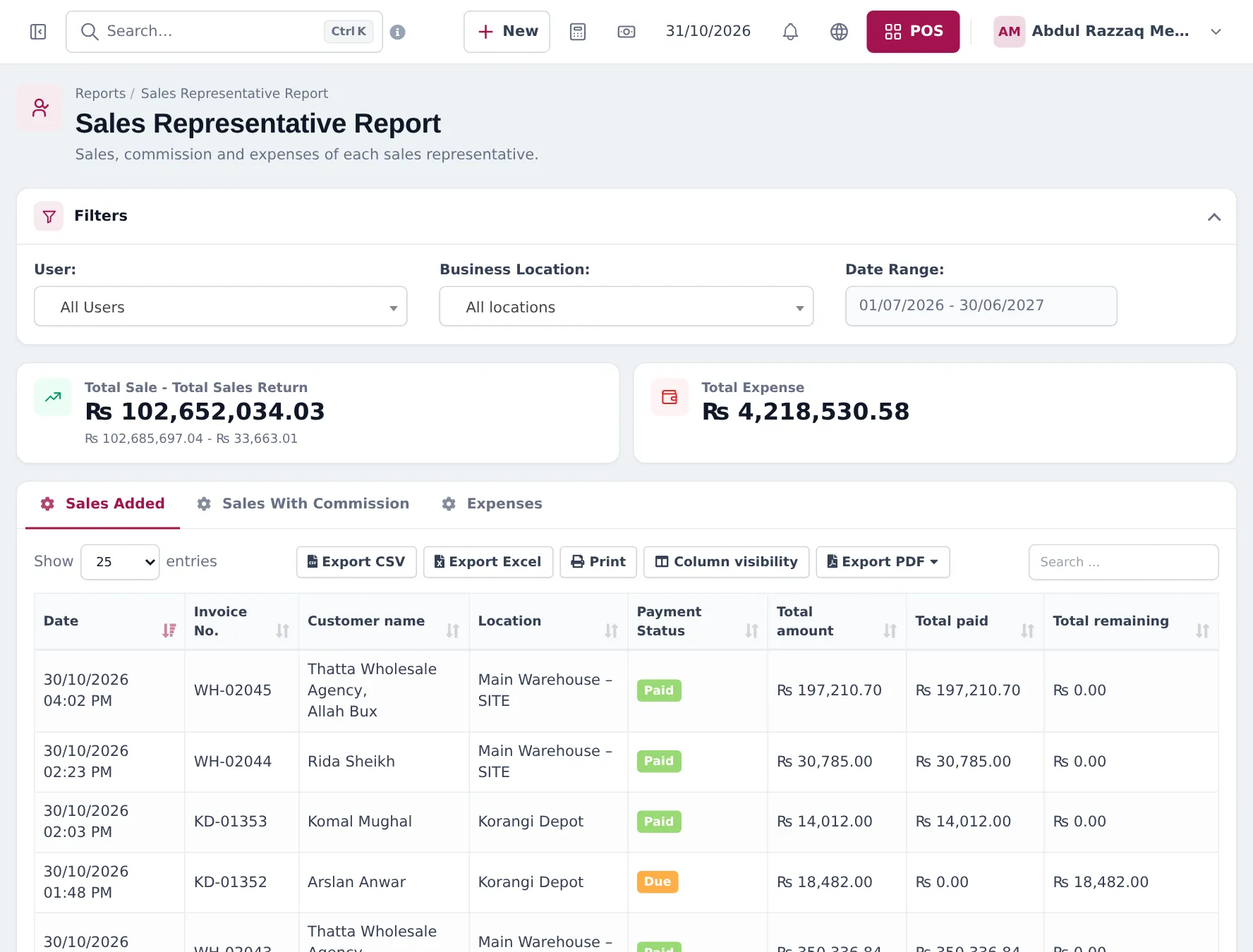
Section titled “Rep performance”Reports › Sales Representative Report shows sales, commission and expenses per user or agent for a date range.
Frequently asked questions
Where do I switch on sales orders?
Settings › Business Settings, Sale tab, Enable Sales Order. The Sales Order item then appears under Sell.
Does a sales order reserve or reduce stock?
No. Sales orders do not change stock or the customer's balance and are not checked against the credit limit. The invoice made from the order does all three.
How do I turn an order into an invoice?
Open Sell › Add Sale, choose the customer and pick the order in the Sales Order field. The lines are copied in; change quantities to what you actually deliver and save.
Can I invoice part of an order?
Yes. Invoice what you deliver now and the rest later from the same order.
Can a sales rep get commission?
Yes. Add reps in User Management › Sales Commission Agents with a commission percentage and choose them in Commission Agent on the sale. Reports › Sales Representative Report shows their sales and commission.
Should I use Add Sale or the POS?
Add Sale suits wholesale invoices with many lines, pay terms and shipping details. The POS suits cash-and-carry counters.