
Salon step 2: build your service menu
Your service menu is the list clients book from and cashiers bill from: every haircut, colour, facial, massage and package with its duration and price. This page shows how to start from a ready-made salon or spa menu and make it your own. It is for the owner or manager.
Before you start
Section titled “Before you start”- The Services module is on (step 1).
- You have your price list at hand, and you know roughly how long each service takes.
- Optional: add your stylists first (step 3) so you can tick who performs each service while you edit it. You can also do it the other way round, from each staff page.
Import a ready-made menu
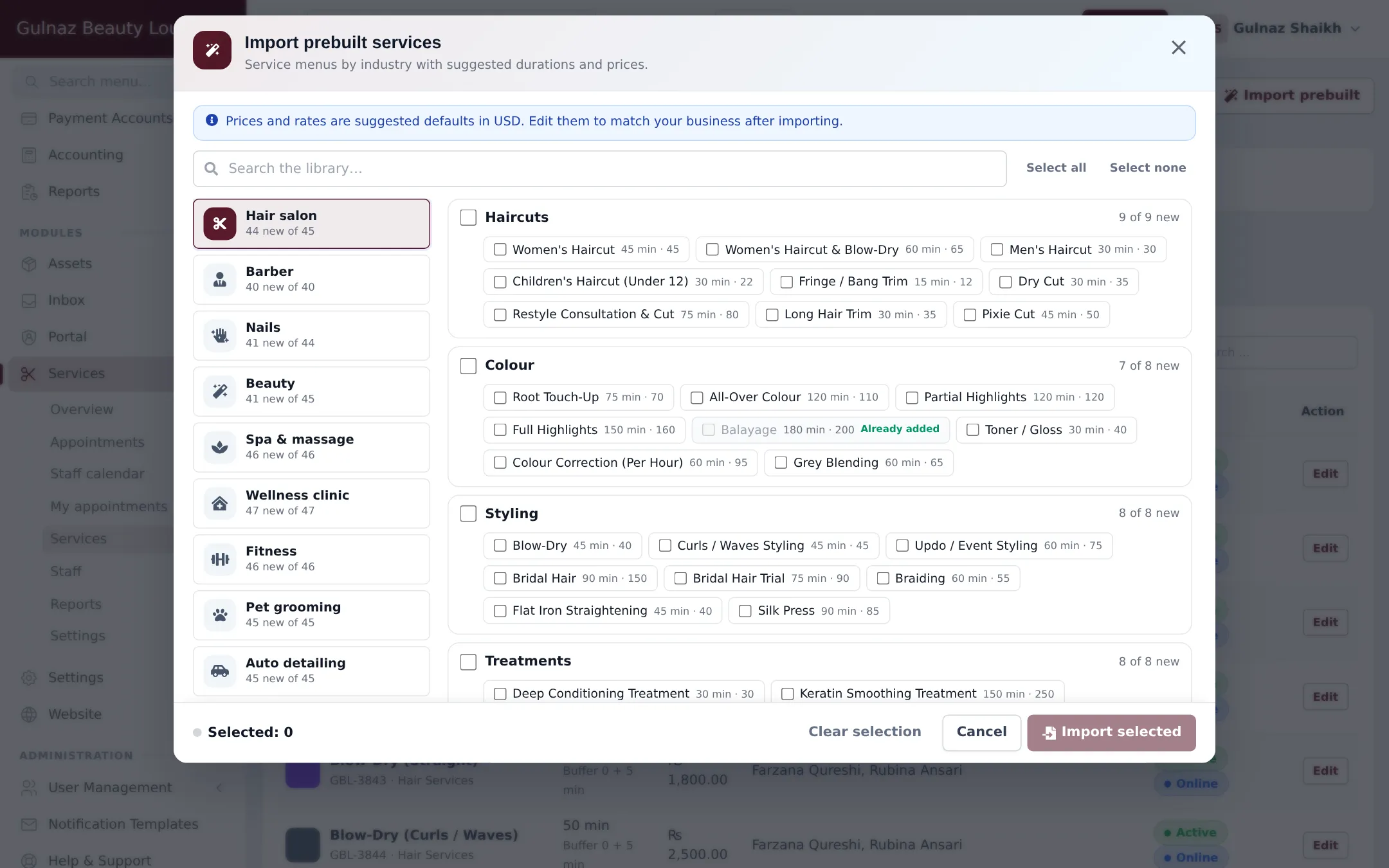
Section titled “Import a ready-made menu”- Open Services › Services and click Import prebuilt.
- Pick your trade on the left: Hair salon, Barber, Nails, Beauty, Spa & massage, Wellness clinic and others. Each shows how many services are new for you.
- Tick whole groups (for example Haircuts, Colour, Styling, Treatments) or single services. Use Search the library… to find one quickly. Services you already have show Already added.
- Click Import selected. The services arrive in your menu with their category, duration, price and colour.
Add or edit a service
Section titled “Add or edit a service”Click Add service for a new one, or Edit next to an existing one. The window has these fields:
| Field | What to enter |
|---|---|
| Service name | What clients see, for example “Haircut & Style (Short)”. |
| Price | Final price including tax. A stylist can have their own price for it (step 3). |
| Duration (min) | How long the client is in the chair or room. |
| Prep before (min) / Clean-up after (min) | Time the staff member is blocked before or after. Not charged. |
| Clients at once | 1 for normal services; more for a group class. |
| Category | Groups the menu on the booking page, such as Hair Services or Skin & Facials. |
| Applicable Tax | The tax already included in the price. |
| Colour | The colour of the appointment in the calendar. |
| Description / Image | Shown on the online booking page. |
| Staff who perform this service | The stylists or therapists who can be booked for it. |
| Online deposit | A deposit due when this service is booked online. 0 = none. |
| Active, Bookable online, Show price online | Turn the service off, keep it off the booking page, or hide its price online. |
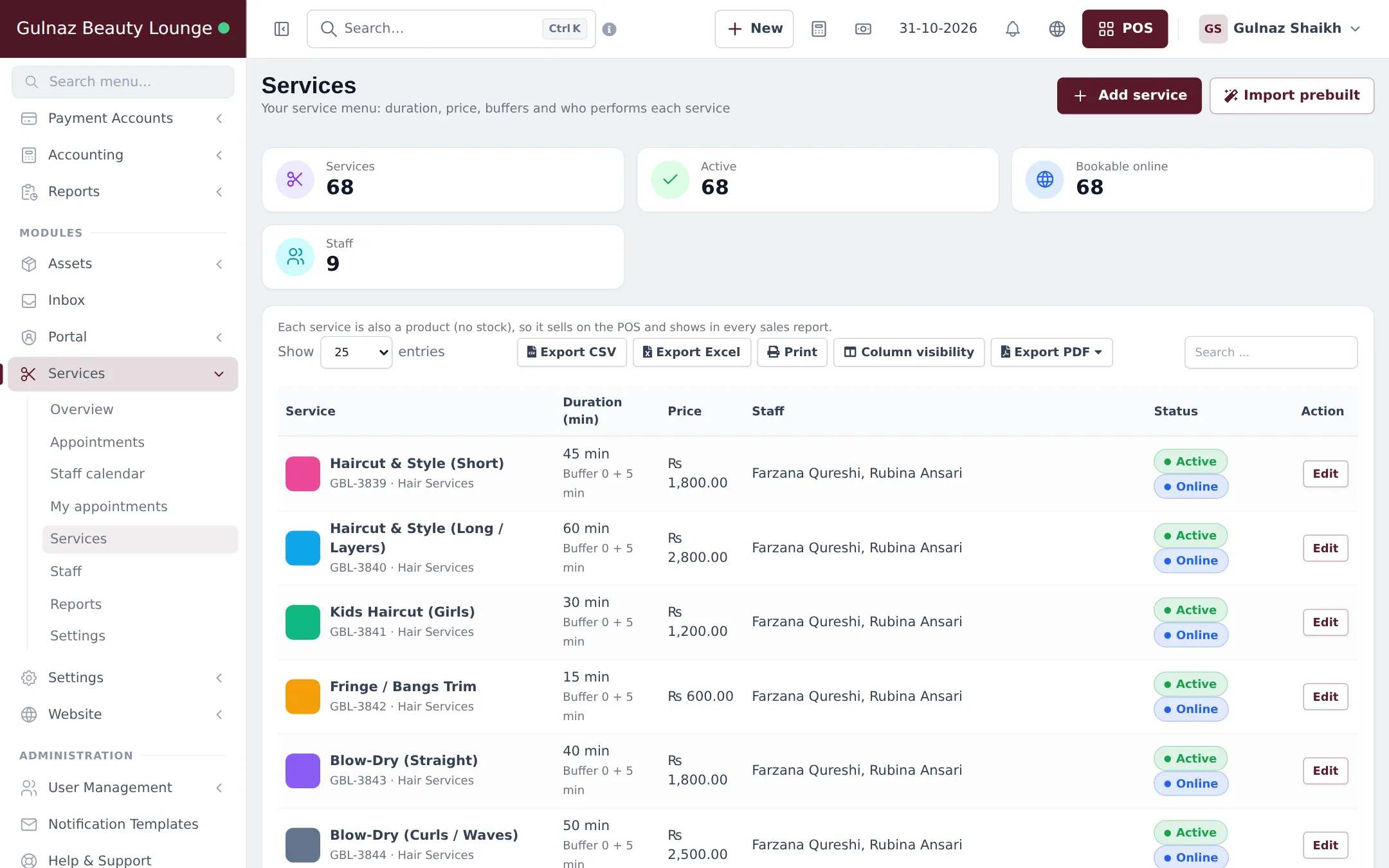
Click Save. The list shows each service’s duration and buffer, price, staff and Active / Online badges.
Tips for salon and spa menus
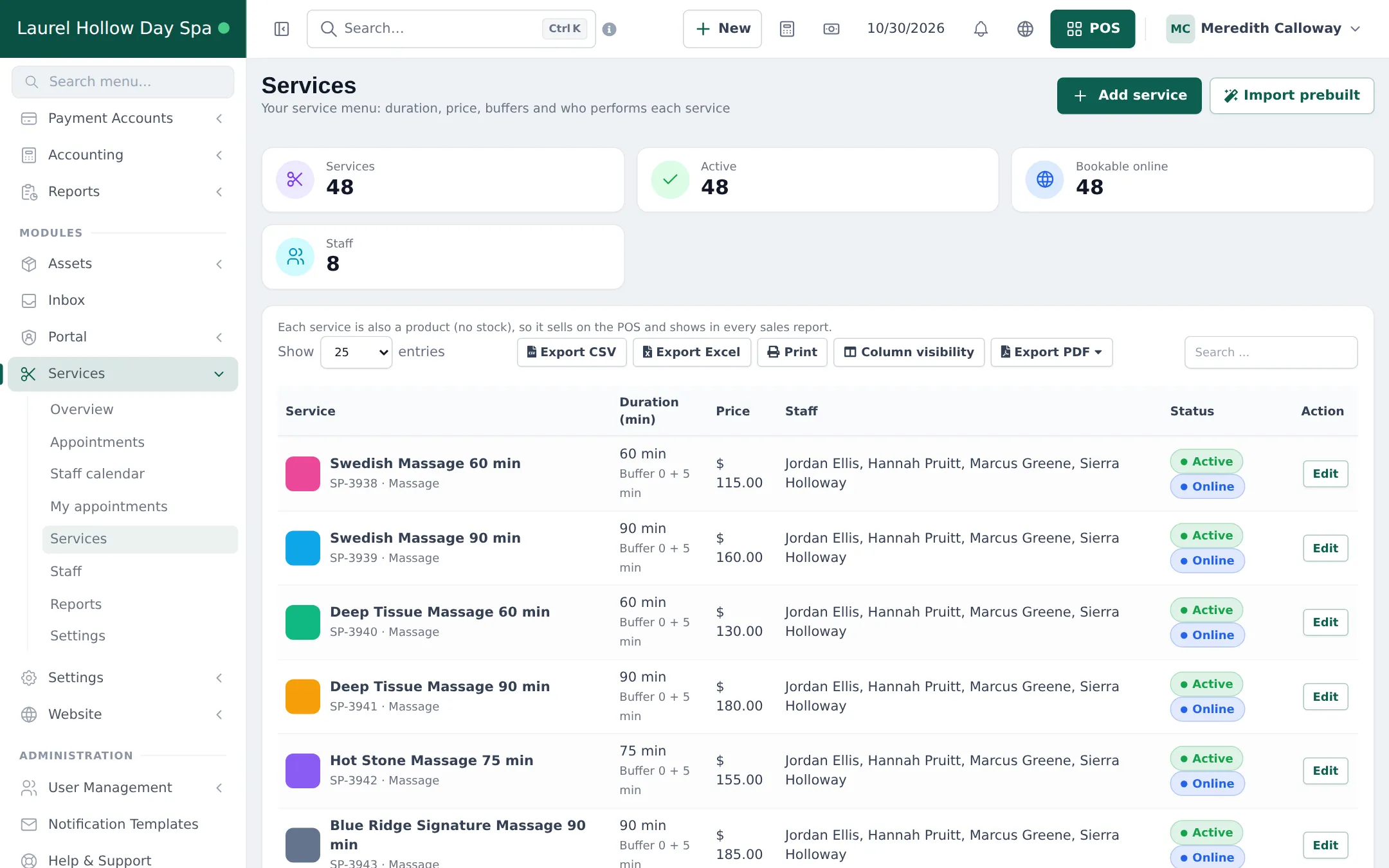
Section titled “Tips for salon and spa menus”- Split by length or level. “Haircut & Style (Short)” and “(Long / Layers)”, or “Swedish Massage 60 min” and “90 min”, give accurate durations and prices.
- Use buffers for colour processing, room turnover or hot stone heating instead of padding the duration.
- Packages: make bridal or spa-day packages their own service with the package price and total time.
- Senior stylists: keep one service and give the senior stylist a higher price on their staff page, instead of duplicating services.
What happens next
Section titled “What happens next”Your services appear on the POS product grid, in the New appointment form and, if Bookable online is ticked, on the booking page. Continue with step 3: stylists, hours and commission.
Frequently asked questions
Is a service the same as a product?
Each service is also a product with no stock, so it sells on the POS and shows in every sales report. Manage it from Services › Services, not from the product list, so duration, staff and online settings stay in sync.
What prices does the prebuilt menu use?
Suggested defaults in USD. The import window says so at the top. Change every price to your own currency and rates after importing.
What are Prep before and Clean-up after?
Time the staff member is blocked before or after the service, for example to mix colour or clean the room. The client is not charged for it, but nobody else can be booked with that person during it.
How do I sell a bridal package or a combo of services?
Create it as its own service with the total duration and the package price, for example Bridal Package with Barat and Walima. The client can also book several separate services back to back in one appointment.
Can one therapist take a group, such as a yoga class?
Yes. Set Clients at once above 1 on the service. The staff member can then take several clients at the same start time.
How do I remove a service I no longer offer?
Archive it from its Edit window. It disappears from booking and the POS, and past sales stay in your reports.