
Food truck step 6: catering orders and quotations
Catering is where many trucks make their best money: weddings, office lunches, private parties. SmartPOS Hub handles it with quotations: a priced offer you send to the customer and turn into a sale when they say yes.
Before you start
Section titled “Before you start”- Catering items exist, for example “Taco bar per guest”, “Additional event hour” or “Event fee” (step 2).
- The customer is a contact with name, phone and e-mail (Contacts).
Write the quote
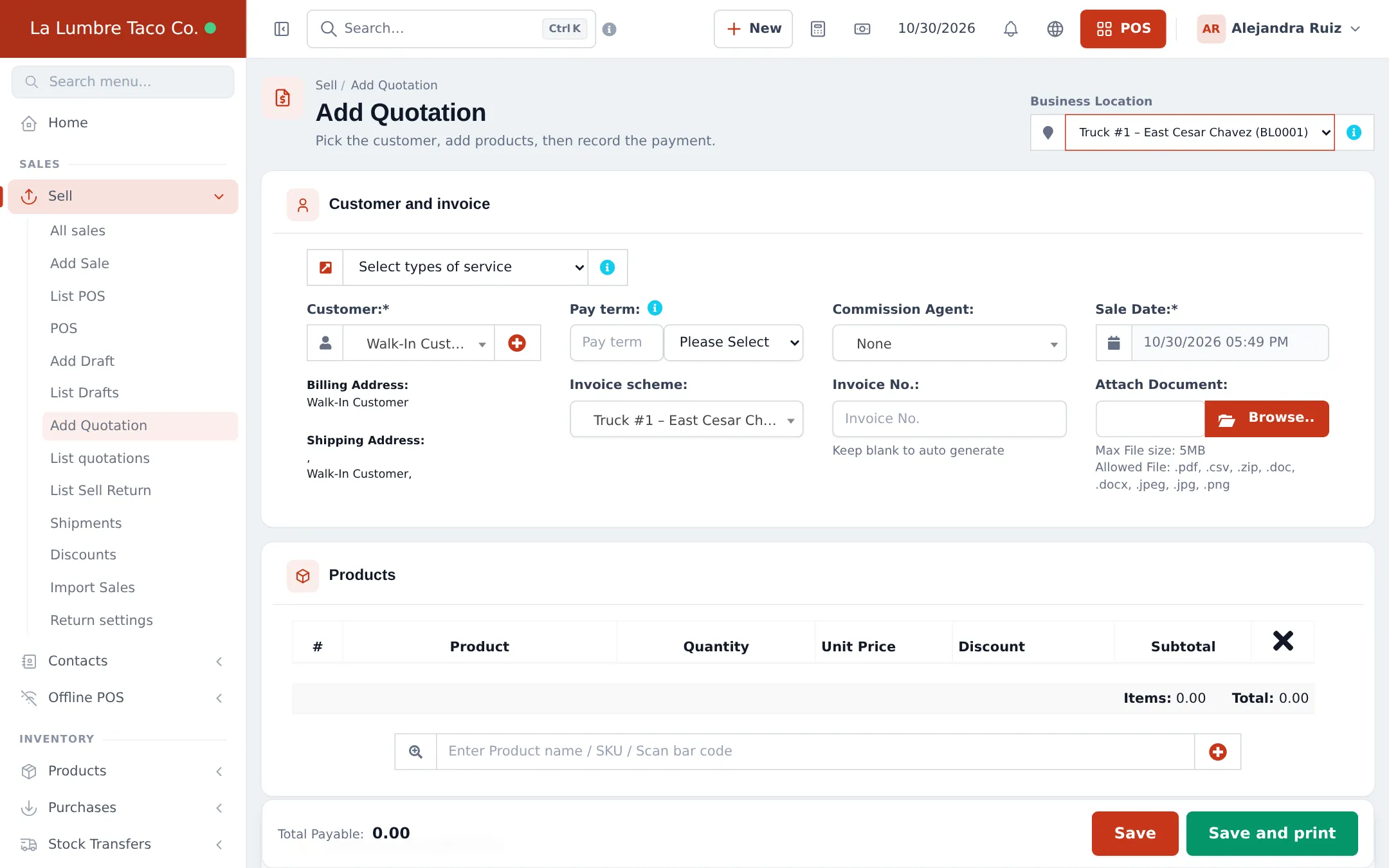
Section titled “Write the quote”- Open Sell › Add Quotation.
- Pick the truck as the Business Location (top right) and the Customer.
- Under Products, add the catering items with quantities (guests, hours) and any discount.
- Add notes such as the date, address and menu choices, and attach a document if needed.
- Click Save (or Save and print). Print it or share the quote link from Actions › Invoice URL on the list.
Follow up and win the job
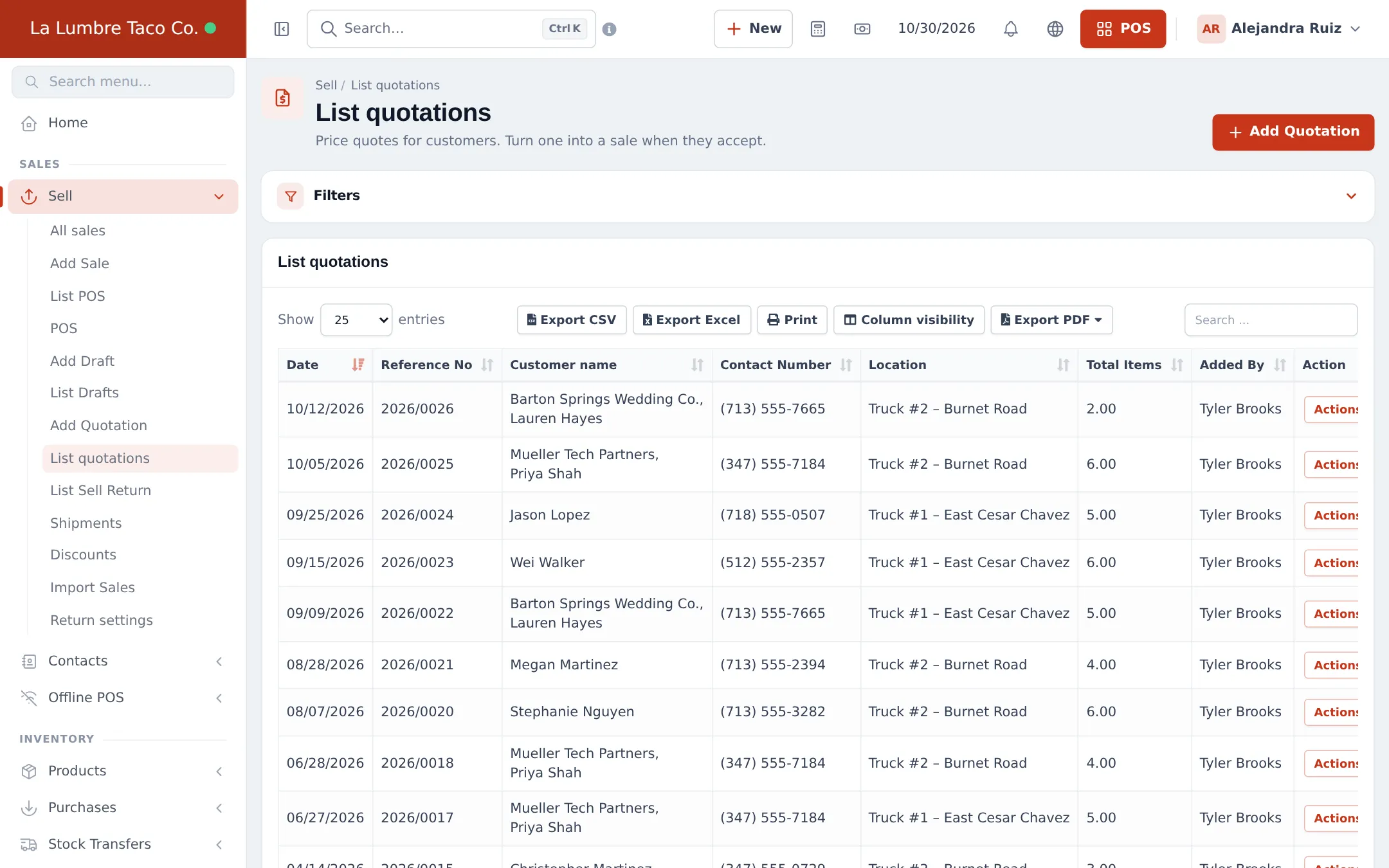
Section titled “Follow up and win the job”Sell › List quotations lists every quote with the customer, location, items and who added it. Filter by truck or customer.
Turn it into a sale and take a deposit
Section titled “Turn it into a sale and take a deposit”- When the customer accepts, open the quote with Actions › Edit (or from the POS under Recent Transactions › Quotation).
- Check the final numbers and finish the sale.
- Enter only the deposit as the payment. The rest stays due on the customer.
- After the event, collect the balance with Add payment on the sale or the customer.
Read more: Quotations, drafts and orders and Credit and part payments.
Tips and mistakes to avoid
Section titled “Tips and mistakes to avoid”- Put the event date in the notes; the quote date is the date you wrote it.
- Take a deposit before buying extra ingredients for a big job.
- Load stock for the event with a stock transfer to the truck (Stock transfers).
Frequently asked questions
Does a quotation reduce stock?
No. Quotations and drafts don't touch stock or sales until they are turned into a final sale.
How do I turn an accepted quote into a sale?
Open Sell › List quotations, use Actions › Edit (or open it from Recent Transactions › Quotation on the POS) and finish it with a payment button.
Can the customer pay a deposit?
Yes. When you finish the sale, enter only the deposit as the payment. The rest stays due on the customer and you collect it after the event with Add payment.
Can I charge a travel or service fee?
Yes. Add a service product such as "Event fee" or "Additional event hour" to the quote, or use shipping charges for delivery.
Which truck does a catering job belong to?
Pick the truck that does the job as the Business Location on the quotation, so its sales report includes the job.