
Sign up for SmartPOS Hub and choose a plan
This guide shows how to sign up for SmartPOS Hub, what the free trial includes, and how to choose or change a paid plan. It is for the business owner creating the account. Signing up takes about two minutes and you can start selling the same day.
Before you start
Section titled “Before you start”- An e-mail address you can open (for receipts, password resets and plan notices).
- Your business name, country and currency. The time zone and currency are detected from your device; check them.
- Optional: a referral code or a lifetime-deal code.
Create your account
Section titled “Create your account”- Go to app.smartposhub.com and click Register (or Start free on the Pricing page).
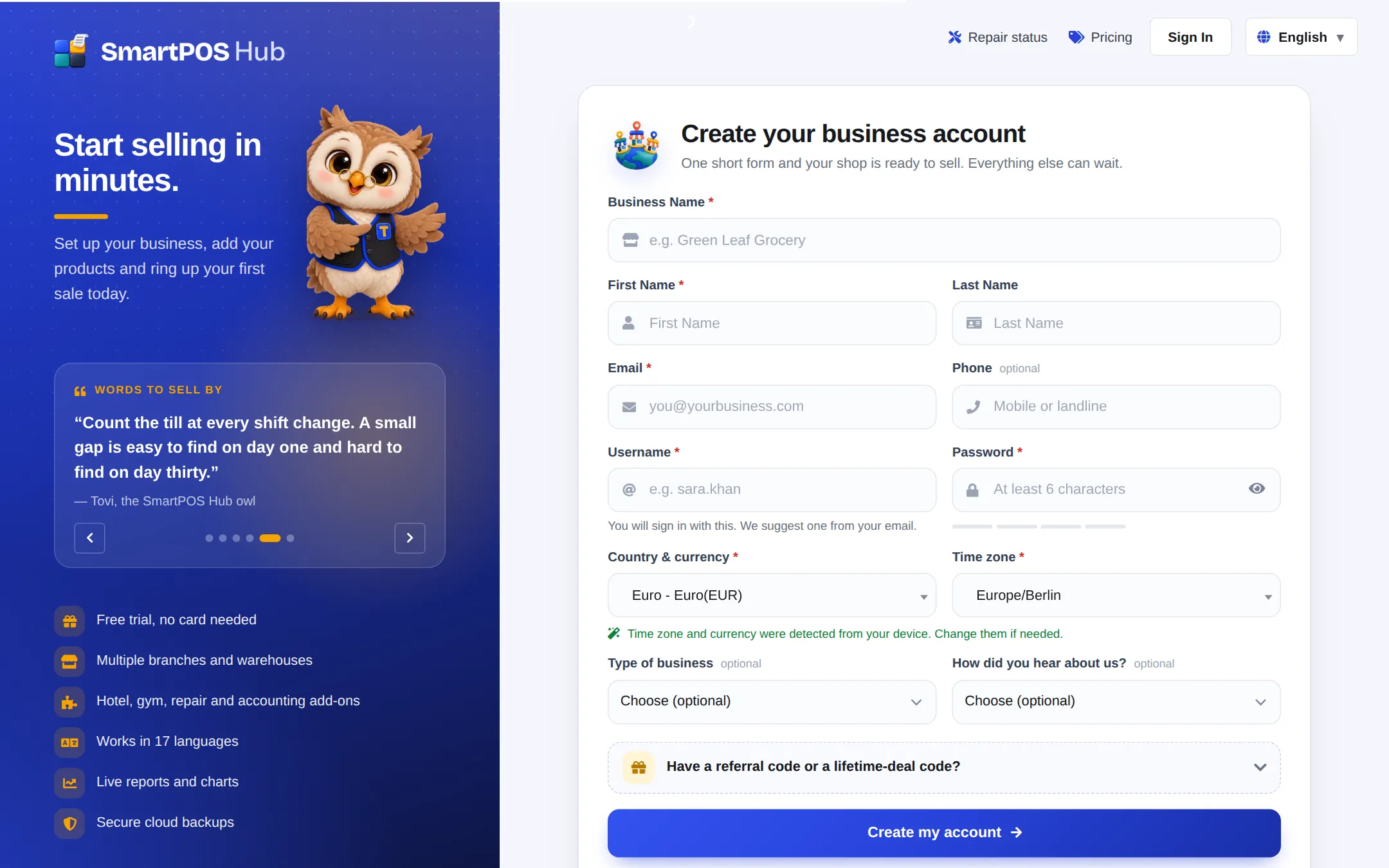
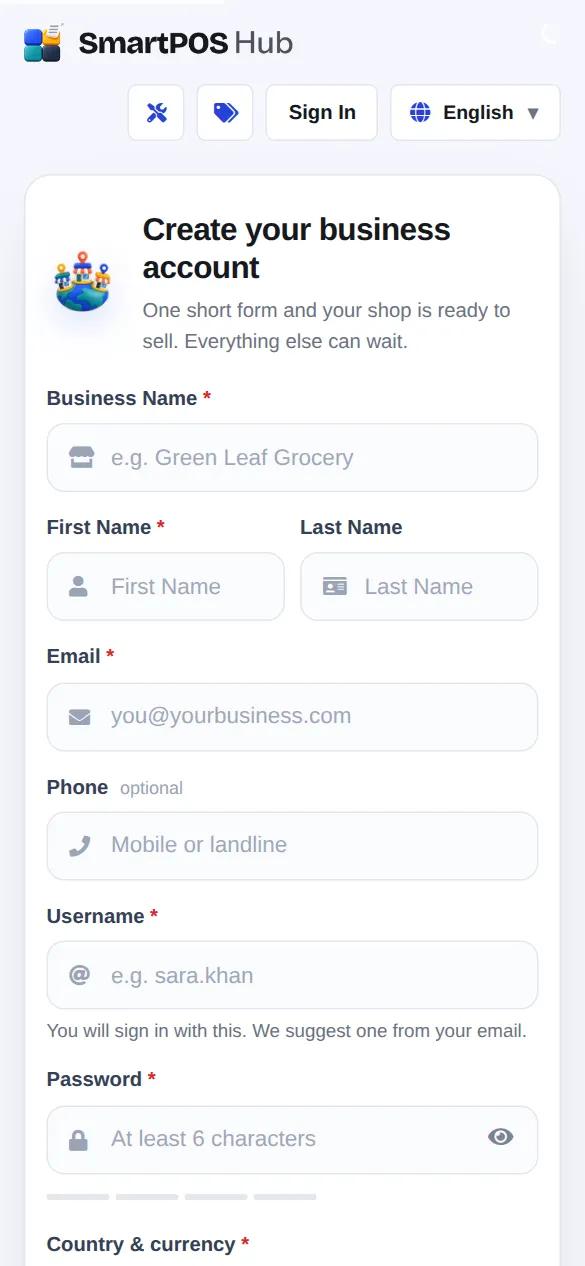
- Fill in Business Name, First Name, Last Name (optional), Email and Phone (optional).
- Choose a Username and Password. You sign in with the username; it cannot be changed later. The password needs at least 6 characters, and the strength bar shows how strong it is.
- Check Country & currency and Time zone. Every price, receipt and report uses this currency and time.
- Optional: pick your Type of business (for example Grocery / supermarket, Restaurant, Pharmacy, Electronics & mobiles) and tell us How did you hear about us?
- If you have a code, open Have a referral code or a lifetime-deal code? and enter it.
- Click Create my account.
What happens next
Section titled “What happens next”- Your free trial starts at once and you land in the app. On app.smartposhub.com the trial is 14 days, with one location and up to five users.
- If you came from a paid plan’s Get started button on the Pricing page, you go to the payment page for that plan instead.
- With a lifetime-deal code, the lifetime plan is applied and you go straight to the dashboard.
Continue with the First login tour.
Compare the plans
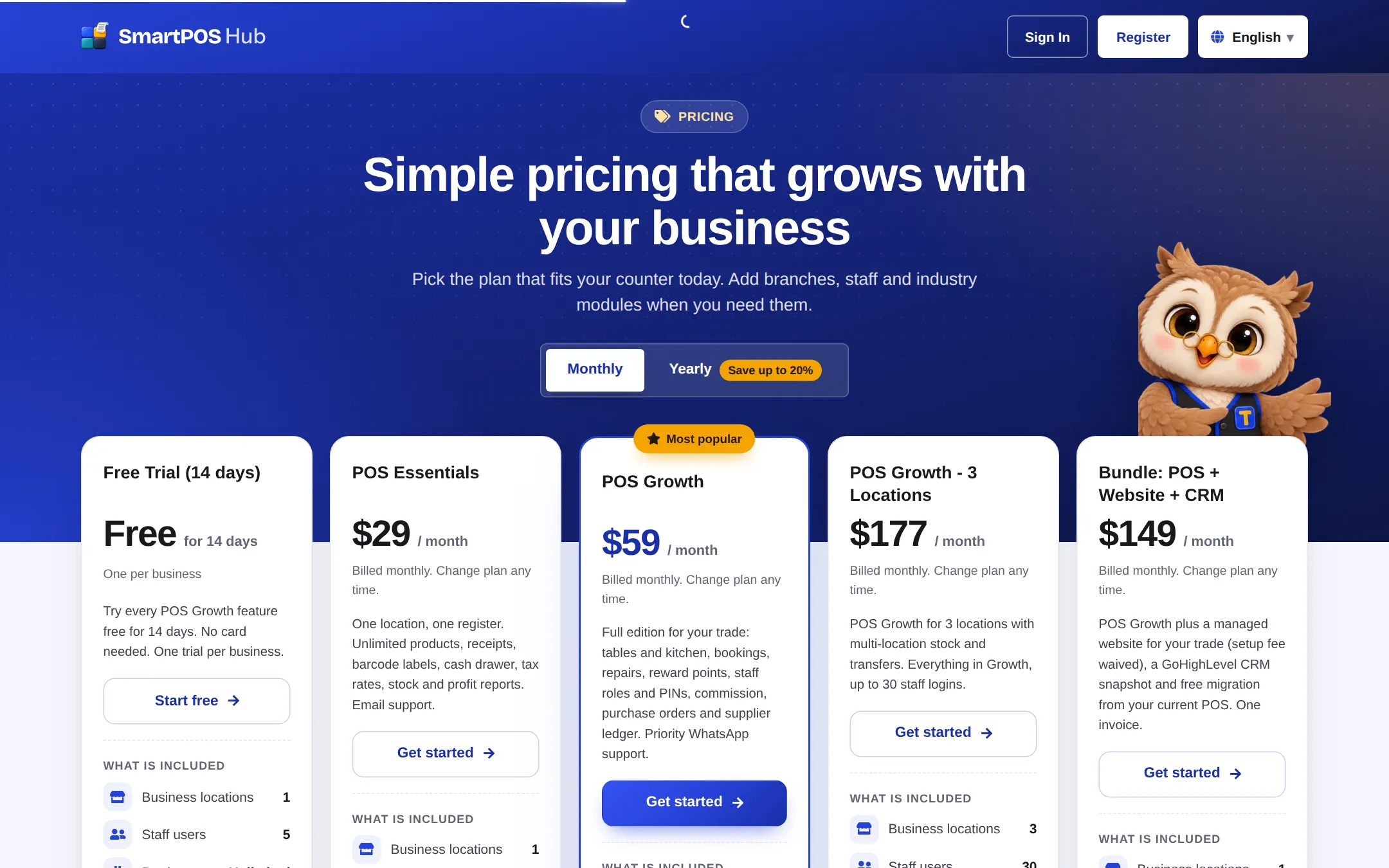
Section titled “Compare the plans”The Pricing page lists every plan with its limits (business locations, staff users, products, invoices) and the industry modules it includes. Switch between Monthly and Yearly; yearly billing costs less per month.
Choose, upgrade or renew a plan inside the app
Section titled “Choose, upgrade or renew a plan inside the app”- Open Settings › Package Subscription.
- Check your current plan: status (trial, active, lifetime…), end or renewal date, and the days-left bar.
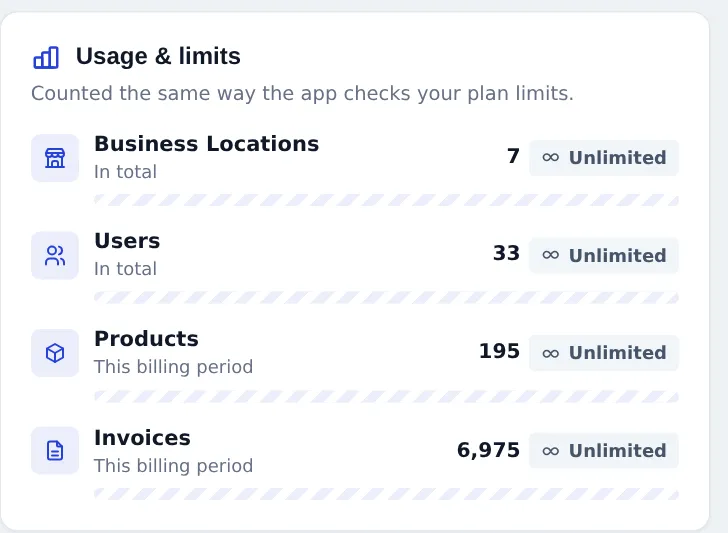
- Look at Usage & limits to see how many locations, users, products and invoices you use against the plan.
- Under Available plans, click Upgrade, Downgrade, Switch to this plan or Renew / extend on the plan you want.
- On the payment page, check the order summary, add a coupon under Have a coupon? if you have one, pick a payment method and pay.
A new plan bought before the current one ends is queued: it starts the day after the current plan ends. Card payments can renew automatically; use Manage billing or Cancel auto-renew on the same page. More detail: Subscription and billing.
Tips and mistakes to avoid
Section titled “Tips and mistakes to avoid”- Use a real e-mail. Password resets and plan notices go there.
- Pick the right currency now. Prices and reports use it everywhere; changing it later after selling makes old reports confusing.
- Watch the trial end date. The Subscription page and a dashboard notice warn you a few days before the end.
- One trial per business. The free trial can be used once; choose a plan before it ends.
Related pages
Section titled “Related pages”Frequently asked questions
Do I need a credit card to start the free trial?
No. The free trial starts as soon as you create your account, without card details. You only pay when you choose a paid plan.
How long is the free trial?
On app.smartposhub.com the trial lasts 14 days and includes one location and up to five staff users. The Subscription page shows the exact end date and how many days are left.
What happens when the trial or plan ends?
You can still sign in and look at your lists, reports and dashboard, but selling and adding records stop until you choose a plan. Your data is kept.
Can I change plans later?
Yes. Open Settings, Package Subscription and pick another plan under Available plans. The button says Upgrade, Downgrade, Switch or Renew depending on the plan.
What if my plan does not allow enough locations or users?
Plan cards show the reason when your current usage is above a plan's limit. Choose a plan with more locations or users, or deactivate what you no longer use.
I have a lifetime-deal code. Where do I enter it?
Open Have a referral code or a lifetime-deal code on the sign-up form, or later use Settings, Redeem code.
Can I change my username after sign-up?
No. The username cannot be changed later, so pick one you will remember. You can change your password, name and e-mail at any time from your profile.