
Food truck daily operations in SmartPOS Hub
This is the routine for each truck, from the commissary in the morning to the cash count at night.
Before leaving the commissary
Section titled “Before leaving the commissary”- Open SmartPOS Hub or the app on each device while on Wi-Fi so data refreshes.
- Check Offline POS › Dashboard: no Sales waiting on devices from yesterday, no open Sync issues.
- Load drinks and packaging with a stock transfer from the commissary to the truck (Stock transfers).
- Count the float.
At the spot
Section titled “At the spot”- Open the cash register with the float (step 5).
- Sell from the tablet or phone; if the signal drops, keep selling offline (steps 3 and 4).
- Pay small costs (ice, gas) from the drawer as cash expenses.
Closing
Section titled “Closing”- Get the device online (hotspot or Wi-Fi) and let offline sales sync.
- Count the cash and close the register; print the Z Report.
- Record spoiled food as a stock adjustment if you track it.
At the office
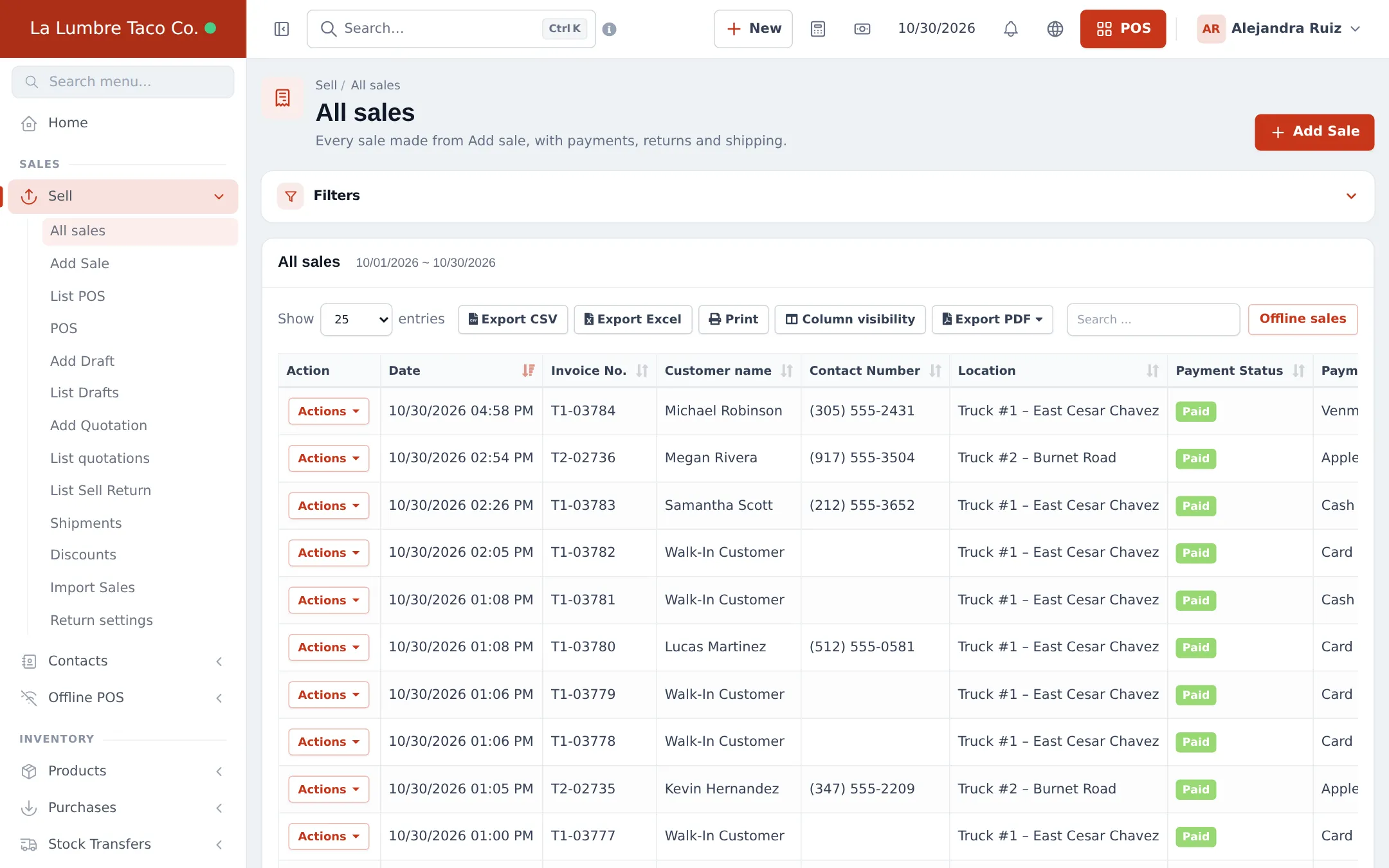
Section titled “At the office”- Sell › All sales: filter by truck; the Offline sales button shows what came in from devices.
- Offline POS › Sync issues: resolve anything flagged.
- Sell › List quotations: follow up on open catering quotes (step 6).
Weekly
Section titled “Weekly”| What | Where |
|---|---|
| Sales per truck and per spot | Reports › Product Sell Report, filtered by location |
| Cash differences | Reports › Register Report |
| Catering pipeline | Sell › List quotations |
| Profit | Reports › Profit / Loss Report |
Frequently asked questions
What must happen before the truck leaves?
Connect each device to the internet so prices, stock and customers refresh, check no offline sales are still waiting, and load stock with a transfer if you track it.
How do I compare my trucks?
Filter the sales reports and the Profit / Loss Report by location. Each truck is its own location.
What if a sale went to Sync issues?
A manager opens Offline POS › Sync issues, reviews the sale (price, discount, stock or closed register) and marks it resolved, or uses Create anyway for a held sale.
How do I see sales made offline?
Sell › All sales has an Offline sales button, and Offline POS › Offline sales lets you search by offline reference.