
Payment accounts - cash drawers, bank and card balances
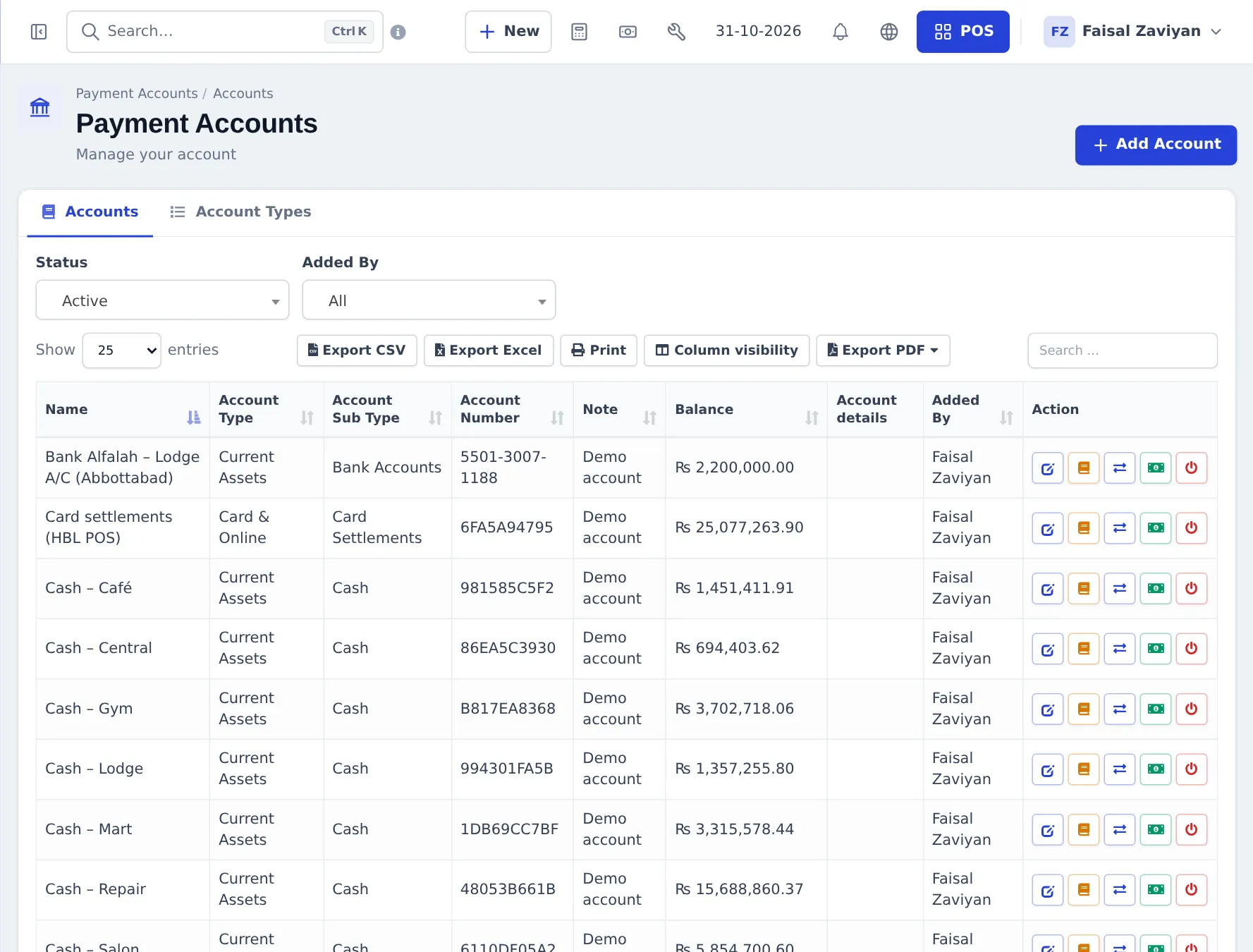
Payment accounts show where your money is: each cash drawer, bank account and card settlement account has a balance that moves with every sale payment, supplier payment, expense, deposit and transfer. Use them to reconcile the bank and to know how much cash each shop holds.
Set up accounts
Section titled “Set up accounts”- Go to Payment Accounts › List Accounts and press Add Account.
- Enter the Name, Account Number, Account Type (for example Current Assets › Cash or Bank Accounts), Opening Balance and a Note. Manage types on the Account Types tab.
- Link each location’s payment methods to a default account: Settings › Business Locations › Payment Options.
Everyday actions
Section titled “Everyday actions”On each account row:
- Account Book — every transaction with running balance.
- Edit, Fund Transfer (move money between accounts, with a fee and attachment), Deposit, Close.
Statements
Section titled “Statements”- Balance Sheet — assets vs liabilities on a date.
- Trial Balance — debit and credit totals per account.
- Cash Flow — money in and out over a period.
- Payment Account Report — payments and the account they went to; Link account for payments saved without one.
When Accounting & bookkeeping is set up, these pages show a link to the full accounting reports.
Frequently asked questions
What is a payment account?
A place where money sits - a cash drawer, a bank account, a card settlement account or a mobile wallet. Every payment you take or make can be linked to one, so each balance stays up to date.
I don't see Payment Accounts in the menu.
Switch on Account in Settings › Business Settings › Modules, and make sure your role has access to accounts in User Management › Roles.
How do I move cash from the drawer to the bank?
In Payment Accounts › List Accounts use Fund Transfer on the cash drawer account, choose the bank account and the amount.
Why is an account balance wrong?
Usually payments were saved without a payment account. Payment Accounts › Payment Account Report lists payments and lets you link them to the right account.
How do I set a default account per shop?
Edit the location in Settings › Business Locations and choose the default account for each payment method under Payment Options.
What is the difference with Accounting?
Payment Accounts tracks money balances. Accounting (bookkeeping) keeps full double-entry books with a chart of accounts. You can link payment accounts to ledger accounts.